TR7500_Series_Software_v29_En.pdf - 第25页
Test Research Inc. TR7500 Series User Guide – Software v.2.9.0 3 Figure 3: Confirm Load Data W indow 2.2 Cre ate Board Inf ormation For a new progra m, an AOI file (*.aoi ) needs to be created f irst for the TR7500 to re…
Test Research Inc.
2 TR7500 Series User Guide –Software v.2.9.0
2 AOI
S
TANDARD
P
ROJECT
C
REATION
The Automatic Test Program Generator (ATPG) is a powerful tool incorporated into the
TR7500 system. This chapter explains how ATPG works.
2.1 Project Creation & Start with ATPG
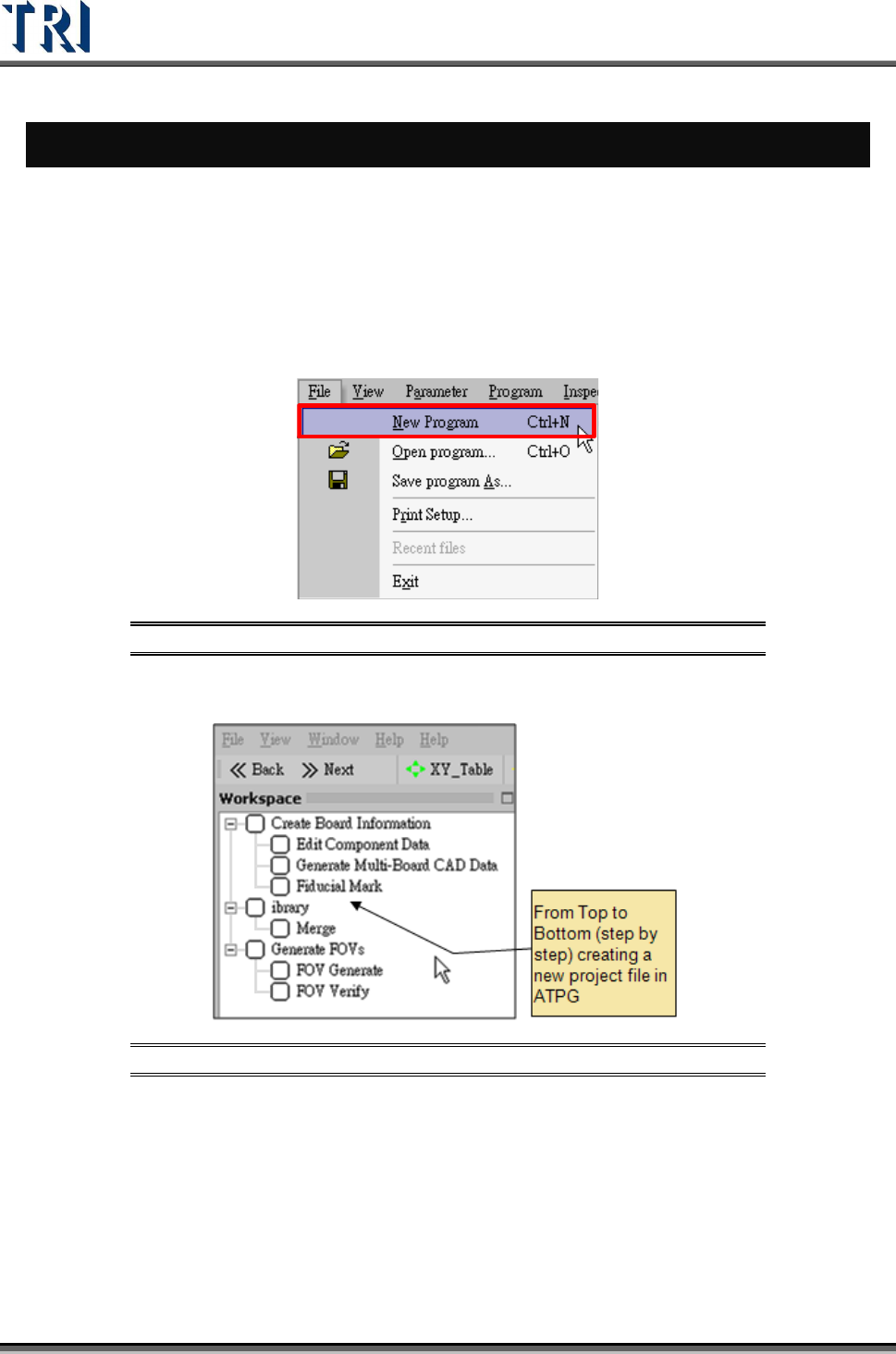
1. Double click on the shortcut of TR7500 main program.
2. Create a new project file.
Figure 1: Creating a New TR7500 Program File
3. ATPG steps appear.
Figure 2: List of ATPG Steps
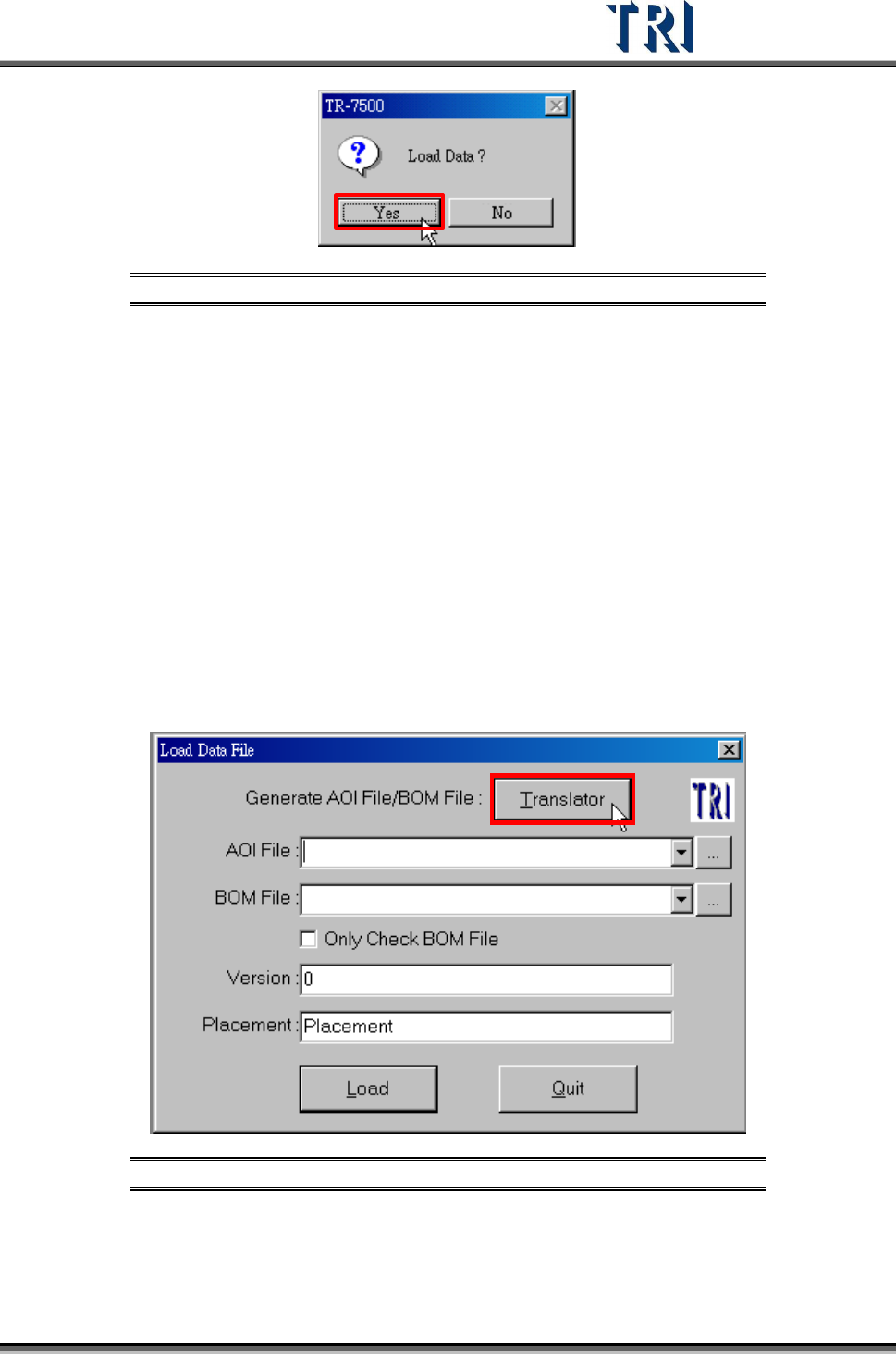
4. Confirm loading CAD file dialog window.
Test Research Inc.
TR7500 Series User Guide –Software v.2.9.0 3
Figure 3: Confirm Load Data Window
2.2 Create Board Information
For a new program, an AOI file (*.aoi) needs to be created first for the TR7500 to read. There
are two types of converters included with the system software: FABMaster and Default.
If there is a file named PARTS.ASC from the FABMaster program, it can be used by
FABMaster to transfer from ASC files to AOI file. Or all component data can be collected --
including component name, X and Y values, rotation angle, and type of component -- and
saved as a .TXT file. Transfer the data from the saved .TXT file to an AOI file by using the
DEFAULT translator. The [Component Name] field must be the characters, figures or
symbols which can be typed directly on the keyboard. The [Type] field must be the
characters or figures which can be typed directly on the keyboard or underline symbol (“_”).
The system will be unable to display or save in the correct format when the content is not
correct.
2.3 Translate a CAD to an AOI file.
Figure 4: Load Data File -- Translator
Test Research Inc.
4 TR7500 Series User Guide –Software v.2.9.0
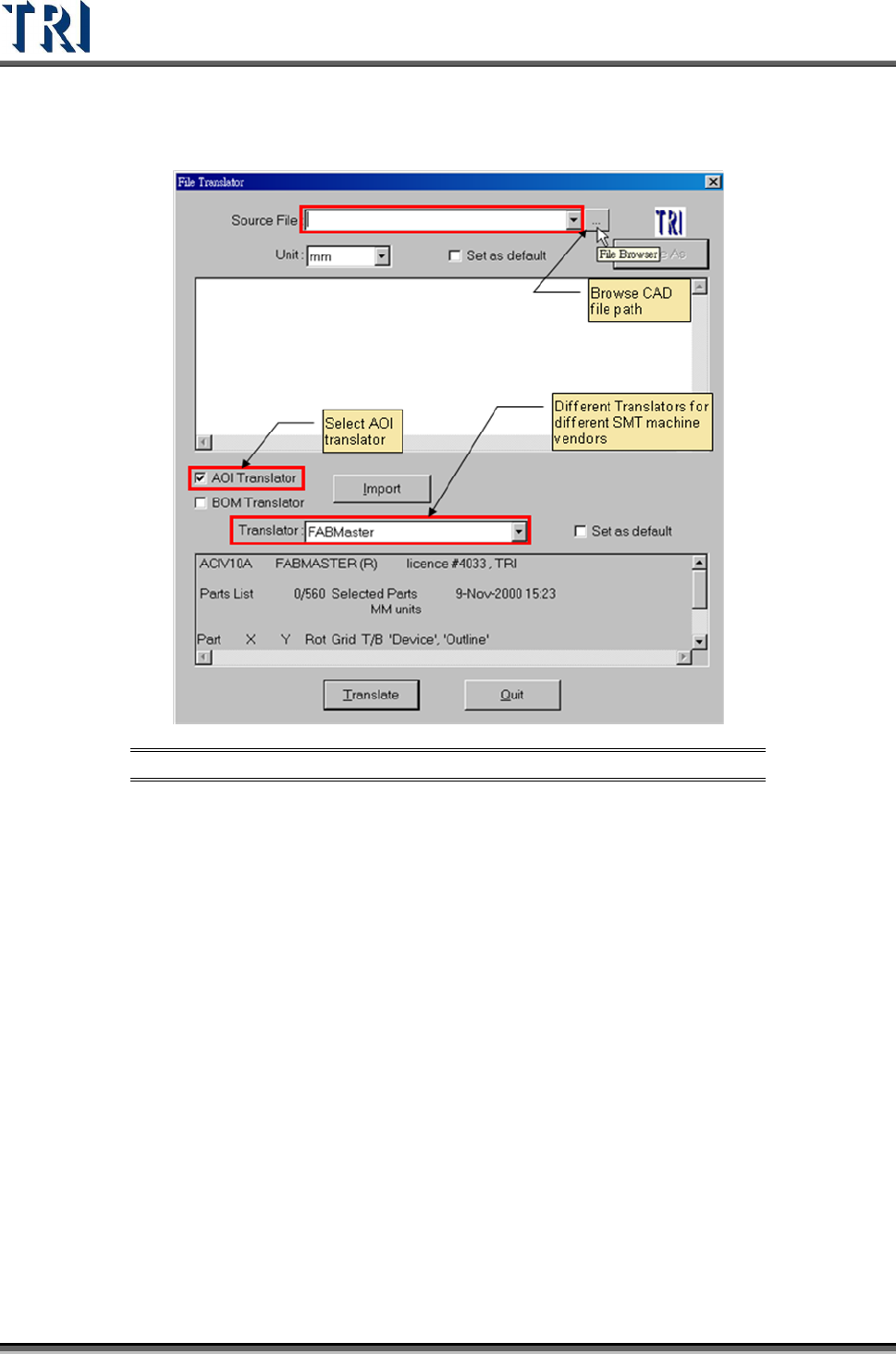
1. Browse CAD file path.
Figure 5: File Translator Function Screen
2. Browse file path and select a file.