TR7500_Series_Software_v29_En.pdf - 第42页
Test Research Inc. 20 TR7500 Series User Guide – Software v.2.9.0 (2) System display s the upper-left corner coo r dinates. Press [OK] . (3) Move the camera to the low er-right corner, then press [Set Ri ght Down] to get…
Test Research Inc.
TR7500 Series User Guide –Software v.2.9.0 19
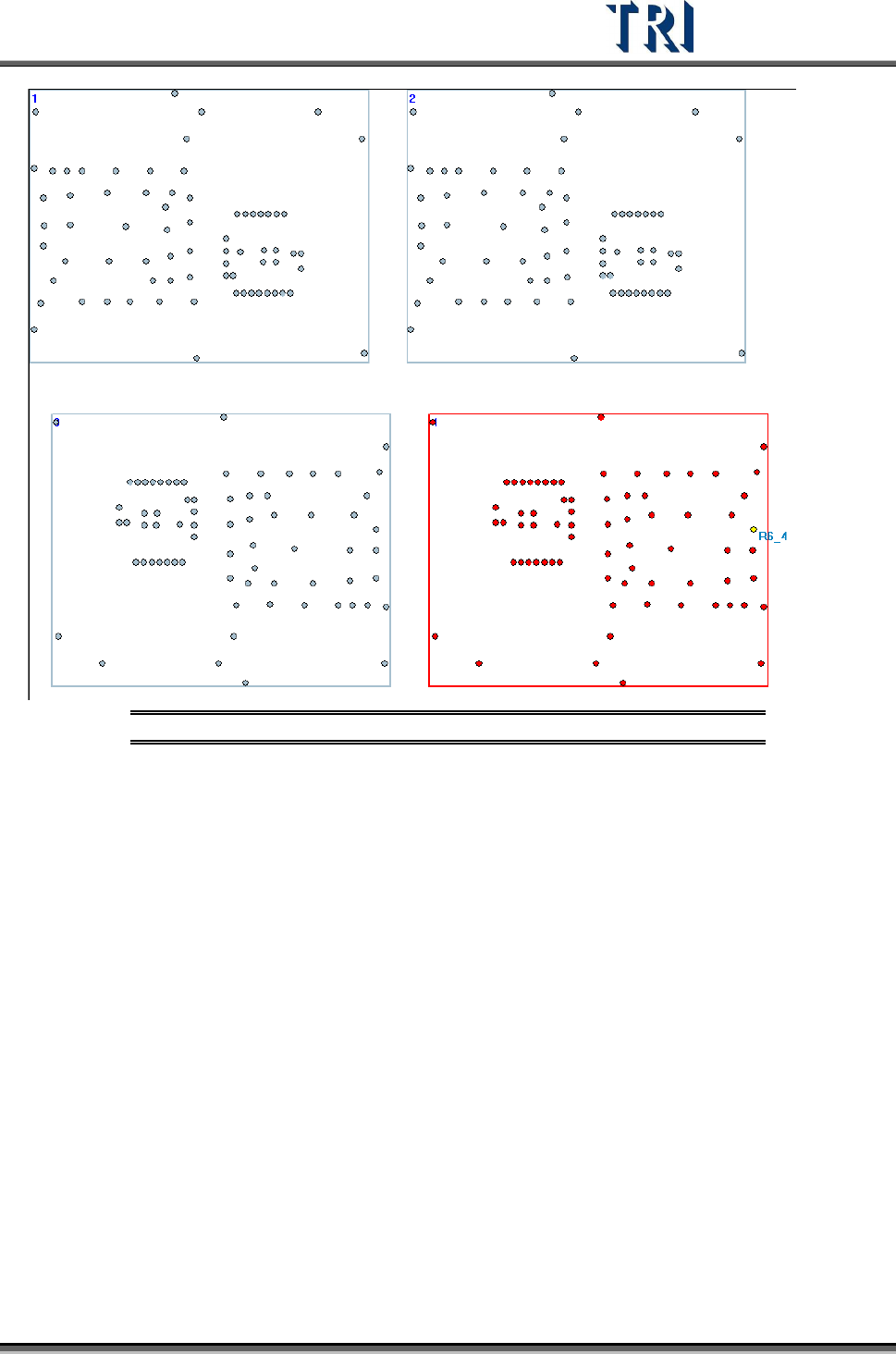
Figure 31: Display Panel Result
(7) Press [Next]
(8) System reminds you to set Board Size first.
2.5.4 Set Board Size
Define the position of Board 1. It is to cooperate with the multi-board layout modification,
user must set the board size here. If it is single board, set the panel size here.
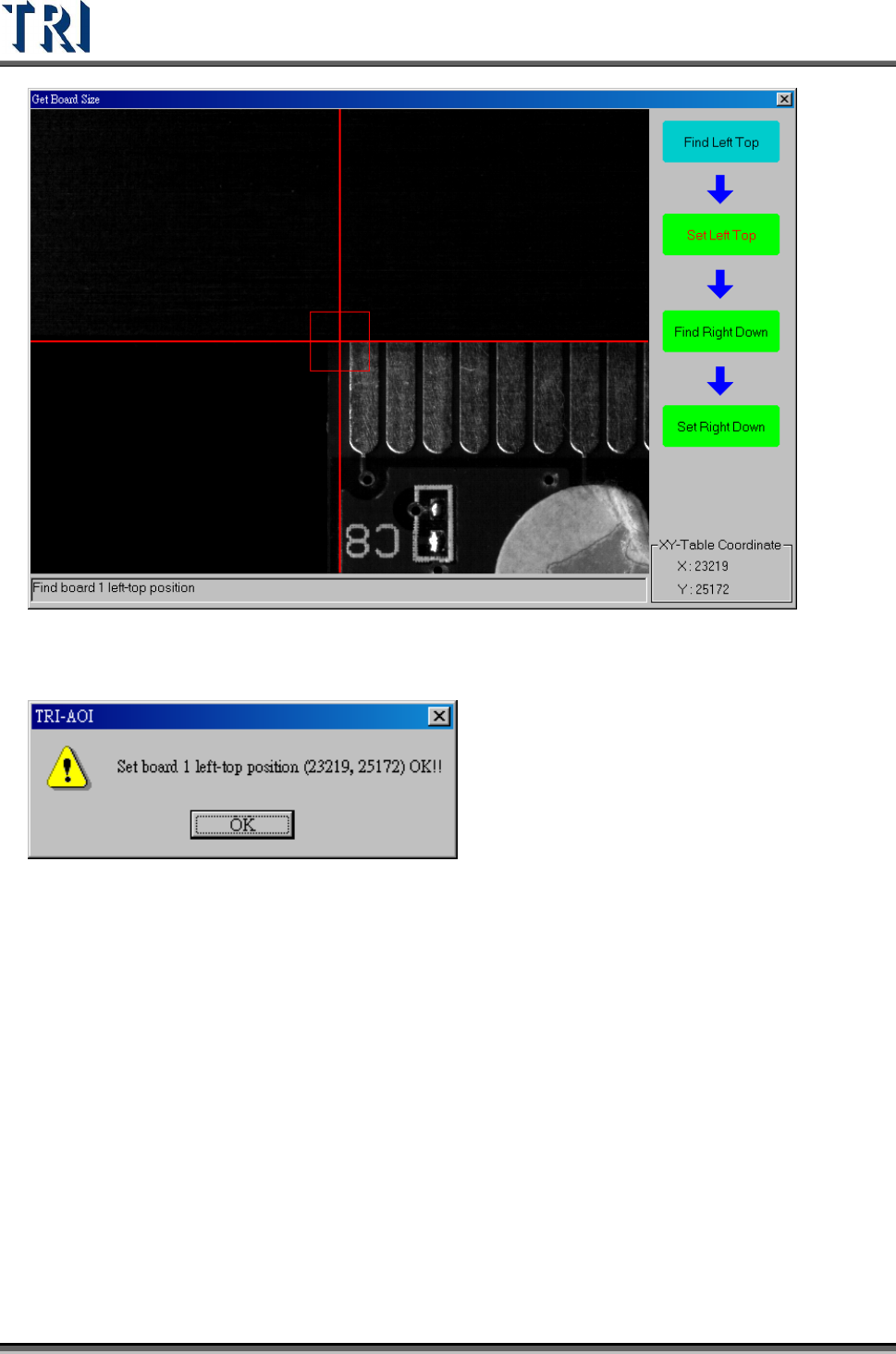
(1) Move the camera to the upper-left corner of Board 1, then press [Set Left Top] to get the
position.
Test Research Inc.
20 TR7500 Series User Guide –Software v.2.9.0
(2) System displays the upper-left corner coordinates. Press [OK].
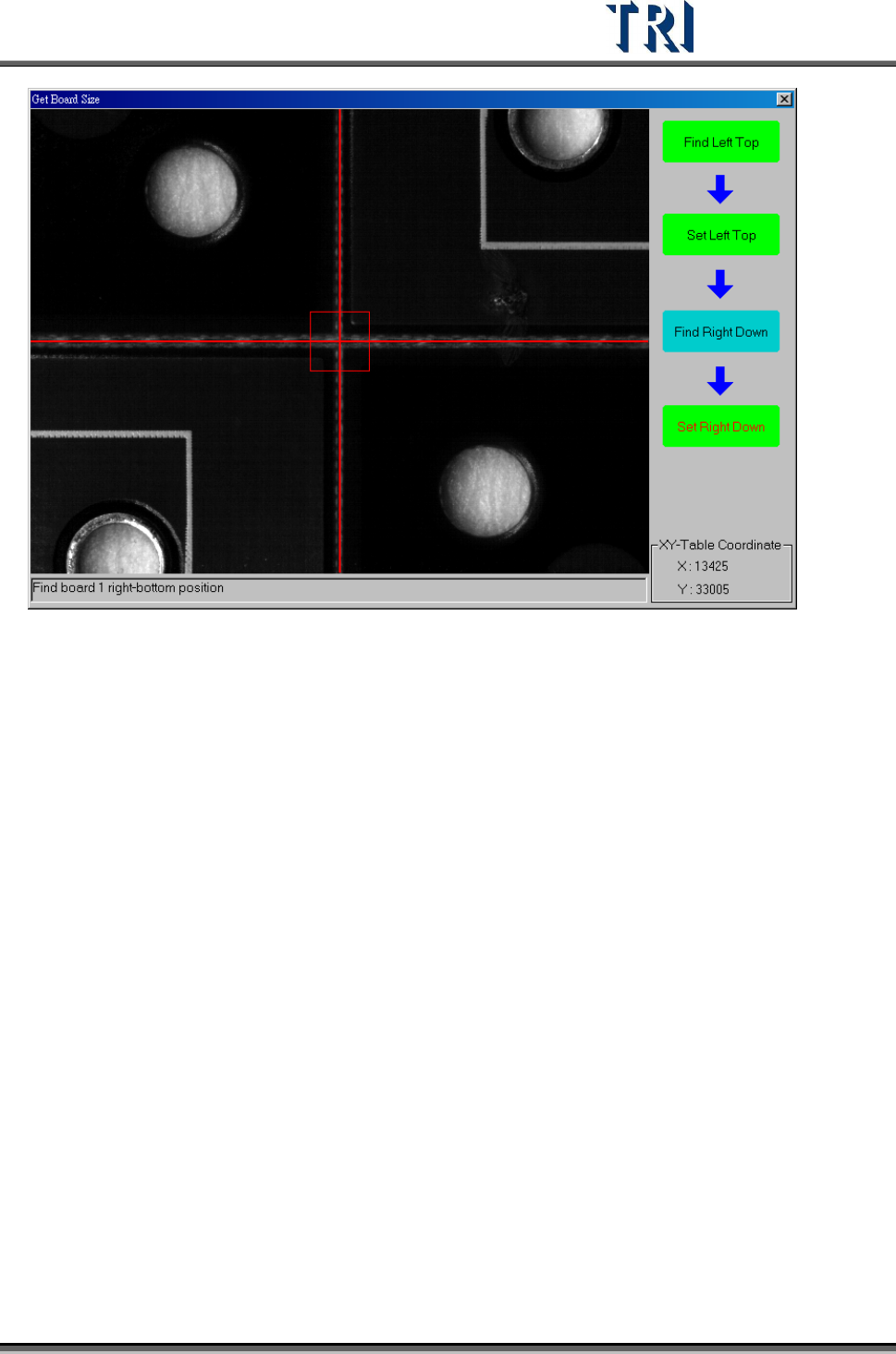
(3) Move the camera to the lower-right corner, then press [Set Right Down] to get the
position.
Test Research Inc.
TR7500 Series User Guide –Software v.2.9.0 21
(4) Press [Next]
2.6 Fiducial Mark Setting
The Fiducial Mark setting is for detecting panel offset.
1. Press [Set Fiducial Mark] icon.