TR7500_Series_Software_v29_En.pdf - 第170页
Test Research Inc. 148 TR7500 Series User Guid e –Softwa re v.2.9.0 Figure 243 : Add Componen t Dialog 5.17 Delete Delete the component from the AOI component list tabl e. Figure 244 : Select Delete C ommand For a single…
Test Research Inc.
TR7500 Series User Guide –Software v.2.9.0 147
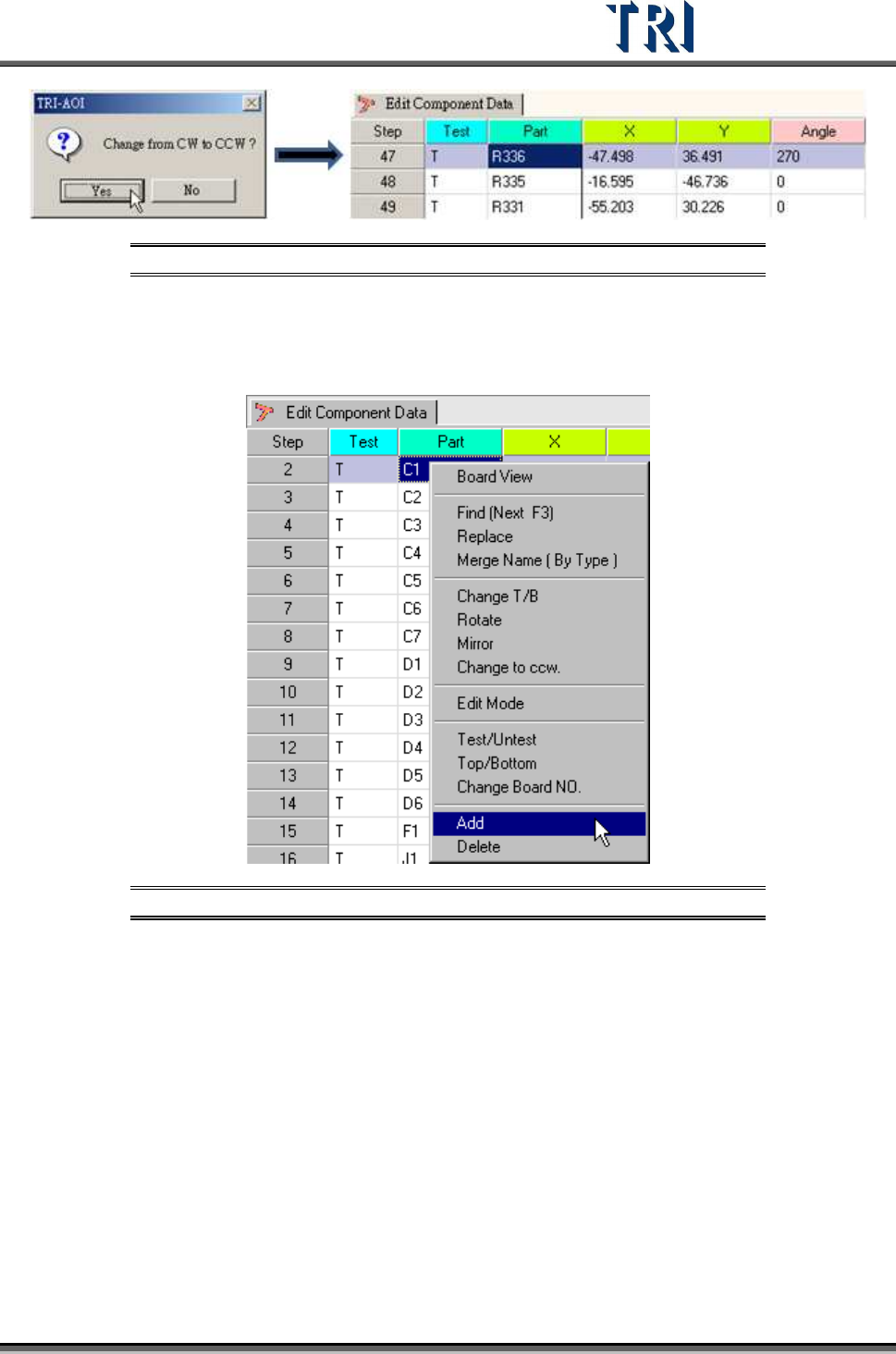
Figure 241: Change to Counterclockwise Process
5.16 Add
Create a new component in the [AOI Component Data] file.
Figure 242: Select Add Command
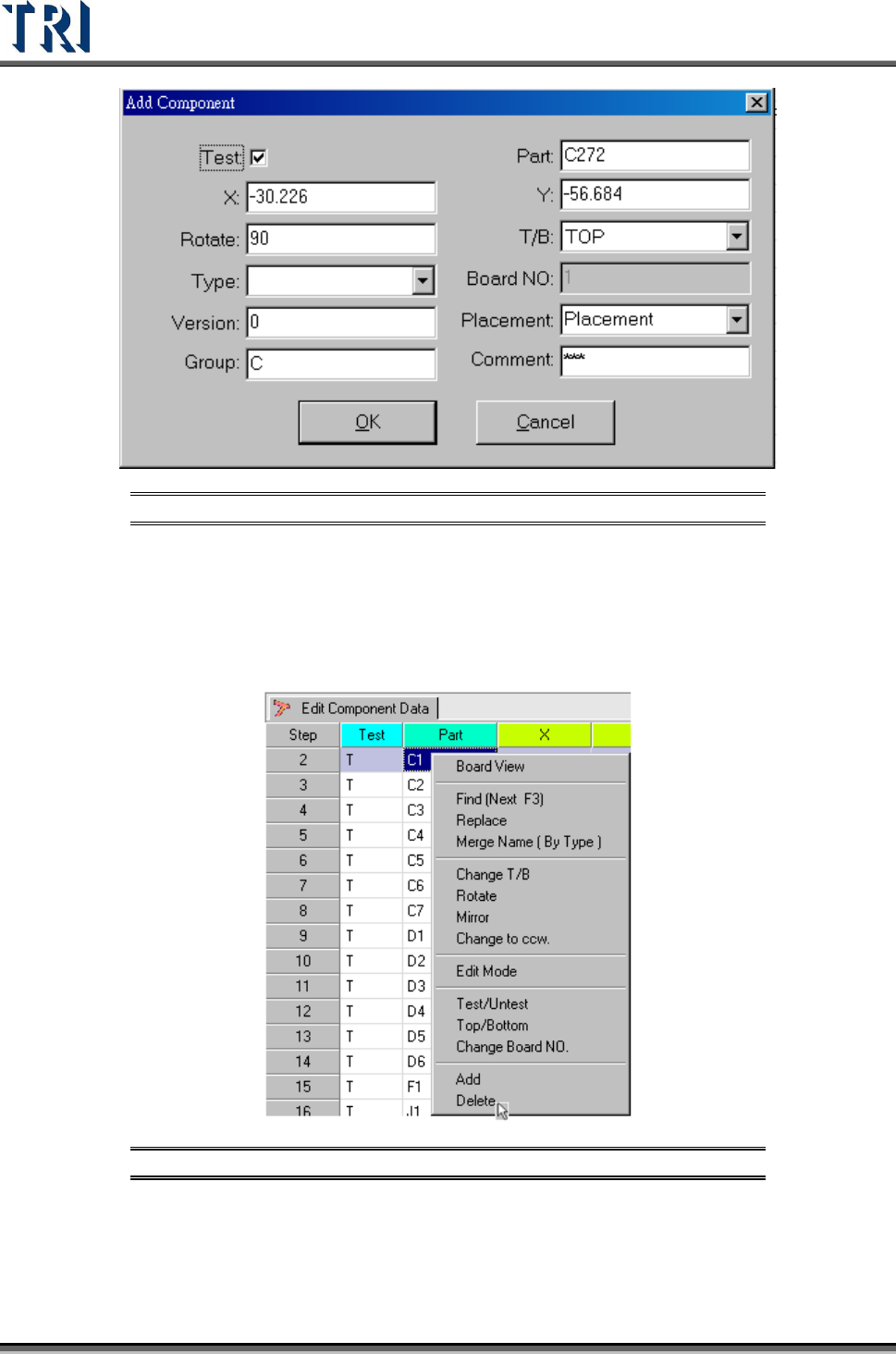
Input the new component detail data.
Test Research Inc.
148 TR7500 Series User Guide –Software v.2.9.0
Figure 243: Add Component Dialog
5.17 Delete
Delete the component from the AOI component list table.
Figure 244: Select Delete Command
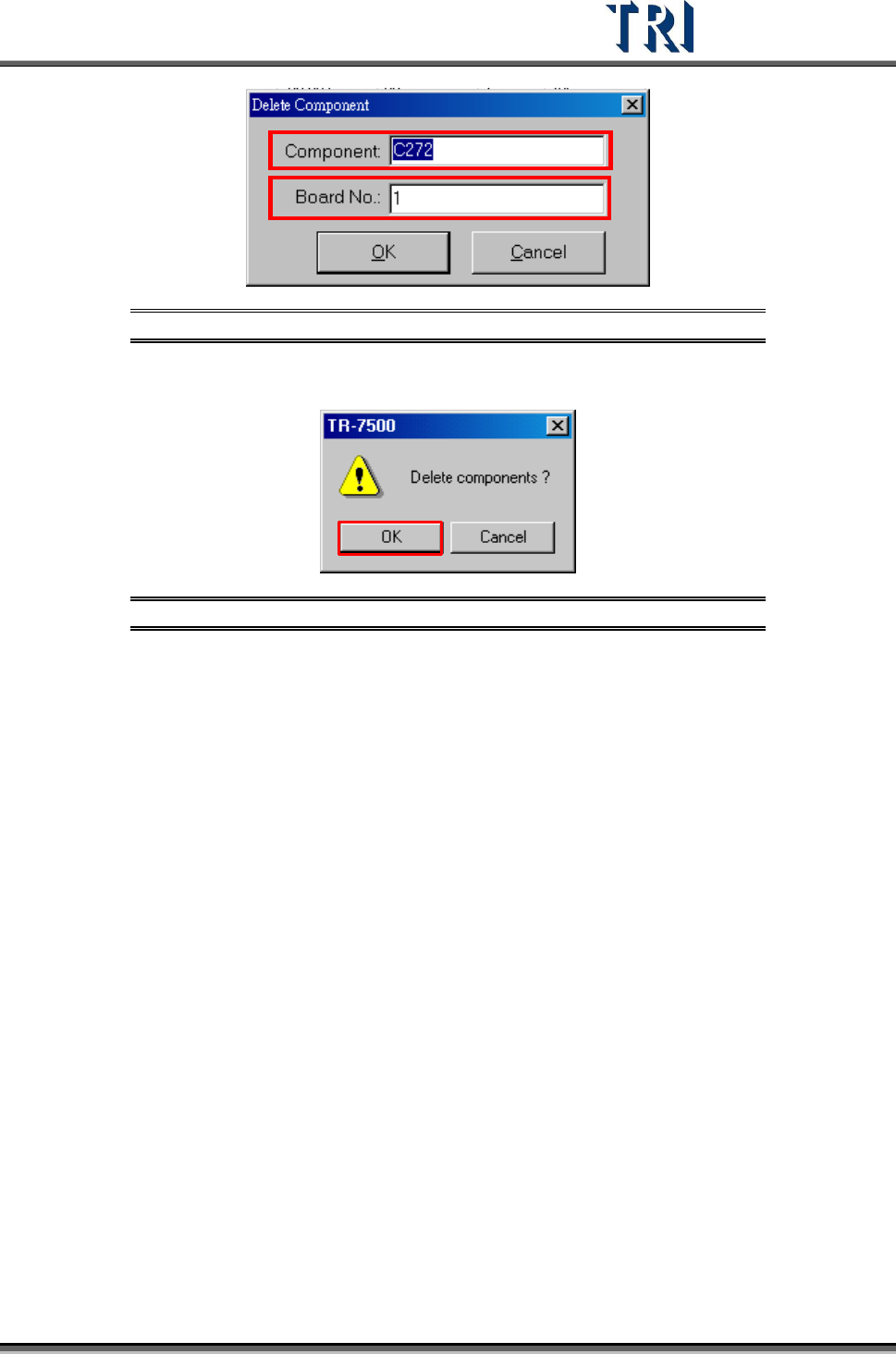
For a single component input the component name and board number that will be deleted.
Test Research Inc.
TR7500 Series User Guide –Software v.2.9.0 149
Figure 245: Delete Component Dialog
If there are several components selected, the system will show the confirmed dialog.
Figure 246: Confirm Delete Components Window