TR7500_Series_Software_v29_En.pdf - 第67页
Test Research Inc. TR7500 Series User Guide – Software v.2.9.0 45 3.3.1 User Mode Figure 80: TR75 00 Menu B ar – Parame ter Tab/User Mode 3.3.1.1 Link to Repai r Station? Check to deliv er the test result data to repair …
Test Research Inc.
44 TR7500 Series User Guide –Software v.2.9.0
3 M
ENU
B
AR
I
NTRODUCTION
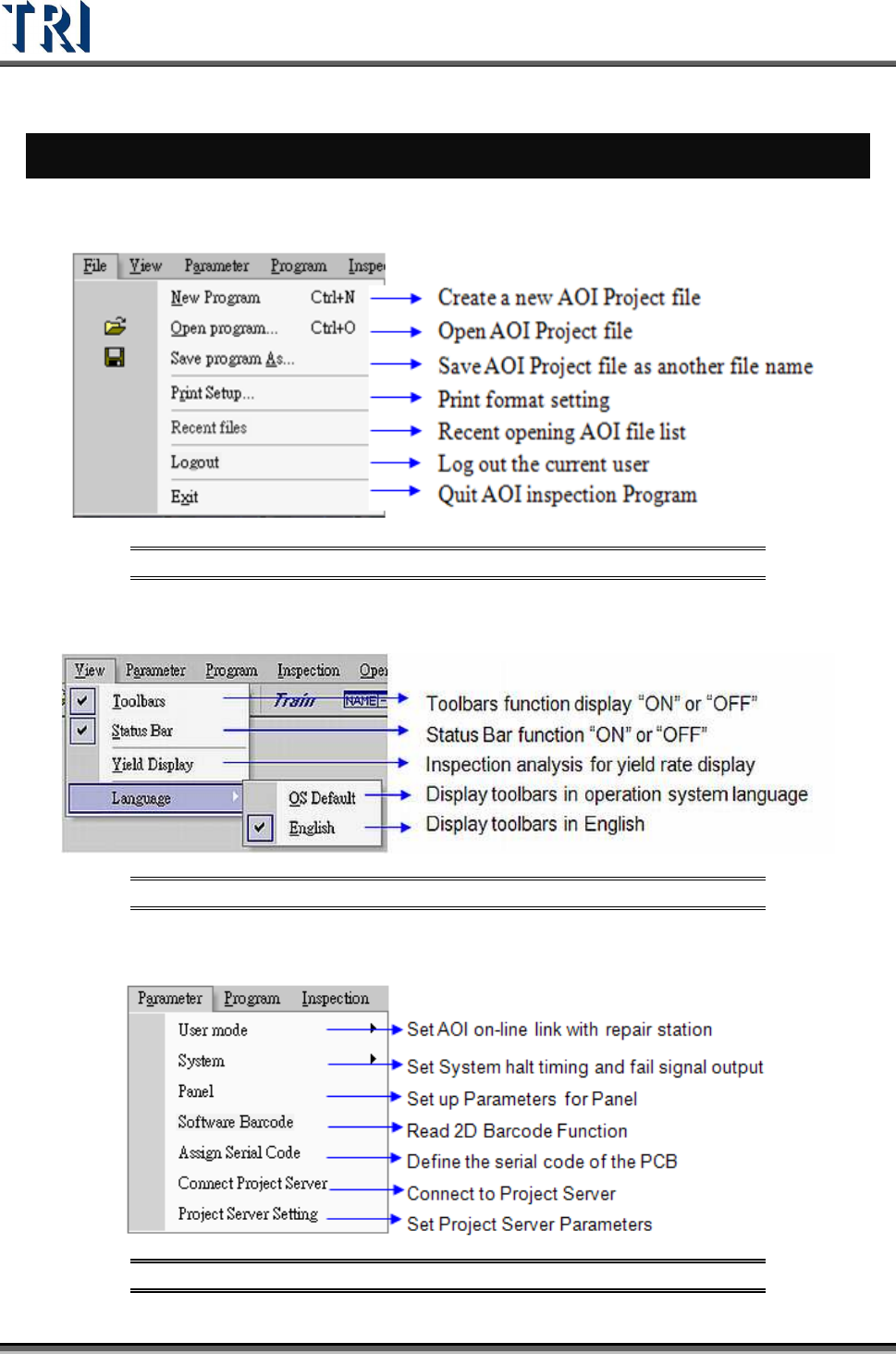
3.1 File Tab
Figure 77: TR7500 Menu Bar – File Tab
3.2 View Tab
Figure 78: TR7500 Menu Bar – View Tab
3.3 Parameter Tab
Figure 79: TR7500 Menu Bar – Parameter Tab
Test Research Inc.
TR7500 Series User Guide –Software v.2.9.0 45
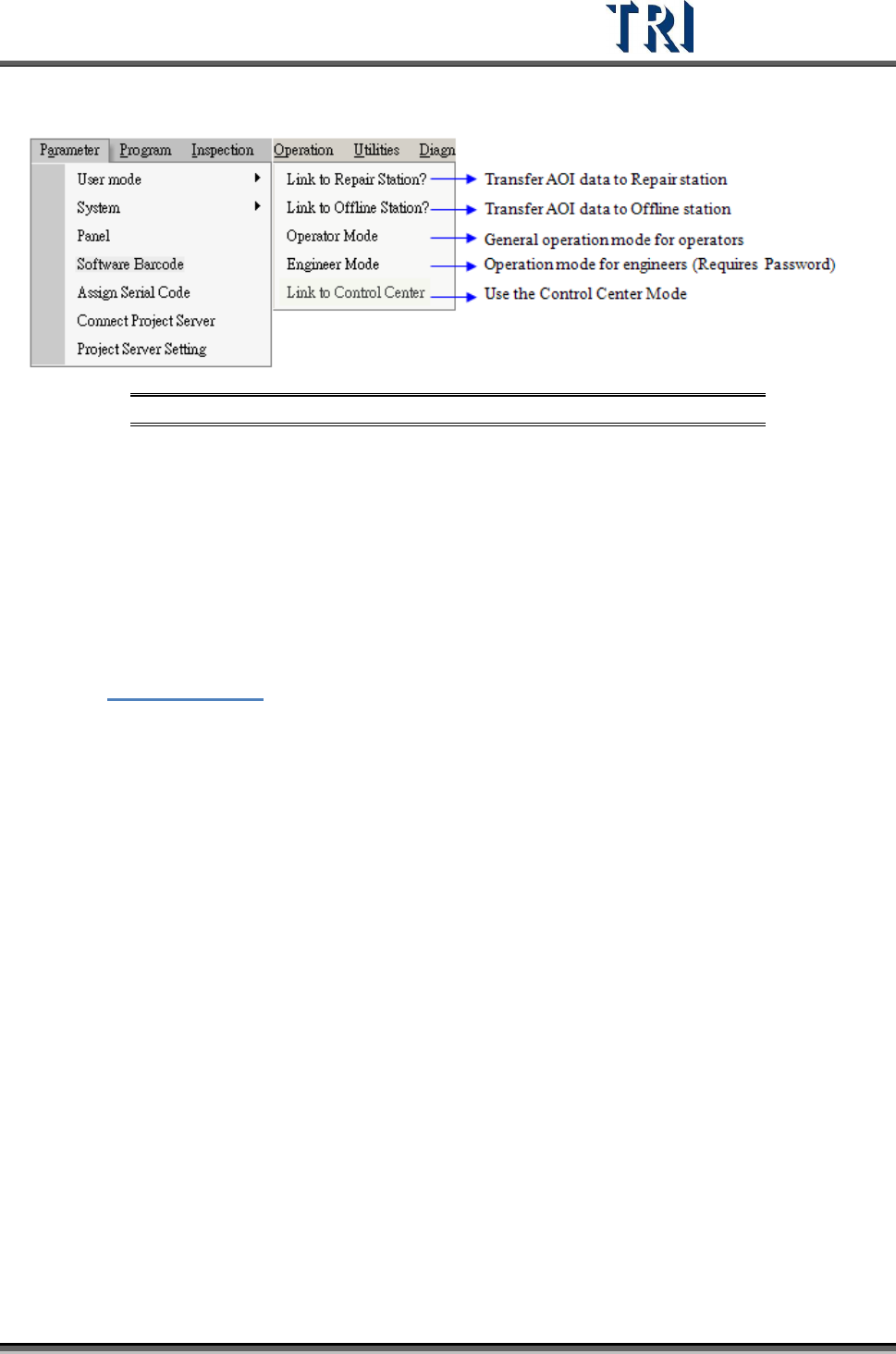
3.3.1 User Mode
Figure 80: TR7500 Menu Bar – Parameter Tab/User Mode
3.3.1.1 Link to Repair Station?
Check to deliver the test result data to repair station. If the communication between
computers is broken the data will be saved in [C:\AOI_Repair_Data] folder. After the link is
normal the data will be transferred to the repair station automatically.
3.3.1.2 Link to Offline Editor?
Select this item to pass the result to Offline Editor. When [Offline=1] is set in the registry, it
means that the machine is an Offline Editor, the item turns to display [Link to Machine?]. See
Chapter
15 Offline Editor for more information about Offline Editor.
3.3.1.3 Operator Mode/Engineer Mode
Choose [Operator Mode] or [Engineer Mode] to operate the project. The initial setting is the
same as the previous user’s setting. Users cannot edit the project in [Operator Mode], they
can only open or inspect the project. The password of choosing [Engineer Mode] is [7100].
3.3.1.4 Link to Control Center
When [Link to Control Center] is enabled or disabled, the AOI main PC will send a “Reset”
signal to the PLC and Repair Station.
If the result is “PASS”, the board will be sent to the next station; if the result is “FAIL”, the
board will stay in the conveyor behind and wait for the confirmation from Repair Station. If
there is still a board in the conveyor behind after the next board is inspected completely, the
boards will be stuck. The system will send an alarm under the stuck situation until an
operator goes to solve it.
When the board is stuck, take the board away manually to test continuously. If the situation is
complicated, disable [Link to Control Center] then enable it again. The system will be reset
and you can try to inspect it again.
Test Research Inc.
46 TR7500 Series User Guide –Software v.2.9.0
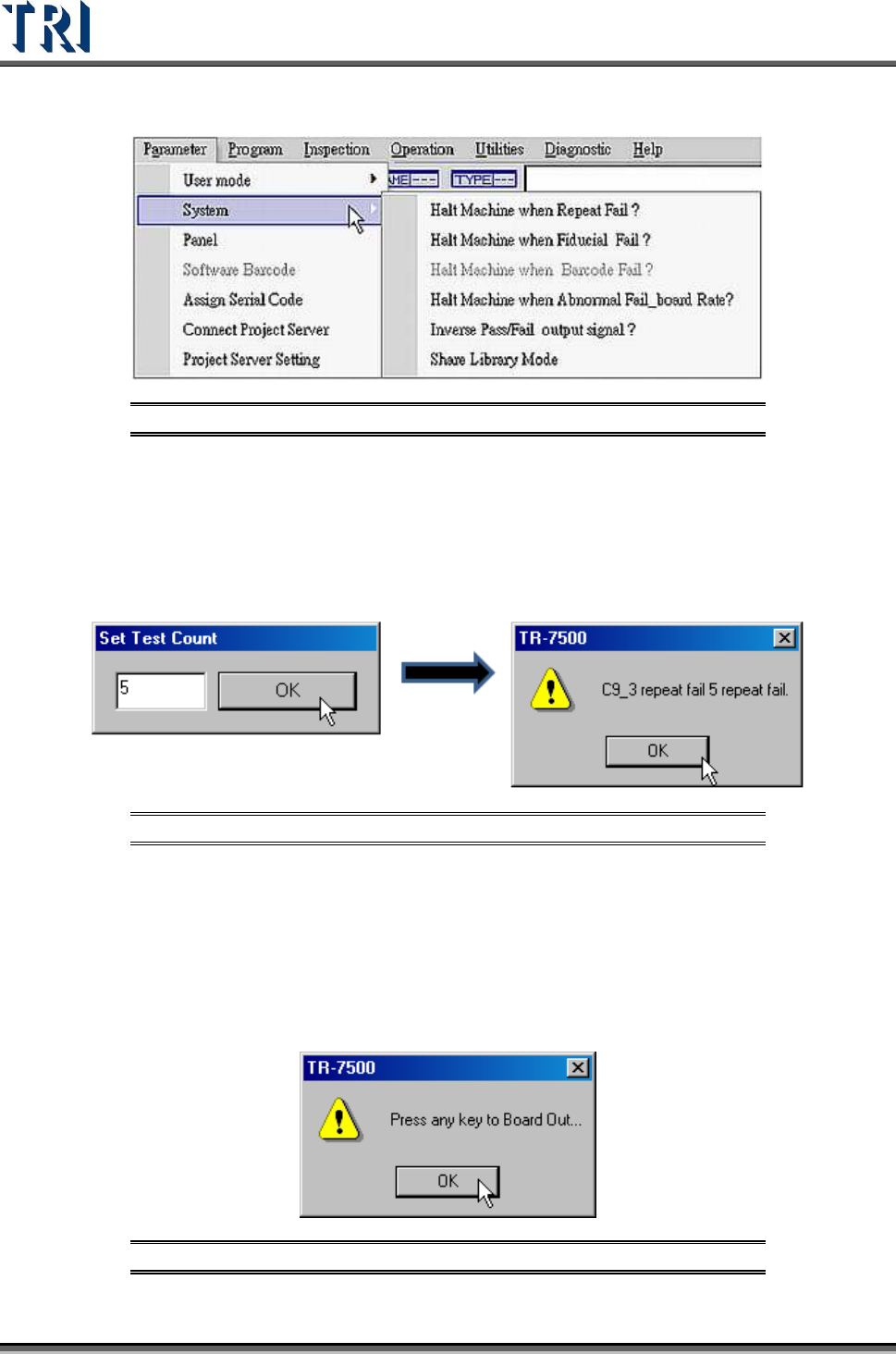
3.3.2 System
Figure 81: Parameter Tab – System Function
3.3.2.1 Halt Machine when Repeat Fail
When there are repeated failures for a single inspection window the machine will pause, the
system will send an alarm, and the project will present a warning dialog. Under [Inline] mode,
the TR7500 will trigger the red light on the signal tower and sound an alarm. The operator
will have to confirm the result in order for the system to resume testing.
Figure 82: Set Halt Machine Test Count & Fail Message
3.3.2.2 Halt Machine when Fiducial Fail
When the project can’t find a fiducial mark, the motion of the table will pause and the project
will present a warning dialog.
Under [Inline] mode, the TR7500 will trigger the red light on the signal tower and sound an
alarm. The operator will have to confirm the result in order for the board to be sent to the exit..
Figure 83: Eject Board Message