TR7500_Series_Software_v29_En.pdf - 第37页
Test Research Inc. TR7500 Series User Guide – Software v.2.9.0 15 Figure 25: Conf irm Board R otation Angle 2.5.3 Find the located comp onent It is to get the gap betw een m ulti-boards by the located compone nt on eve r…
Test Research Inc.
14 TR7500 Series User Guide –Software v.2.9.0
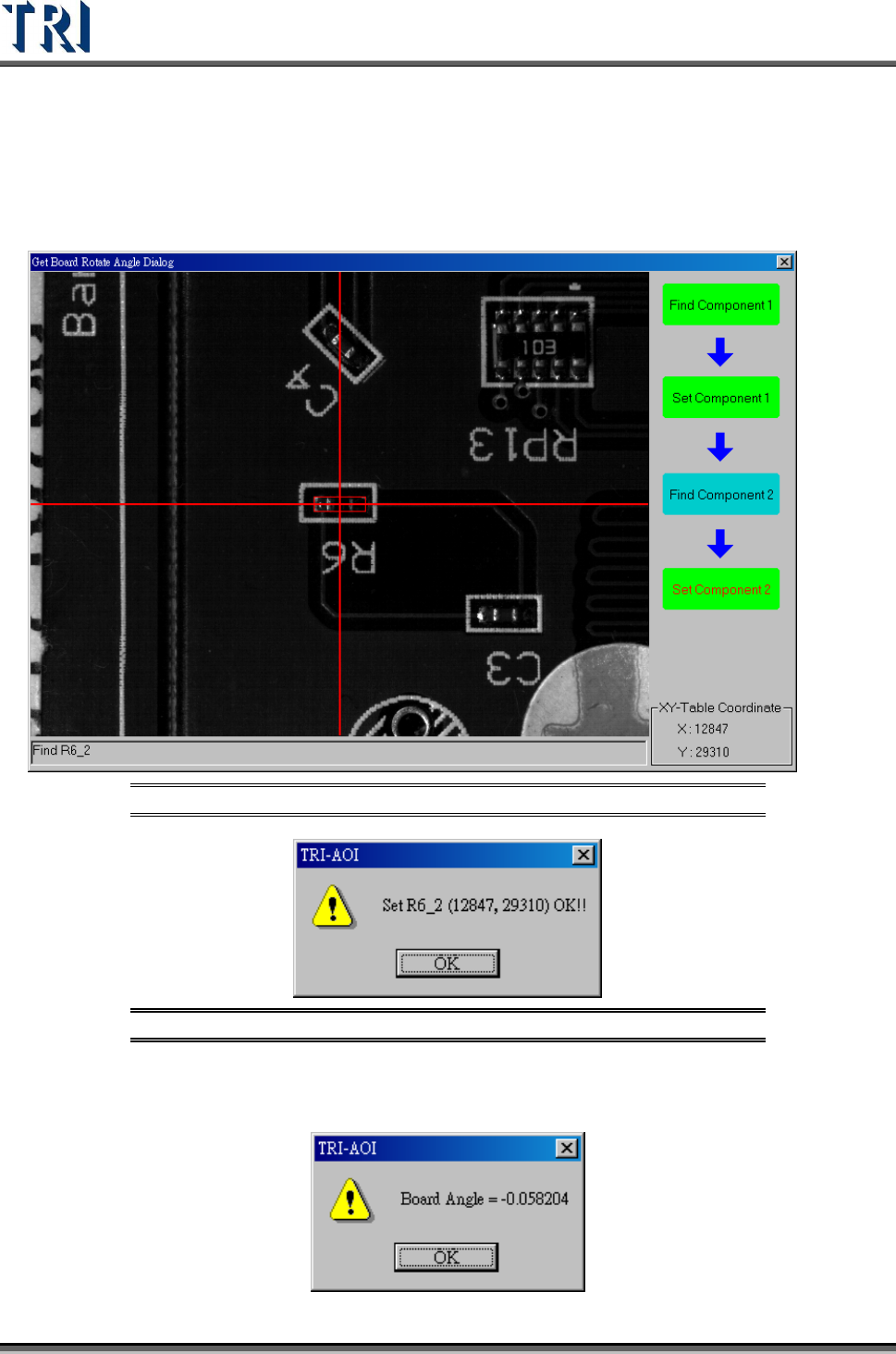
(6) Locate the second component. Move camera to center of the component. Use [Motion
Control] function to move camera to specific direction and distance or click right button
of mouse on image zone to move the camera to the mouse position. Adjust the size of
red frame to suit the specific component. The center can easily be found. Press [Set
Component 2] to get the position of first component.
Figure 23: Use Camera to Set the Second Component
Figure 24: Confirm CAD Coordinates
(7) It displays the rotate angle of the panel. Press [OK].
Test Research Inc.
TR7500 Series User Guide –Software v.2.9.0 15
Figure 25: Confirm Board Rotation Angle
2.5.3 Find the located component
It is to get the gap between multi-boards by the located component on every board. Right
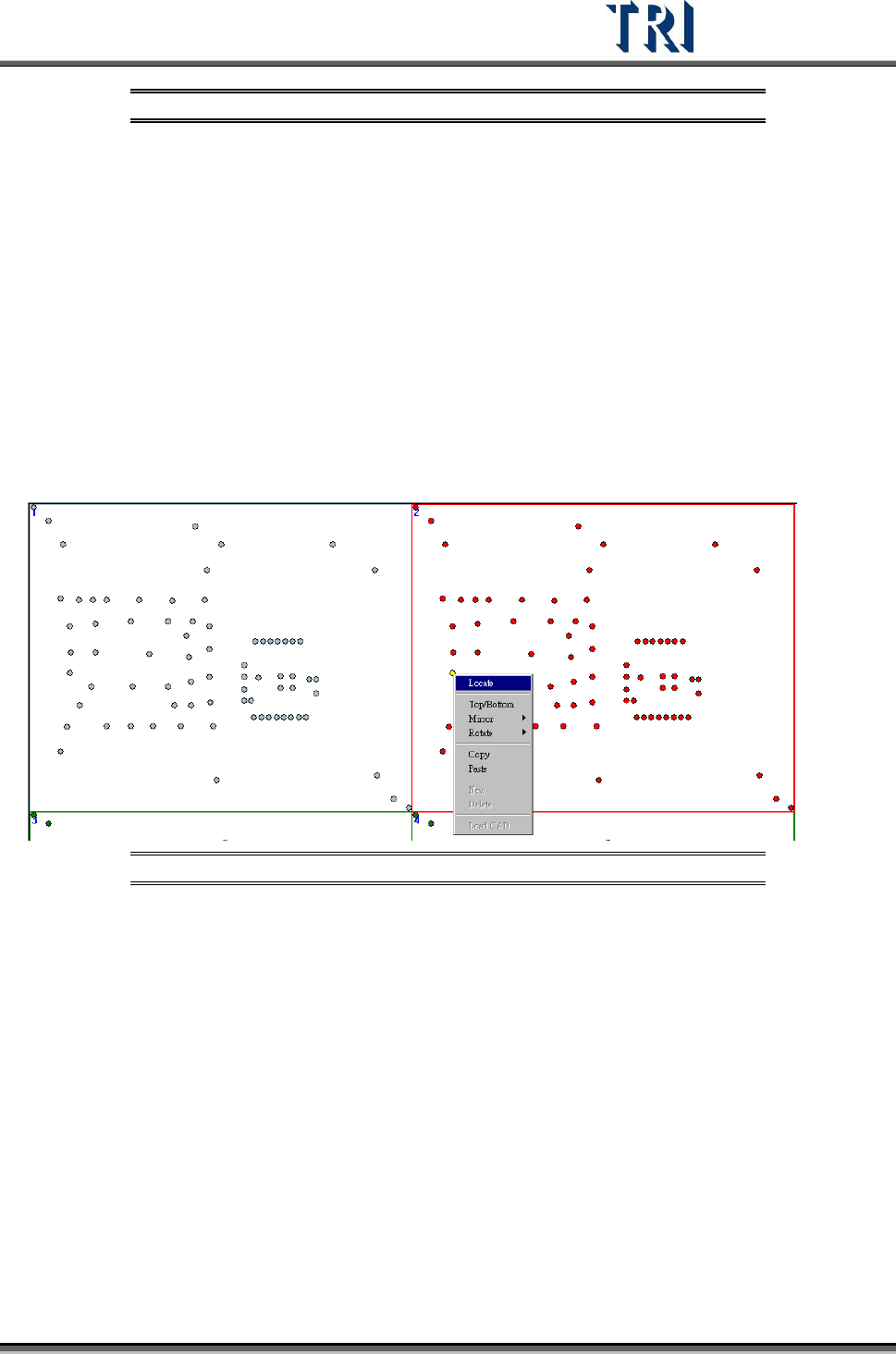
click on the specified component and select [Locate] to find the position of the component.
Board 1 doesn’t have to be located.
User has to locate the upper-left board with 0 degree and top side first, and locate the lower-
right board with 0 degree and top side. Then all boards with 0 degree and top side will be
located automatically. Then user locates the boards with other rotate angle and side. The
board that has located will be displayed in gray.
(1) Right click on the component that is select to be located on Board 2, and select [Locate].
Figure 26: Locate Board 2
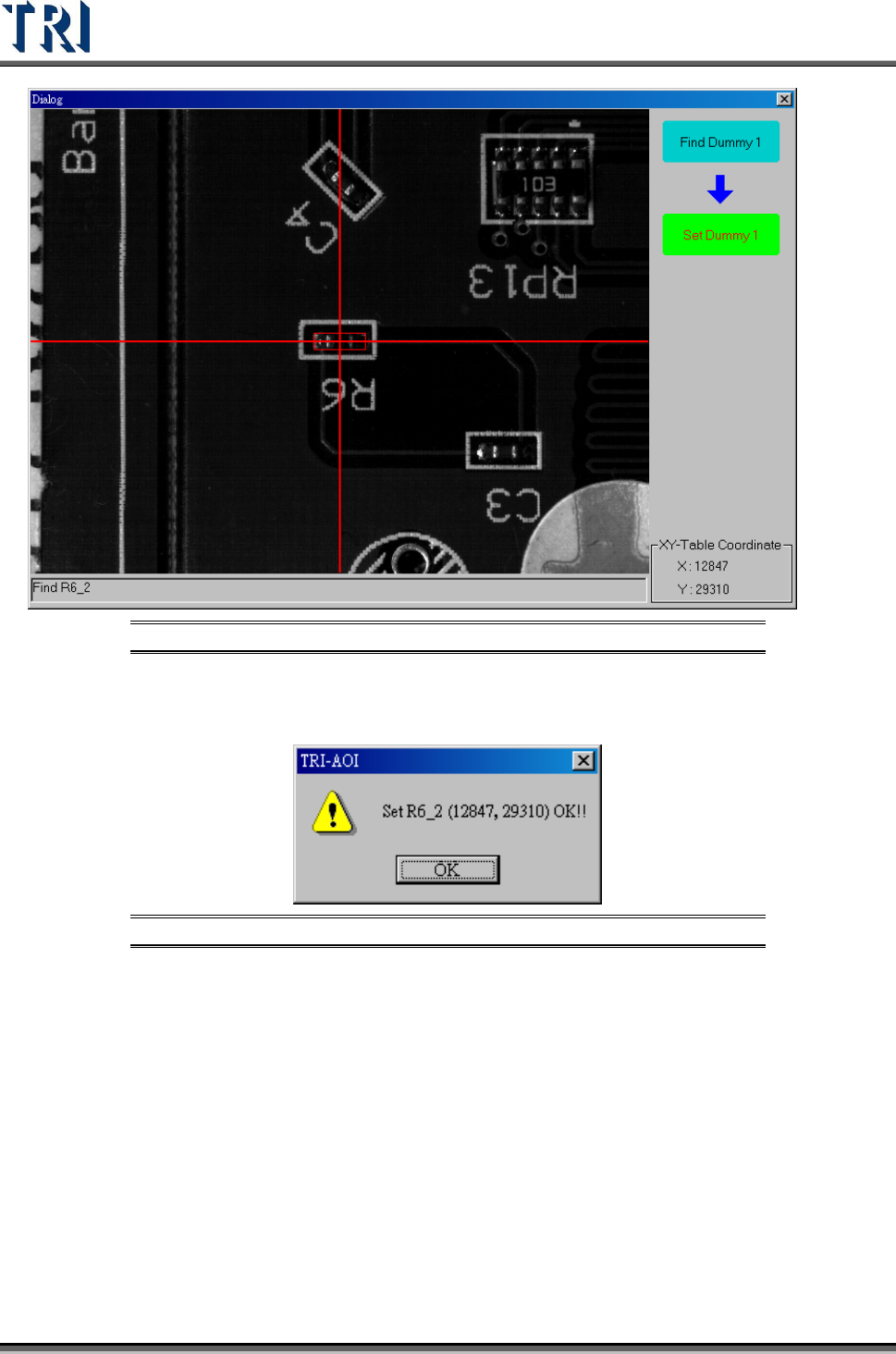
(2) Move the camera to the component center, and press [Set Dummy 1].
Test Research Inc.
16 TR7500 Series User Guide –Software v.2.9.0
Figure 27: Use Camera to Set the Located Component
(3) It displays the position of the located component on Board 2. Press [OK].
Figure 28: Confirm CAD Coordinates
(4) System display the Board 2 information as the following picture.