TR7500_Series_Software_v29_En.pdf - 第196页
Test Research Inc. 174 TR7500 Series User Guid e –Softwa re v.2.9.0 The system w ill then ask if you want to chan g e the type name f rom [R080 5] to [0805]. Figure 285 : Confirm Chang e Component Type Window Select NO…
Test Research Inc.
TR7500 Series User Guide –Software v.2.9.0 173
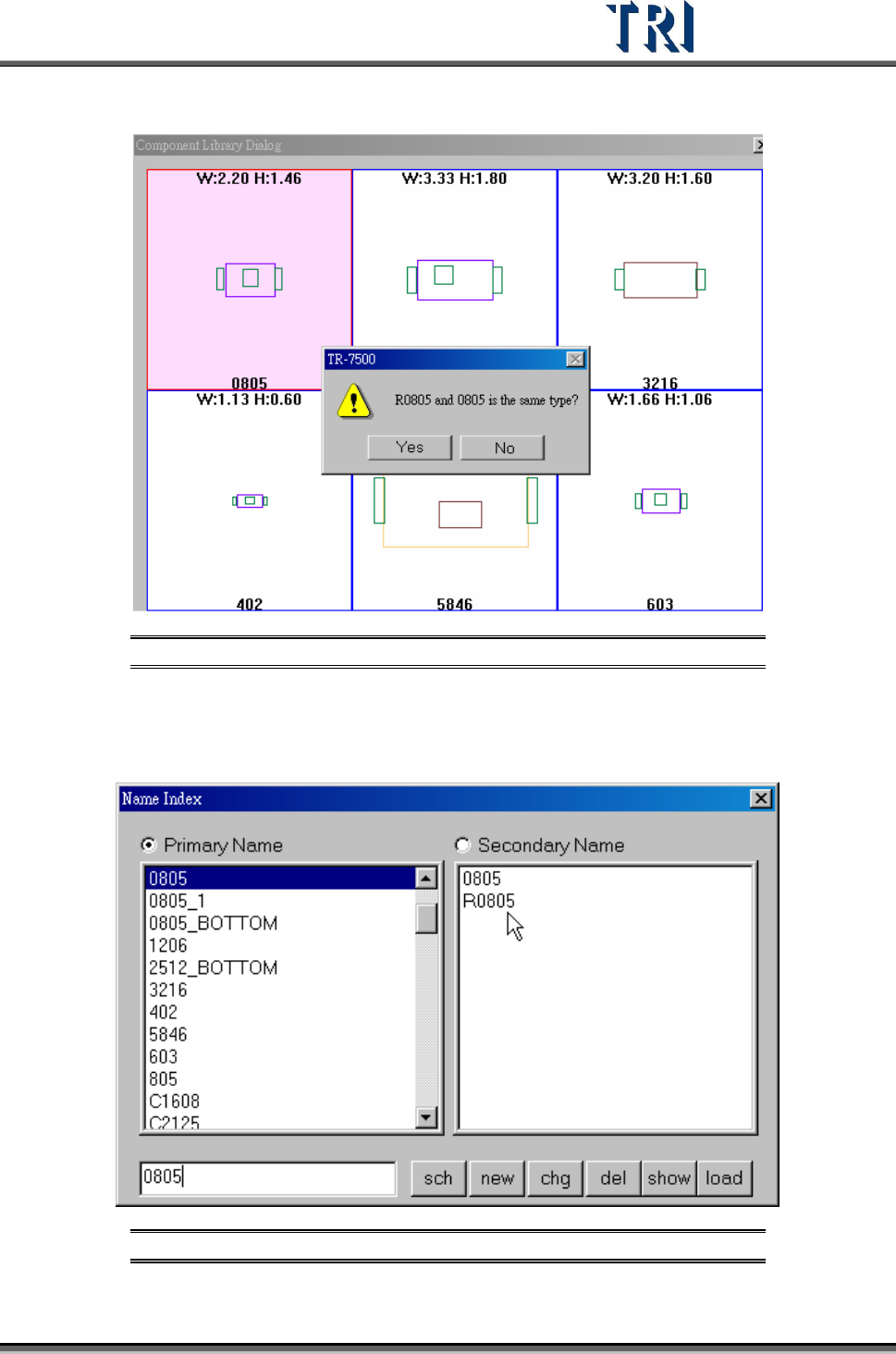
to load library “0805” type “R0805”, see the difference in the following figure.
Figure 283: Confirm Components as Same Type
Select [YES]: R0805 will be saved as a secondary name and the modified library
will be saved in 0805.pgl. If you have the type “R0805” next time, the system will
use “0805.pgl” as its library automatically.
Figure 284: Primary & Secondary Component Names
Test Research Inc.
174 TR7500 Series User Guide –Software v.2.9.0
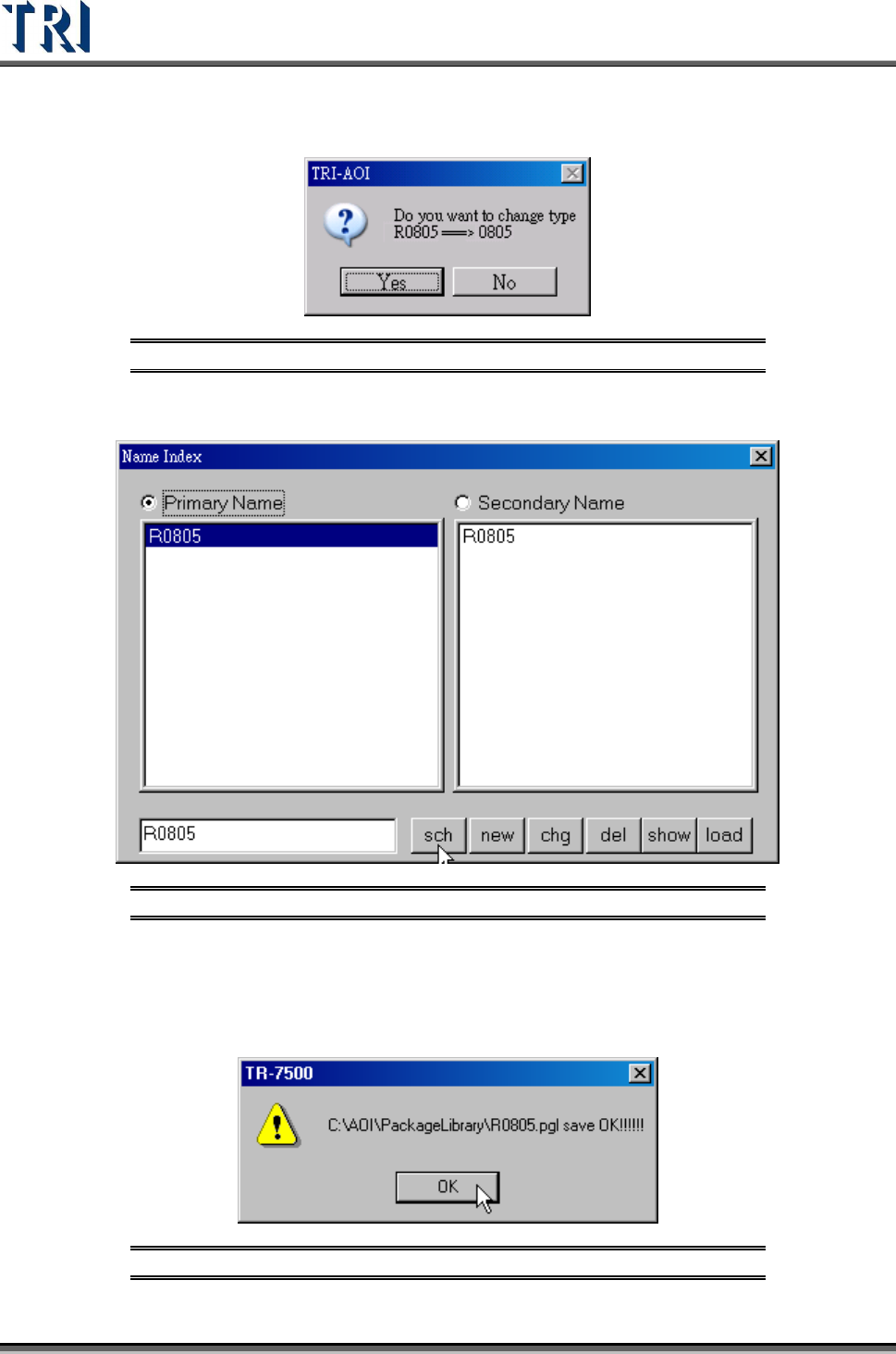
The system will then ask if you want to change the type name from [R0805] to
[0805].
Figure 285: Confirm Change Component Type Window
Select NO: R0805 will be saved as a new type R0805.pgl.
Figure 286: New Primary Component Type
8.1.3 Save
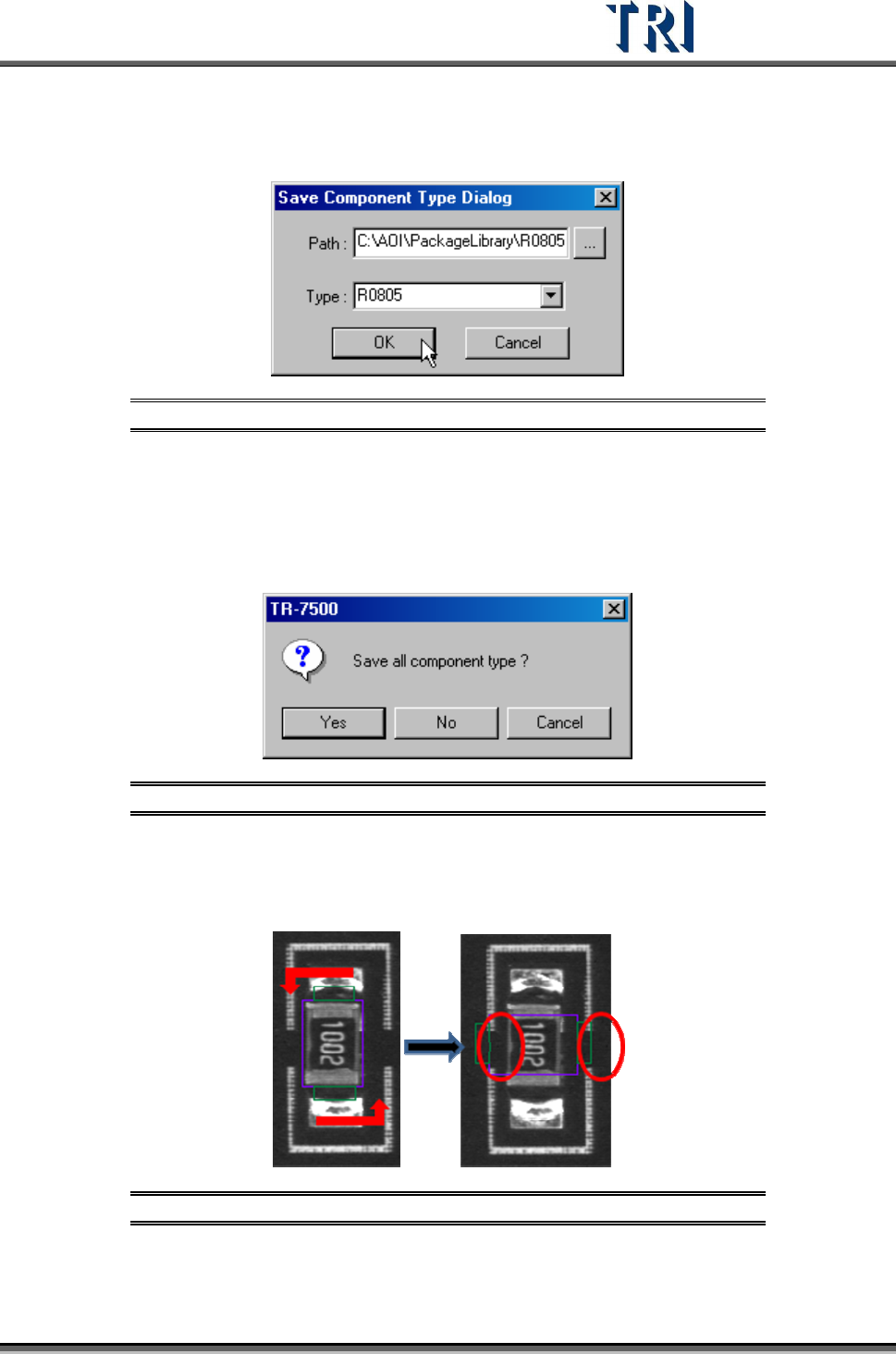
Save the type that is being edited now to the library. Press [Save] and the following window
will show. Confirm the path then press [OK] to save.
Figure 287: Confirm Save Window
Test Research Inc.
TR7500 Series User Guide –Software v.2.9.0 175
8.1.4 Save As..
Save the component to specified path or type.
Figure 288: Save As Dialog
8.1.5 Close All
Press [Close All] then all the pages that are being edited in the library will be closed. This
saves time compared to closing pages separately. For the following window, press [Yes] to
save all library pages that will be closed, [No] not to save, [Cancel] to cancel the close action.
Figure 289: Close All/Save All Confirm Window
8.1.6 Rotate
Press [Rotate] once and all windows will rotate counterclockwise to 90 degrees.
Figure 290: Rotate Command Result