TR7500_Series_Software_v29_En.pdf - 第241页
Test Research Inc. TR7500 Series User Guide – Software v.2.9.0 219 (6) Mask image of [M issing] window . Select the image and press [M ask] to mask the center area of image. Figure 368 : Mask Center of Image (7) Set the …
Test Research Inc.
218 TR7500 Series User Guide –Software v.2.9.0
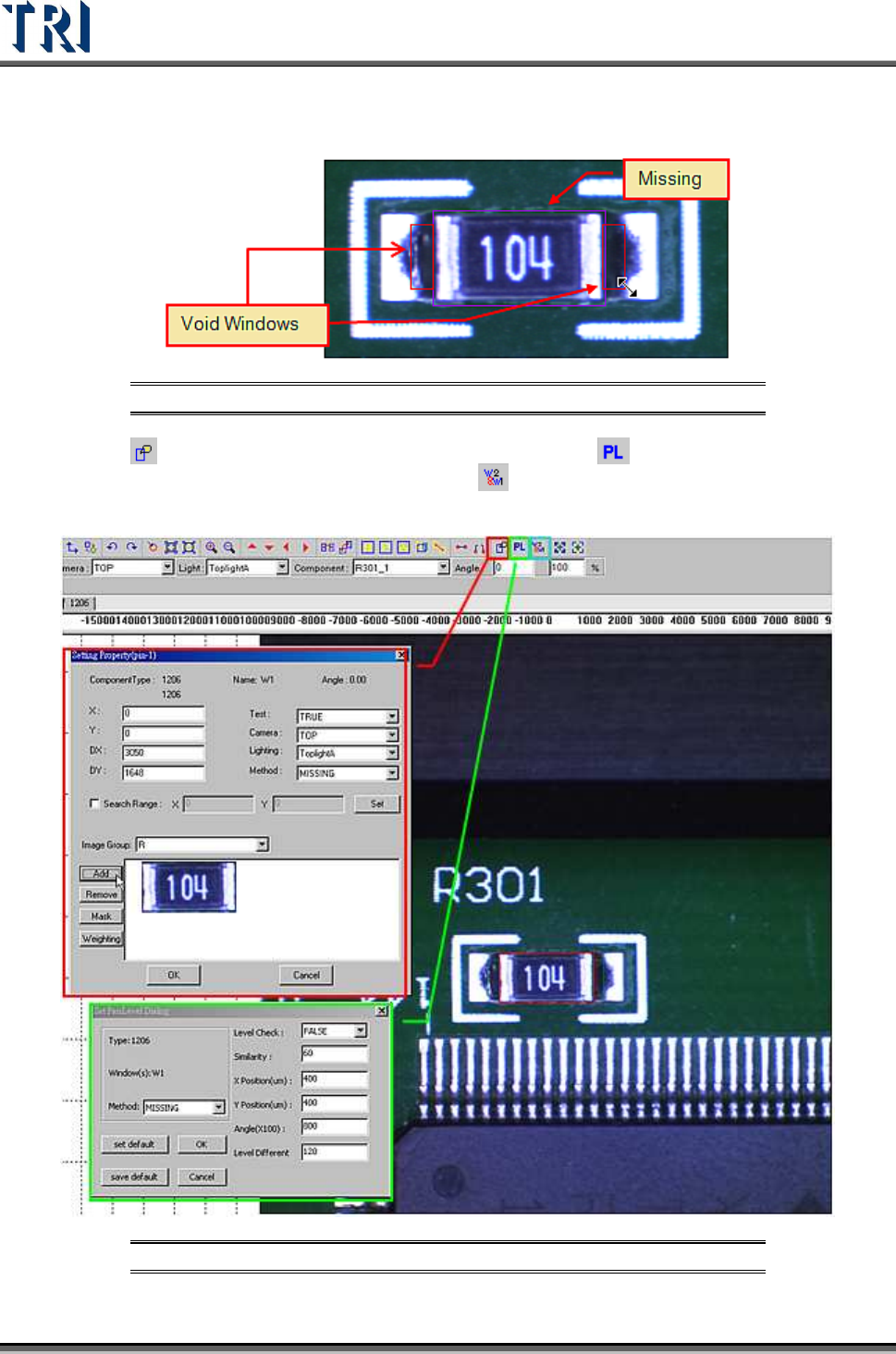
(4) Adjust the size of [Void] windows to contain black area.
Figure 366: Adjust Void Windows
(5) Press [Set Property] to add the image of [Missing] and [Pass Level] to set the
parameters of [Pass Level]. If needed, press
[Set Algorithm] to set the logic of the
windows.
Figure 367: Set Property, Pass Level, & Set Algorithm Icons
Test Research Inc.
TR7500 Series User Guide –Software v.2.9.0 219
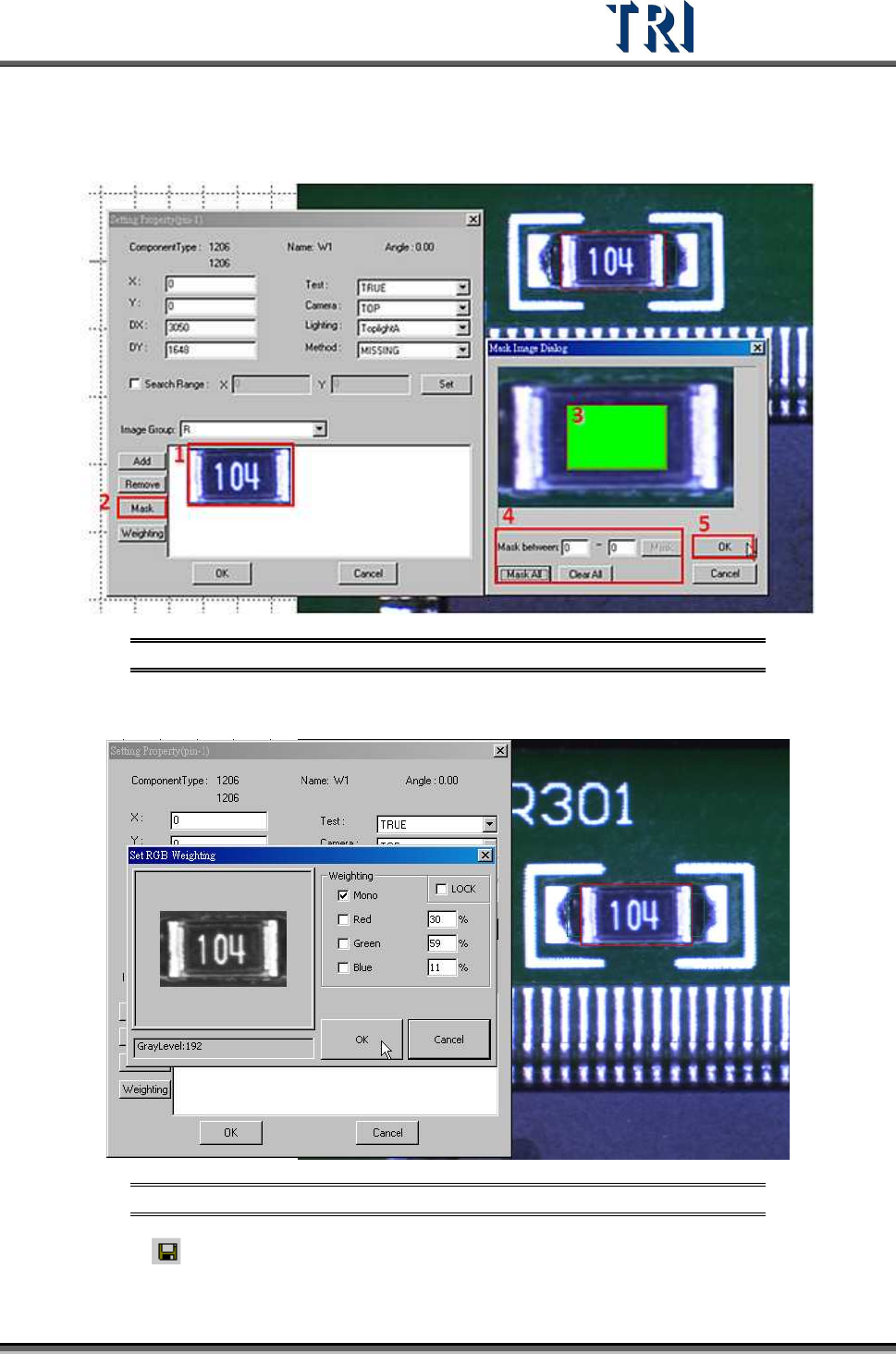
(6) Mask image of [Missing] window. Select the image and press [Mask] to mask the center
area of image.
Figure 368: Mask Center of Image
(7) Set the [Weighting].
Figure 369: Set Weighting
(8) Click on [Save] to save this type. The system will store the saved file in
[C:\AOI\packagelibrary] folder.
Test Research Inc.
220 TR7500 Series User Guide –Software v.2.9.0
8.9.2 Example 2 - IC
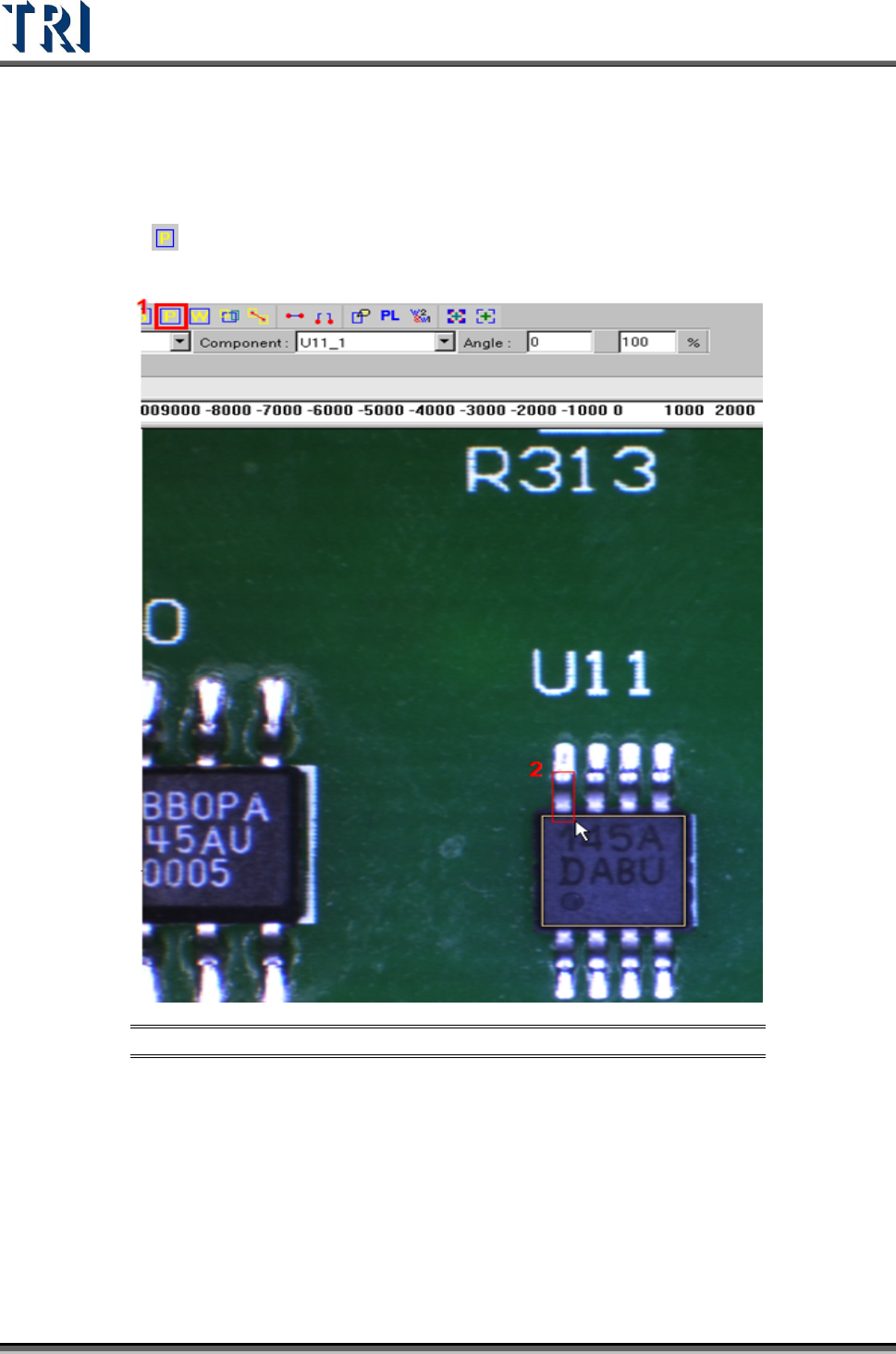
(1) Choose a component that is not shifted or skewed and has a clean, clear shape. Then
resize the body window to match the component area.
(2) Click on
[Add Pin] to add one pin then move and resize the pin to match the first
lead area.
Figure 370: Add & Resize Pin