TR7500_Series_Software_v29_En.pdf - 第177页
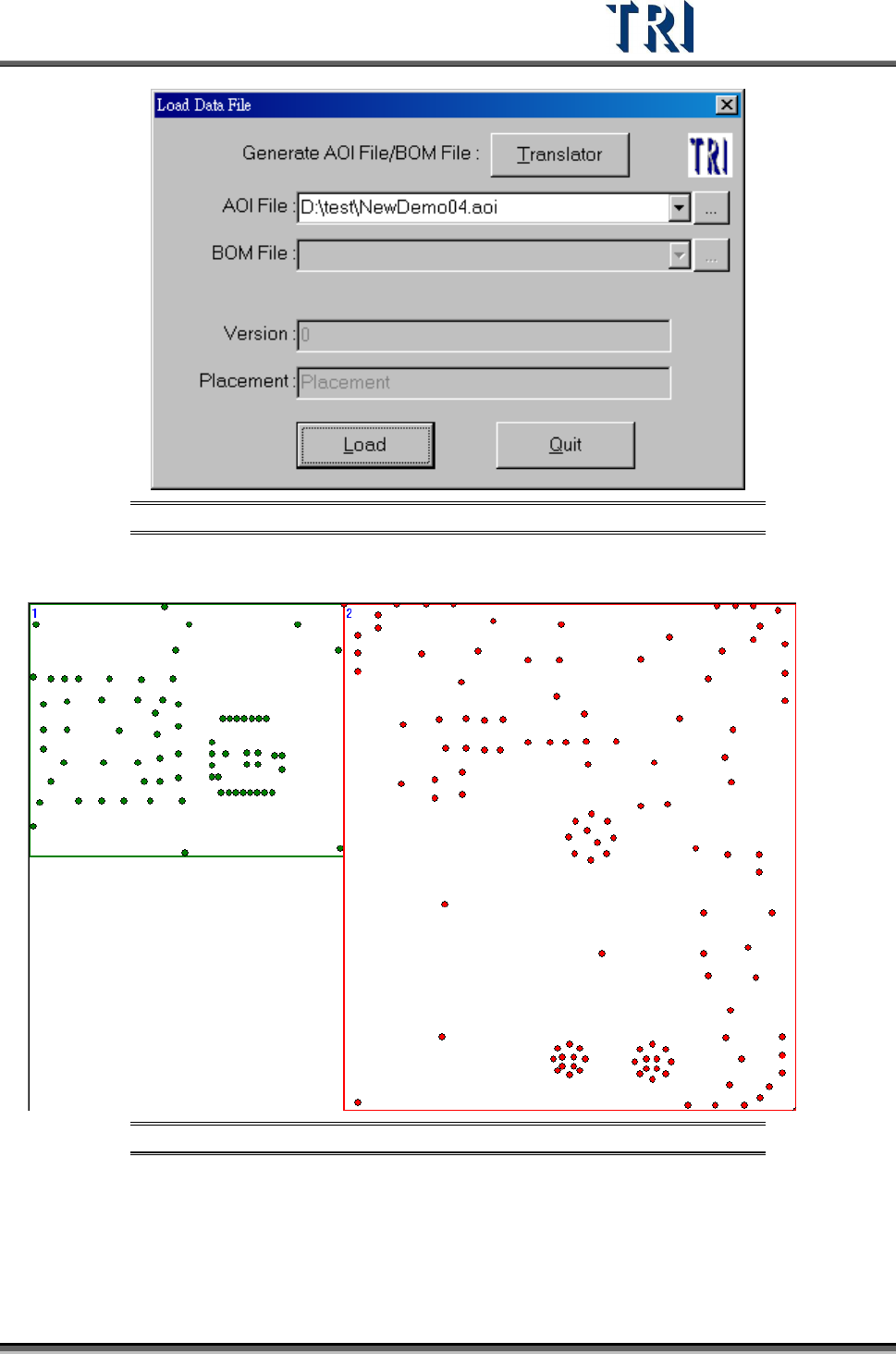
Test Research Inc. TR7500 Series User Guide – Software v.2.9.0 155 Figure 257 : Select Another CAD to Load Figure 258 : Result of Loadin g CAD
Test Research Inc.
154 TR7500 Series User Guide –Software v.2.9.0
Figure 254: Result of Pasting CAD
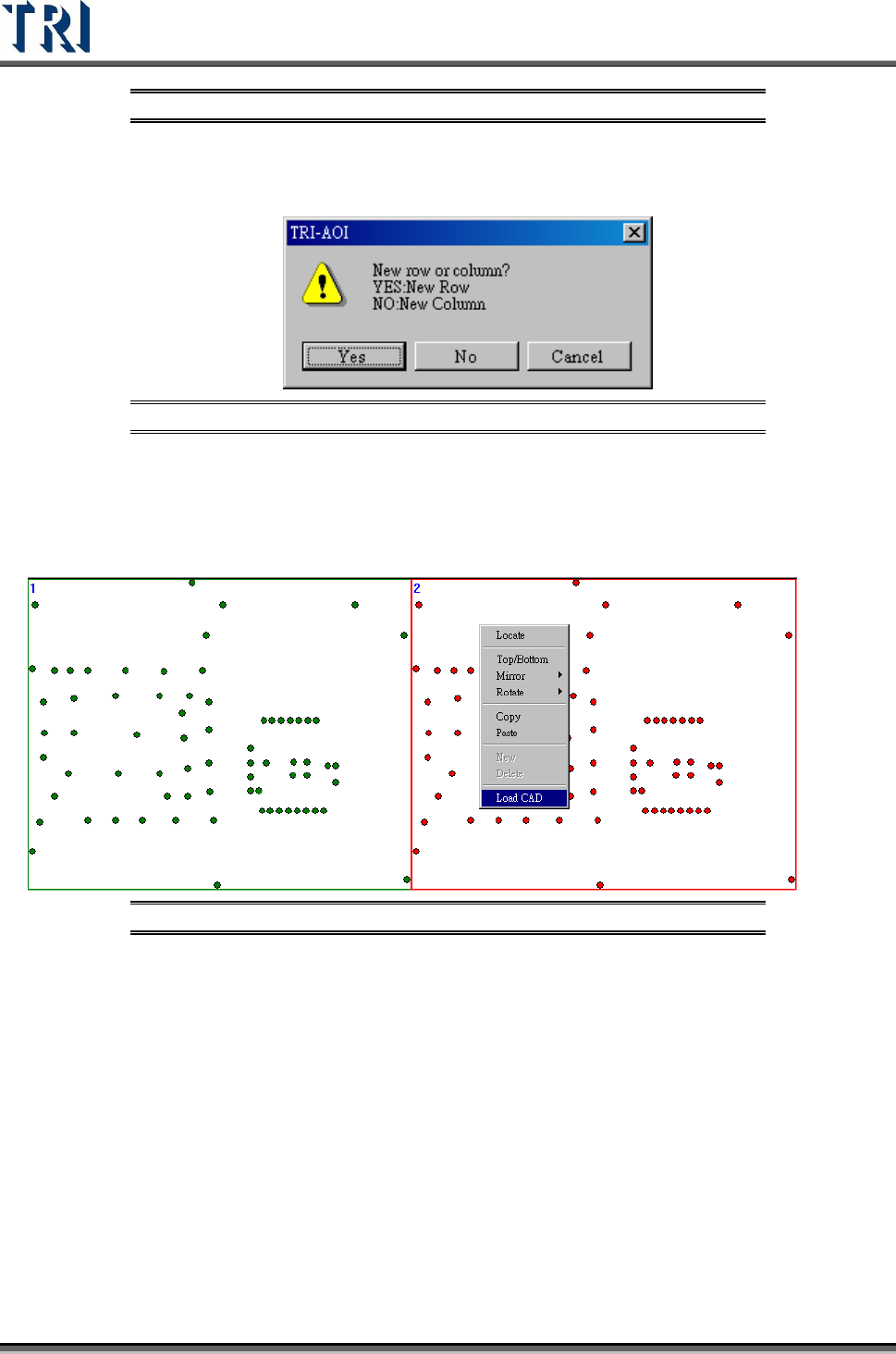
New-Add a row or column board. It is only can be used in edit mode.
Figure 255: New Row/ New Column
Delete-Delete a row or column boards. It only can be used in edit mode.
Load CAD-When user select [Manual] in multi-board layout step, he can load the other
CAD file for any board in the panel. It can’t be used in edit mode.
Figure 256: Load CAD
Test Research Inc.
TR7500 Series User Guide –Software v.2.9.0 155
Figure 257: Select Another CAD to Load
Figure 258: Result of Loading CAD
Test Research Inc.
156 TR7500 Series User Guide –Software v.2.9.0
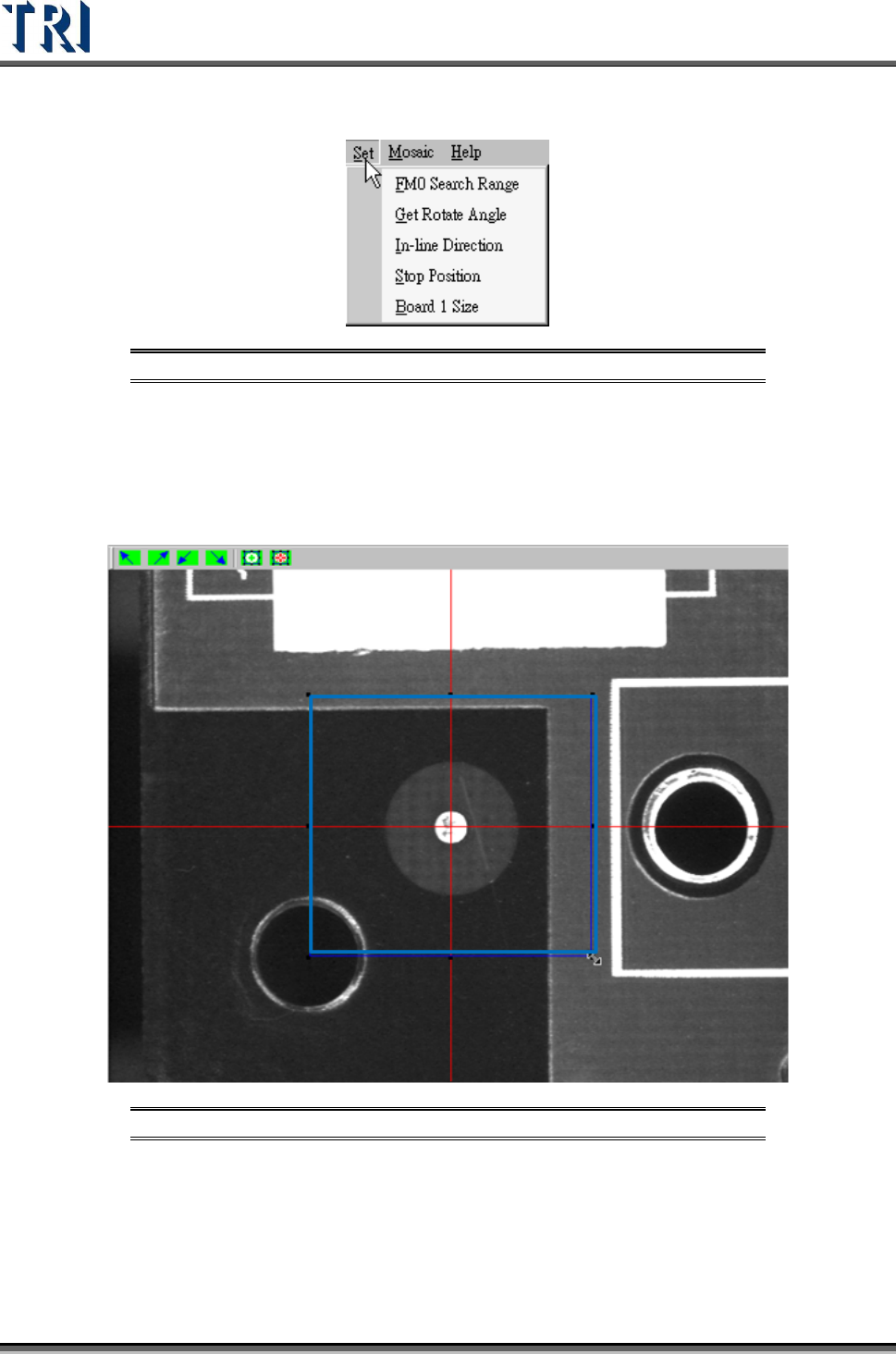
6.5 Set Fiducial Mark
Figure 259: Set Fiducial Mark Command
6.5.1 FM0 Search Range
Set the search range for the first fiducial mark manually. Or use the system default and do
not set the range. Adjust the position and size of the blue box and press [OK] to set the
range.
Figure 260: Set Fiducial Mark Range