TR7500_Series_Software_v29_En.pdf - 第236页
Test Research Inc. 214 TR7500 Series User Guid e –Softwa re v.2.9.0 8.8 Othe rs Figure 359 : Other Window Options 8.8.1 Link Check [Link] to display t he link o f active box w ith other boxes. Figure 360 : Display Active…
Test Research Inc.
TR7500 Series User Guide –Software v.2.9.0 213
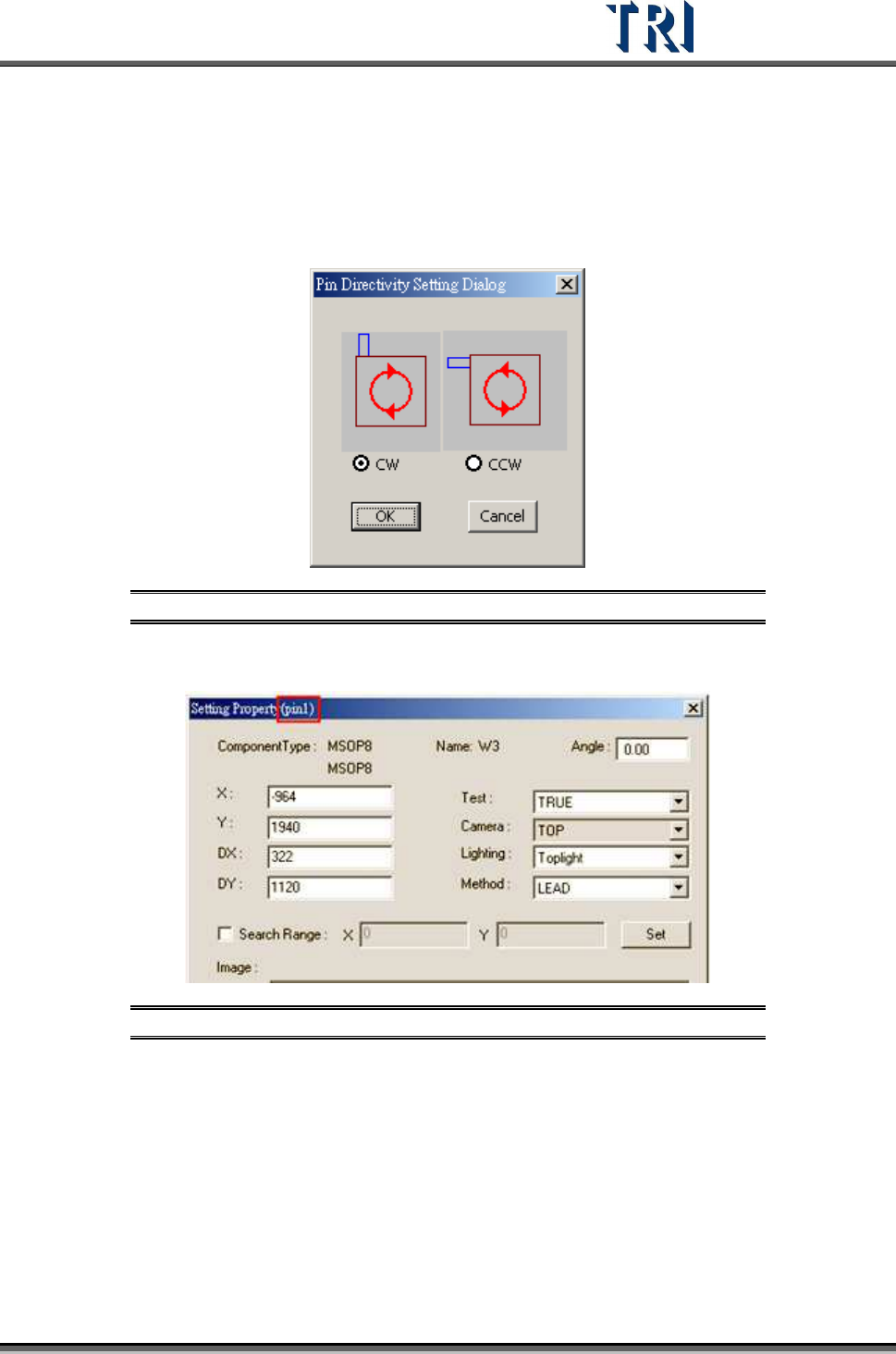
8.7.6 Pin Directivity
This function is to define the rotate rule for the IC pins. Select clockwise or counterclockwise
as shown below. The default is clockwise.
Figure 357: Pin Directivity Dialog
View the serial number of IC pin in the [Property] dialog.
Figure 358: View IC Pin Serial Number
Test Research Inc.
214 TR7500 Series User Guide –Software v.2.9.0
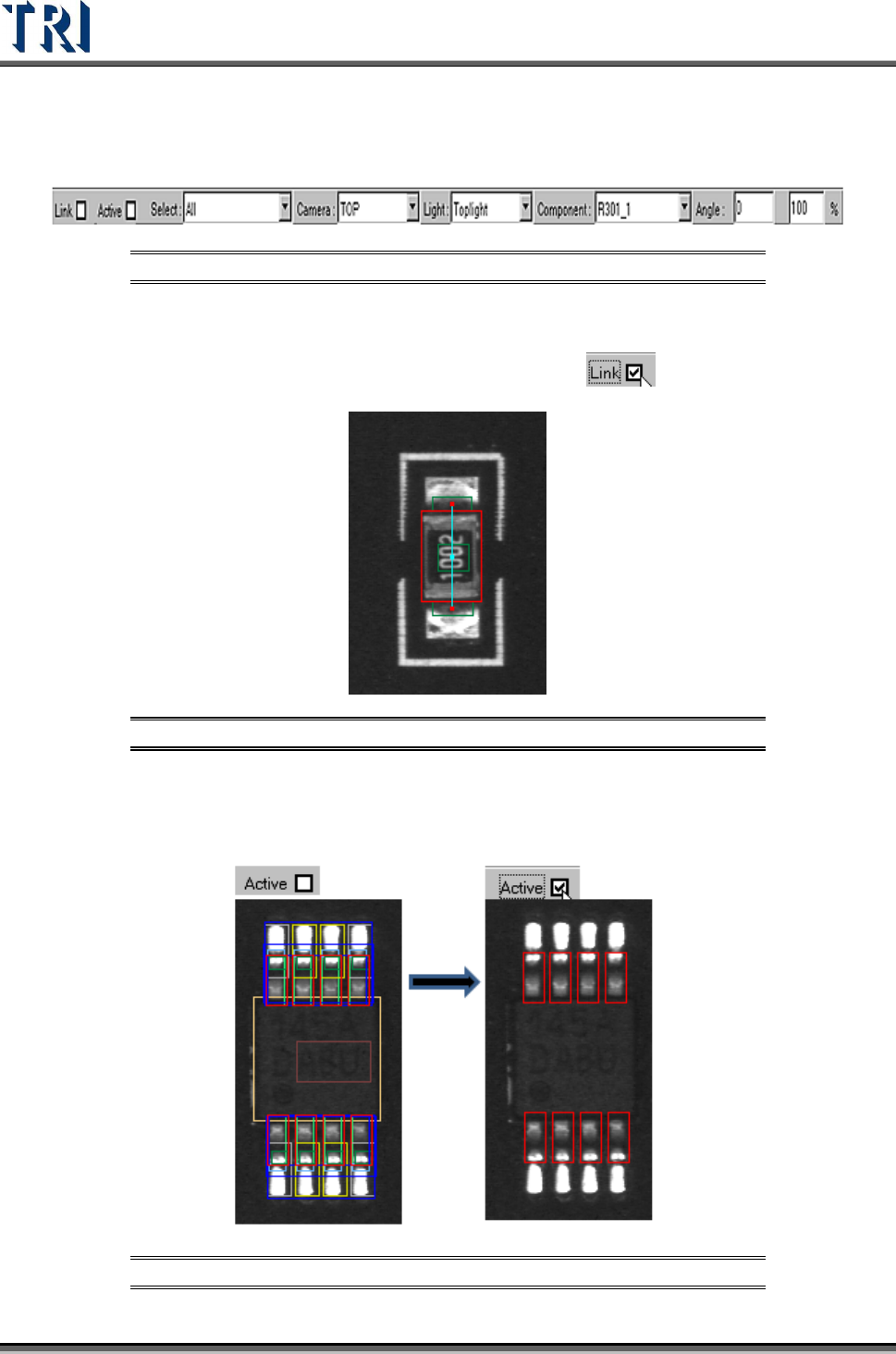
8.8 Others
Figure 359: Other Window Options
8.8.1 Link
Check [Link] to display the link of active box with other boxes.
Figure 360: Display Active Box Link
8.8.2 Active
Check [Active] to show the active window only.
Figure 361: Show Active Windows
Test Research Inc.
TR7500 Series User Guide –Software v.2.9.0 215
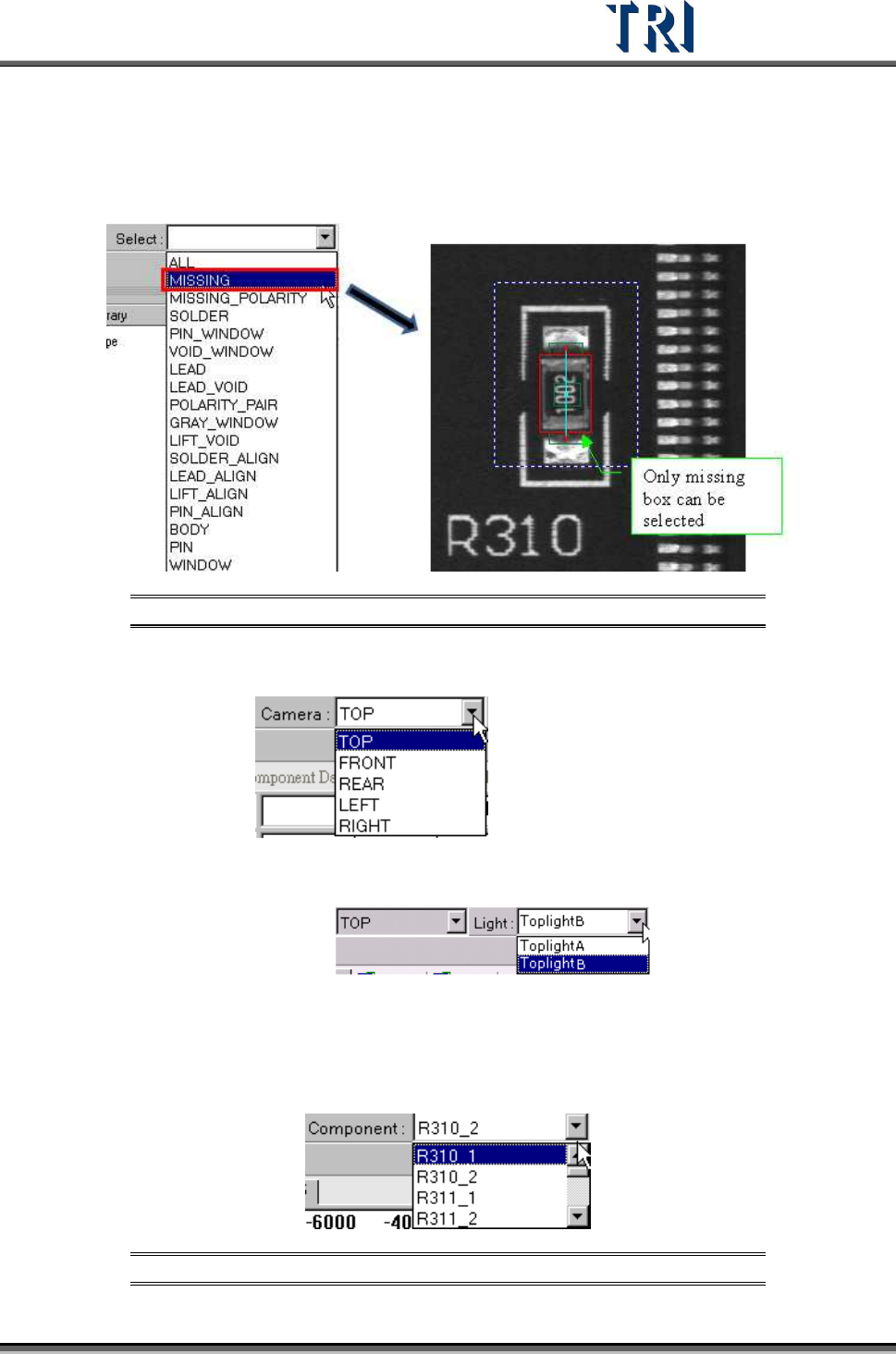
8.8.3 Select
Choose a specific kind of window to be selected.
Figure 362: Select Window Type
8.8.4 Camera
Select camera to display
8.8.5 Light
Choose a specific light to display:
8.8.6 Component
Select any component in this type according to CAD file. The camera will move to grab the
image of a specific component.
Figure 363: Select Component Type