2OM-1088-002.pdf - 第132页
Tg0699-PM-D2 0207-001 Chapter 1 3-15 3. "PRGM. MNG. DA T A" Submenu 3. "PRGM. MNG. DA T A" Submenu Displayed is the management data related to a specific model (a type of P .C.B.’s). Even if P .C.B.’s…
Tg0699-PM-D2
*2 [Management Data 2 Clear] Button
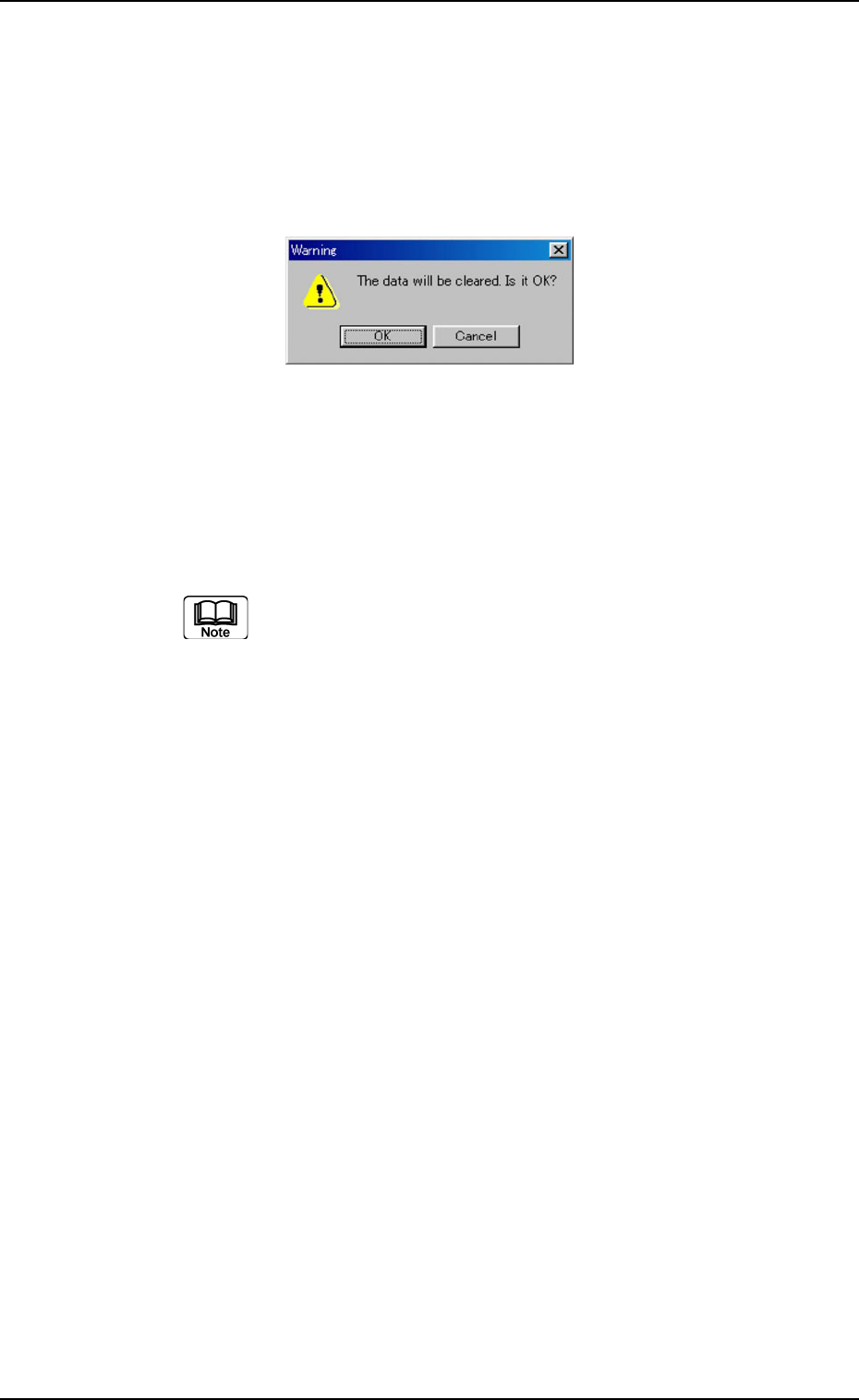
When the button is pressed, the following "Warning" dialog box
opens.
When the [OK] button is pressed, the contents of "Management
Data 2" are cleared and the date and time of the clear operation
are updated.
0207-001 Chapter 1 3-14
2.5 "Info. Clear" Tab
*3 "Auto Save Interval" Group Box
Set the interval time to automatically save the management data
of the selected pattern program on the hard diask.
When the management data is set to be downloaded
from the network terminal for this machine, it is updated
at the interval specified here.
Fig. 3C10
Tg0699-PM-D2
0207-001 Chapter 1 3-15
3. "PRGM. MNG. DATA" Submenu
3. "PRGM. MNG. DATA" Submenu
Displayed is the management data related to a specific model (a type
of P.C.B.’s).
Even if P.C.B.’s are produced intermittently, the accumulated data
(results) is displayed as long as the same model is handled.
••
••
• Window Layout
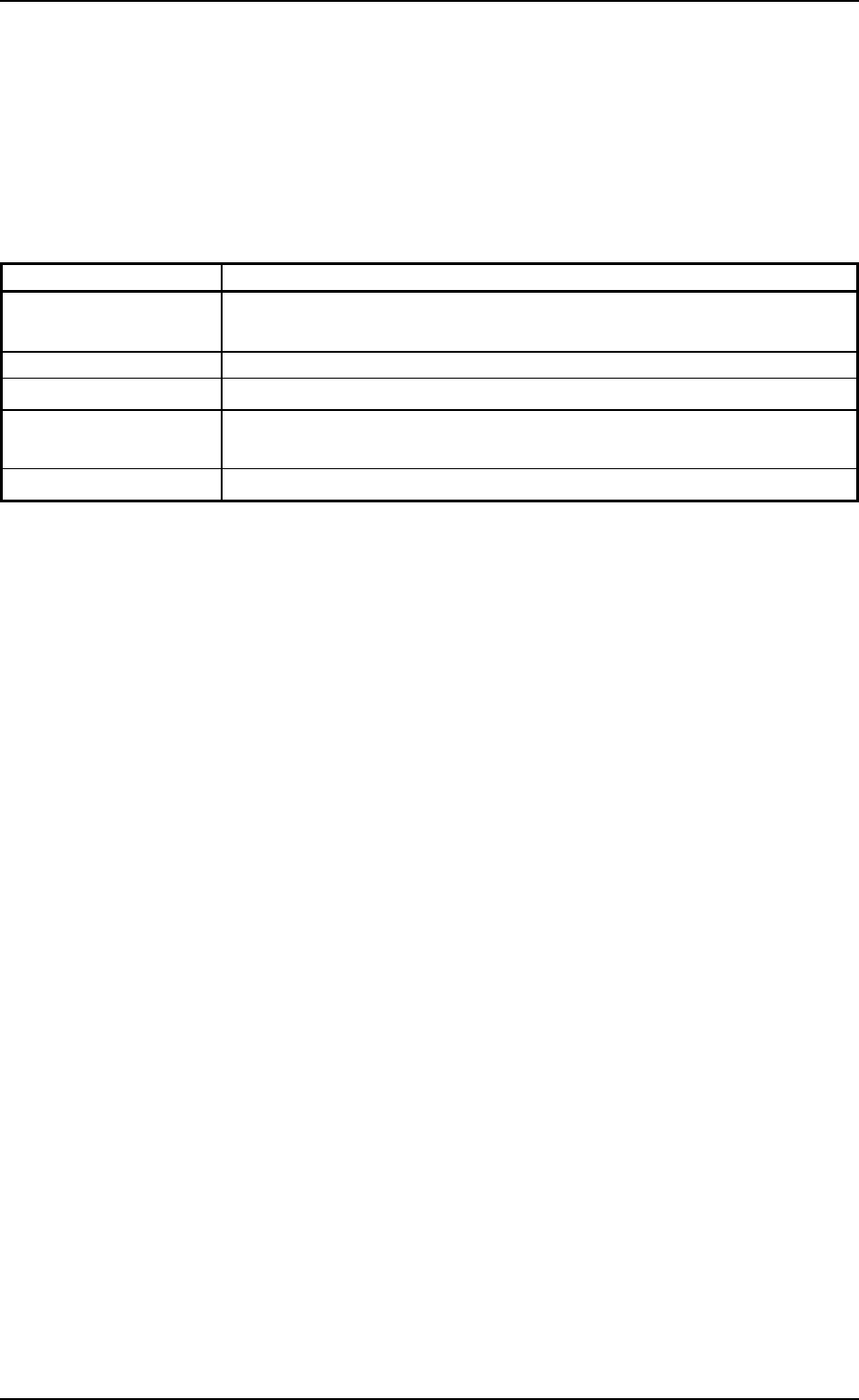
When the [PRGM. MNG. DATA] button is pressed in the "MAN-
AGE. DATA" submenu bar, the following window appears.
Fig. 3C11 "PRGM. MNG. DATA" Window (Submenu)
*1
Tg0699-PM-D2
0207-001 Chapter 1 3-16
3. "PRGM. MNG. DATA" Submenu
• Window Composition
*1 Tabs
The "PRGM. MNG. DATA" window (submenu) is provided with 5
tab sheets. When each tab is pressed, the corresponding tab
sheet appears.
Table 3C2
Tabs Description
Prgm. Chg. & Clear This tab sheet enables you to select a current model (current pattern
program) and clear the pattern program management data.
Prod. History Displayed is the history of the current model production.
Product Displayed is the production data (results) of the current model.
Time Data Displayed is the time data of machine performance on the current
model.
Recog. Error Displayed is the recognition error data of the current model.