2OM-1088-002.pdf - 第334页
Tg0699-PM-D2 Fig. 5A17 L Conveyor Section Fig. 5A18 R Conveyor Section 5. Weekly Maintenance Interlock Sensor Remove dust with a vacuum cleaner . Cleaning 0207-001 Chapter 3 1-15 Interlock Sensor Remove dust with a vacuu…
Tg0699-PM-D2
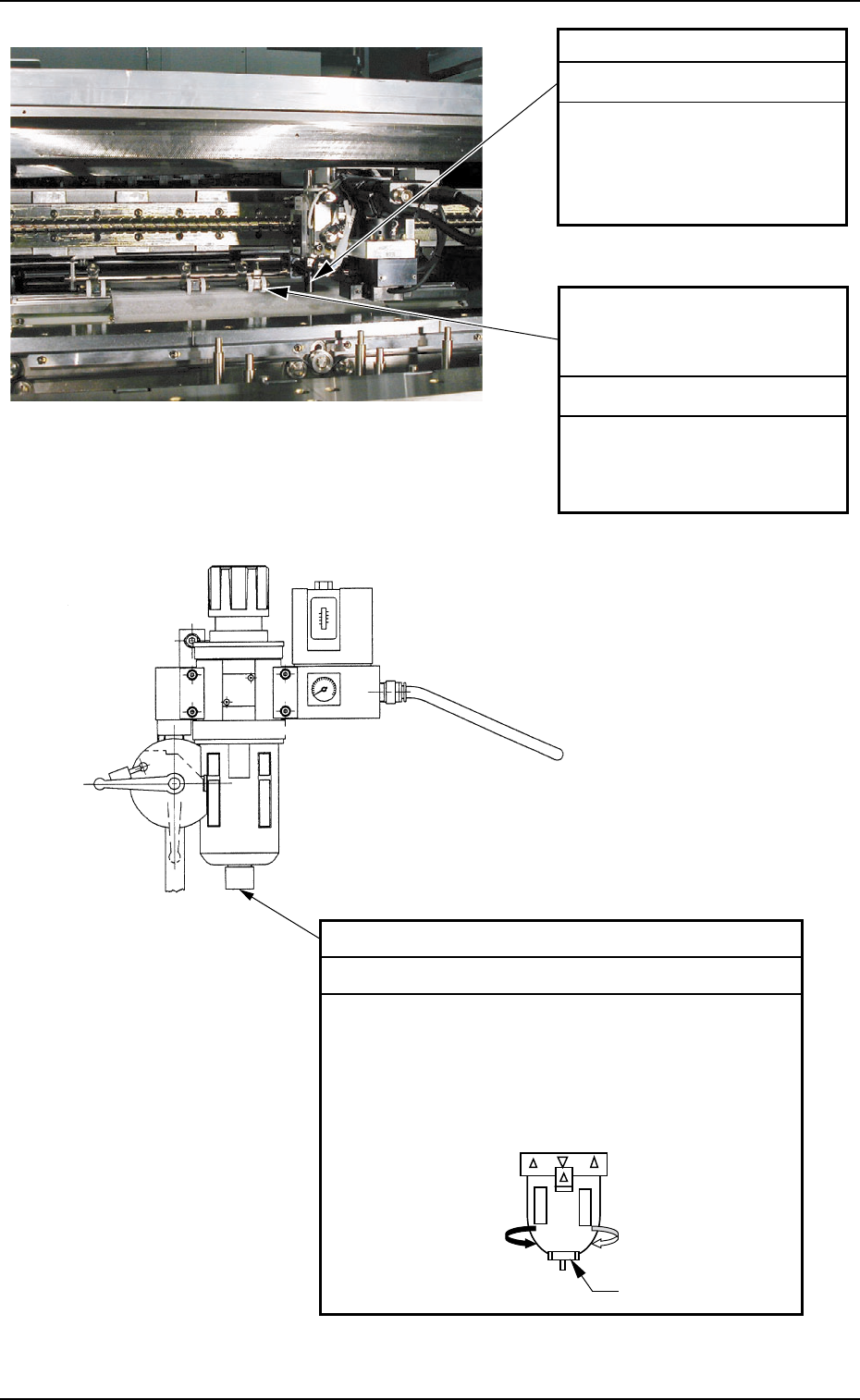
P.C.B. Stopper
Clean the stopper with an
oiled rag.
Note : Remove waste thread
if any.
Cleaning
P.C.B. Warpage Top Holder
(Outer Circumference of
Roller)
Remove dirt on the outer
circumference of the roller
with a soft cloth, etc.
Cleaning
Fig. 5A16 Air Source
Fig. 5A15 P.E.C. Recognition Section
5. Weekly Maintenance
Drain
Follow the steps below to purge the drain.
(1) Put a container under the drain outlet.
(2) Slowly turn the cap (located on the housing
bottom of each air filter) in Arrow Direction A.
Note: If the cap is turned excessively, dirty
water will gush out.
Cleaning
Cap
#
0207-001 Chapter 3 1-14
Tg0699-PM-D2
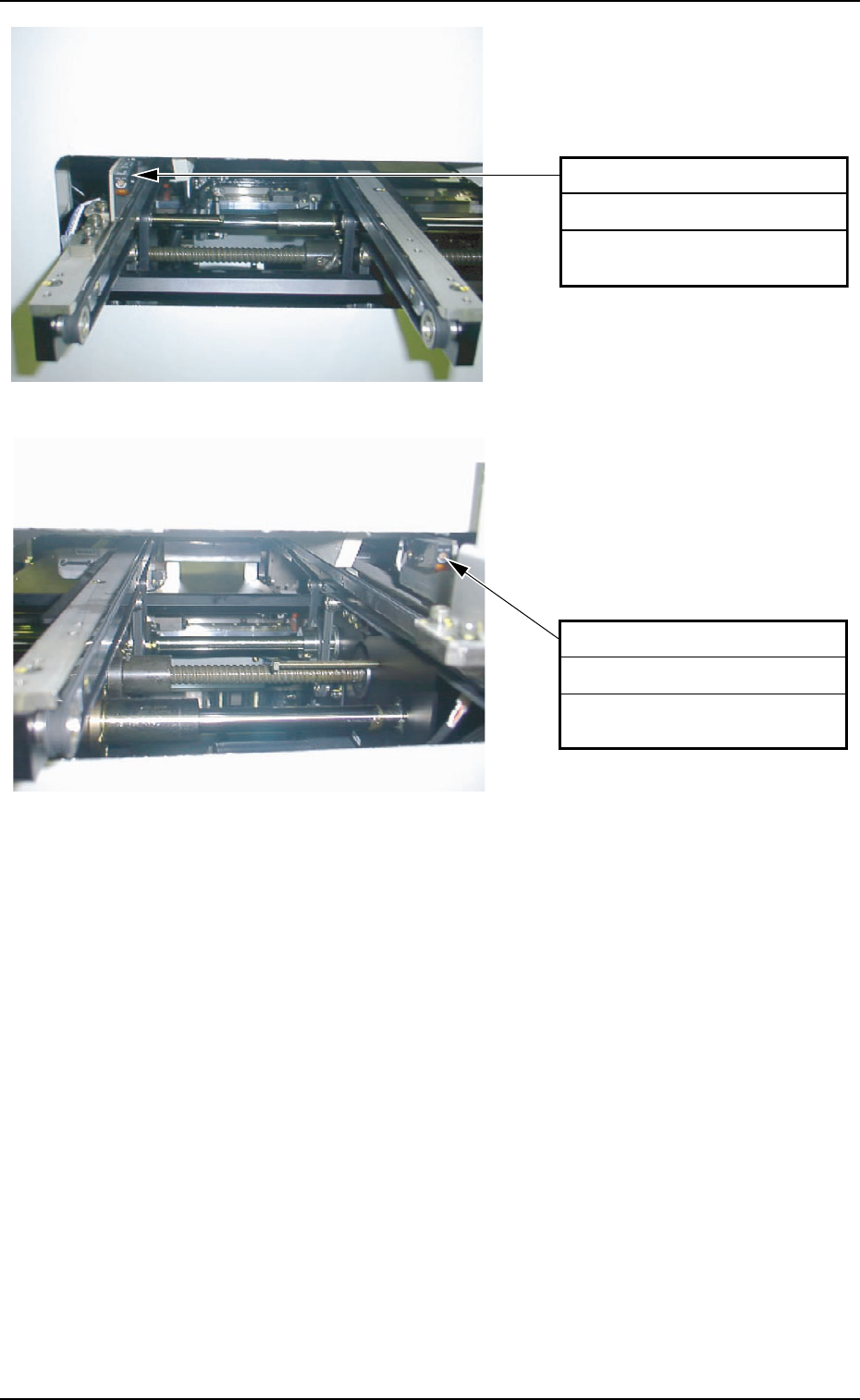
Fig. 5A17 L Conveyor Section
Fig. 5A18 R Conveyor Section
5. Weekly Maintenance
Interlock Sensor
Remove dust with a vacuum
cleaner.
Cleaning
0207-001 Chapter 3 1-15
Interlock Sensor
Remove dust with a vacuum
cleaner.
Cleaning
Tg0699-PM-D2
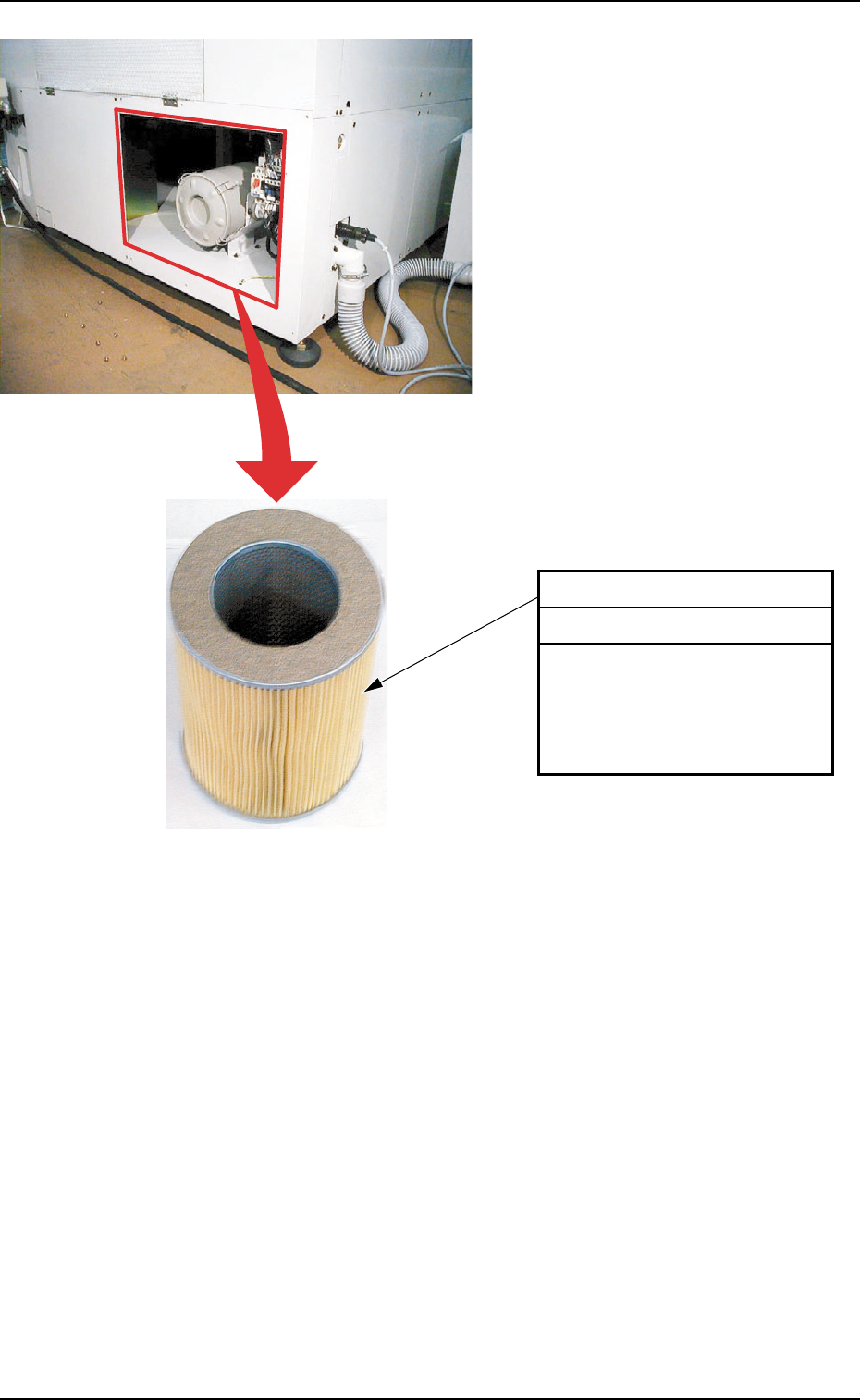
Fig. 5A19 Vacuum Filter
5. Weekly Maintenance
0207-001 Chapter 3 1-16
Vacuum Filter
Detach the rear cover.
Remove the vacuum filter and
blow off dust with air or remove
with a vacuum cleaner. Use a
vacuum cleaner if very dirty.
Cleaning