2OM-1088-002.pdf - 第234页
Tg0699-PM-D2 2.3 Error IDs and Remedial Procedures 0207-001 Chapter 2 2-29 T able 4B27
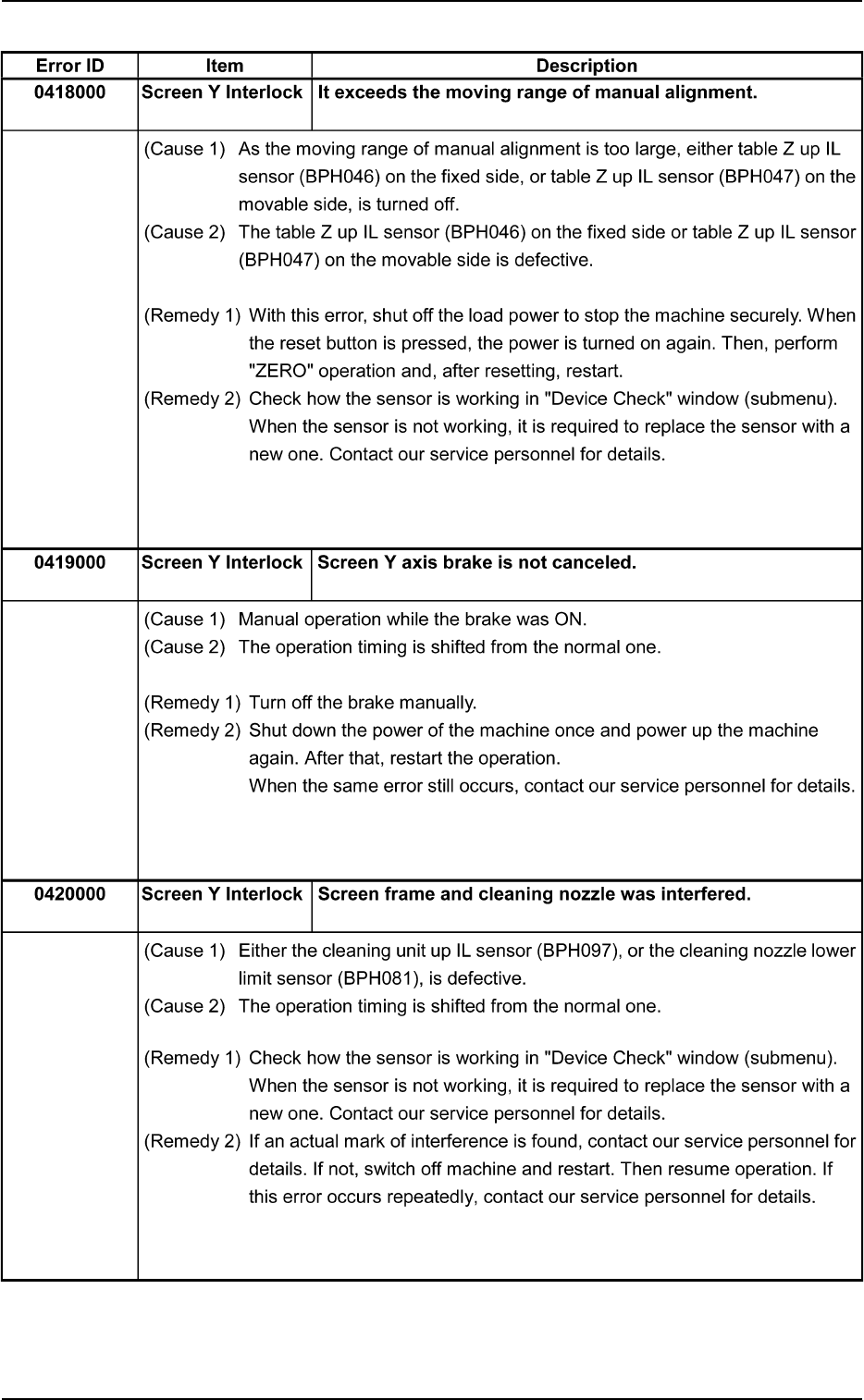
Tg0699-PM-D2
2.3 Error IDs and Remedial Procedures
0207-001 Chapter 2 2-28
Table 4B26
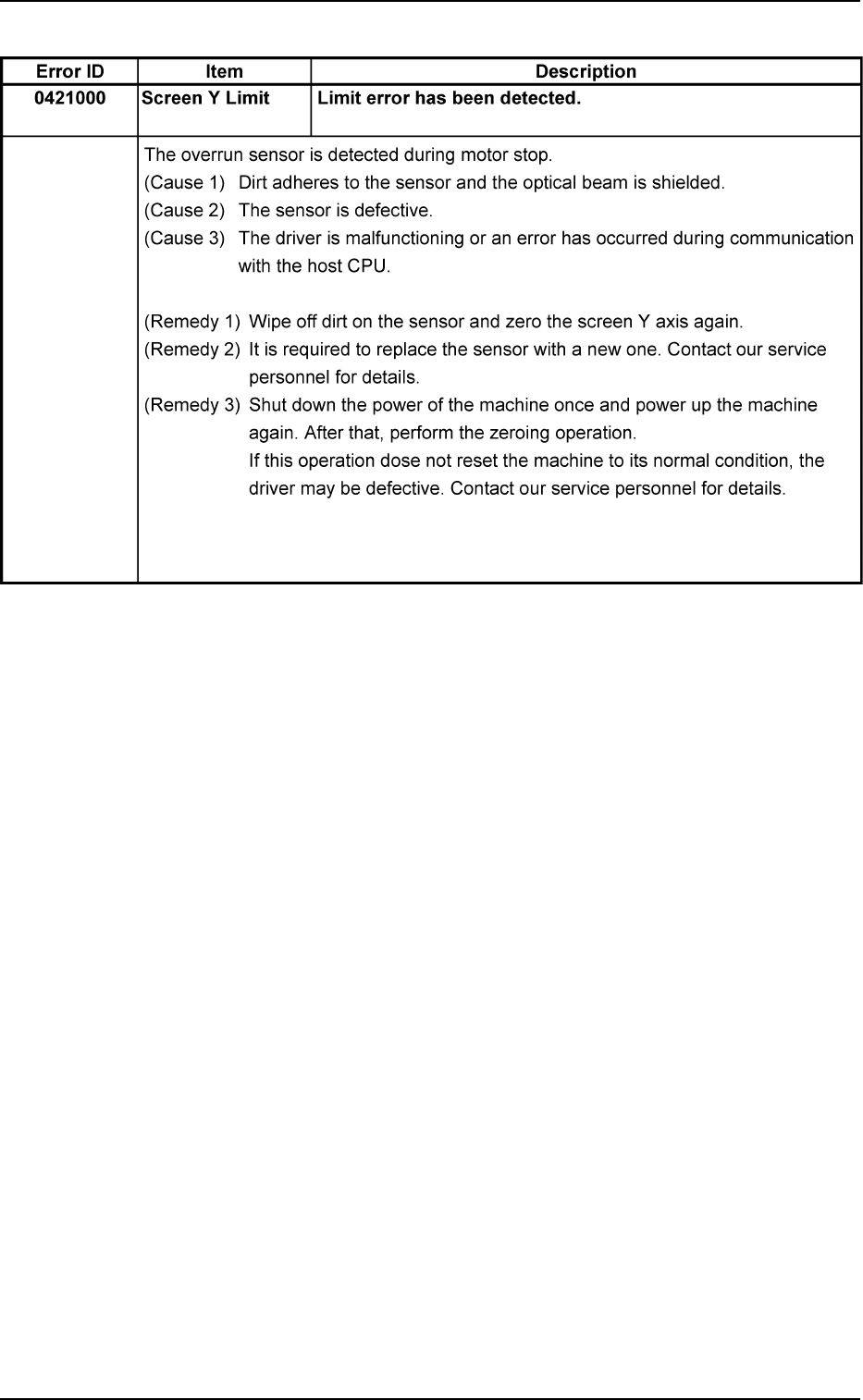
Tg0699-PM-D2
2.3 Error IDs and Remedial Procedures
0207-001 Chapter 2 2-29
Table 4B27

Tg0699-PM-D2
2.3 Error IDs and Remedial Procedures
0207-001 Chapter 2 2-30
Table 4B28
Error ID Item Description
0501000 Squeegee Driving Zeroing opn. was incompleted, within specified time.
Origin
(Cause 1) Dirt adheres to the sensor and the optical beam is shielded.
(Cause 2) The sensor is defective.
(Cause 3) The driver is malfunctioning or an error has occurred during communication
with the host CPU.
(Remedy 1) Wipe off dirt on the sensor and zero the squeegee driving axis again.
(Remedy 2) It is required to replace the sensor with a new one. Contact our service
personnel for details.
(Remedy 3) Shut down the power of the machine once and power up the machine
again. After that, perform the zeroing operation.
If this operation does not reset the machine to its normal condition, the
driver may be defective. Contact our service personnel for details.
0502000 Squeegee Drive Detect lost pulse error.
Origin
(Cause 1) The motor is overloaded and has a loss of synchronism.
(Remedy 1) Check for any obstacle around the squeegee driving axis and then per-
form the zeroing operation.
If this operation does not reset the machine to its normal condition, con-
tact our service personnel for details.
0503000 Squeegee Driving (+) Limit error has been detected.
Limit
(Cause 1) Dirt adheres to the sensor and the optical beam is shielded.
(Cause 2) The sensor is defective.
(Cause 3) The driver is malfunctioning or an error has occurred during communication
with the host CPU.
(Remedy 1) Wipe off dirt on the sensor and zero the squeegee driving axis again.
(Remedy 2) It is required to replace the sensor with a new one. Contact our service
personnel for details.
(Remedy 3) Shut down the power of the machine once and power up the machine
again. After that, perform the zeroing operation.
If this operation does not reset the machine to its normal condition, the
driver may be defective. Contact our service personnel for details.