2OM-1088-002.pdf - 第149页
Tg0699-PM-D2 1. Scope of Menus for System Setting 0207-001 Chapter 1 4-2 *1 *4 *3 *2 1. Scope of Menus for System Setting 1.1 Composition of Menus for System Setting When the [SYSTEM] button on the main menu bar is press…

Tg0699-PM-D2
Section 4
Menus for System Setting
This section describes the functions and operations in
each window (window which opens after a menu button
is pressed at the "SYSTEM" window).
0207-001 Chapter 1 4-1
Tg0699-PM-D2
1. Scope of Menus for System Setting
0207-001 Chapter 1 4-2
*1
*4
*3
*2
1. Scope of Menus for System Setting
1.1 Composition of Menus for System Setting
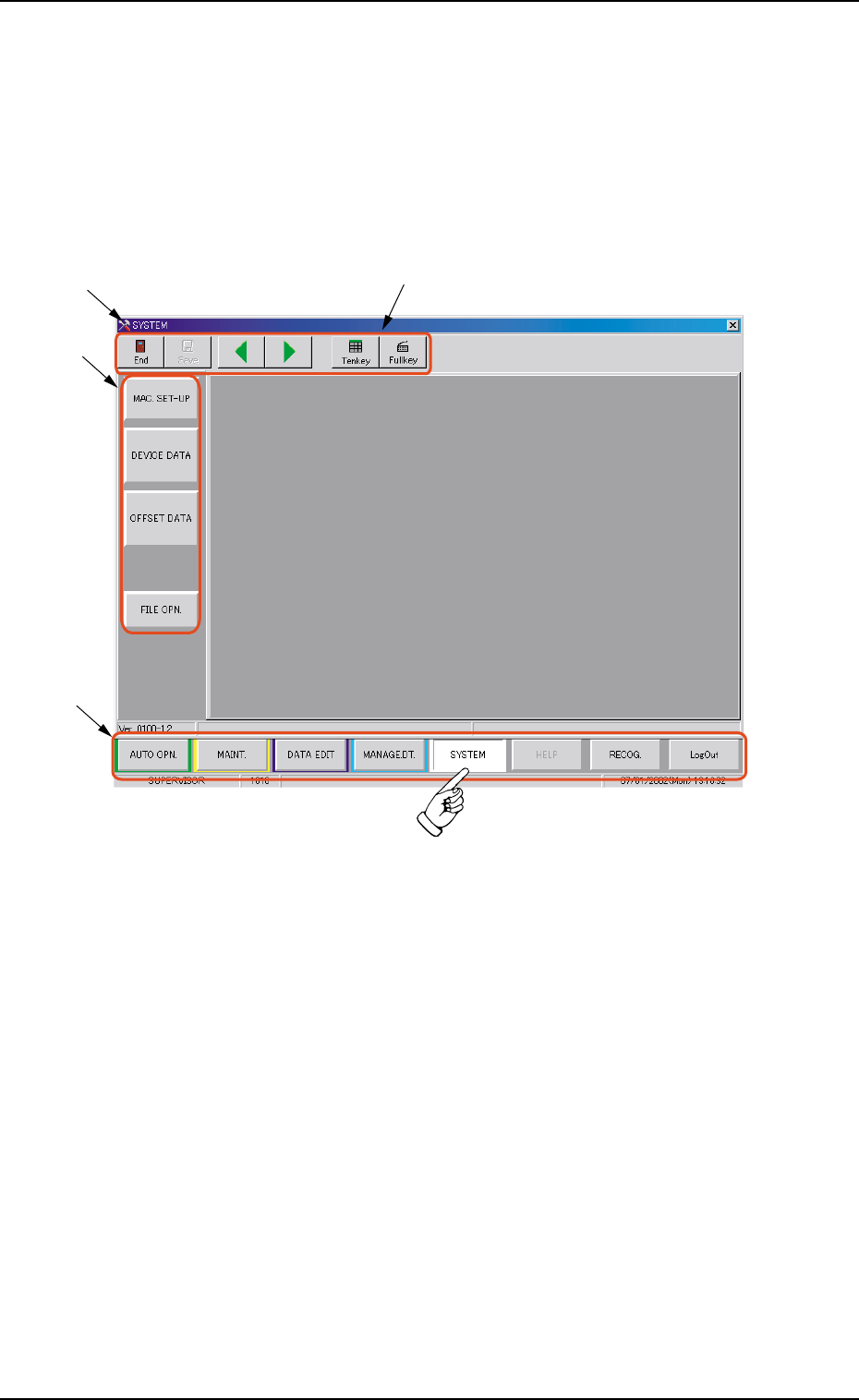
When the [SYSTEM] button on the main menu bar is pressed, the
"SYSTEM" window opens. This window has a submenu bar.
Fig. 3D1 "SYSTEM" Menu
••
••
• Window Composition
*1 Main Menu Bar
This bar is provided commonly for all operation windows. The
buttons on the bar are used to select the main menus.
*2 "SYSTEM" Window
All the tab sheets are laid on top of each other so that the tab of
each is visible.
Tg0699-PM-D2
0207-001 Chapter 1 4-3
1.1 Composition of Menus for System Setting
*3 Submenu Bar
This bar is treated as part of the "SYSTEM" window and has the
buttons to select the submenus.
When a button is selected, the corresponding initial tab sheet
appears.
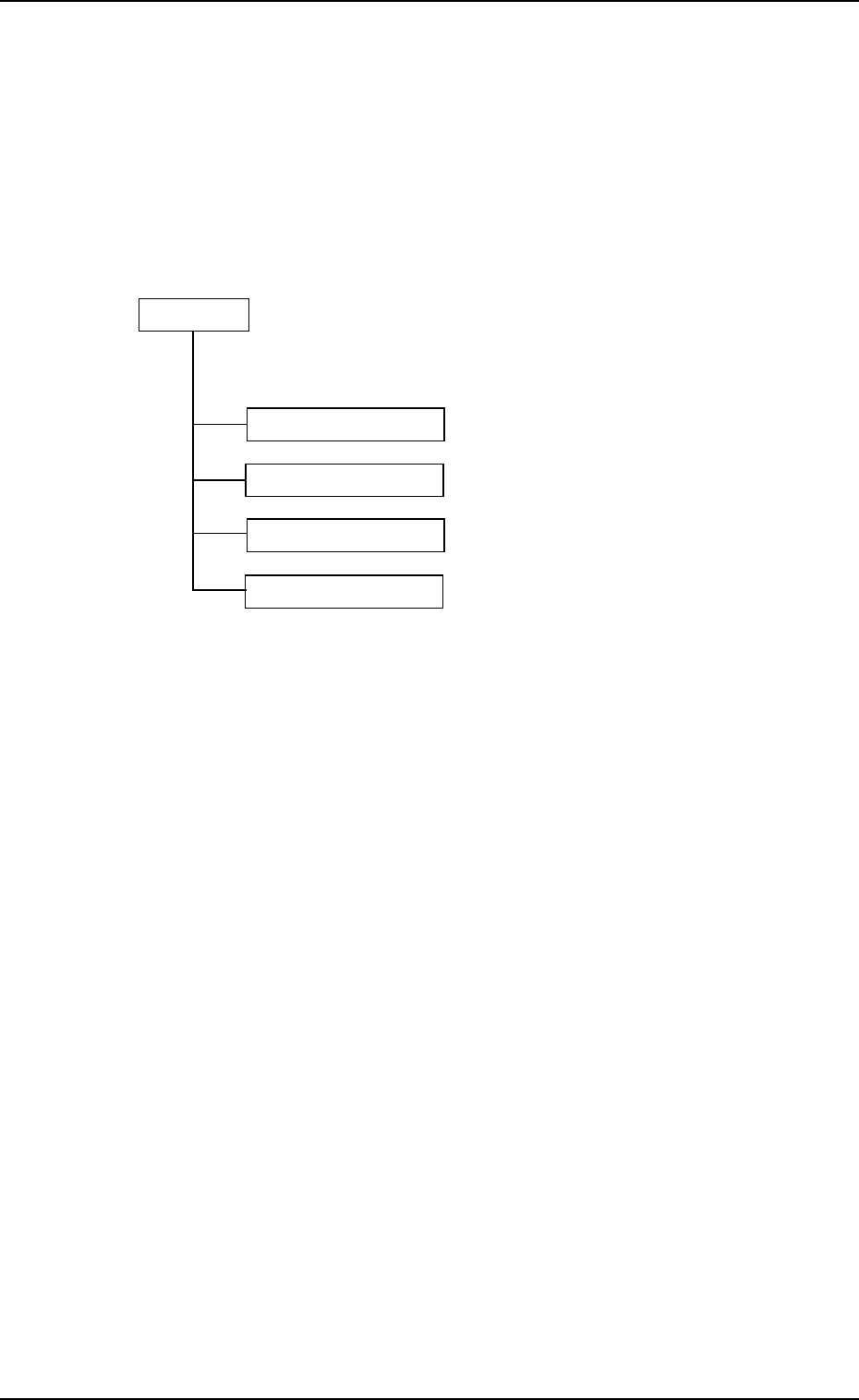
The "SYSTEM" window is provided with the following 4 submenu
buttons.
Fig. 3D2
SYSTEM
Submenus Reference Item Nos.
MAC. SET-UP 2.
DEVICE DATA 3.
OFFSET DATA 4.
FILE OPN. 5.