2OM-1088-002.pdf - 第350页
Tg0699-PM-D2 8. Half-Y early Maintenance 0207-001 Chapter 3 1-31 Fig. 5A40 P .C.B. Chuck Section Z-Axis Guide Bushing Clean the Bushing with an oiled rag. Note : Remove waste thread if any . Clean the guide using the fol…
Tg0699-PM-D2
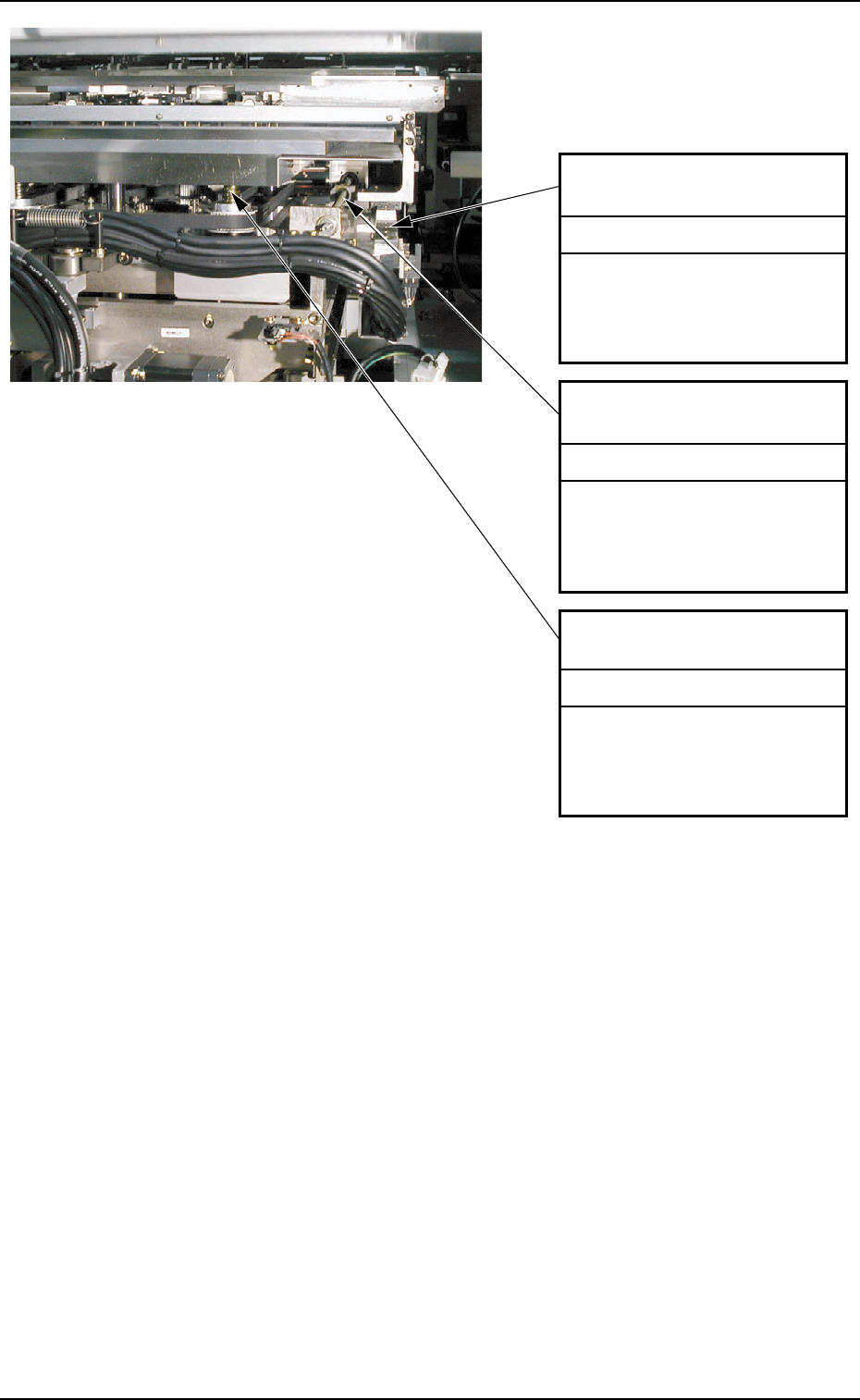
Ball Screw for Chute Width
Adjustment
(1) Move up the backup table
Z axis.
(2) Apply grease with a brush
or a spatula.
Lubrication
Linear Guide for Chute
Width Adjustment
(1) Move up the backup table
Z axis.
(2) Apply grease with a brush
or a spatula.
Lubrication
Backup Table Z-Axis Ball
Screw
(1) Move up the backup table
Z axis.
(2) Apply grease with a brush
or a spatula.
Lubrication
Fig. 5A39 P.C.B. Chuck Section
8. Half-Yearly Maintenance
0207-001 Chapter 3 1-30
Tg0699-PM-D2
8. Half-Yearly Maintenance
0207-001 Chapter 3 1-31
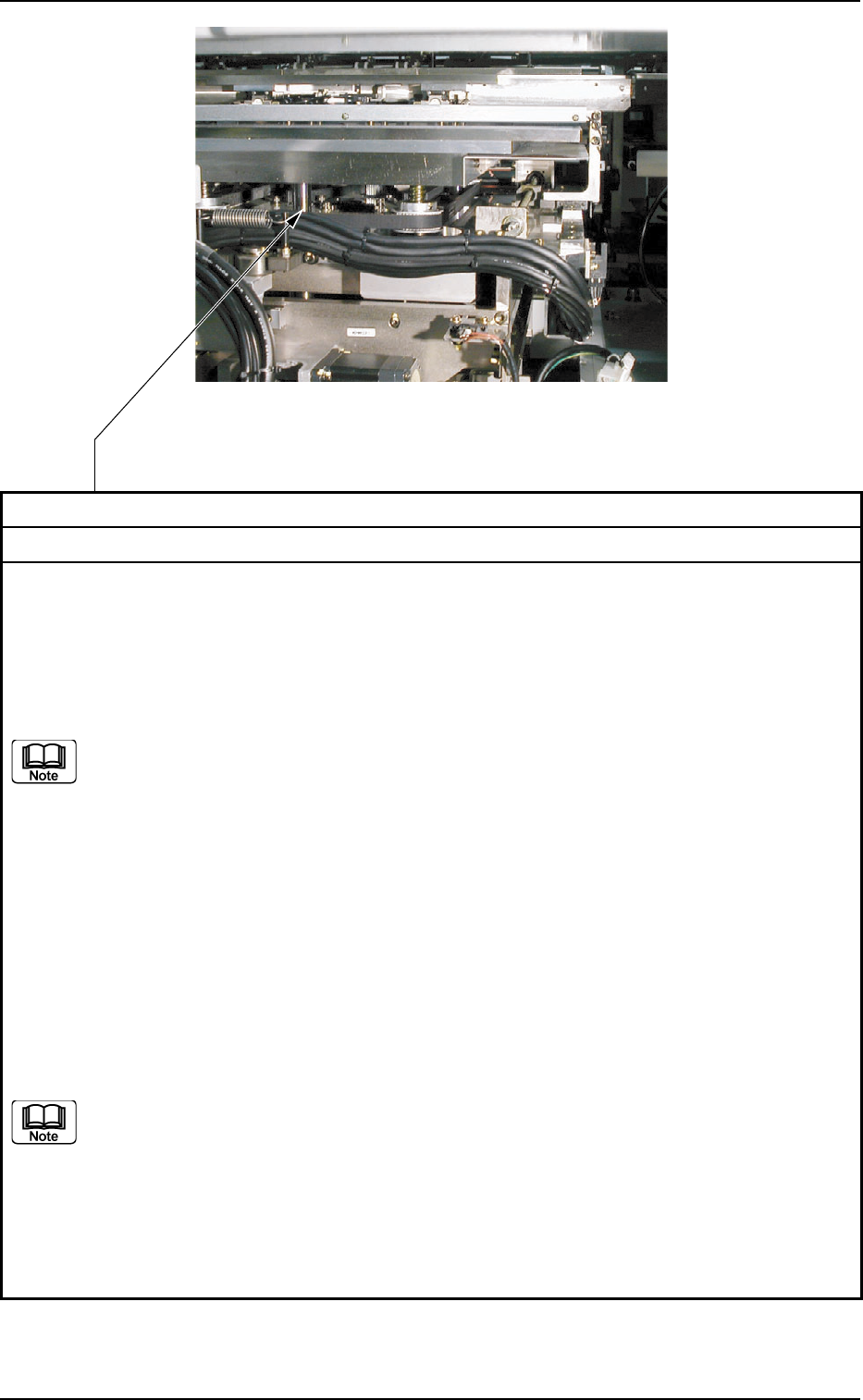
Fig. 5A40 P.C.B. Chuck Section
Z-Axis Guide Bushing
Clean the Bushing with an oiled rag.
Note : Remove waste thread if any.
Clean the guide using the following procedure.
Rear Reference :
Press the [Table Up (Trans - Retrt. - Correct - Prn.Pos.)] button on the "Table Section" tab on
the "MNL OPN" submenu window in the "SPECIAL SEL." menu to lift the table. Then, clean
the bushing starting from the front side, using a brush.
(a) For the guide bushing section upper than the flange, press the [PCB Backup
UP/DOWN (Origin - Start - End)] button on the "MNL OPN" submenu window in
the "SPECIAL SEL." menu to lift the PCB backup jig section and clean it.
(b) For the guide bushing section lower than the flange, press the [PCB Backup
UP/DOWN (Origin - Start - End)] button on the "MNL OPN" submenu window in
the "SPECIAL SEL." menu to lower the PCB backup jig section and clean it.
Front Reference :
Press the [Table Up] button on the "Table Section" tab on the "MNL OPN" submenu window in
the "SPECIAL SEL." menu to lift the table and clean the bushing using a brush.
• Starting from the front side, clean the guide bushings on the right and left at the front side of
the machine.
• Starting from the rear side, clean the guide bushings at the center on the rear side.
Secure the working space by pressing the [Chg. Pos. Move (Start)] button on the "Cleaning
Chg." tab on the "PRODUCT CHG." submenu window in the "AUTO OPN" menu, and then
clean the guide bushing.
(a) For the guide bush section upper than the flange, press the [PCB Backup
UP/DOWN (Origin - Start - End)] button on the "Table Section" tab on the "MNL
OPN" submenu window in the "SPECIAL SEL." menu to lift the PCB backup jig
section and clean it.
(b) For the guide bush section lower than the flange, press the [PCB Backup
UP/DOWN (Origin - Start - End)] button on the "Table Section" tab on the "MNL
OPN" submenu window in the "SPECIAL SEL." menu to lower the PCB backup
jig section and clean it.
Cleaning
Tg0699-PM-D2
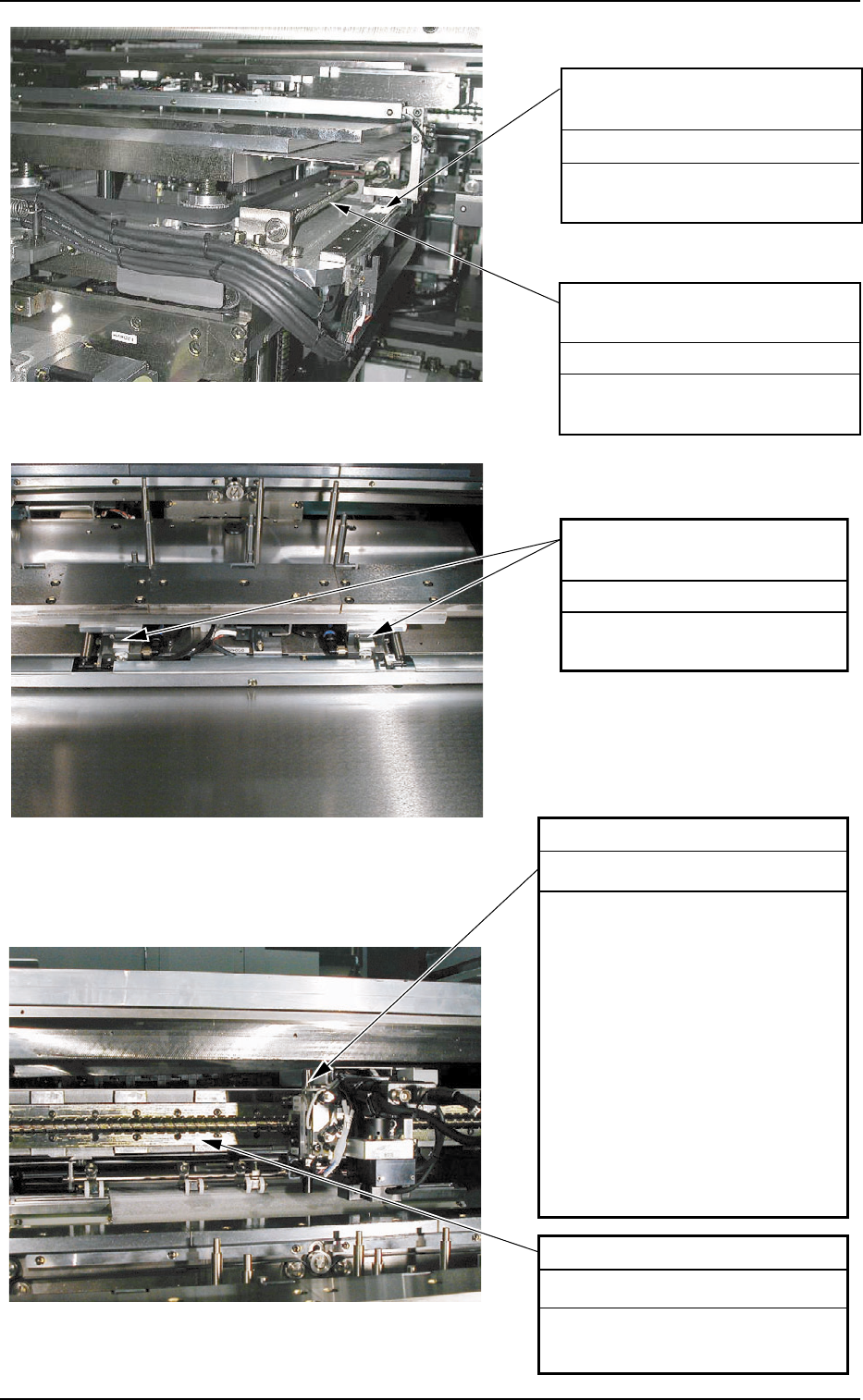
Ball Screw for Chute Width
Adjustment
Lubrication
Apply grease with a brush or a
spatula.
Linear Guide for Chute Width
Adjustment
Lubrication
Apply grease with a brush
or a spatula.
X-Axis Linear Guide
Apply grease with a brush or a
spatula from the rear side.
Lubrication
P.C.B. Stopper Guide Bushing
Apply grease with a brush or a
spatula.
Note : If a large amount of
grease is applied to the
ball screw, it may be
dispersed over a P.C.B.
and the screen. After
applying grease to the
ball screw, brush the
surface or scrape with a
spatula until a small
amount of grease
remains.
Lubrication
Fig. 5A43 P.E.C. Recognition Section
Fig. 5A42 P.C.B. Chuck Section
8. Half-Yearly Maintenance
0207-001 Chapter 3 1-32
Linear Guide for P.C.B.
Clamping
Apply grease with a brush or
a spatula.
Lubrication
Fig. 5A41 P.C.B. Chuck Section