2OM-1088-002.pdf - 第182页
Tg0699-PM-D2 0207-001 Chapter 1 4-33-1 4.2 "P .E.C. Recog. Camera" T ab *2 Camera Magnification Enter values as magnifications of the P .E.C. recognition camera in the text boxes. Make the ten-key window appear…
Tg0699-PM-D2
0207-001 Chapter 1 4-33
4.2 "P.E.C. Recog. Camera" Tab
••
••
• Sheet Composition
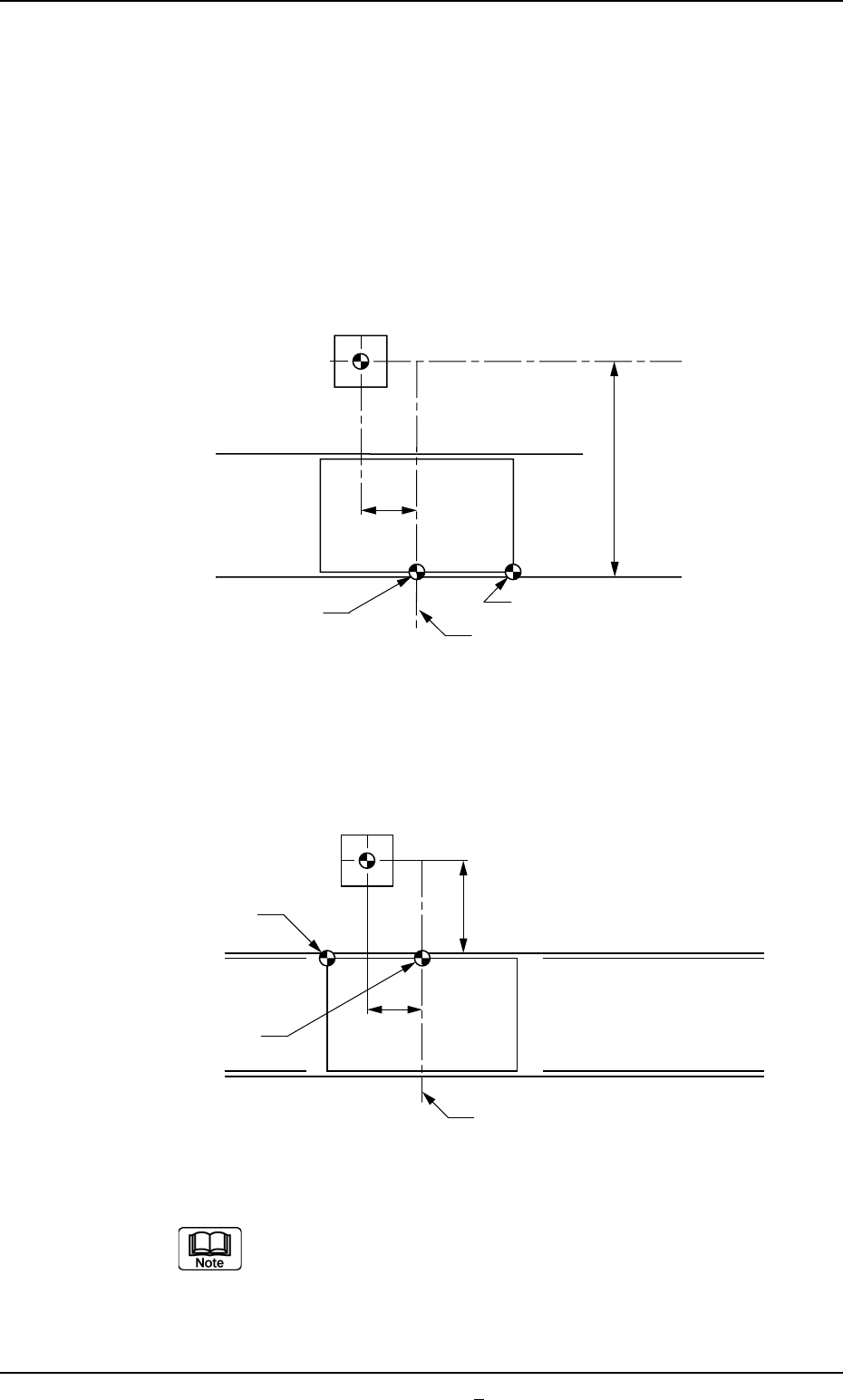
*1 Camera Offset
Enter offset values in the text boxes, regarding the difference in
the distance and angle of each axis between the centers of the
P.E.C. recognition camera and the table chute. The entered
values are used to change the specified ones.
With Front Reference
With Rear Reference
Make the ten-key window appear and enter the offset
values in the text boxes.
Fig. 3D28
P.C.B.
Table Center
310
Table Origin
P.E.C. Recognition Camera
P.C.B. Origin
479
P.C.B.
Table Center
310
Table Origin
P.E.C. Recognition Camera
P.C.B. Origin
98
Fig. 3D28-1
Tg0699-PM-D2
0207-001 Chapter 1 4-33-1
4.2 "P.E.C. Recog. Camera" Tab
*2 Camera Magnification
Enter values as magnifications of the P.E.C. recognition camera
in the text boxes.
Make the ten-key window appear and enter distances
(unit: µm) per pixel in the X and Y directions.
*3 Recog. Mark
Enter contrast and brightness of the fiducial mark in the text
boxes.
Make the ten-key window appear and enter values as
gain and level in the text boxes.
Gain : Amplification Factor used to change the contrast
The higher the gain is, the bigger the contrast becomes.
Level : Amplification Factor used to change the brightness
The higher the level is, the brighter the whole view
becomes.
Tg0699-PM-D2
0207-001 Chapter 1 4-34
4.3 "Screen Recog. Camera" Tab
4.3 "Screen Recog. Camera" Tab
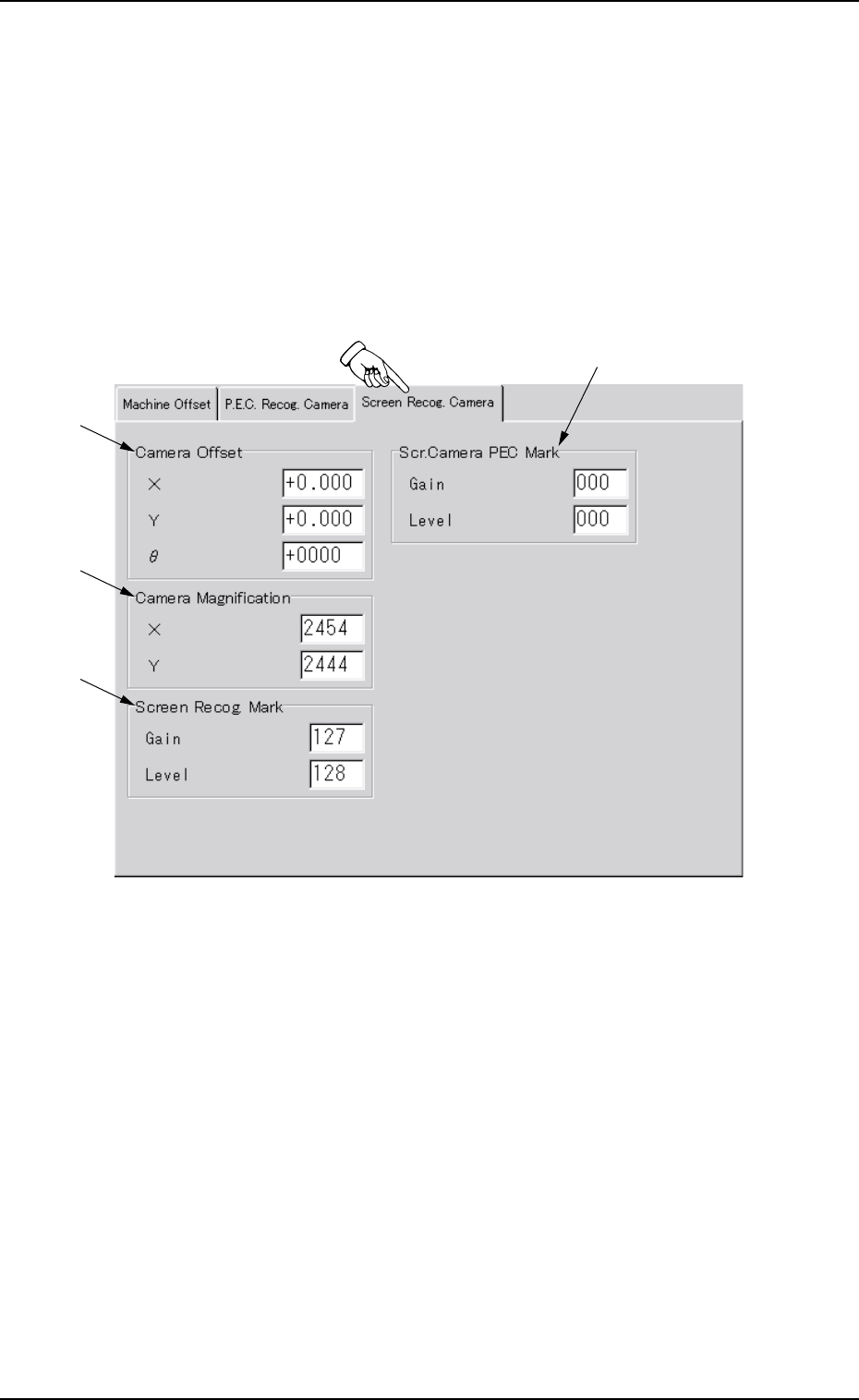
This tab sheet enables the operator to set offset values and magnifi-
cations of the screen recognition camera and gain & level (contrast
and brightness) of the fiducial mark.
••
••
• Sheet Layout
When the "Screen Recog. Camera" tab is pressed at the "OFFSET
DATA" window (submenu), the following tab sheet appears.
Fig. 3D29 "Screen Recog. Camera" Tab Sheet
*4
*1
*2
*3