2OM-1088-002.pdf - 第153页
Tg0699-PM-D2 0207-001 Chapter 1 4-6 2. "MAC. SET-UP" Submenu T able 3D3 T abs Description Display When no operation on the touch screen is needed for a long period of time, the monitor protection function can b…
Tg0699-PM-D2
0207-001 Chapter 1 4-5
2. "MAC. SET-UP" Submenu
*1
2. "MAC. SET-UP" Submenu
••
••
• Window Layout
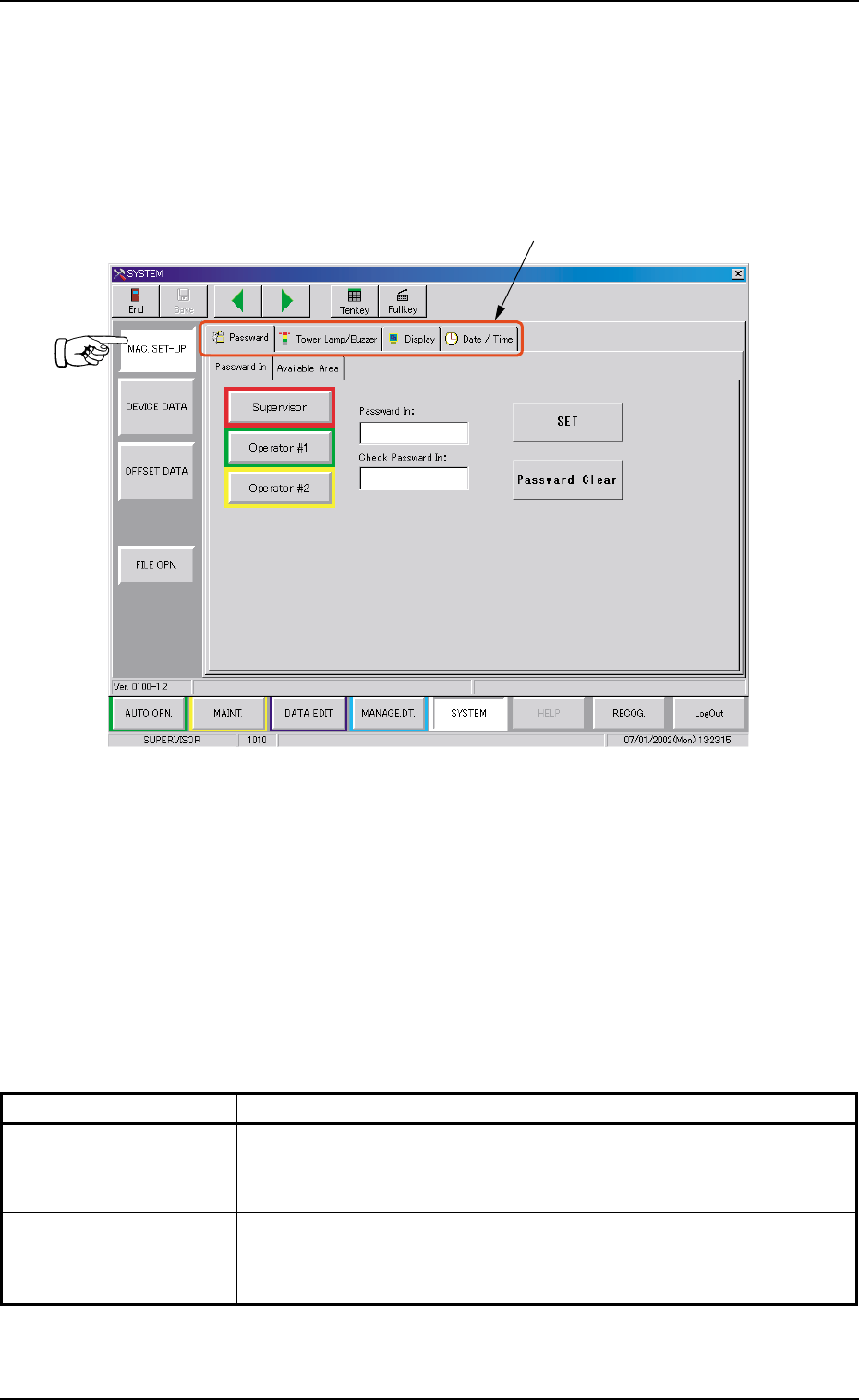
When the [MAC. SET-UP] button is pressed in the "SYSTEM"
submenu bar, the following window appears.
Fig. 3D5 "MAC. SET-UP" Window (Submenu)
••
••
• Window Composition
*1 Tabs
The "MAC. SET-UP" window (submenu) is provided with 4 tab
sheets.
Every time a tab is pressed, the corresponding tab sheet ap-
pears.
Table 3D2
Tabs Description
Password Three kinds of passwords and an effective range of each password
can be set for the operators in charge. (Security Levels: "Supervi-
sor", "Operator #1", and "Operator #2")
Tower Lamp
//
//
/ This tab sheet enables the operator to allocate the colors (red,
Buzzer yellow, and green) of the tower lights and set alarm modes accord-
ing to the machine status.
Tg0699-PM-D2
0207-001 Chapter 1 4-6
2. "MAC. SET-UP" Submenu
Table 3D3
Tabs Description
Display When no operation on the touch screen is needed for a long period
of time, the monitor protection function can be activated to avoid
burning the screen.
Date/Time The corresponding tab sheet enables the operator to set the cur-
rent date and time.
Tg0699-PM-D2
0207-001 Chapter 1 4-7
2.1 "Password" Tab
*2
*1
*3
*4
2.1 "Password" Tab
Passwords can be set as a means of security for different operators
of the machine. Depending on the set passwords, different authoriza-
tion (permission and privilege) is given to each operator such that
only approved operators can gain access to certain functions of the
machine.
The "Password" tab sheet is composed of two tab sheets - "Pass-
word In" and "Available Area".
2.1.1 "Password In" Tab
••
••
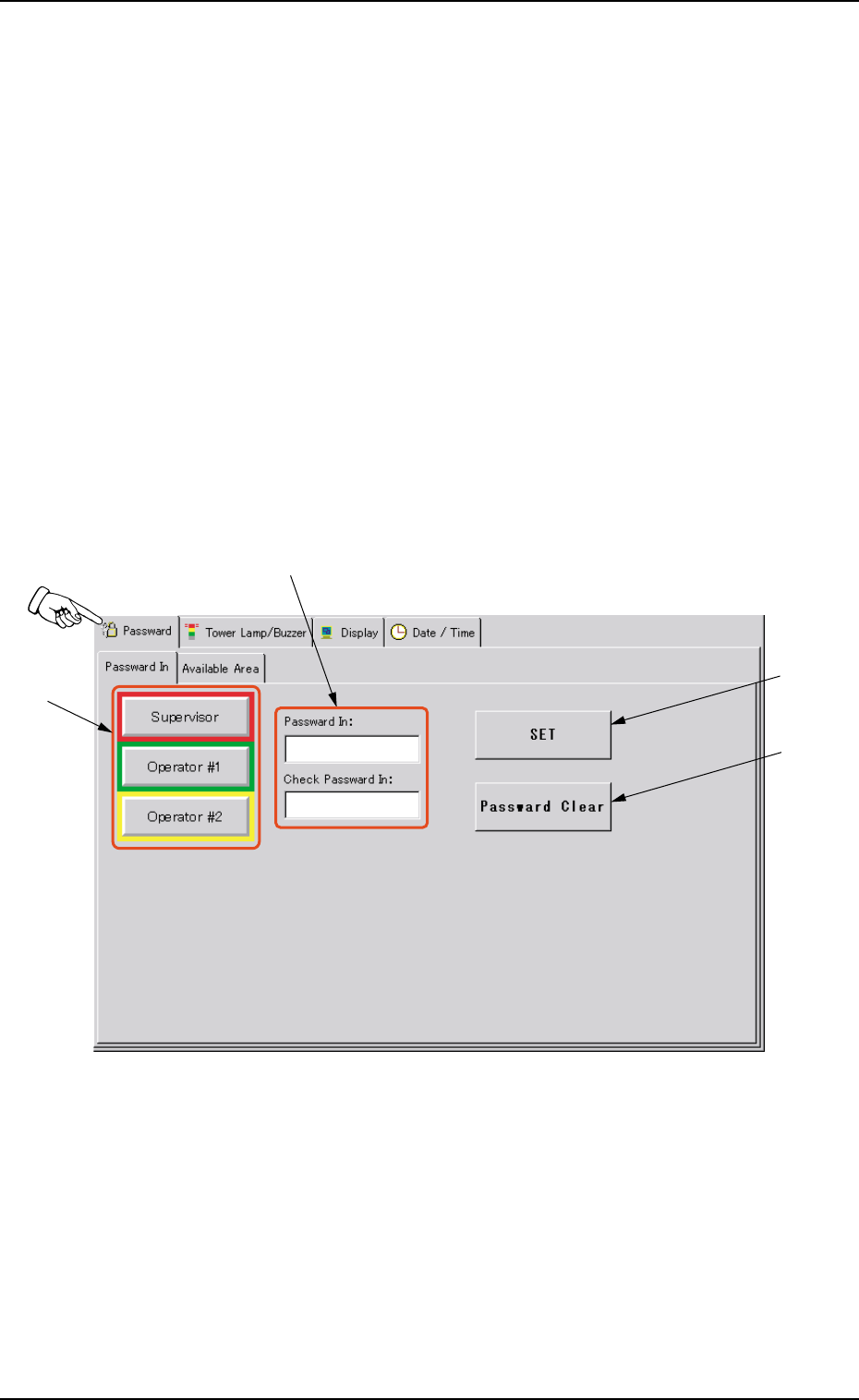
• Sheet Layout
When the [Password] tab is pressed in the "MAC. SET-UP" win-
dow (submenu), the following tab sheet appears.
Fig. 3D6 "Password" Tab Sheet