2OM-1088-002.pdf - 第148页
Tg0699-PM-D2 Section 4 Menus for System Setting This section describes the functions and operations in each window (window which opens after a menu button is pressed at the "SYSTEM" window). 0207-001 Chapter 1 …
Tg0699-PM-D2
0207-001 Chapter 1 3-30
4. "FILE ON." Submenu
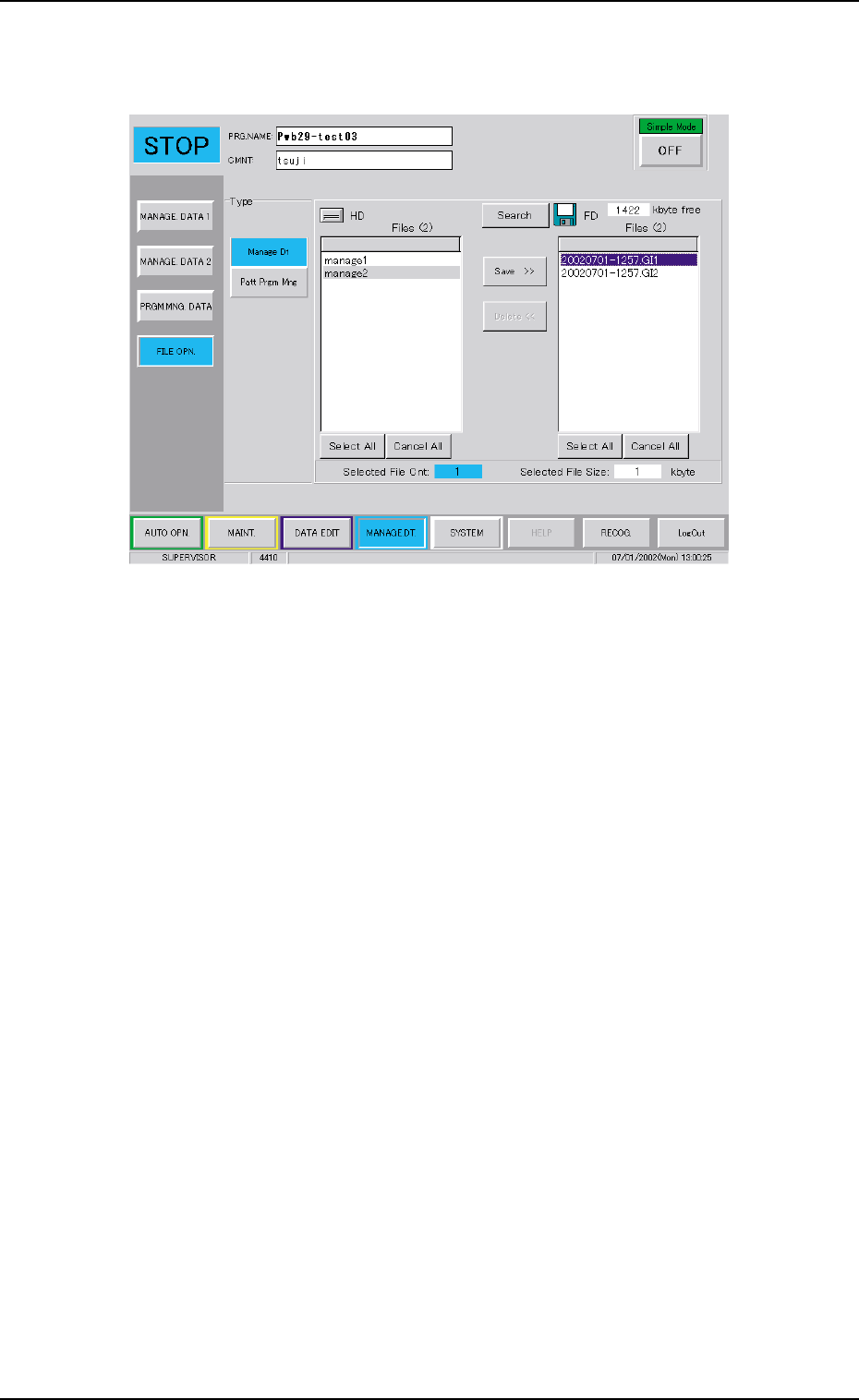
(4) Select the data file to be deleted.
The colour of the selected data box frame is changed to blue.
Fig. 3C21 Selection of Data to be Deleted
(5) When the [Delete <<] button is pressed, the deleting operation
is started.

Tg0699-PM-D2
Section 4
Menus for System Setting
This section describes the functions and operations in
each window (window which opens after a menu button
is pressed at the "SYSTEM" window).
0207-001 Chapter 1 4-1
Tg0699-PM-D2
1. Scope of Menus for System Setting
0207-001 Chapter 1 4-2
*1
*4
*3
*2
1. Scope of Menus for System Setting
1.1 Composition of Menus for System Setting
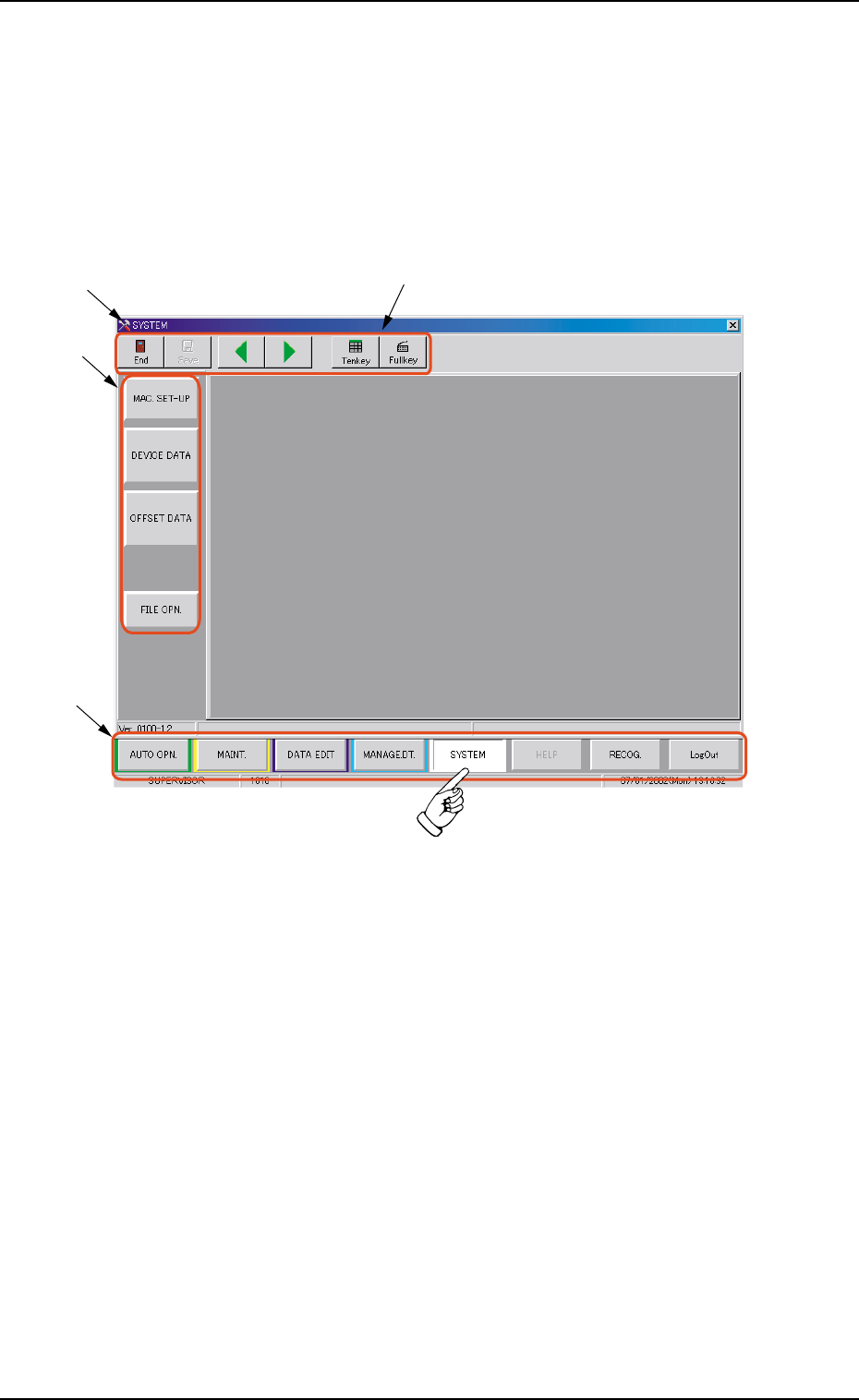
When the [SYSTEM] button on the main menu bar is pressed, the
"SYSTEM" window opens. This window has a submenu bar.
Fig. 3D1 "SYSTEM" Menu
••
••
• Window Composition
*1 Main Menu Bar
This bar is provided commonly for all operation windows. The
buttons on the bar are used to select the main menus.
*2 "SYSTEM" Window
All the tab sheets are laid on top of each other so that the tab of
each is visible.