2OM-1088-002.pdf - 第136页
Tg0699-PM-D2 0207-001 Chapter 1 3-19 3.2 "Prod. History" T ab *1 *2 *3 3.2 "Prod. History" T ab Displayed is the history of the current model production. • • • • • Sheet Layout When the "Prod. Hi…
Tg0699-PM-D2
0207-001 Chapter 1 3-18
3.1 "Prgm. Chg. & Clear" Tab
*4 [PRGM. SELECT] Button
When this button is pressed, the model selected in *5 can be
determined as a current pattern program (the data to be dis-
played on each tab sheet in the "PRGM. MNG. DATA" window
(submenu)).
*5 [CURRENT PRGM. SELECT] Button
This button can be used to select one of the saved models as a
current one.
••
••
• Program Change Operation
(1) Use the button (*2 or *3) to re-arrange the program names
listed in *1.
(2) Select one of the models (program names listed in *1) to
display the data.
The background color of the selected name turns navy blue.
(3) Press the [CURRENT PRGM. SELECT] button *5.
(4) Press the [PRGM. SELECT] button *4.
*6 [PTRN. PRGM. MNG. DATA CLEAR] Button
Use this button to select the model (one of the saved pattern
programs) to be cleared.
••
••
• Information Clear Operation
(1) Use the button (*2 or *3) to re-arrange the program names
listed in *1.
(2) Select one of the models (program names listed in *1) to
display the data.
The background color of the selected name turns navy blue.
(3) Press the [PTRN. PRGM. MNG. DATA CLEAR] button.
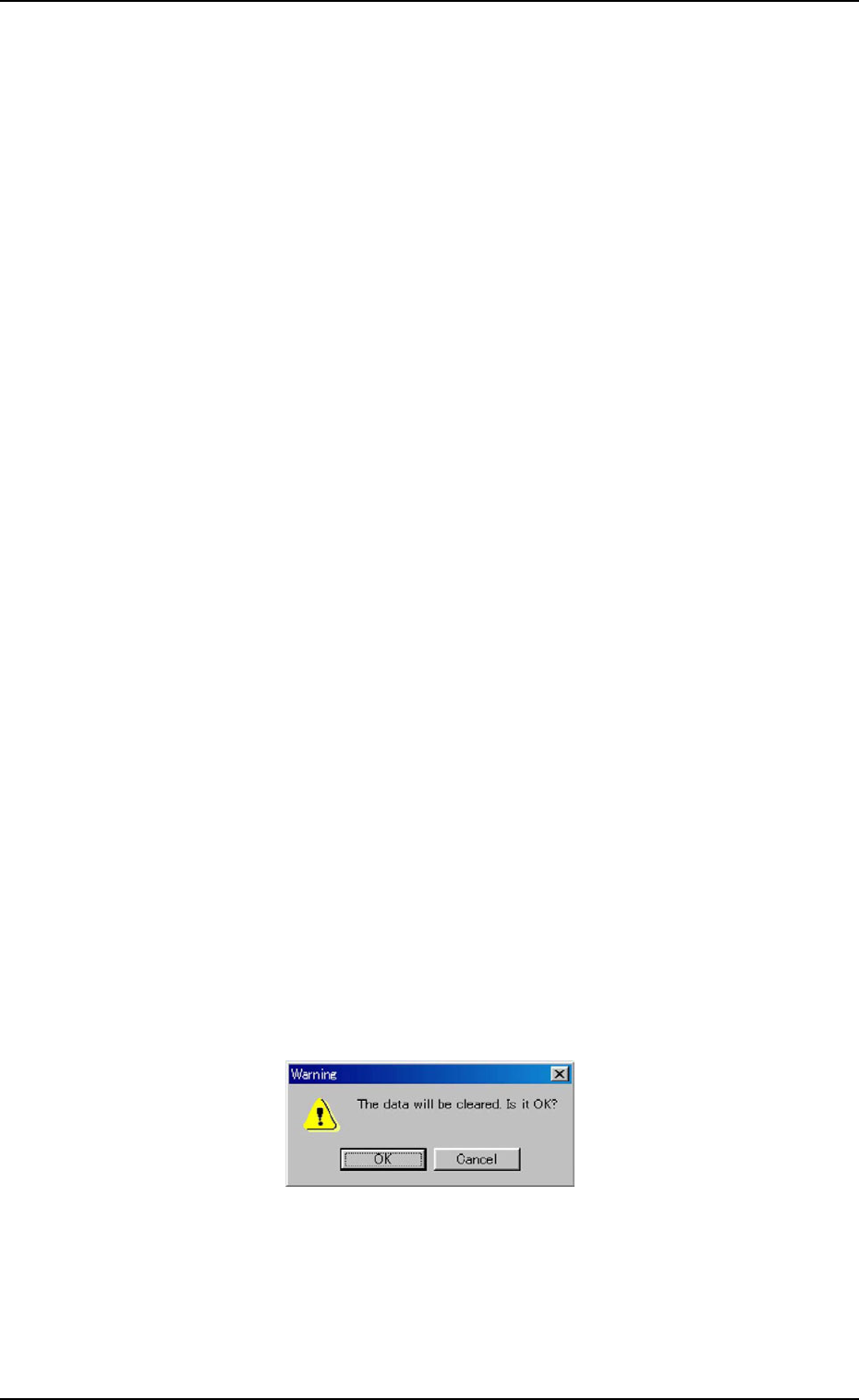
The following "Warning" dialog box opens.
Fig. 3C13
(4) When the [OK] button is pressed, the selected model (pat-
tern program) is deleted from the list *1.
Tg0699-PM-D2
0207-001 Chapter 1 3-19
3.2 "Prod. History" Tab
*1
*2
*3
3.2 "Prod. History" Tab
Displayed is the history of the current model production.
••
••
• Sheet Layout
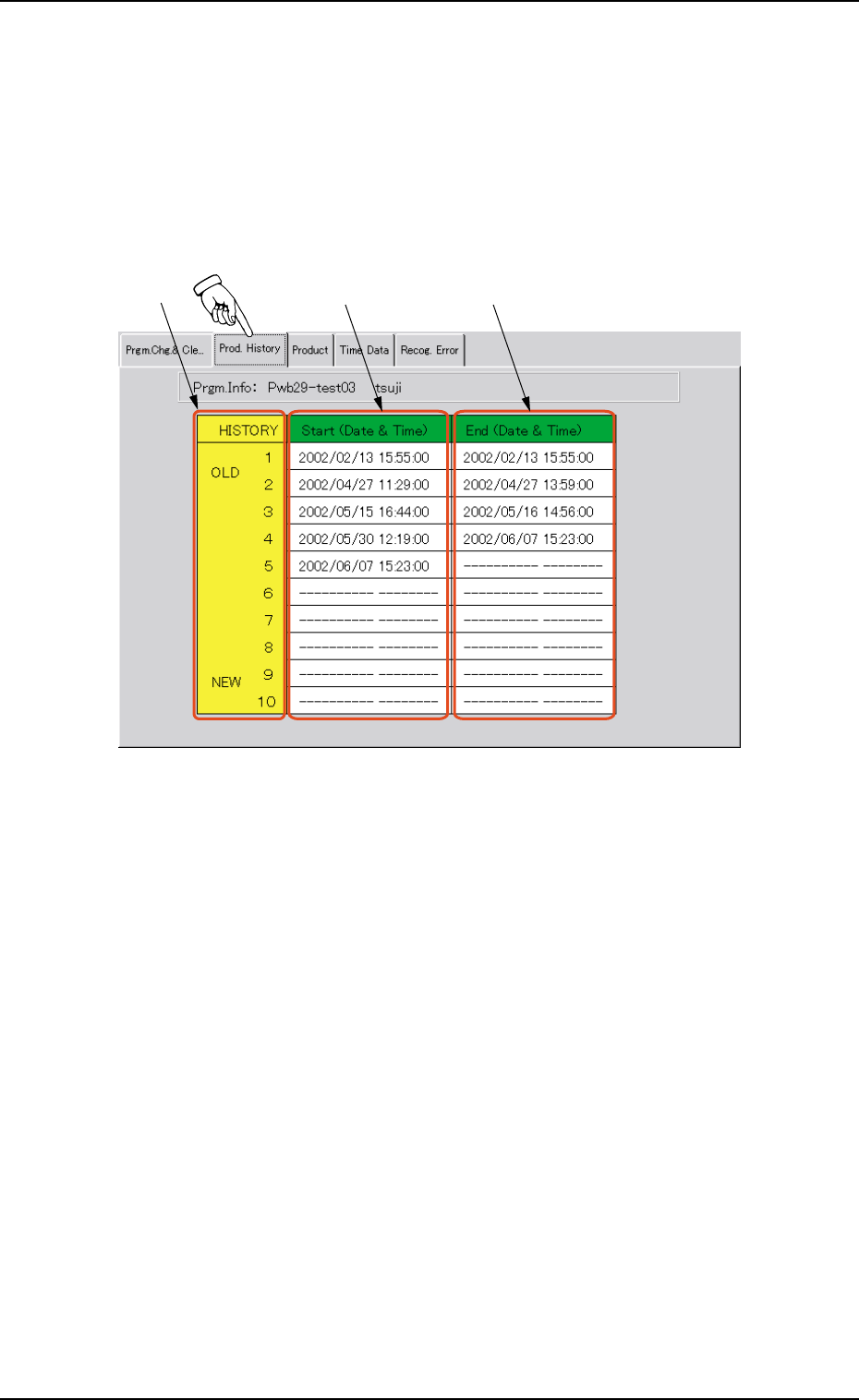
When the "Prod. History" tab is pressed in the "PRGM. MNG.
DATA" window (submenu), the following tab sheet appears.
Fig. 3C14 "Prod. History" Tab Sheet
••
••
• Sheet Composition
*1 HISTORY
Displayed in this column are 10 production history Nos. (the
latest ones) of the current model (the pattern program data to be
displayed).
The oldest history comes first and the subsequent ones follow.
When more than 10 histories are derived, the older histories are
deleted one by one.
*2 Start (Date & Time)
Displayed in this column are the records of date and time when
machine operations were started, regarding the current pattern
program (model).
*3 End (Date & Time)
Displayed in this column are the records of date and time when
machine operations were ended, regarding the current pattern
program (model).
Tg0699-PM-D2
0207-001 Chapter 1 3-20
3.3 "Product" Tab
3.3 "Product" Tab
Displayed is the production data (results) of the current model.
••
••
• Sheet Layout
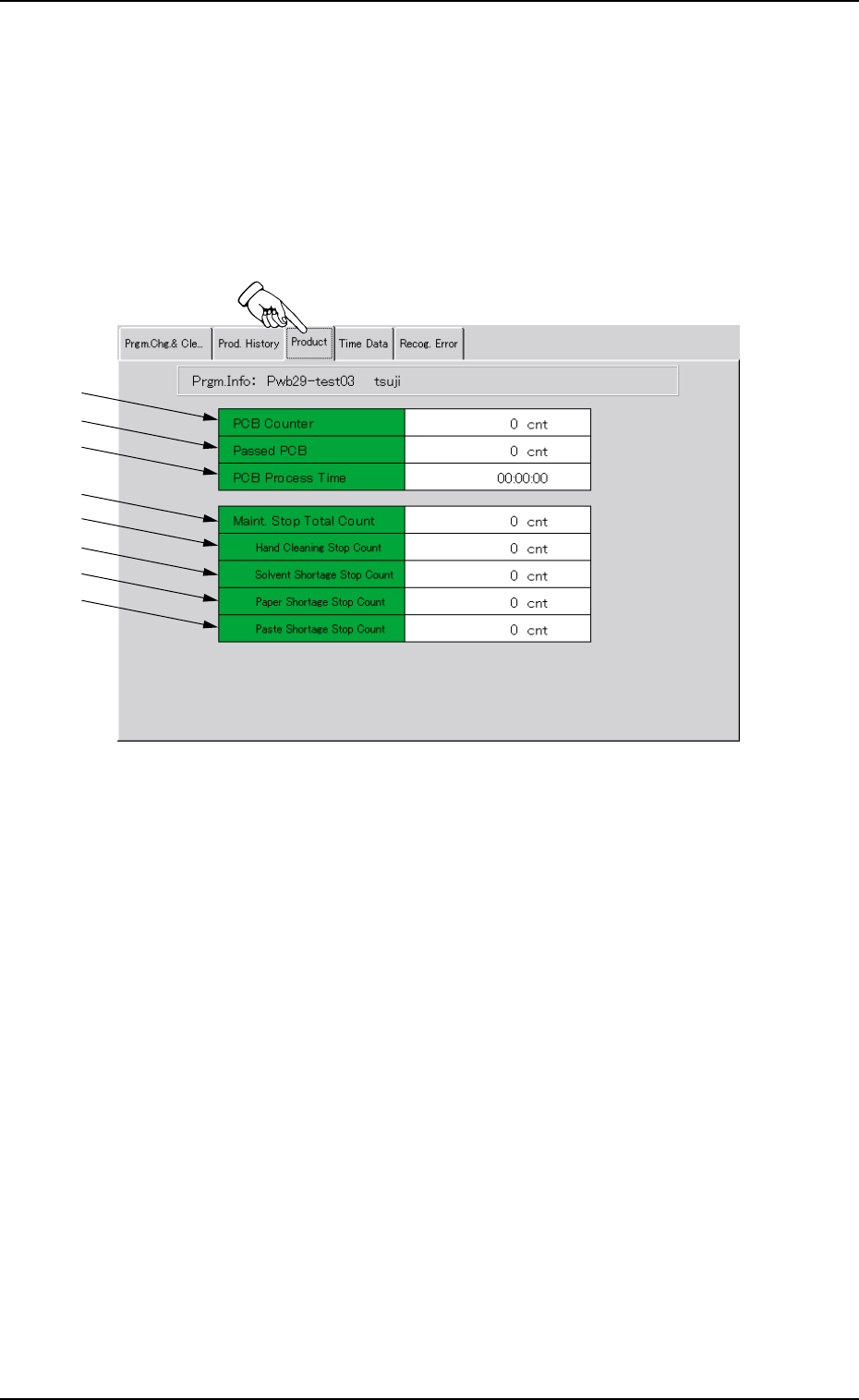
When the "Product" tab is pressed in the "PRGM. MNG. DATA"
window (submenu), the following tab sheet appears.
*1
*2
*3
*4
*5
*6
*7
*8
Fig. 3C15 "Product" Tab Sheet
••
••
• Sheet Composition
*1 PCB Counter
This indicates the number of produced P.C.B.’s in "PRINT" mode
(operation mode).
The system counts the number of times the table was zeroed
after the end of each printing and the result is regarded as the
number of produced P.C.B.’s.
*2 Passed PCB
This indicates the number of P.C.B.’s that have been transferred
without being printed in the "PASS" mode (operation mode).
The system counts the number of times the P.C.B.’s were trans-
ferred from the table to the R conveyor and the result is re-
garded as the number of passed P.C.B.’s.