GL541操作手册.pdf - 第22页
Part 1 1 – 10 2.3 Ending Operation Carry out the following steps when operation is complete. (1) Press the EMERGENCY STOP button followed by the POWER OFF button. Note: The power cannot be turned off by only pressing the…

Part 1
2.2.4 Setting the Operation Mode
The main production modes are shown below. Select the operation mode
required.
• Product mode
Normal production is carried out in this mode. This mode is automatically
selected when the machine power is turned on.
• Simulate mode
The machine operates as in the production mode, except that the Z-axes do
not move and no glue is applied.
• Idle mode
Automatic operation is repeated indefinitely whether a board is loaded or
not. The Z-axes operate but no glue is applied.
To set mode 1, 2, or 3, press the [AUTO] or [STEP] function key. The mode
changes each time the [MODE] key is pressed.
• Error Pass/Error Stop
Set this mode to stop (E STOP) or continue (E PASS) machine operation if a
glue check error or temperature alarm occurs.
This mode can be set in the status data at F4G and transferred to the
machine or it can be set at the machine with the function keys.
• Pass mode
In this mode only the conveyors operate; no glue is applied.
Press the [SET] and [STATUS] function keys. The pass mode is selected
when the [PASS] key is pressed once and cancelled when the [PASS] key is
pressed again.
• Changeover mode
In this mode, when a syringe has been exhausted, the machine
automatically changes to another syringe and continues production, on the
condition that more than one syringe with the same nozzle type is installed.
When a syringe runs out of glue, the operator is informed by way of a
message on the monitor and the signal tower lighting status. When glue in
all usable nozzles has been exhausted, the machine stops.
To enable this mode, the Proper data settings "11. Machine status A" and
"4. Yellow light” have to be made. Refer to Part 4 of this manual.
When this mode is selected, and the START button is enabled for automatic
or step operation, “CHNG. OVER MODE” displays after the nozzle on the
machine monitor.
1 – 9
GL-541E OperationVersion 2.0
Chapter 2 Before Operating the Machine

Part 1
1 – 10
2.3 Ending Operation
Carry out the following steps when operation is complete.
(1) Press the EMERGENCY STOP button followed by the POWER OFF button.
Note: The power cannot be turned off by only pressing the POWER OFF button.
(2) Turn off the machine main circuit breaker, if necessary.
Note: The thermostatically-controlled heater and cooler also stop operating when the circuit
breaker is turned off.
GL-541E Operation
Version 2.0
Chapter 2 Before Operating the Machine
Part 1
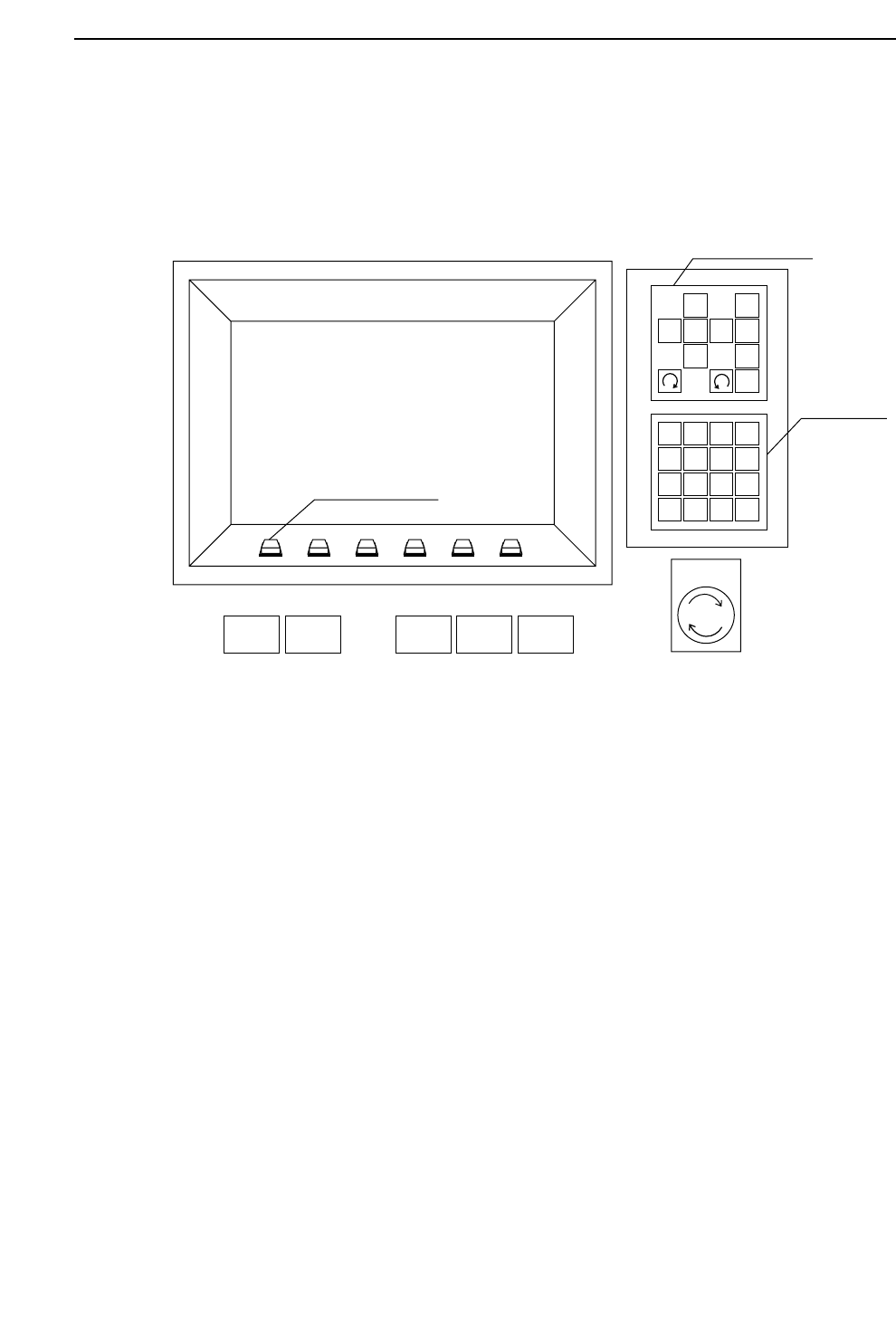
3. Operation Panel
3.1 Operation of the Keys
3.1.1 Turning the Power On and Off
POWER ON button
If the main circuit breaker is turned on, press the POWER ON button to turn on
the machine power.
EMERGENCY STOP and POWER OFF buttons
Press the EMERGENCY STOP button followed by the POWER OFF button to
turn off the machine power.
3.1.2 Starting Operation
START button
The START button flashes when all the conditions to start operation are met.
Machine operation or zeroing starts when this button is pressed.
1
2
3
4
56
7
8
9
G
#
–
F
1
2
3
4
✽
B
S
C
R
0
↑
←
↓
→
POWER
OFF
CYCLE
STOP
POWER
ON
START RESET
Inching Keys
Numerical
Keypad
Emergency
Stop
Function Keys
1 – 11
Chapter 3 Operation Panel
GL-541E Operation
Version 2.0