GL541操作手册.pdf - 第30页
Part 1 1 – 18 (h) Second Display Area Displays machine alarms and comments to the operator. (i) Second Status Area Displays additional comments that will not fit into the First Display Area. Numerical inputs are also dis…
Part 1
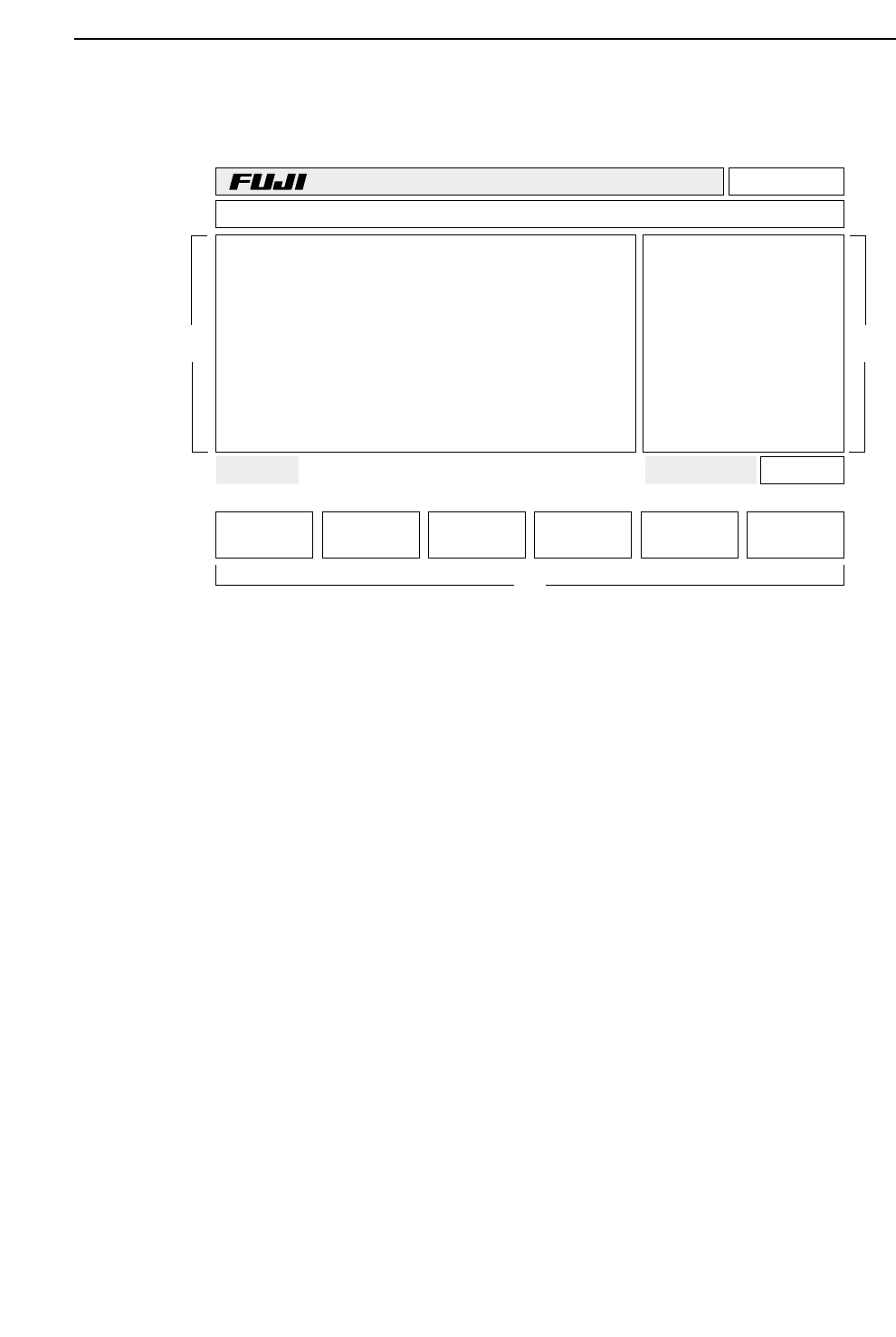
3.2 CRT Display
The CRT displays a number of machine conditions as well as the function keys and the
version number. The items displayed are explained below.
(a) Version No.
Displays the control system ROM version number.
(b) Line Mode
Displays the communication line mode.
(c) Production Program Name
Displays the name of the current production program.
(d) Quantity Completed
Displays the quantity of boards completed.
(e) Production Quantity
Displays the quantity of boards to be produced.
(f) First Status Area
Displays the current command status.
(g) First Display Area
Displays the current machine status.
Page 000
v2.10
Off line
TEST_GL Prod 00000 Sche 00000
AUTO STEP LOADER PROGRAM SET
Ready 0010B0403600 jog X Y Q
✴
PCB Loading
Status
Mode Product:
(a)
(b)
(c)
(d)
(e)
(f)
(g)
(h)
(i)
(k)
(l)
(j)
(m)
1 – 17
GL-541E Operation
Version 2.0
Chapter 3 Operation Panel

Part 1
1 – 18
(h) Second Display Area
Displays machine alarms and comments to the operator.
(i) Second Status Area
Displays additional comments that will not fit into the First Display Area.
Numerical inputs are also displayed here.
(j) Program Counter Display
(k) Inching Axis
Displays which axes can currently be inched.
(l) Page
Displays the function key page number.
(m) Function Key Menu
GL-541E OperationVersion 2.0
Chapter 3 Operation Panel
Part 1
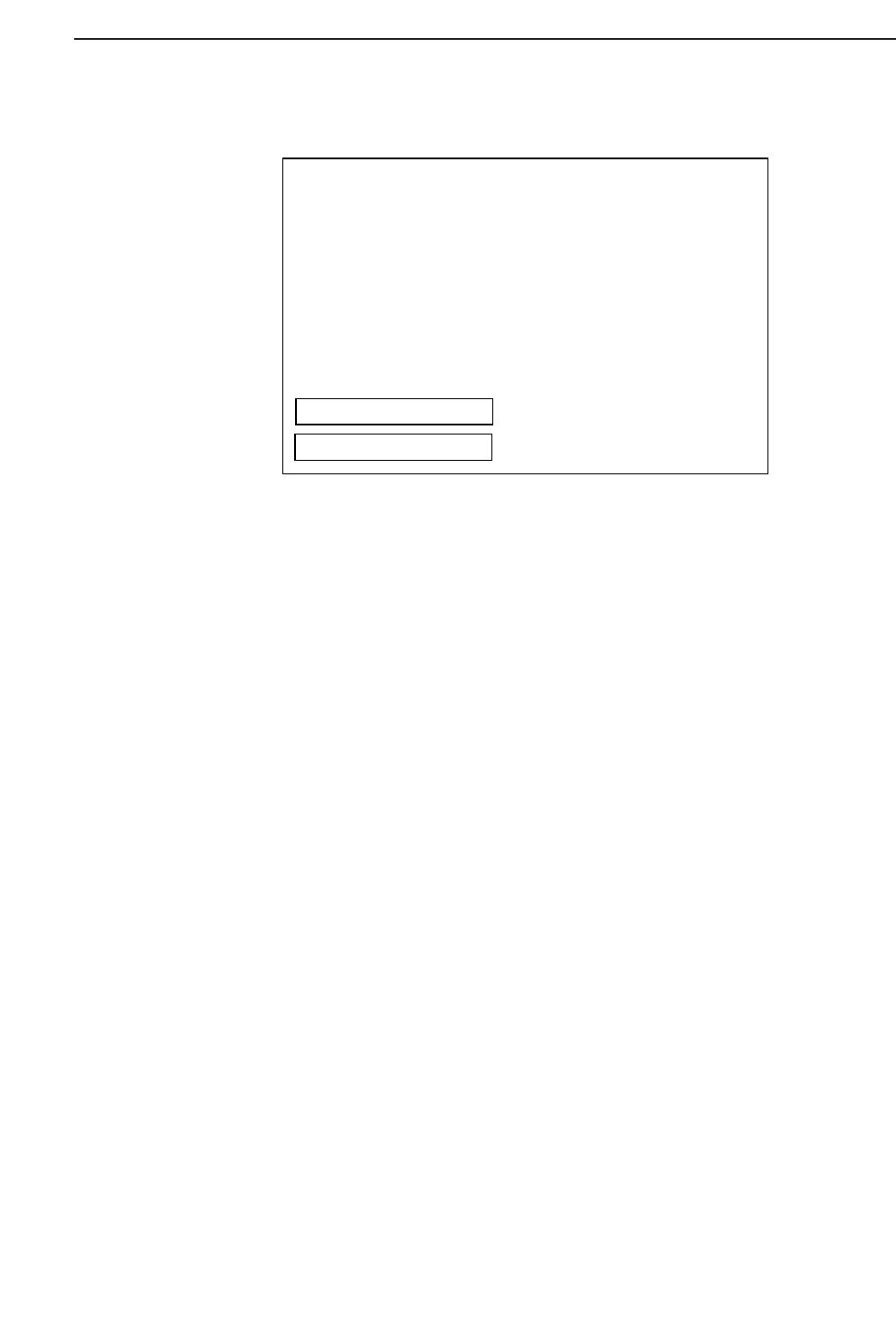
3.2.1 Details of the First Display Area
(a) Sequence number display
(b) Error message display
(c) Prompts to the operator
(d) Machine mode display
Operation mode: Product/Simulate/Idle
E Pass/E Stop
Glue mode (only displayed when the production program contains a glue-
check sequence): G.correct/G.ref.set
(e) Input data display
• Ready
The system is waiting for a command to be input.
• Any other display
The system is waiting for an input from the numeric keypad.
(f) Program counter display
(g) Inching axes
Displays which axes can currently be inched.
(h) Function key page number
STATUS
Seq. No. 00001 MODE : Product
Block.No. 00001 : Err Pass
Dispense mode : spot G.correct
Nozzle : L
G : 8 [x10msec]
Real_G : 96 [100/100/120]
(Error message display)
(Operator message display)
Ready 0004100001000 jogX_Y_Q Page 100
(a)
(d)
(b)
(c)
(e)
(f)
(g) (h)
1 – 19
GL-541E Operation
Version 2.0
Chapter 3 Operation Panel