GL541操作手册.pdf - 第64页
Part 2 (2) Insert a block skip mark sequence in the sequence data. To create a block skip mark sequence line, enter “B” in the “Working Mode” column of the sequence data and then input the X and Y coordinates of the cent…
Part 2
2 – 30
4.2.2 Setting the Block Skip Function with Block Skip Marks
The fiducial camera reads the block skip marks on the board and automatically
sets the block skip function.
Setting the block skip marks
Procedure:
(1) Enter the block skip mark information in the [Mark Edit] window in the
Program Editor.
Type:
Select “B” (Block Skip Mark) from the drop-down list box.
Pattern:
Input is not required.
Read Level:
Input is not required.
Scanning Level:
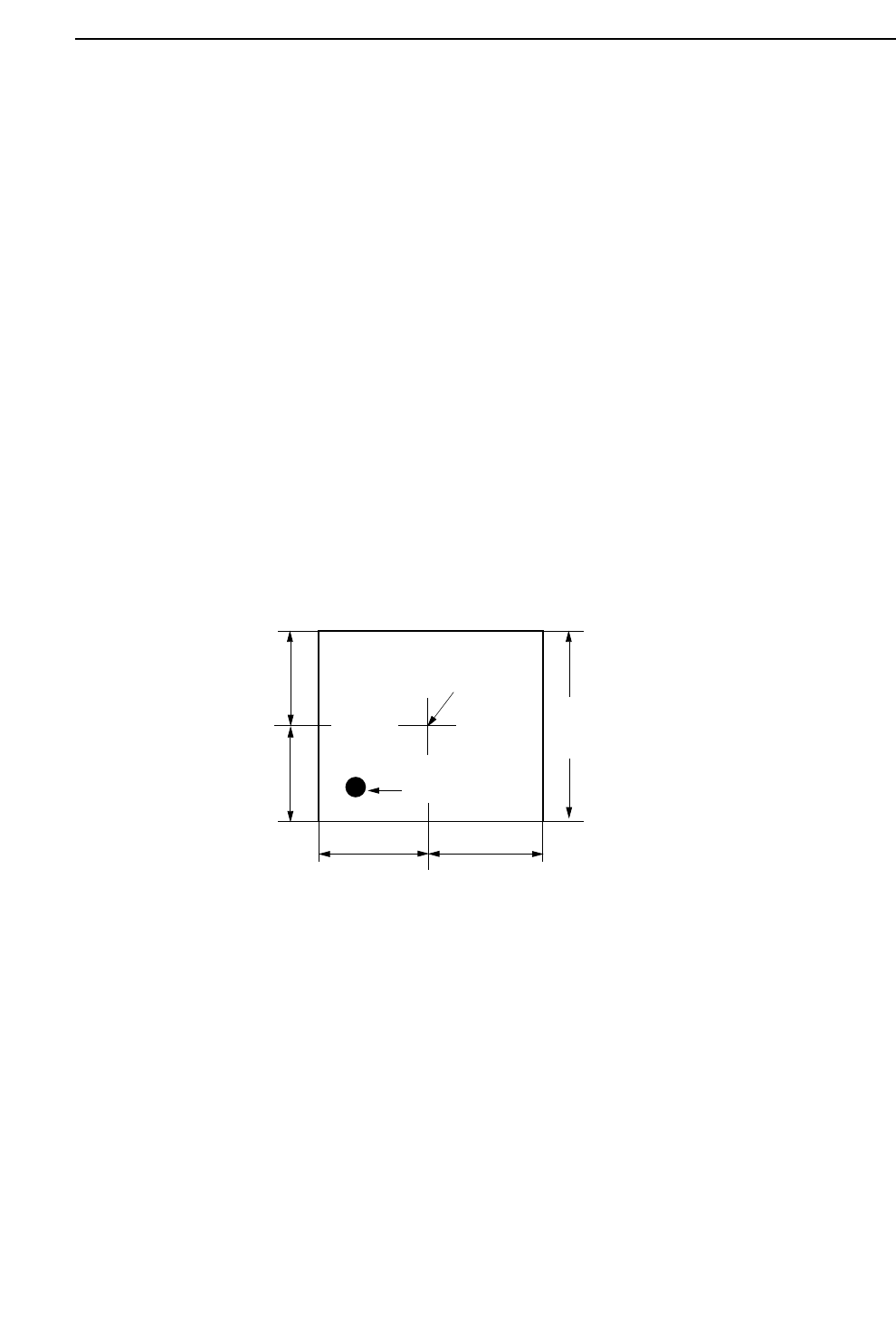
Specifies the area in which a search is made for the block skip mark. Refer
to the following figure.
Size A, B, C:
Input is not required.
Size X, Y:
Input is not required.
Inspection Method:
Input is not required.
Mark Color:
Set the block skip mark color as seen by the camera to black (Dark) or white
(Bright).
Area specified in "Scan".
(Length of one side of a square)
Camera Center
Application Point
A
B
C
D
Note: A=B=C=D
GL-541E Operation
Version 2.0
Chapter 4 Block Skip Function
Part 2
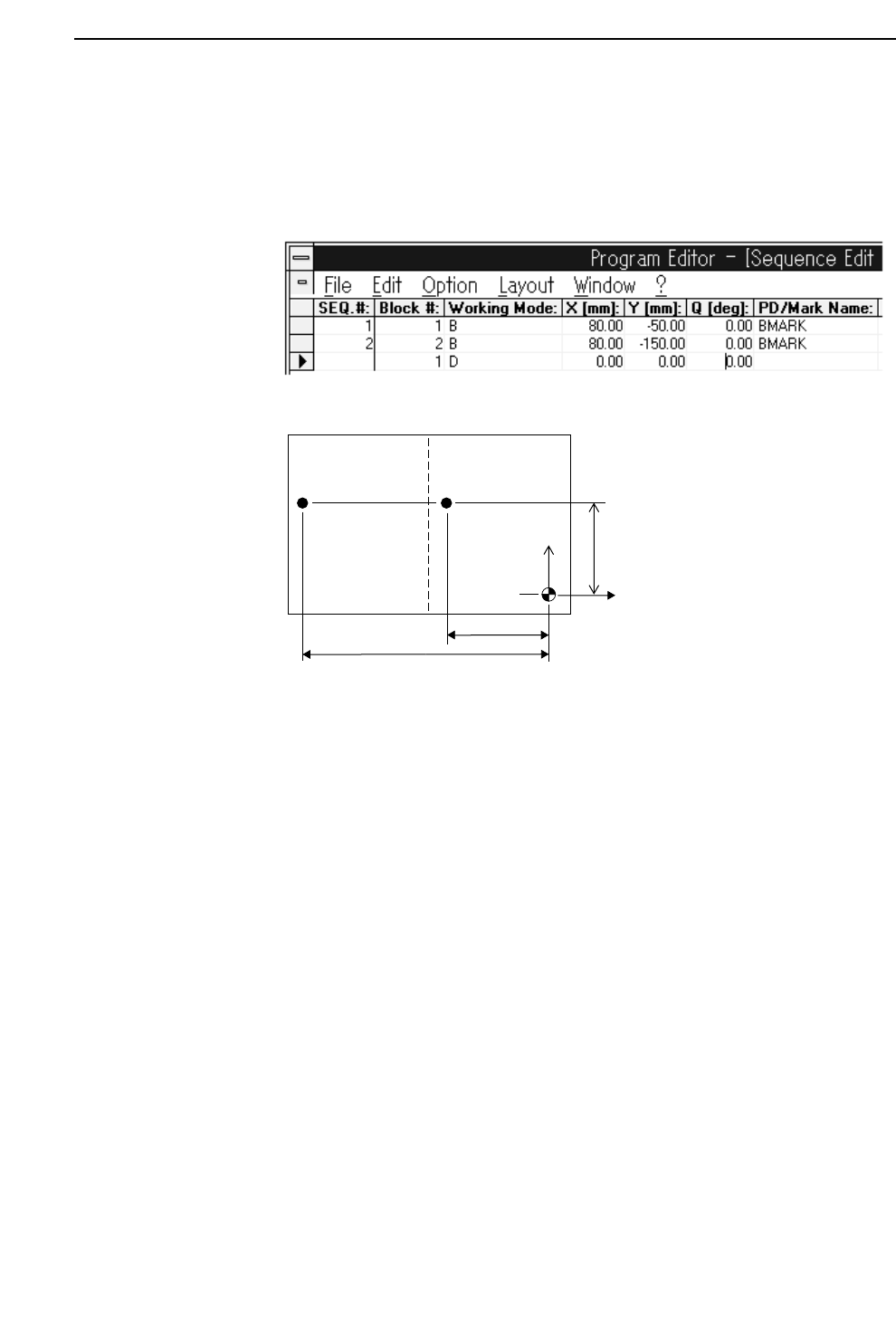
(2) Insert a block skip mark sequence in the sequence data.
To create a block skip mark sequence line, enter “B” in the “Working Mode”
column of the sequence data and then input the X and Y coordinates of the
center of the block skip mark. In the “PD/Mark Name” column input the
name of the block skip mark data file created in step (1) above.
4.3 Block Skip Specifications
• Block number restrictions
The block number must be between 0 and 255.
• Block skip mark restrictions
Size:
There are no restrictions on size or shape as long as the mark is larger than the
specified area in "scan".
Color:
Must yield a distinct light/dark contrast when viewed by the camera.
Position:
Same as defined for fiducial marks.
Number of marks per board:
Up to 255 marks can be set for one board, including fiducial marks.
Block 2
Block skip
mark 2
Block skip
mark 1
Block 1
Y
X
-1500
-500
800
2 – 31
GL-541E Operation
Chapter 4 Block Skip Function
Version 2.0

Part 2
2 – 32
• Conditions for reading block skip marks
To specify a block skip mark sequence, input "B" in the "Working Mode" column in
the program editor’s sequence data.
• Conditions for skipping the block
The color in the area specified in "scan" around the center of the given point is
checked and the corresponding block is skipped if the entire area is the color set as
the block skip mark color.
• Processing of sequences skipped in the production program
Sequences set to be skipped in the production program are skipped by the machine
regardless of the skip flag: block, device, or sequence.
These skip settings cannot be cancelled at the machine.
4.4 Cautions When Using the Block Skip Function
• A block skip mark reading sequence can refer to a fiducial mark; however, the
fiducial mark sequence must appear before the block skip mark reading sequence in
the program.
• When block skip marks are input at the machine, if the program being used has no
block skip sequences already, then the marks set at the machine remain valid until
cancelled by the operator.
However, if the production program does contain block skip sequences, then the
settings input at the machine are cleared when a new board is loaded (program
block skip marks take priority).
• In a GL-541E program, the block skip sequences and fiducial mark sequences must
come before all other types of sequences.
GL-541E Operation
Version 2.0
Chapter 4 Block Skip Function