GL541操作手册.pdf - 第56页
Part 2 2.5.4 Formula to Calculate Amount of Glue Dot Feedback Example: Reference area: 1800 [Um 2 ] Measured area: 1500 [Um 2 ] Glue_area_Z1: 30 [um 2 /%] G_check_multi_Z1: 50 [%] The air pressure for the Z1 nozzle is in…

Part 2
2 – 22
2.5.2 Precautions
• The distance from the center of any glue check dot to the edge of any other
glue check dot must be farther apart than the distance from the center of the
reference dot to its outer limit as defined by the glue check limit.
In addition, patterns or dirt in this area which make it difficult to
distinguish the glue check dots may lead to erroneous readings. Refer to
Section 2.1, “Necessary Conditions for Use of the Glue Check Function”.
• In some cases the camera may not be able to see a glue dot because of light
reflection from the glue.
If the outline of the glue dot is visible but parts of the center are not, the area
of the dot is still calculated correctly.
2.5.3 Range where Feedback Control is Not Carried Out
• If the glue check limit set in the Proper data is exceeded (i.e. if the area or
diameter lies outside the limit) an error occurs.
• If the difference between the measured area and the reference area is within
5% (offset displays on the monitor), the dot size is considered to lie within
the range of permissible error and no feedback control is carried out.
Area calculated
correctly
GL-541E Operation
Version 2.0
Chapter 2 Glue Check Function
Part 2
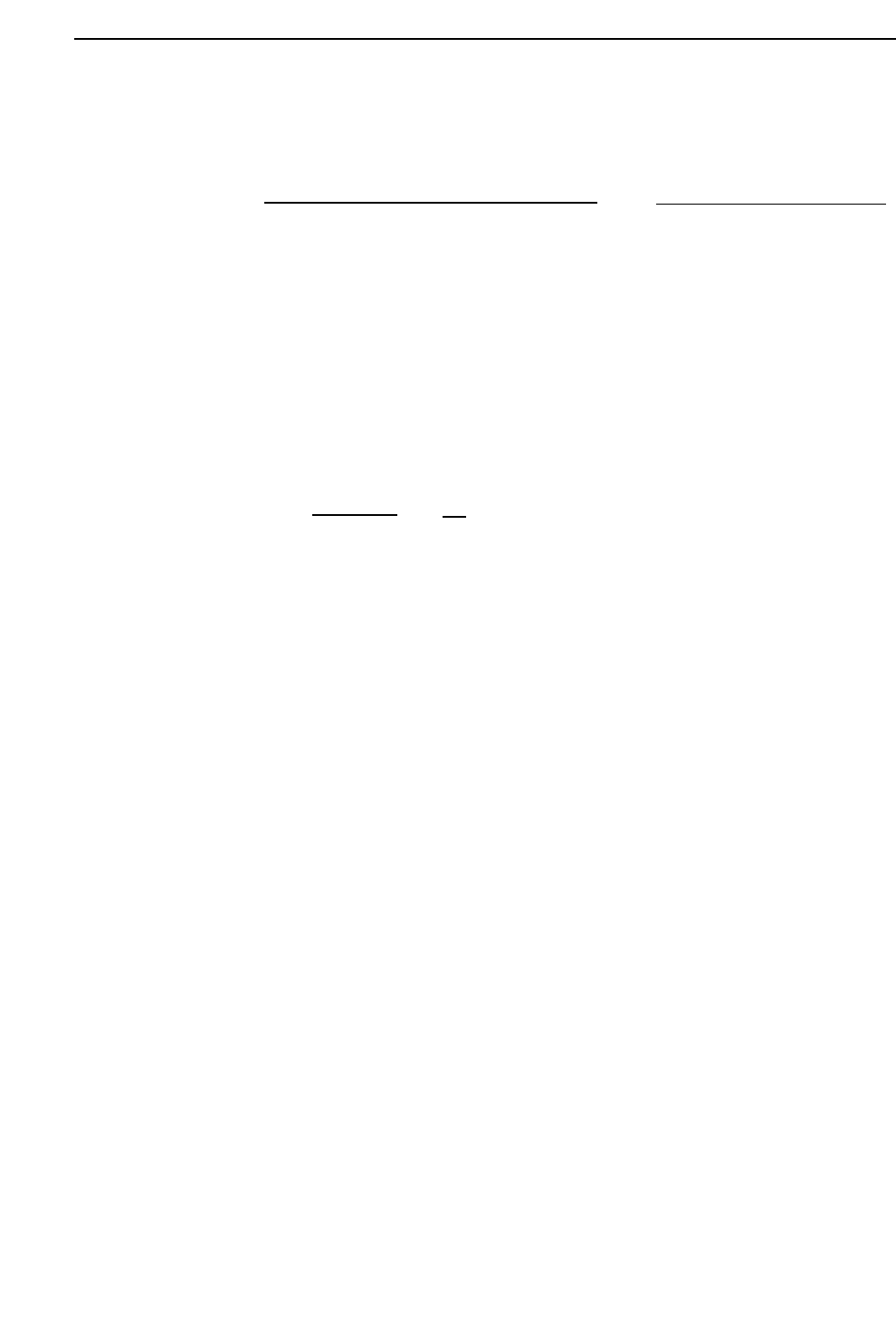
2.5.4 Formula to Calculate Amount of Glue Dot Feedback
Example:
Reference area: 1800 [Um
2
]
Measured area: 1500 [Um
2
]
Glue_area_Z1: 30 [um
2
/%]
G_check_multi_Z1: 50 [%]
The air pressure for the Z1 nozzle is increased 5%.
– 1500 - 1800
30
X
50
100
= 5 %
Air pressure correction [%]
=
Air pressure correction [%]
= – Measured area [um2] - Reference area [um2]
Glue_area Z1, Z2, Z3
X
G_check_multi_Z1, Z2, Z3 [%}
100
2 – 23
GL-541E Operation
Chapter 2 Glue Check Function
Version 2.0

Part 2
2 – 24
Version 2.0
Chapter 2 Glue Check Function
GL-541E Operation