GL541操作手册.pdf - 第8页
V ersion 2.0 vi

Contents
4.1.4 Executing a Vision Test................................................................5-13
4.2 Block Skip Mark Vision Test ....................................................................5-13
4.2.1 Specifying Block Skip Mark Data.................................................5-13
4.2.2 Setting the Level ..........................................................................5-14
4.2.3 Setting the Size............................................................................5-14
4.2.4 Displaying the Actual Image.........................................................5-14
4.2.5 Executing the Test........................................................................5-14
Part Six, Errors and Countermeasures
1. Errors Displayed by the GL-541E................................................6–1
1.1 Errors Displayed in the Second Display Area....................................................................6-1
1.2 Errors Displayed in the First Display Area.........................................................................6-8
1.2.1 Fiducial Mark Error Codes...................................................................................6-9
1.2.2 Glue Check Error Codes....................................................................................6-10
1.3 Printing Trace Data for Troubleshooting..........................................................................6-13
Appendix
A. I/O Map ..........................................................................................A–1
1. Input Port Display.............................................................................................................A–1
2. Output Port Display ........................................................................................................A–17
vVersion 2.0

Version 2.0
vi
About this Manual
About this Manual
This manual is made up of parts and, within each part, chapters. Because the chapter numbers
start from 1 in each part, the same chapter numbers are repeated throughout the manual.
The version number starts at Version 1.0 for a newly published manual. When minor
corrections are made for misprints and omissions, the decimal part of the version number
increases. When the actual content of the manual is revised, the integer part of the version
number increases.
Because the version number on each page is changed only if that page is revised, it should be
clear which pages have been altered from the previous manual.
Example:
Version 1.0 (A new manual)
Version 1.1 (Minor correction of misprints and omissions)
Version 2.0 (Major revision of contents)
Note: The above described version numbers are not related to the software version numbers.
Version 1.0
Chapter 1 Setting Up
1 – 3
Setting Up
This chapter explains the steps to follow when
setting up prior to operation.
1.1
1.
Connecting the Power Supply
•
Power Consumption
The power consumption of the machine
is approximately 6.5 KVA. Connect the
the machine to a power supply with at
least this capacity.
Power Supply Cable
Connect the power supply to a machine
power supply cable having a cross
section of at least 5.5 mm2. Thin cables
may overheat or cause a drop in the
supply voltage.
•
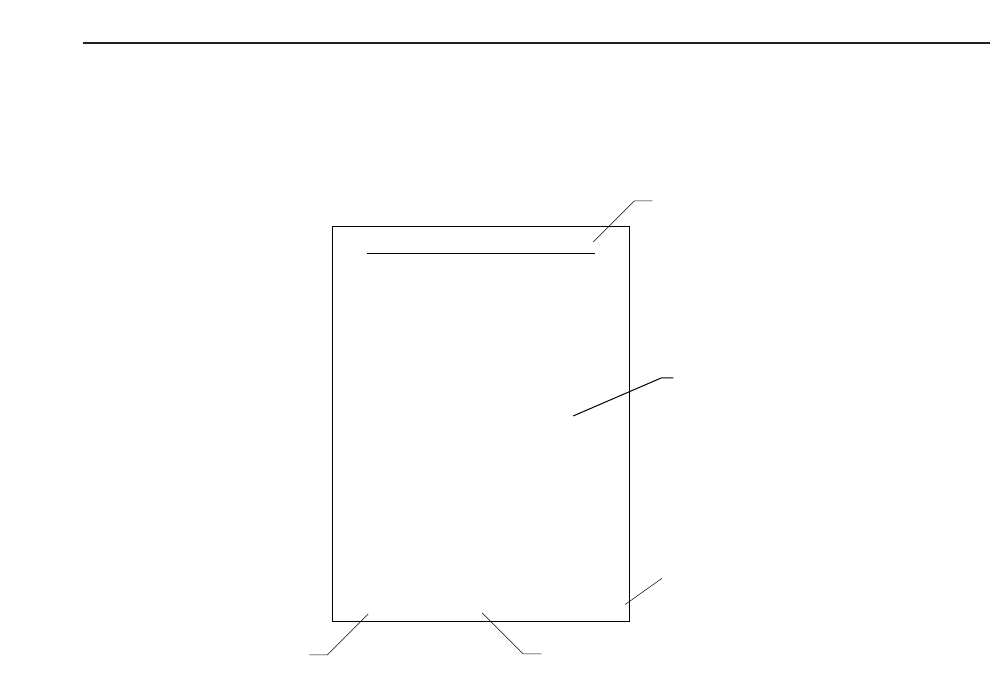
Version number
Page number
Chapter number and title
Body
??? Maintenance
Manual name
viiVersion 2.0