GL541操作手册.pdf - 第36页
Part 2 2 – 3 V ersion 2.0 Chapter 1 Operation Make a note of the display (Ref.data: 2500 um 2 ) on the monitor. To change Air_P_Z1 to 50% use the above [SET] -> [MANUAL] -> [GLUE] operation. Make a note of the same…
Chapter 1 Operation
Part 2
This setting is stored as Proper data in machine memory. If needles are not
changed, the user does not have to remeasure the offset each time the machine is
used. Transmit the current Proper data from the machine to F4G before making any
changes to it.
(6) Produce one board. Examine the board with the naked eye and check whether or
not the glue volume for each part type is appropriate. Do this to determine the
appropriate glue volume (G data) for each part type.
In automatic operation, press [S STOP]. Based on the visual inspection mentioned
above, change the temporary G data value input in the program in percentage form,
to an appropriate value for each part type.
Example: G10 100%→ 80% in the case where changing this value to 80%
produced good results.
To get good results at 100%, the G data value would have to be changed to G8.
(G1 = 0.01 seconds of application. Therefore 80% of G10 = 0.08 seconds = G8)
Change the G data at the computer.
(7) If the glue forms strings, set the anti-stringing timers in Proper data.
(8) Transmit the production program to the machine if it was changed in (6).
(9) Transmit Proper data to the machine if it was changed in (7).
(10) Measure the amount of glue area (um
2
) change after increasing application air
pressure by 1%. This measurement is only necessary after changing glue types.
[SET] -> [MANUAL] -> [GLUE] -> [G] ->([Air_P_Z1)
Air_P_Z1 displays on the machine monitor. Set each axis to 60%.
Apply glue dots during automatic operation with Air_P_Z1 = 60%.
Inch the camera directly above a glue dot and press the following:
[SET] -> [MANUAL] -> [GLUE] -> [G. ref. set] -> [Z1] (Z2) (Z3) -> [SET]
Glue volume
2 – 2
GL-541E Operation
Version 2.0

Part 2
2 – 3
Version 2.0
Chapter 1 Operation
Make a note of the display (Ref.data: 2500 um
2
) on the monitor.
To change Air_P_Z1 to 50% use the above [SET] -> [MANUAL] -> [GLUE]
operation. Make a note of the same data recorded above.
Calculate the following for Air_P_Z1 at 50 (%) and Ref. data: 2000 [um2].
According to the above calculation, 1% of the area (um
2
) of Z1’s application air
pressure is 50 dots. Calculate the area (um2) for 1% of Z2 and Z3’s application air
pressure and input the values arrived at in the Proper data items listed below.
141.Glue area Z1
142.Glue area Z2
143.Glue area Z3
Air_P_Z1 (60%) 2500 [um2]
Air_P_Z2 (50%) 2000 [um2]–
(10%) 500 [um2]
(1%) 50 [um2]
GL-541E Operation
Chapter 1 Operation
Part 2
(11) Measure the standard values
Perform this measurement when carrying out application volume feedback control
with the glue check.
Note: There must be glue check data within the program.
Perform the following operation:
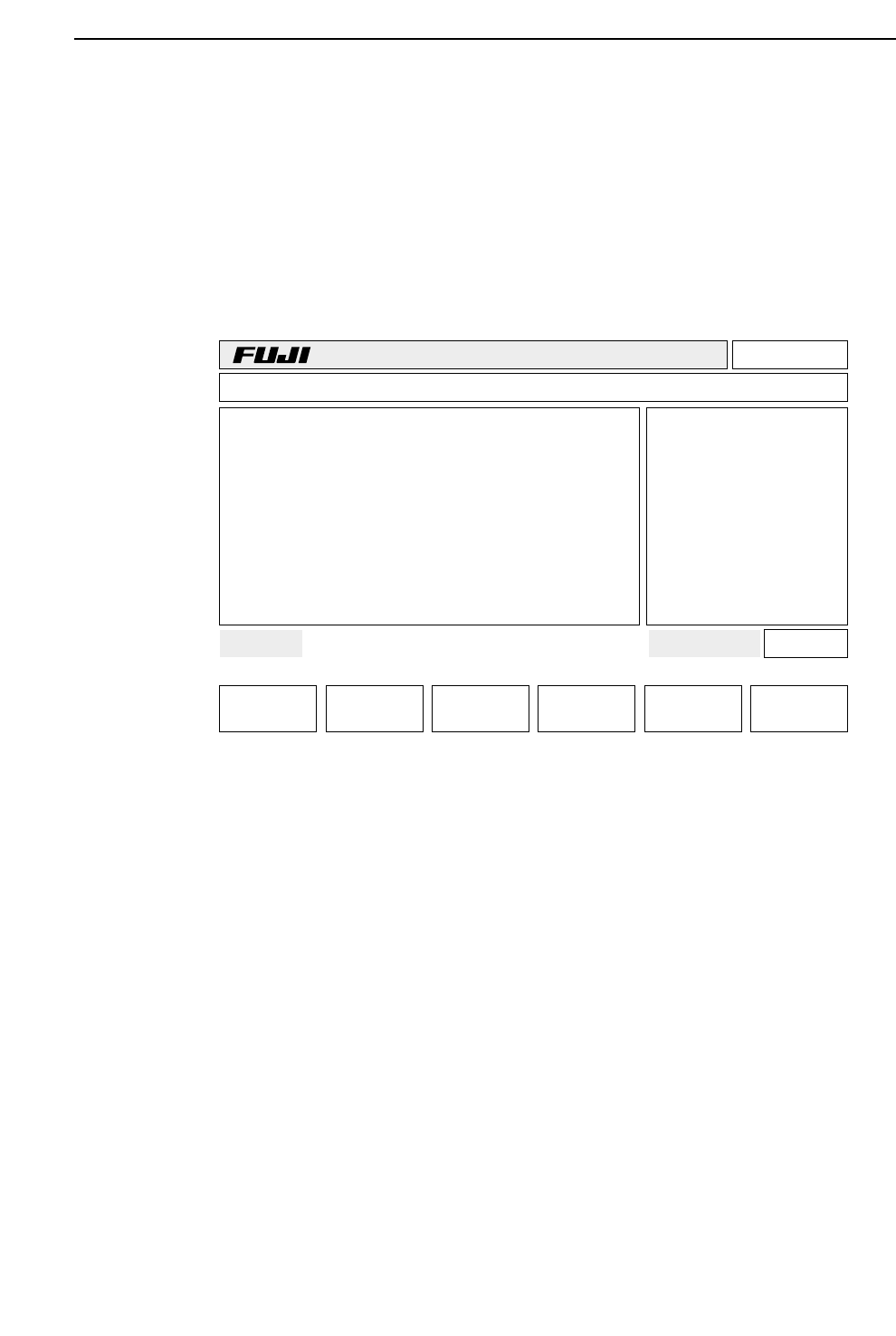
[SET] -> [STATUS] -> [GLUE CHECK] -> [G.ref.set]
The glue volumes are read for Z1, Z2 and Z3 respectively.
(12) Transmit the Proper data previously input at F4G to the machine. Then cut and
reengage the power.
Page 000
v2.10
Off line
TEST_GL Prod 00000 Sche 00000
AUTO STEP LOADER PROGRAM SET
Ready 001080403600 jog X Y Q
*
Status
G.ref.set
BOARD WAIT NEXT
STATUS
2 – 4
GL-541E Operation
Version 2.0