GL541操作手册.pdf - 第23页
Part 1 3. Operation Panel 3.1 Operation of the Keys 3.1.1 T urning the Power On and Off POWER ON button If the main circuit breaker is turned on, press the POWER ON button to turn on the machine power. EMERGENCY STOP and…

Part 1
1 – 10
2.3 Ending Operation
Carry out the following steps when operation is complete.
(1) Press the EMERGENCY STOP button followed by the POWER OFF button.
Note: The power cannot be turned off by only pressing the POWER OFF button.
(2) Turn off the machine main circuit breaker, if necessary.
Note: The thermostatically-controlled heater and cooler also stop operating when the circuit
breaker is turned off.
GL-541E Operation
Version 2.0
Chapter 2 Before Operating the Machine
Part 1
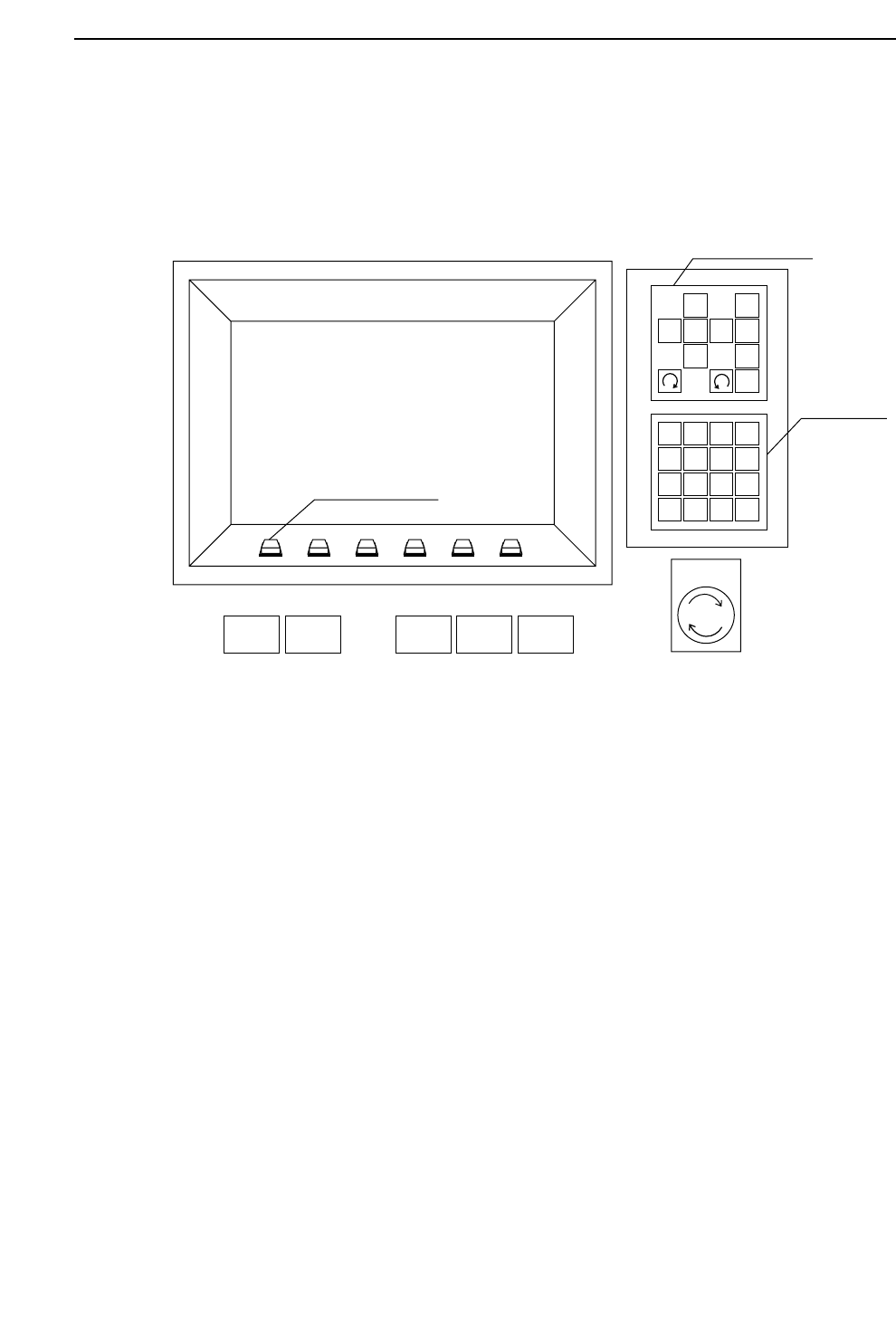
3. Operation Panel
3.1 Operation of the Keys
3.1.1 Turning the Power On and Off
POWER ON button
If the main circuit breaker is turned on, press the POWER ON button to turn on
the machine power.
EMERGENCY STOP and POWER OFF buttons
Press the EMERGENCY STOP button followed by the POWER OFF button to
turn off the machine power.
3.1.2 Starting Operation
START button
The START button flashes when all the conditions to start operation are met.
Machine operation or zeroing starts when this button is pressed.
1
2
3
4
56
7
8
9
G
#
–
F
1
2
3
4
✽
B
S
C
R
0
↑
←
↓
→
POWER
OFF
CYCLE
STOP
POWER
ON
START RESET
Inching Keys
Numerical
Keypad
Emergency
Stop
Function Keys
1 – 11
Chapter 3 Operation Panel
GL-541E Operation
Version 2.0

Part 1
1 – 12
3.1.3 Interrupting Auto Operation
CYCLE STOP button
If the CYCLE STOP button is pressed while the machine is operating in the
automatic mode, automatic operation stops after the current sequence is
completed and the system then waits for the START button to be pressed.
3.1.4 Cancelling the Board Wait Status
CYCLE STOP button
If the main conveyor enters the board wait mode during the loading cycle, this
mode can be cancelled by pressing the CYCLE STOP button.
3.1.5 Clearing Alarms
RESET button
The RESET button flashes when an alarm has occurred.
Press the RESET button to clear the alarm display and connect the 200 V power
supply.
3.1.6 Carrying out the Reset-Start Operation
RESET button + POWER ON button
The memory contents need to be cleared after the ROM chips are replaced, an OS
error occurs, or the axes move abnormally. Clear the machine memory (Proper,
status and program data will all be cleared) by turning off the machine power
and then turning it back on while holding down the RESET button.
This is known as the reset-start operation.
3.1.7 Stopping the Machine Instantaneously
EMERGENCY STOP button
The 200 V power supply to the machine is cut off when this button is pressed.
Press this button to stop the machine instantaneously in emergencies.
GL-541E OperationVersion 2.0
Chapter 3 Operation Panel