00196457-05_UM_SX12DX12_SR706_EN.pdf - 第199页
User Manual SIPLACE SX1/SX2/DX1/DX2 3 Technical data and assemblies From software version SC.706.xx V ersion 06/2012 EN 3.12 DX table on the SIPLACE DX1/DX2 199 3.12 DX t able on the SIPLACE DX1/DX2 In its default config…
3 Technical data and assemblies User Manual SIPLACE SX1/SX2/DX1/DX2
3.11 Component trolley for SIPLACE SX1/SX2 From software version SC.706.xx Version 06/2012 EN
198
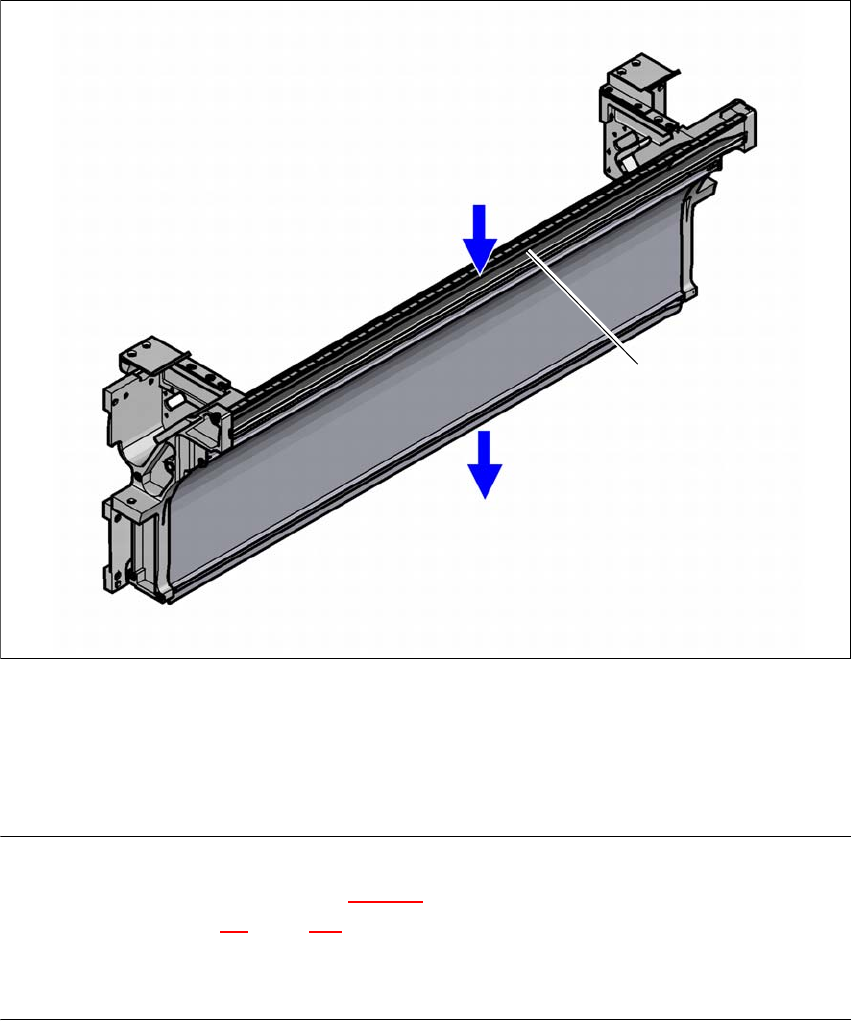
3.11.10 Empty tape duct on the component trolley docking unit
In the standard version, the empty tape duct can guide component tapes with a maximum pocket
height of 12 mm to the pneumatic tape cutter.
3
Fig. 3.11 - 11 Empty tape duct on the SIPLACE SX1/SX2 component trolley docking unit
(1) Inlet slot for the used tapes
(2) Outlet slot for the used tape above the pneumatic tape cutter
(3) Dividing plate for tapes < 12 mm (can be removed for tapes > 12 mm)
PLEASE NOTE
– The separating plate (item 3 in fig. 3.11 - 11
) can be removed for tape pockets higher than
12 mm (see section 4.5
, page 238).
Do not position feeder modules with shallow pockets immediately beside feeder modules with
deep pockets. The used tapes could overlap and build up.
(1)
(2)
(3)
User Manual SIPLACE SX1/SX2/DX1/DX2 3 Technical data and assemblies
From software version SC.706.xx Version 06/2012 EN 3.12 DX table on the SIPLACE DX1/DX2
199
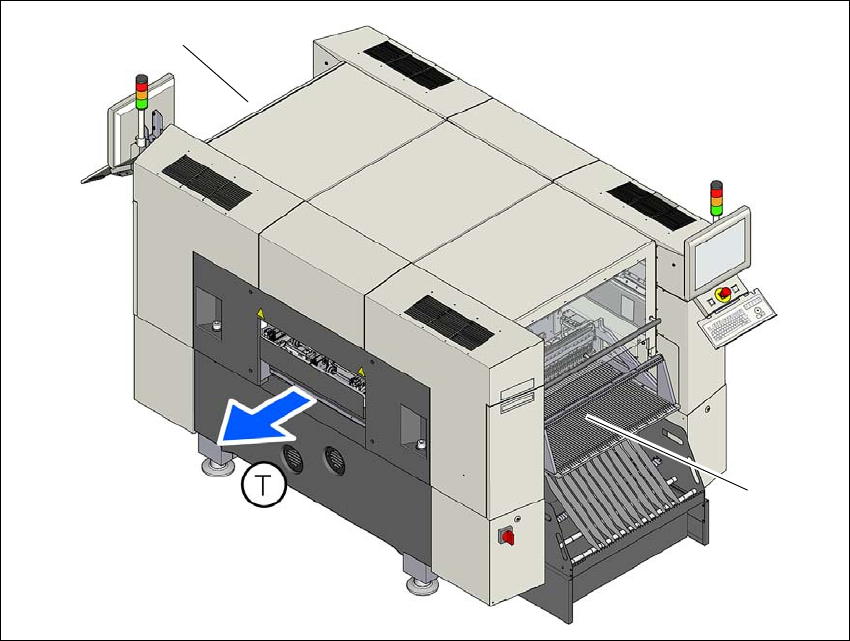
3.12 DX table on the SIPLACE DX1/DX2
In its default configuration, the SIPLACE DX1/DX2 has two DX tables which, if used with 30 SI-
PLACE 2x8mm X feeder modules, can be set up to achieve capacity of up to 60 tracks for accom-
modating component types.
Feeder module handling on these DX tables is basically the same as that on the changeover ta-
bles used with the SIPLACE SX1/SX2.
3
Fig. 3.12 - 1 DX table locations, SIPLACE DX1/DX2
(1) Location 1
(2) Location 2
(T) Direction of PCB transport
(1)
(2)
3 Technical data and assemblies User Manual SIPLACE SX1/SX2/DX1/DX2
3.12 DX table on the SIPLACE DX1/DX2 From software version SC.706.xx Version 06/2012 EN
200