CP45-英文版培训教材.pdf - 第119页
Operating Manual Reference Figure CP-45/55 Operation Process ^ <OK> Button This saves the option selected above and closes the Dialogue Box. ^ <Cancel> Button This cancels the option selected above and closes…
Operating Manual Reference Figure
CP-45/55 Operation Process
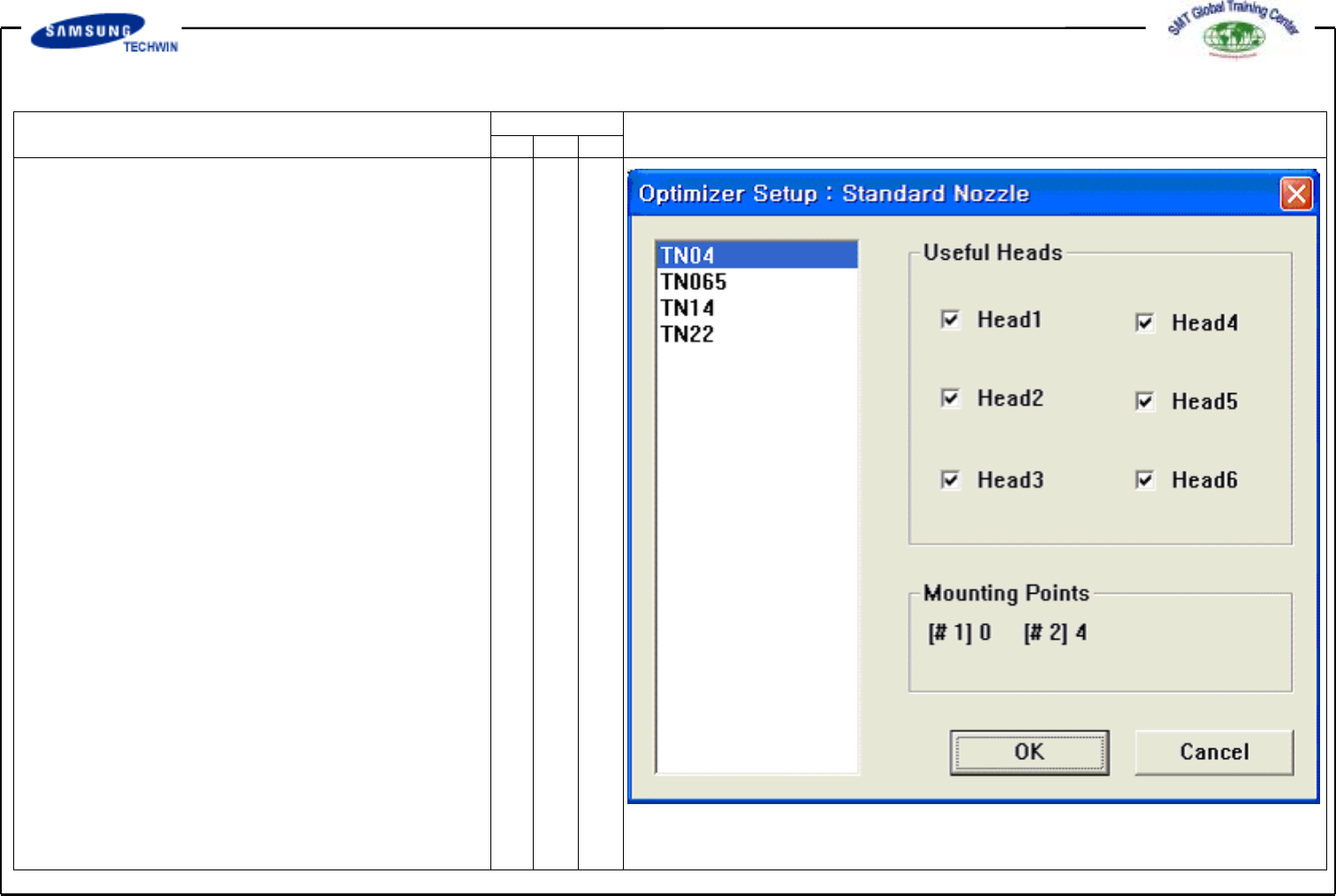
Also, this can be used when an
user want to assign specially the
head to work for a certain nozzle.
A figure above shows that TN14
nozzle can be worked at any
head from Head1 to Head6.
^ <Useful Heads> Check Box Area
This refers to Useful Heads
for the nozzle type selected.
Check Head1, Head2, Head3,
Head4, Head5 and Head6 as the
basic value.
^ <Mounting Points> Area
This area shows the numbers of
part used by the nozzle selected
on the current PCB. This can
be used as the data for reference
when an user assigns the head
applicable to individual nozzle.
#1 represents the numbers of
total mounting points of part
selected by No.1 nozzle, and #2
represents the numbers of total
mounting points selected by
No. 2 nozzle.
Operating Manual Reference Figure
CP-45/55 Operation Process
^ <OK> Button
This saves the option selected
above and closes the Dialogue
Box.
^ <Cancel> Button
This cancels the option selected
above and closes the Dialogue
Box.
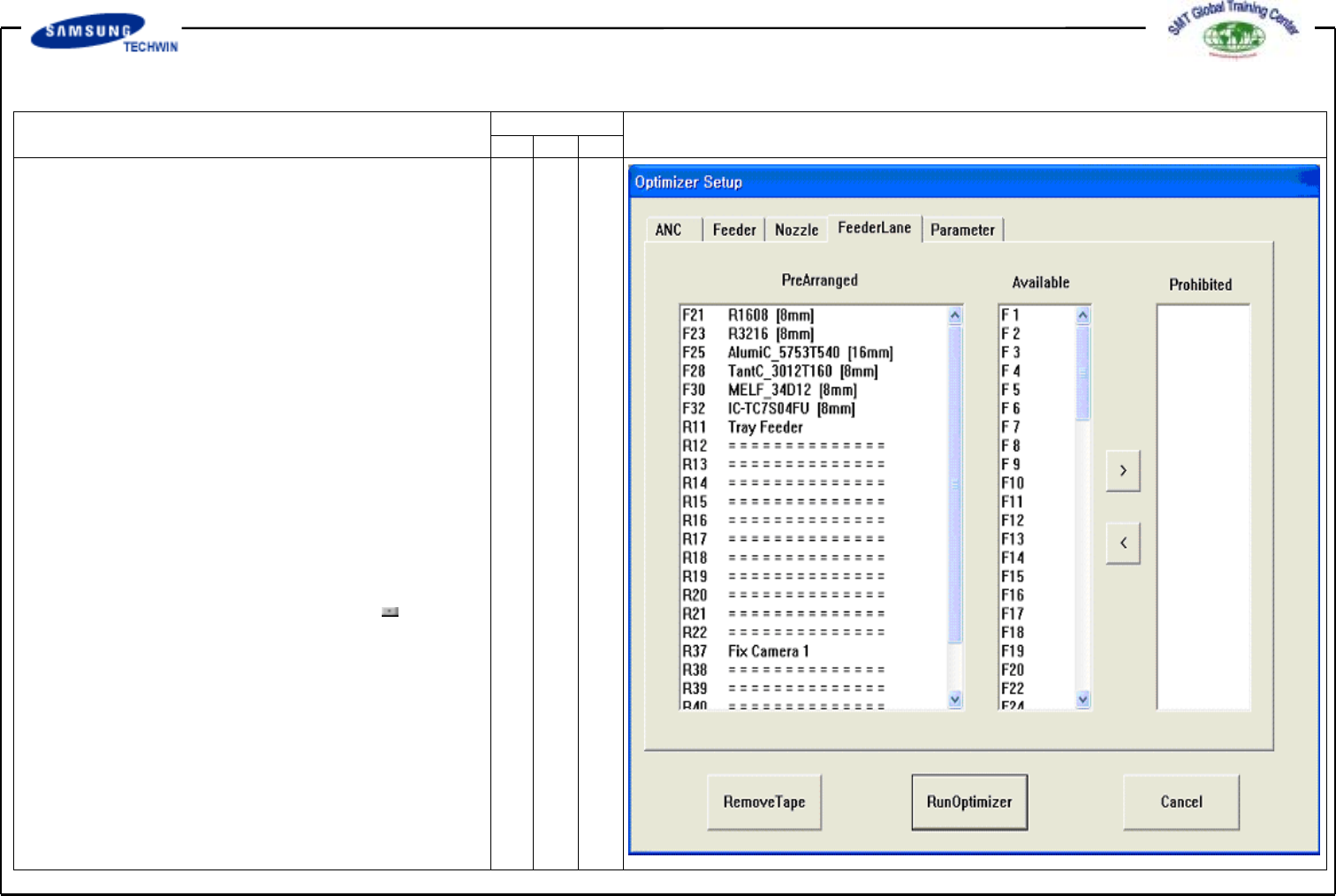
This screen is to set the
individual Feeder Lane to be used
for Feeder Arrangement on
Optimizer. Units possible to arrange
on Feeder Lane are Tape Feeder,
Stick Feeder Unit, Moving ANC,
Feeder Lane Fixed Camera Unit,
etc. On this screen you can assign
the Feeder Lane prohibiting unit
from arrangement on the Optimizer.
^ <Arranged> List Box
This shows the status of
Feeder Lane and Tape Feed
placed already, Moving ANC,
Camera, etc.
* Setup Menu/Feeder Lane
Operating Manual Reference Figure
CP-45/55 Operation Process
F and R in the number of
Feeder Lane represents the front
Feeder Base and the Rear Feeder
Base respectively.
^ <Available> List Box
This displays the available
Feeder Lane for arranging
newly the Tape Feeder, Stick
Feeder Unit, Moving ANC,
Feeder Lane Fixed Camera Unit,
etc. If you don't want to arrange
any unit on the certain feeder
lane, click the arrow button
and move to the <Prohibited>
List Box.