CP45-英文版培训教材.pdf - 第59页
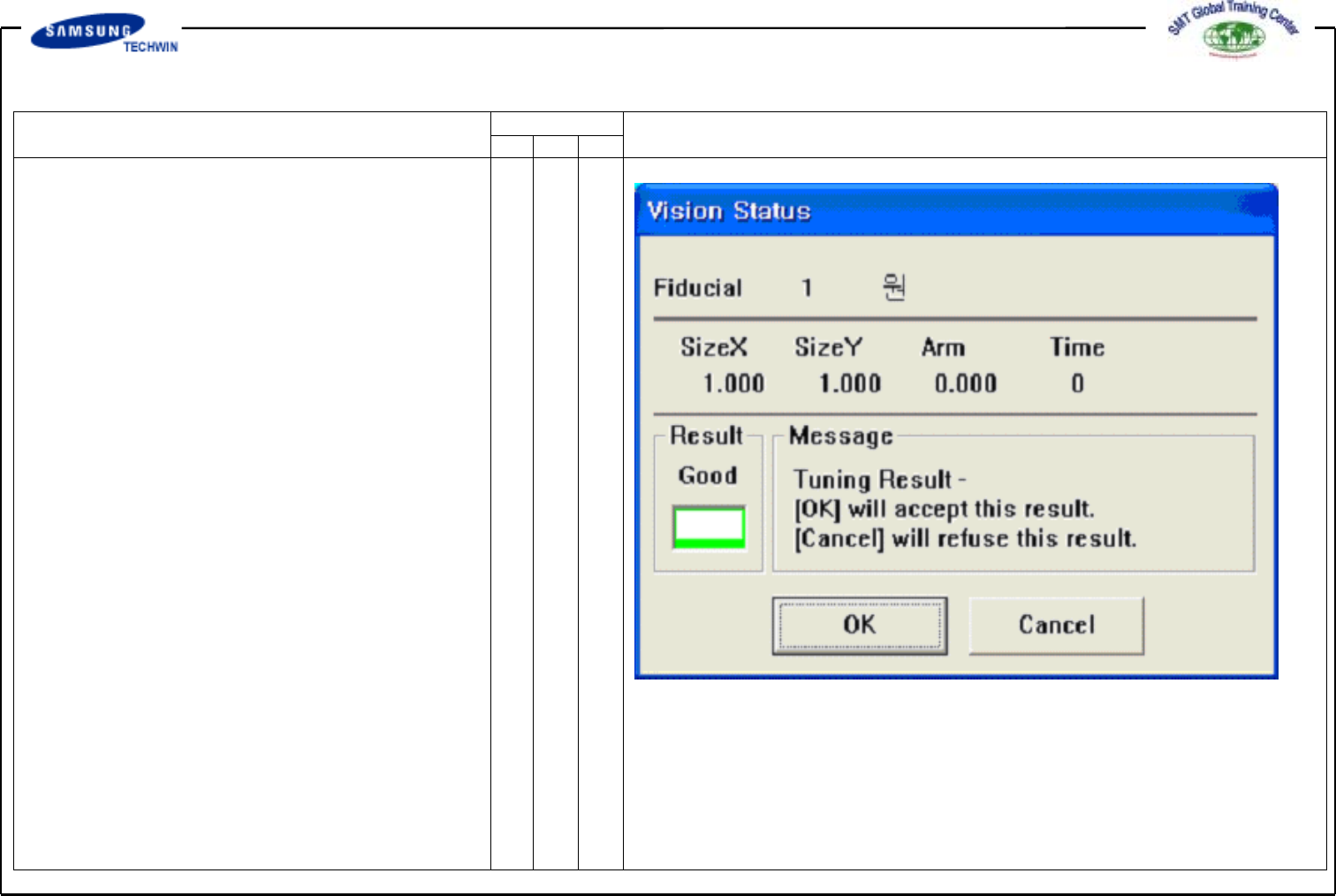
Operating Manual MODEL Reference Figure CP-45/55 Operation Process V <Tuning> Button This calculates the size of actual Mark by using the set Mark Data. After sea rching fo r th e size of actu al Mark, Message Box …
Operating Manual
MODEL
Reference Figure
CP-45/55 Operation Process
V
<8. Parameter> Area
^<Score> Edit Box
Score refers to a numerical for
inspecting how Fiducial Mark
inspected corresponds to the set data.
This "score" has a value between 0
and 1000 scores. Values set in
<Score> indicate the min. value for
the set data. Commonly values more
than 600(Basic Value) are to be
set for compensation.
At the worst, values more than 300
is to be set. Use this based upon
600 scores.
^<Light> Area
This set the Light value when
inspecting the Fiducial Mark.
Commonly this value is to be set at
7, however, adjust the value properly
according to conditions of Board
and Fiducial Mark.
Operating Manual
MODEL
Reference Figure
CP-45/55 Operation Process
V
<Tuning> Button
This calculates the size of actual
Mark by using the set Mark Data.
After searching for the size of actual
Mark, Message Box as follows will
be shown. Click <Yes> button to
update with data searched, if not
so, click <No> button.
Carry out the process 1 time or
more for inputting the correct size.
Operating Manual
MODEL
Reference Figure
CP-45/55 Operation Process
V
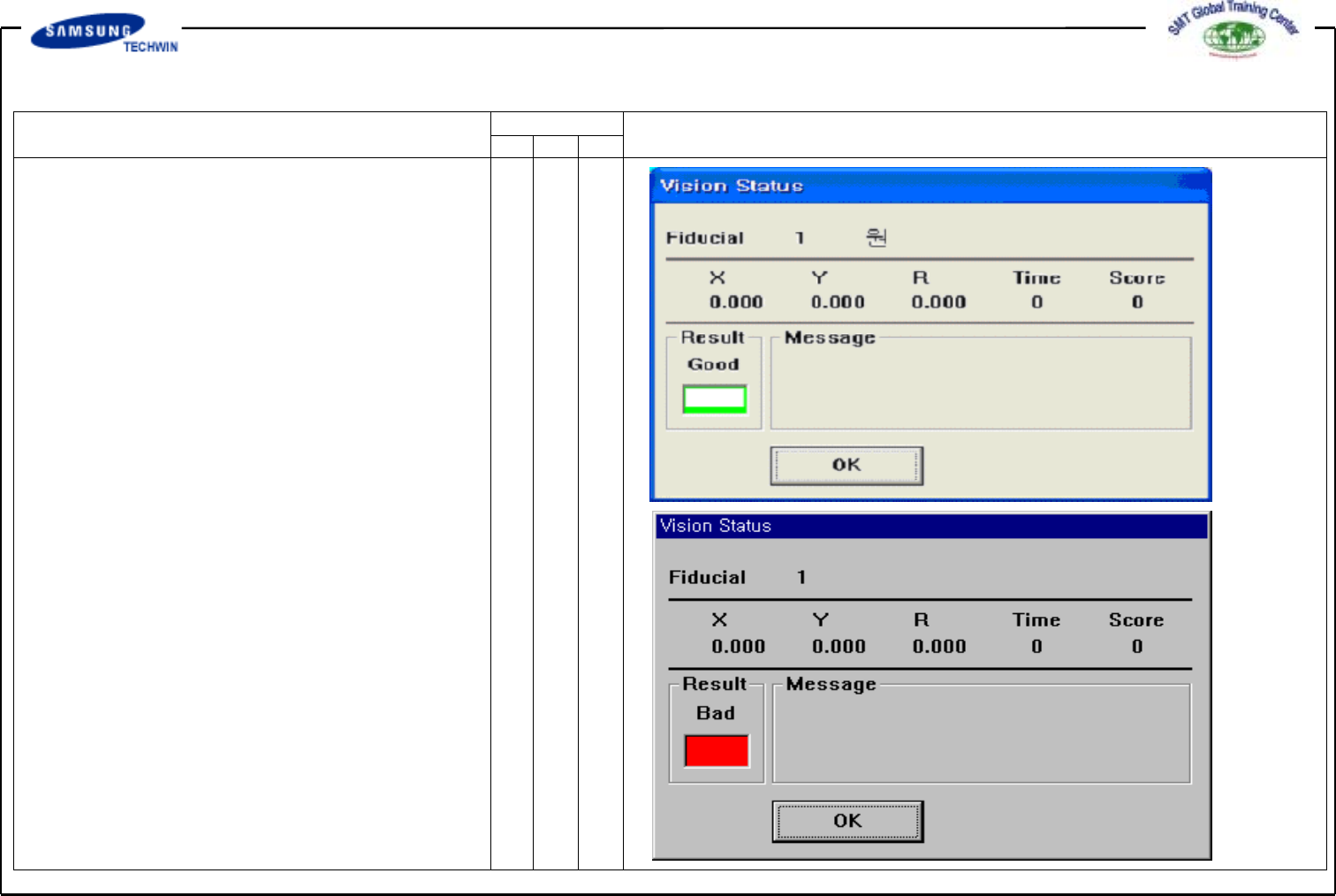
<Test> Button
This inspects the Mark by using
the set Mark Data.
If you use this, you can check
whether the set Mark Data is
correct or not.
If an inspection is completed
successfully, a Message Box as
shown in the right will be shown.