CP45-英文版培训教材.pdf - 第70页
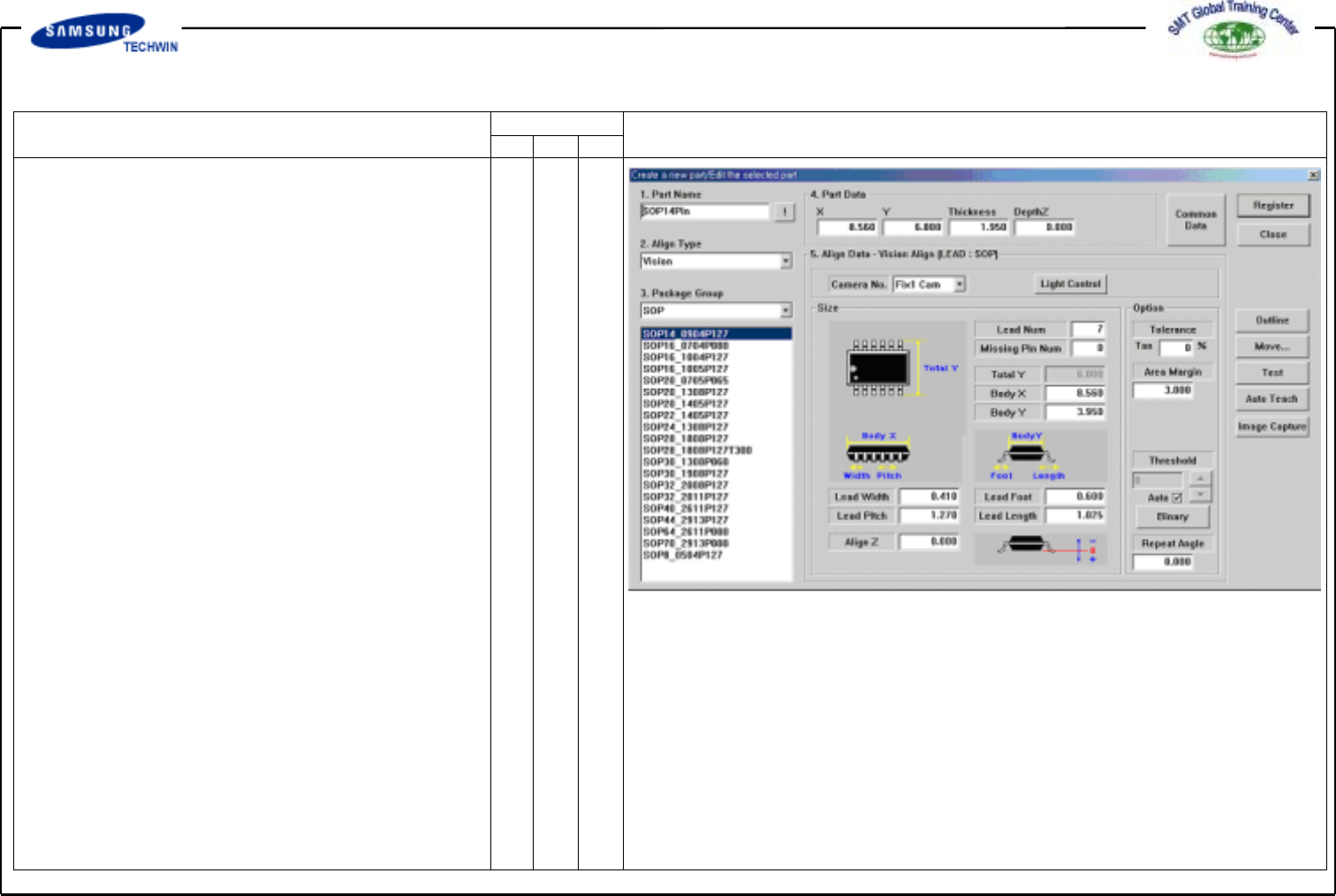
Operating Manual MODEL Reference Figure CP-45/55 Operation Process # Pick the nozzle and the part on the H ead manu ally by using the <Move..> button on the right of a screen.
Operating Manual
MODEL
Reference Figure
CP-45/55 Operation Process
2.2-2)
IC Part Create
(SOP, SOJ, QFP, PLCC, BGA)
V
SOP (SOJ) 14Pin Register
Click the <New Part…> button
on the left of the bottom of a
screen.
Create the Part Name.
(SOP14Pin)
Select the Group to SOP2.
Auto Teaching Method
# Enter the thickness of part in
<4. Part Data> area.
# Select <Fix1Cam> on
<Camera No.>Combo Box.
Operating Manual
MODEL
Reference Figure
CP-45/55 Operation Process
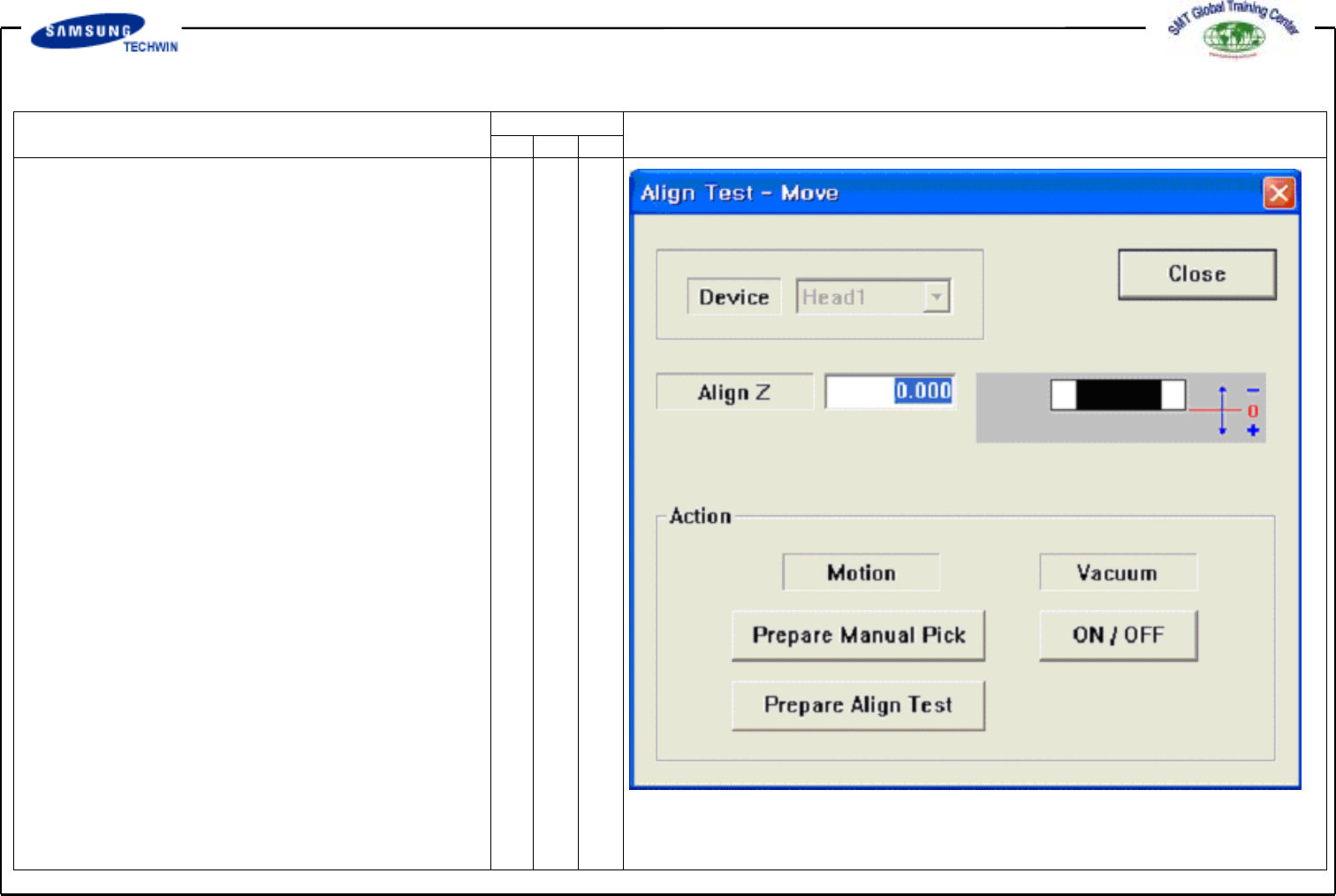
# Pick the nozzle and the part
on the Head manually by using
the <Move..> button on the right
of a screen.
Operating Manual
MODEL
Reference Figure
CP-45/55 Operation Process
a
b
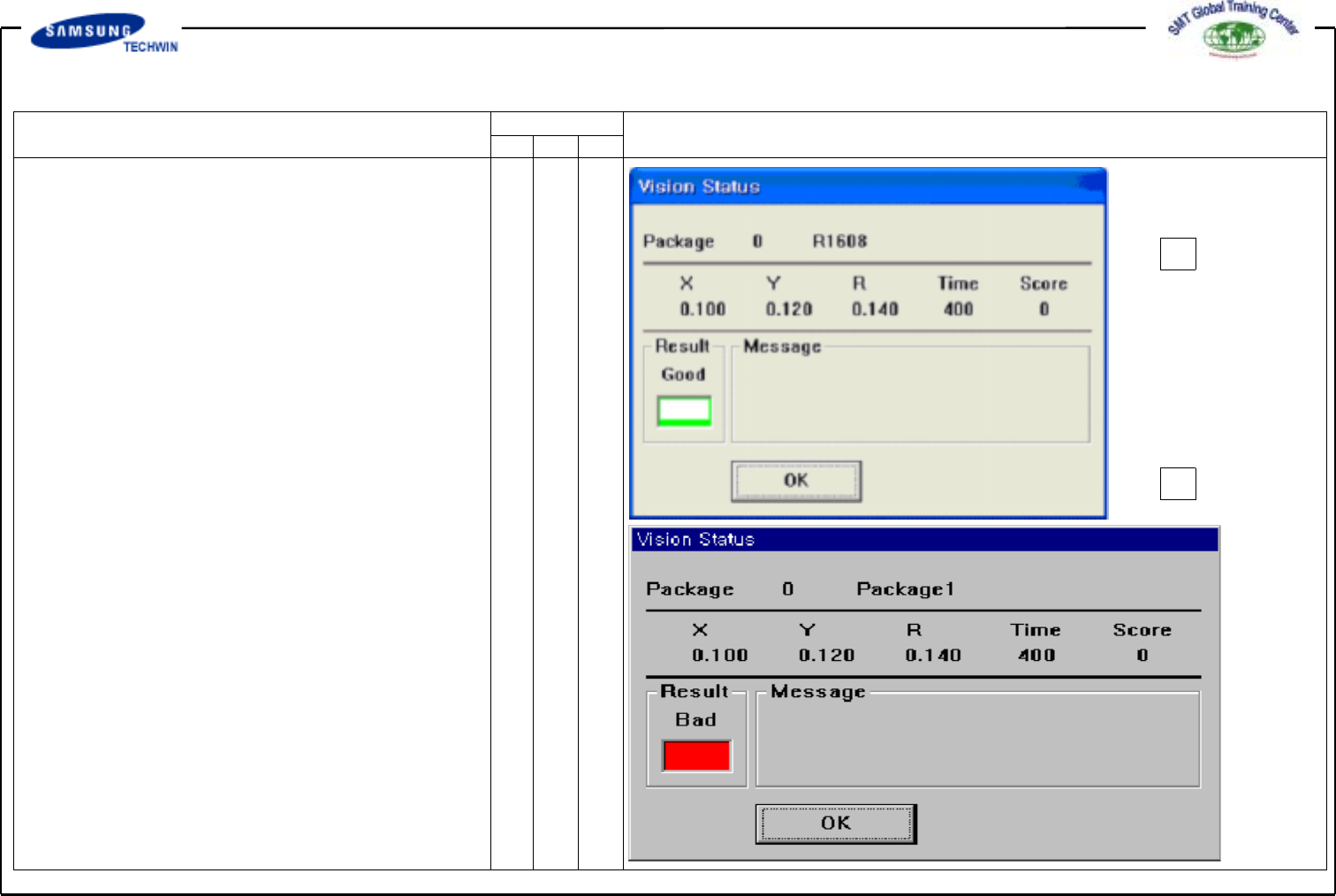
# <Test> Button
Execute the Align Test.
Test a part acknowledgement with
the set Align Data. If the Test
is completed successfully, the
Message Box as like a be shown,
and if the test is failed, the
Message Box as like b will be
shown.