CP45-英文版培训教材.pdf - 第65页
Operating Manual MODEL Reference Figure CP-45/55 Operation Process V A/C (Alum inum Capacitor ) Click the <New Part… > button on the left of the bottom of a screen. Create the Part Name. (AlumC 5753T540) Select the…
Operating Manual
MODEL
Reference Figure
CP-45/55 Operation Process
^
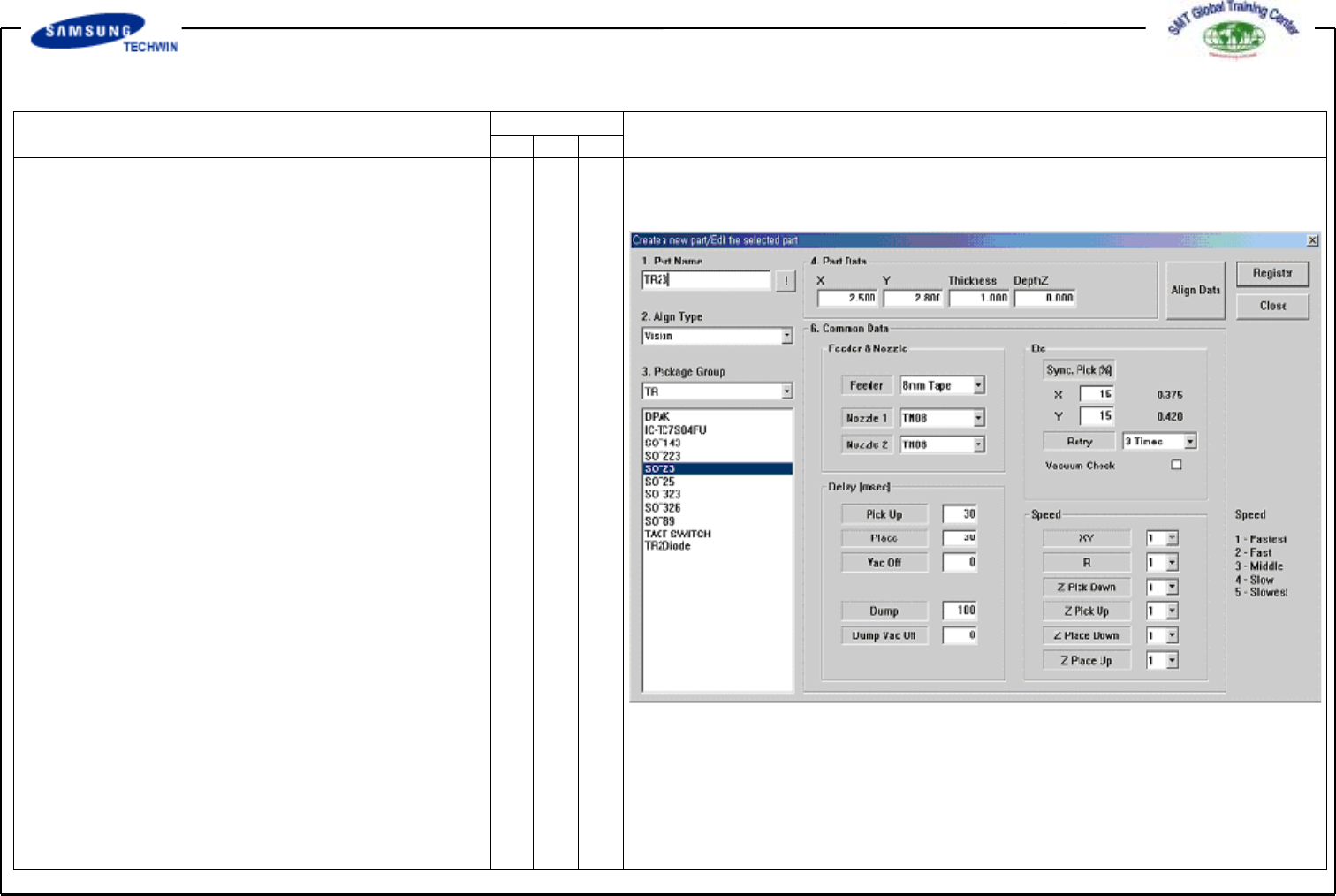
Enter the Common Data by
pressing the <Common Data>
button.
^ Select 8mm Tape on <Feeder>
Combo Box.
^ Select TN08 and TN08 on
<Nozzle 1> and <Nozzle 2>
Combo Box separately.
Register the part by clicking the
<Register> button.
Operating Manual
MODEL
Reference Figure
CP-45/55 Operation Process
V
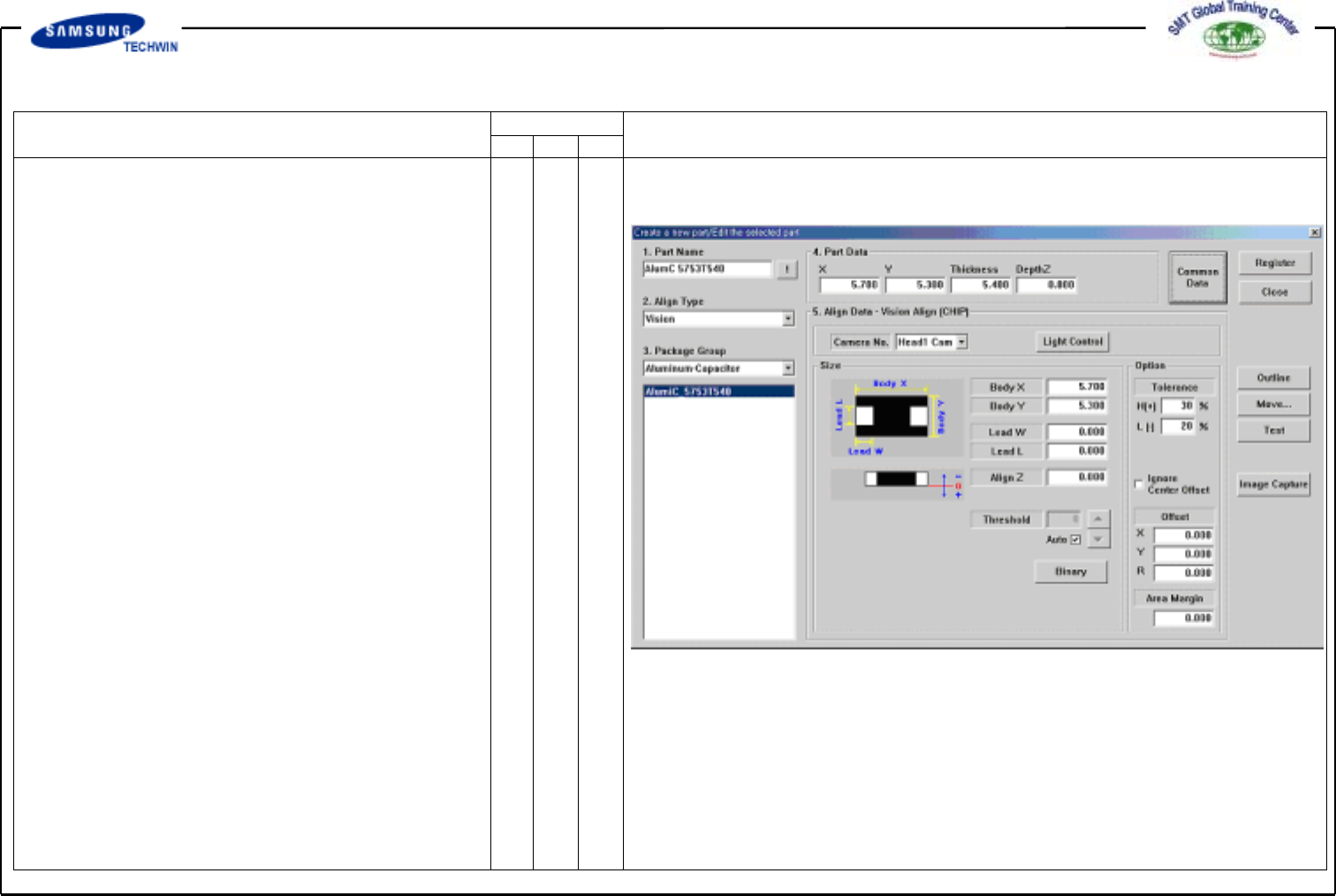
A/C (Aluminum Capacitor)
Click the <New Part…> button
on the left of the bottom of a
screen.
Create the Part Name.
(AlumC 5753T540)
Select the Group to Aluminum
Capacitor.
Enter the Part Size.
Align Data - X: 5.7, Y: 5.3
Lead W: 2.0 Lead L: 0.8
Enter the thickness of the Part
Data.
Operating Manual
MODEL
Reference Figure
CP-45/55 Operation Process
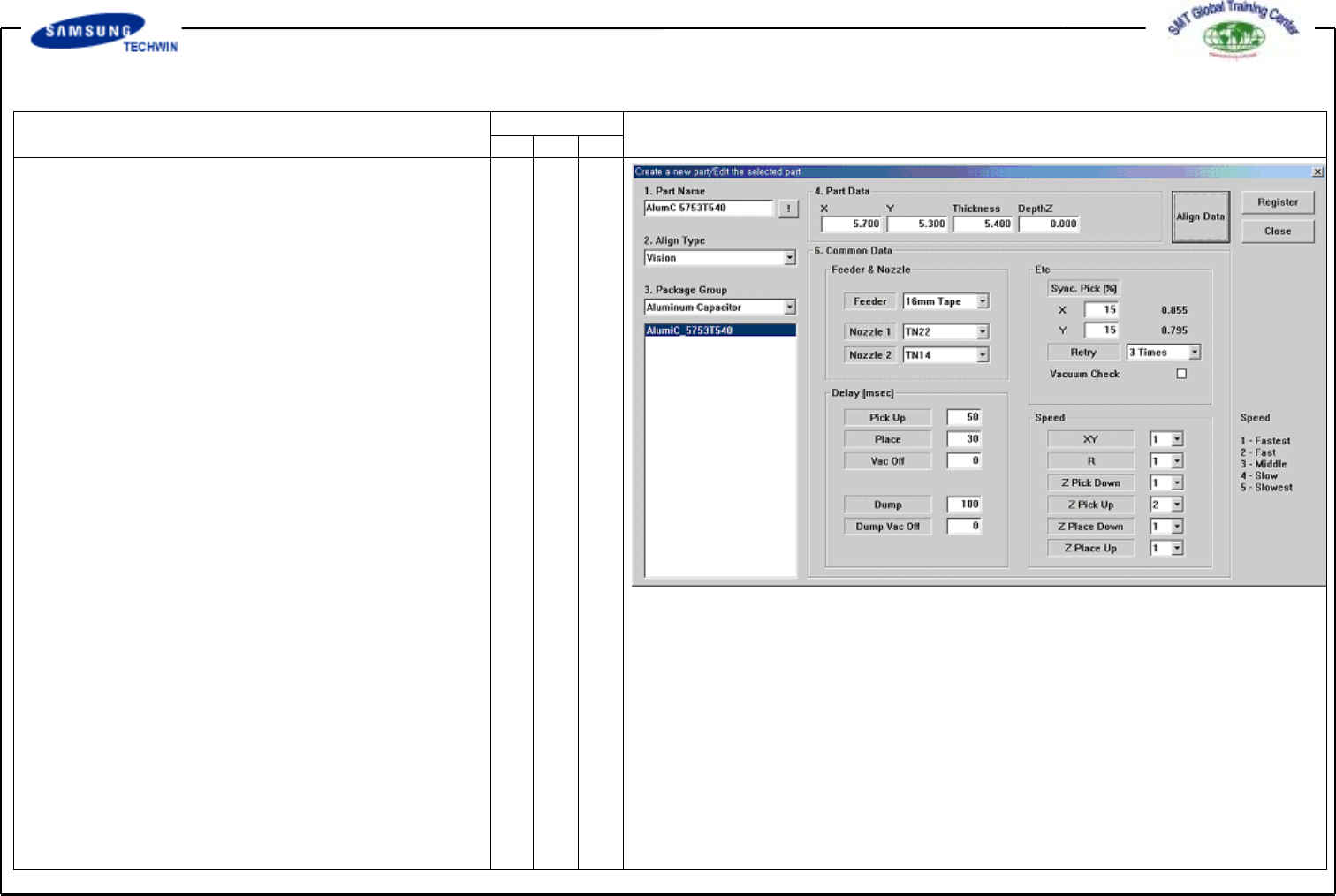
Enter the Common Data by
pressing the <Common Data>
button.
Select 12mm Tape on <Feeder>
Combo Box.
Select TN14 and TN22 on
<Nozzle 1> and <Nozzle 2> Combo
Box separately.
Register the Part by clicking the
<Register> button.