CP45-英文版培训教材.pdf - 第200页
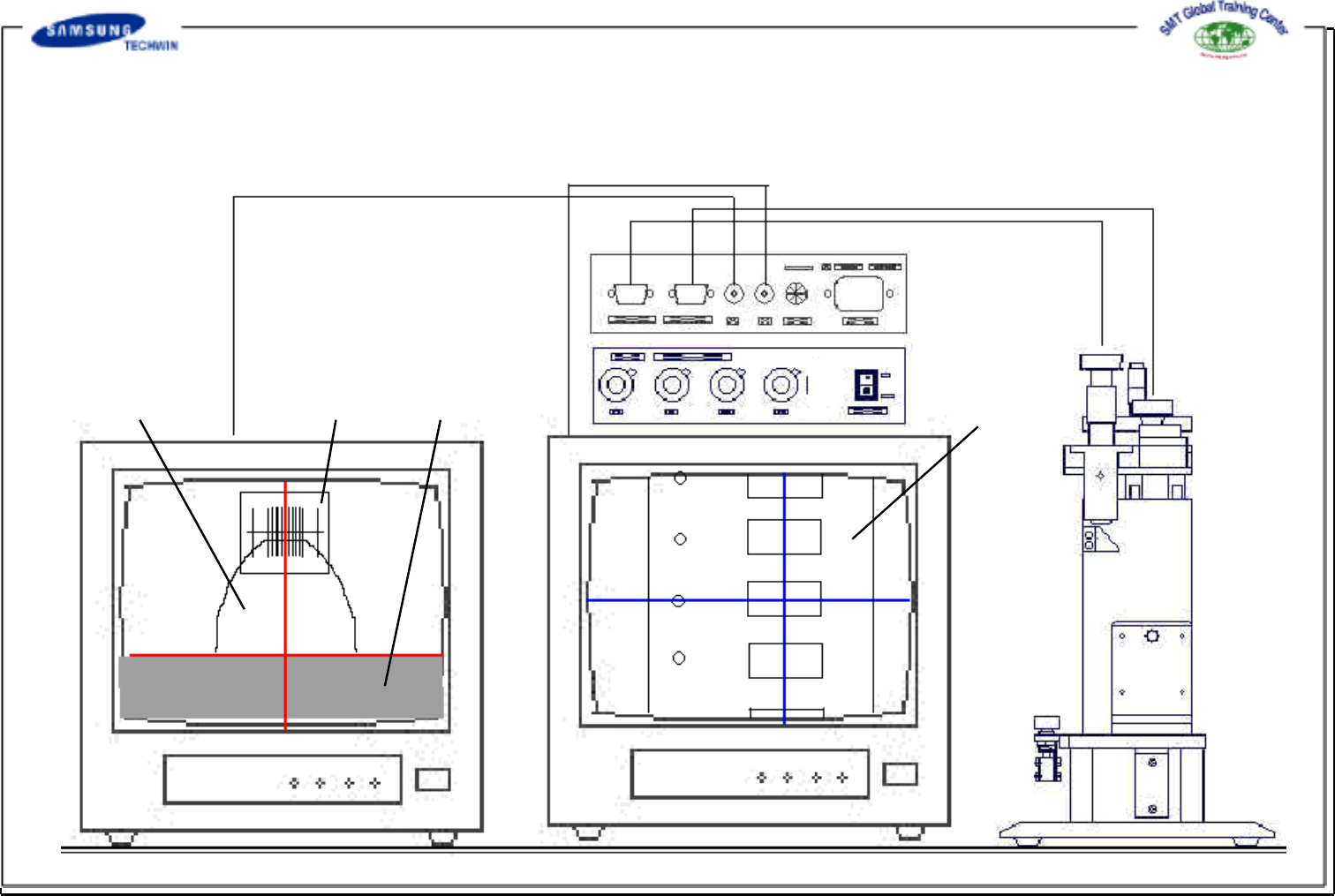
Operating Manual Reference Figure CP-45/55 Operation Process 4.1.3 Installation Guide of Product Transparent Film Sprocket Tape Guide Monitor 1 <-> M1 Monitor 2 <-> M2 Camera 2 <-> Pocket Inspection Cam…
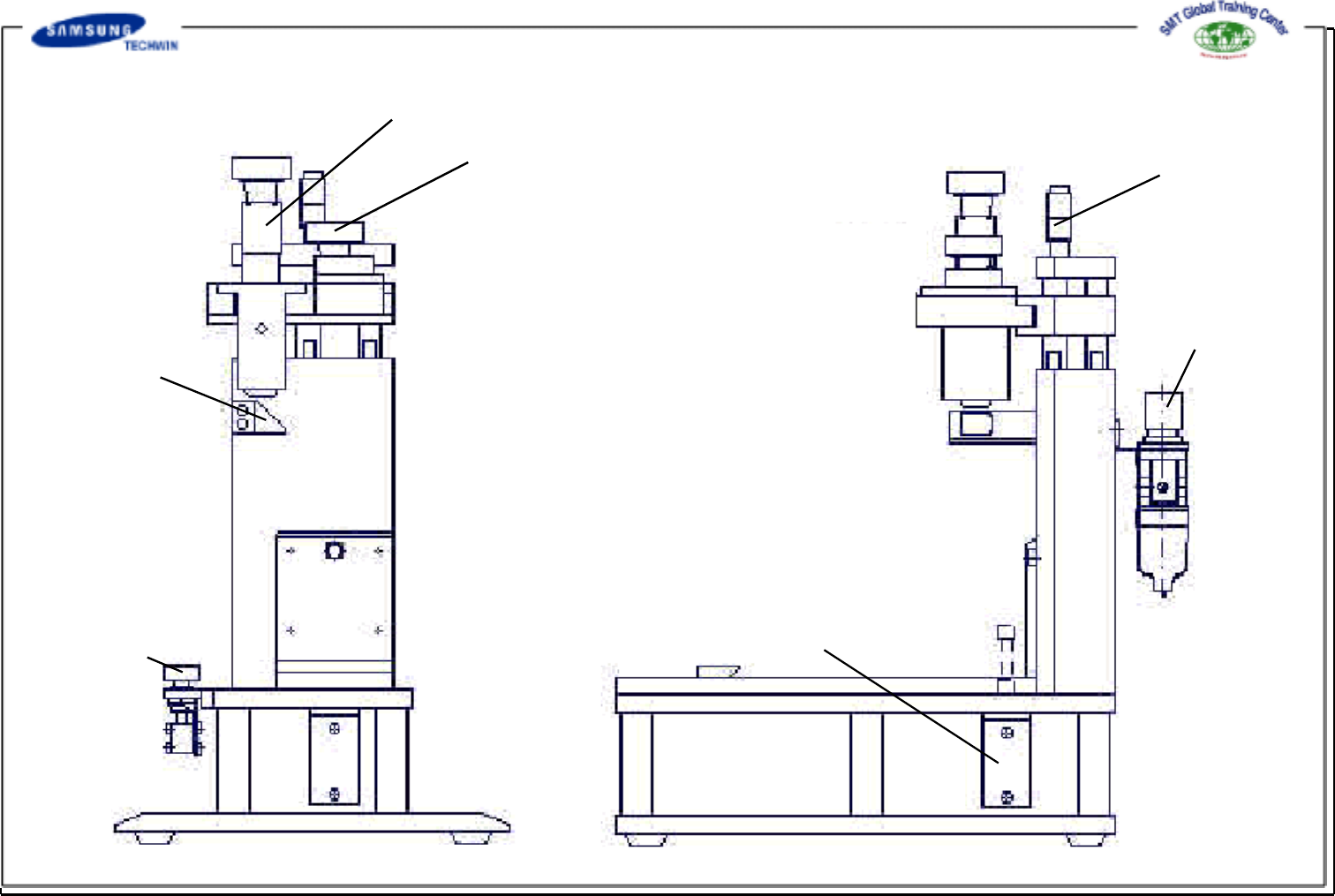
Operating Manual Reference Figure
CP-45/55 Operation Process
Cylinder Push
Button
Camera 1 (Sprocket Inspection)
Camera 2 (Pocket Inspection)
Reflecting Mirror
Focus Adjusting Screw
Regulator
Hydraulic Cylinder
[ Inspection JIG Body ]
Operating Manual Reference Figure
CP-45/55 Operation Process
4.1.3 Installation Guide of Product
Transparent FilmSprocket
Tape Guide
Monitor 1 <-> M1
Monitor 2 <-> M2
Camera 2 <-> Pocket Inspection
Camera 1 <->Sprocket Inspection
Tape Reel
Operating Manual Reference Figure
CP-45/55 Operation Process
4.2 Inspection and Adjustment Method
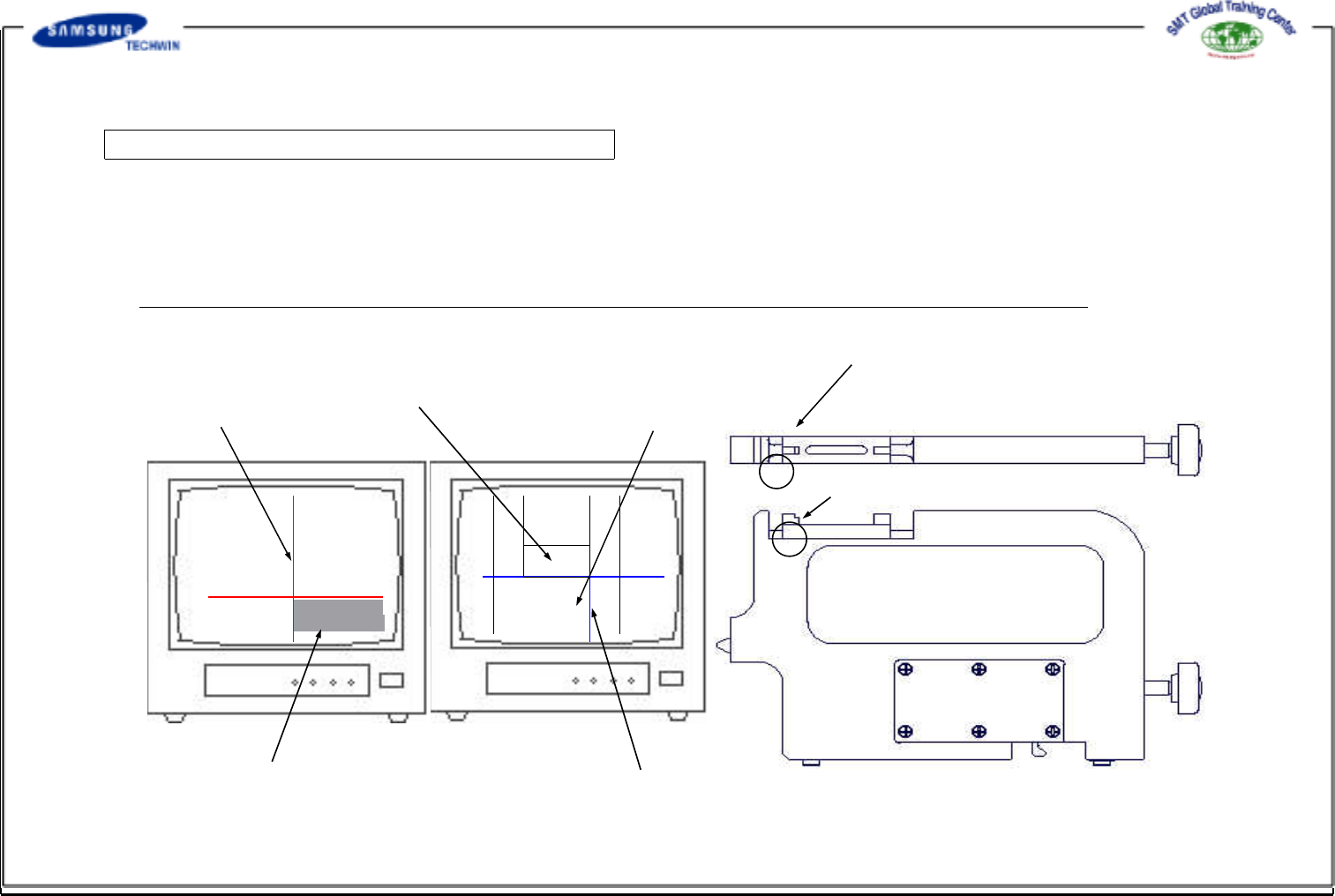
Step1 : Inspection Jig Origin Point Setting 1
If fixing the master jig to the inspection jig, the left edge of a block on the top of the master jig will be shown on the
monitor 1, and the top of the master jig block will be shown on the monitor 2.
If the monitor can not be in complete focus, adjust the focus by turning the camera focus adjusting screw fixed on the
inspection jig.
* (Caution) - If re-adjusting the focus after adjusting it once, variance may be occurred to the position.
Gear Center Line
4mm Pitch Pocket Reference Line
2mm Pitch Pocket Reference Line
Tape Guide Reference Line
Pocket Center Line
[Monitor1
(for gear inspection) ]
[Monitor2(forpocket
inspection) ]
[ Master Jig ]
Area where will be shown on Monitor 2
Area where will be shown on Monitor 1