CP45-英文版培训教材.pdf - 第50页
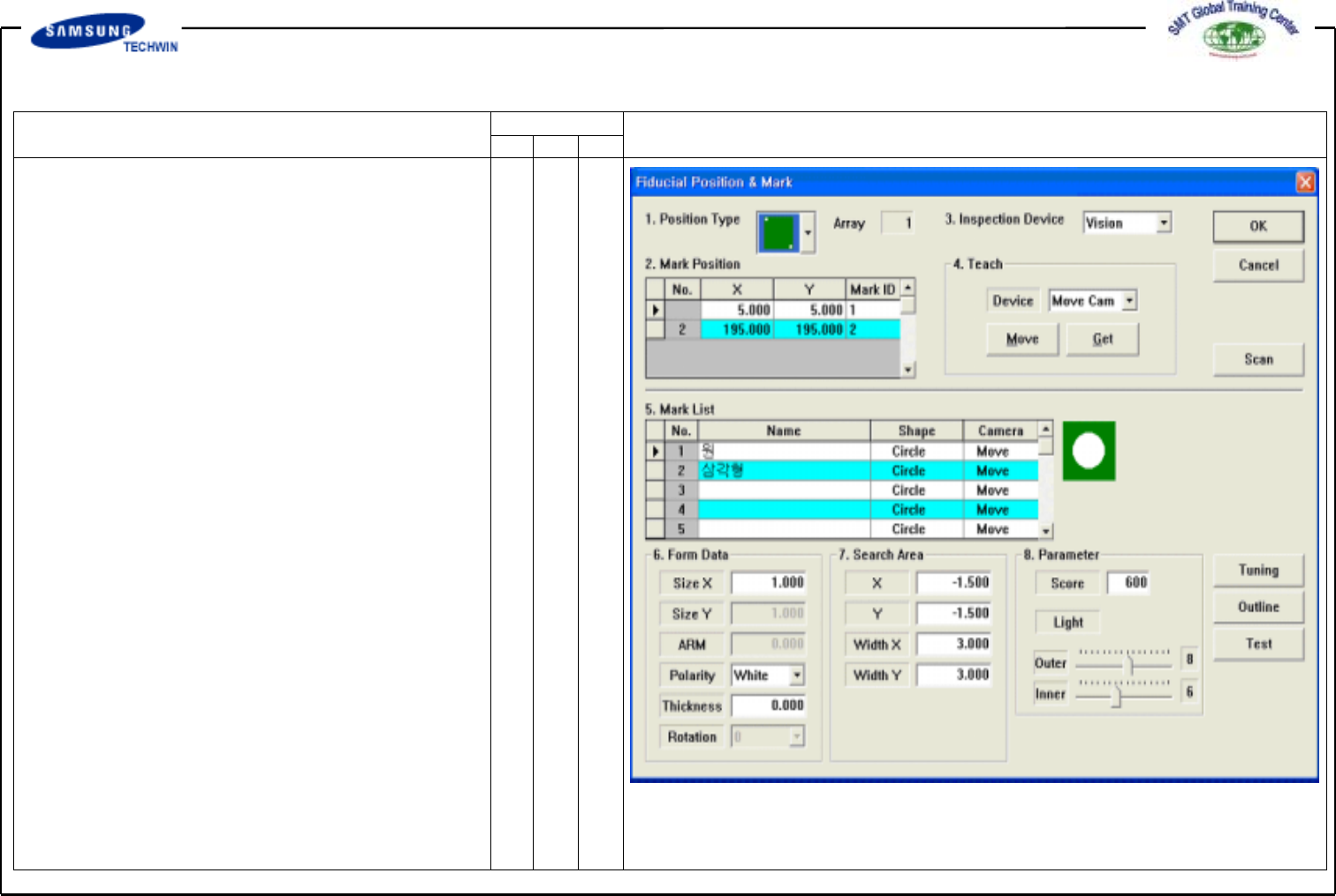
Operating Manual MODEL Reference Figure CP-45/55 Operation Process fig 04. “ Fiducial Position & Mark” 2.1-2) Fiducial Position & Mark (Fiducial Definition) To set the position of Fiducial Mark and Mark Data if t…
Operating Manual
MODEL
Reference Figure
CP-45/55 Operation Process
1
2
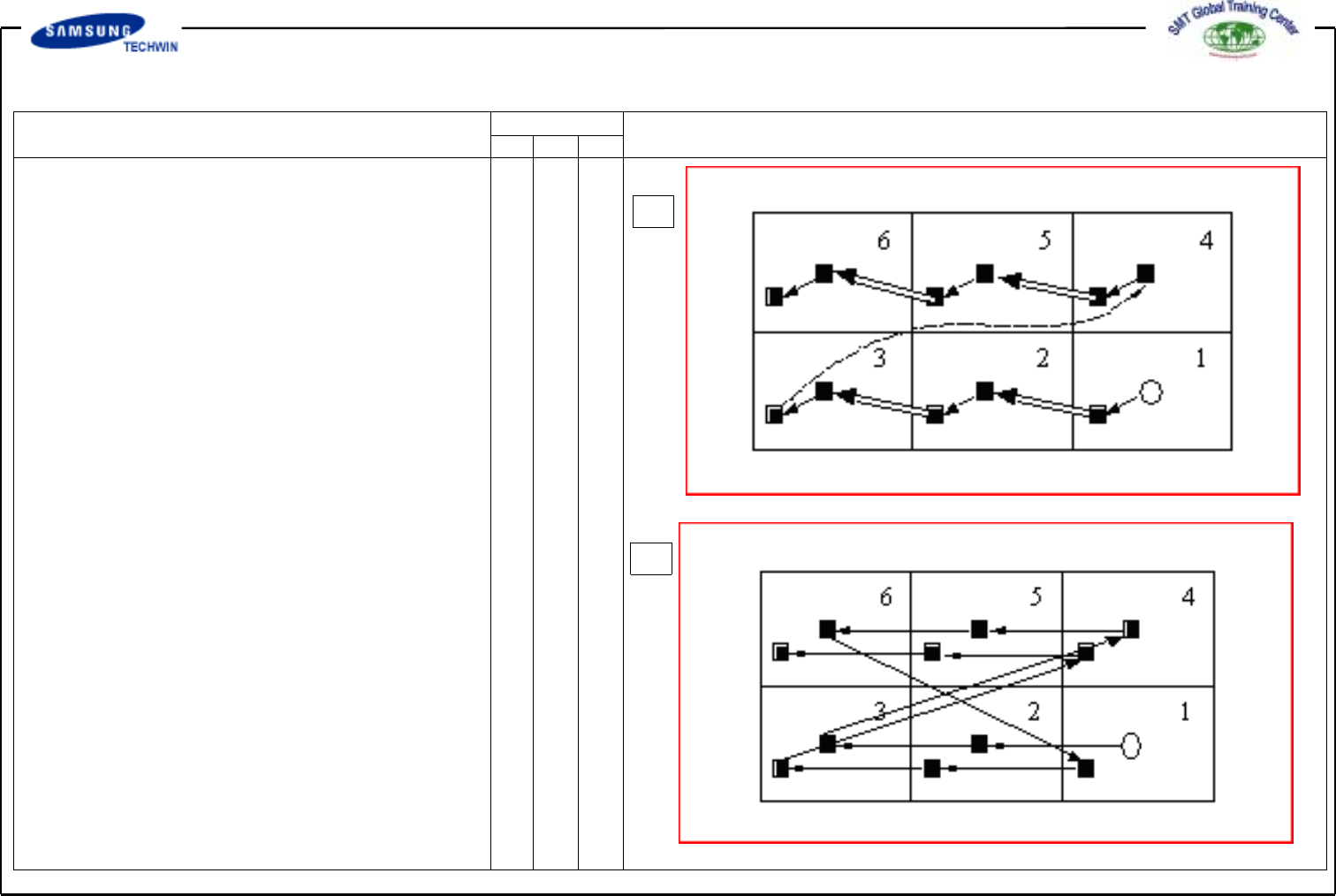
^ <3. Sequence> Area
To select the Array PCB edit
type.
-> 1. <By PCB> Option Button
This type is to execute the
following Array PCB work after
finishing one Array PCB work.
-> 2. <By Point> Option Button
This type is to execute the
following Cycle work after
finishing one Cycle work on all
of Array PCBs.
^ <5. Add Value> Area
To set X, Y and R values to
add in grid-row of <1. Array>
Area. If you click "Add" button
after setting the value to add,
the set value will be add in
grid-row in question.
Operating Manual
MODEL
Reference Figure
CP-45/55 Operation Process
fig 04. “Fiducial Position & Mark”
2.1-2) Fiducial Position & Mark
(Fiducial Definition)
To set the position of Fiducial Mark
and Mark Data if there is Fiducial
Mark on PCB Board.
Operating Manual
MODEL
Reference Figure
CP-45/55 Operation Process
a b
d
c
e
f
g
h
V
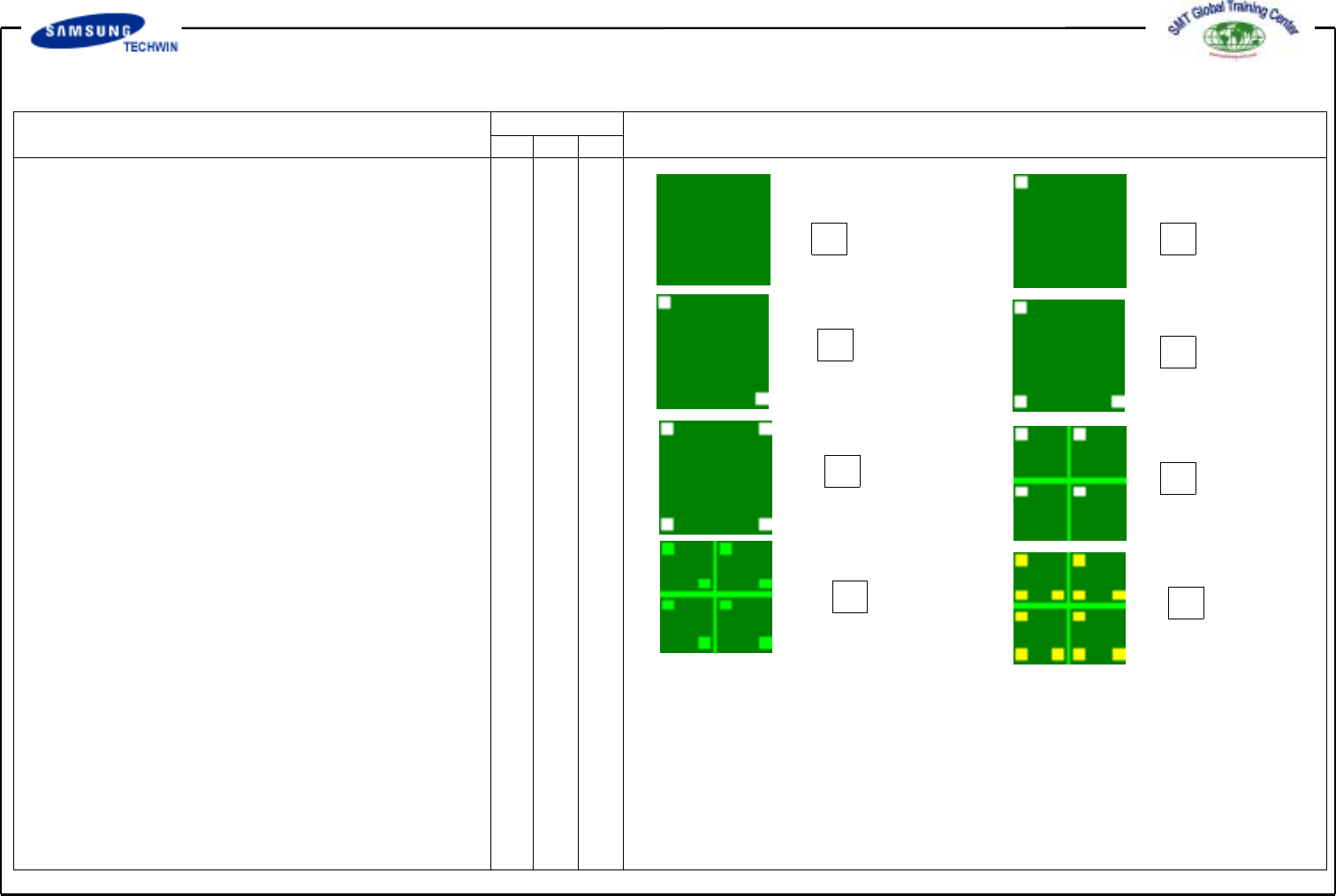
<1. Position Type> Combo Box
To select the number of Fiducial
Mark.
The allowable number of Fiducial
Mark is as follows. Select 2 Panel
in here.
a - None: No Fiducial Mark exists.
b - 1 Panel: It means there is one
Fiducial Mark for
compensating PCB Board.
c - 2 Panel: It means there are
two Fiducial Marks for
compensating PCB Board.
d - 3 Panel: It means there are
three Fiducial Marks for
compensating PCB Board.
e - 4 Panel: It means there are
four Fiducial Marks for
compensating PCB Board.
f - 1 Array: It means there is one
Fiducial Mark for
compensating Array PCB
Board on individual Array PCB.
g - 2 Array: It means there are
two Fiducial Mark for
compensating Array PCB
Board on individual Array PCB.
h - 3 Array: It means there are
three Fiducial Mark for
compensating Array PCB
Board on individual Array PCB.