CP45-英文版培训教材.pdf - 第51页
Operating Manual MODEL Reference Figure CP-45/55 Operation Process a b d c e f g h V <1. Position Type> Combo Box To select the number of Fiducial Mark. The allowable number of F iducial Mark is as follows. Select …
Operating Manual
MODEL
Reference Figure
CP-45/55 Operation Process
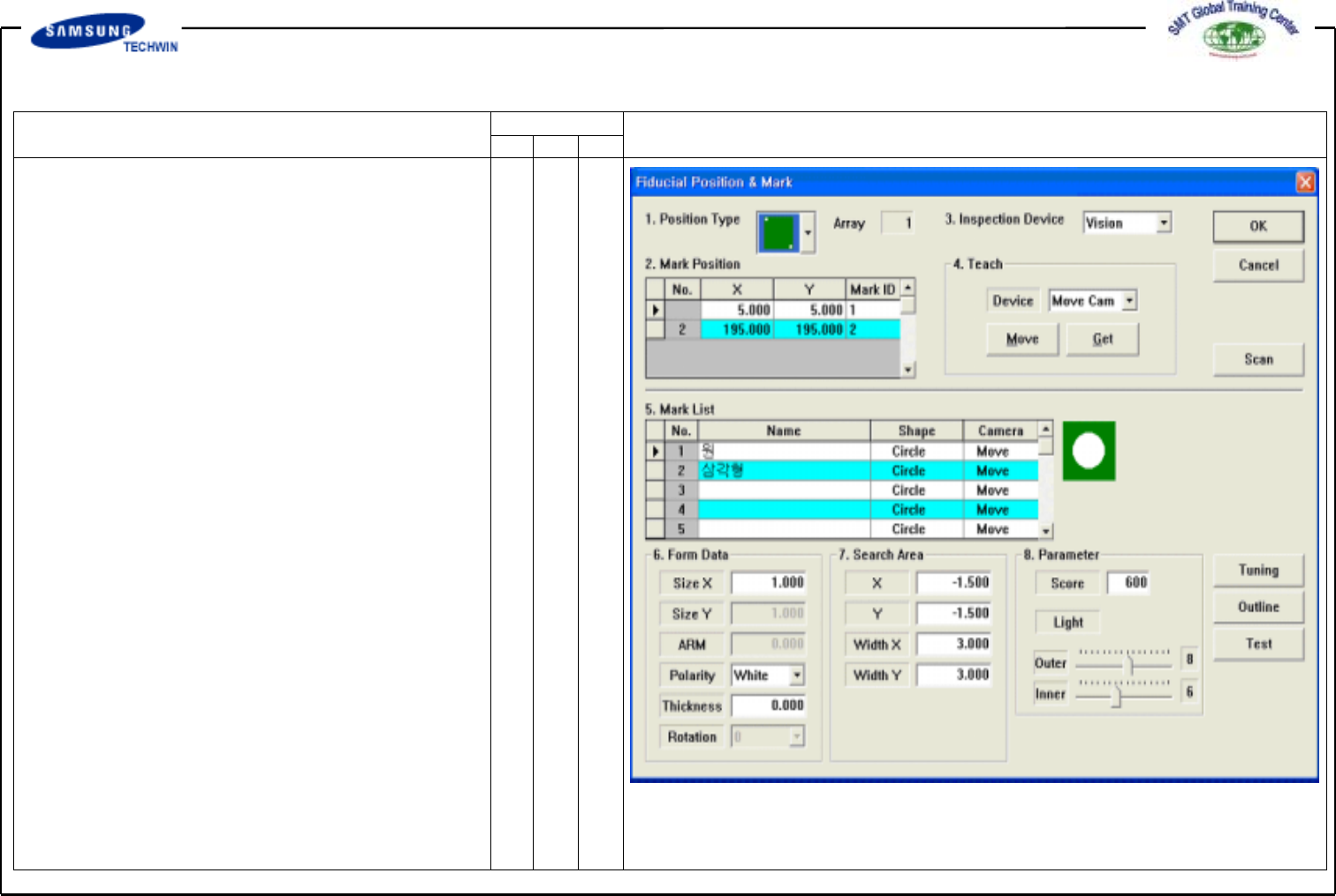
fig 04. “Fiducial Position & Mark”
2.1-2) Fiducial Position & Mark
(Fiducial Definition)
To set the position of Fiducial Mark
and Mark Data if there is Fiducial
Mark on PCB Board.
Operating Manual
MODEL
Reference Figure
CP-45/55 Operation Process
a b
d
c
e
f
g
h
V
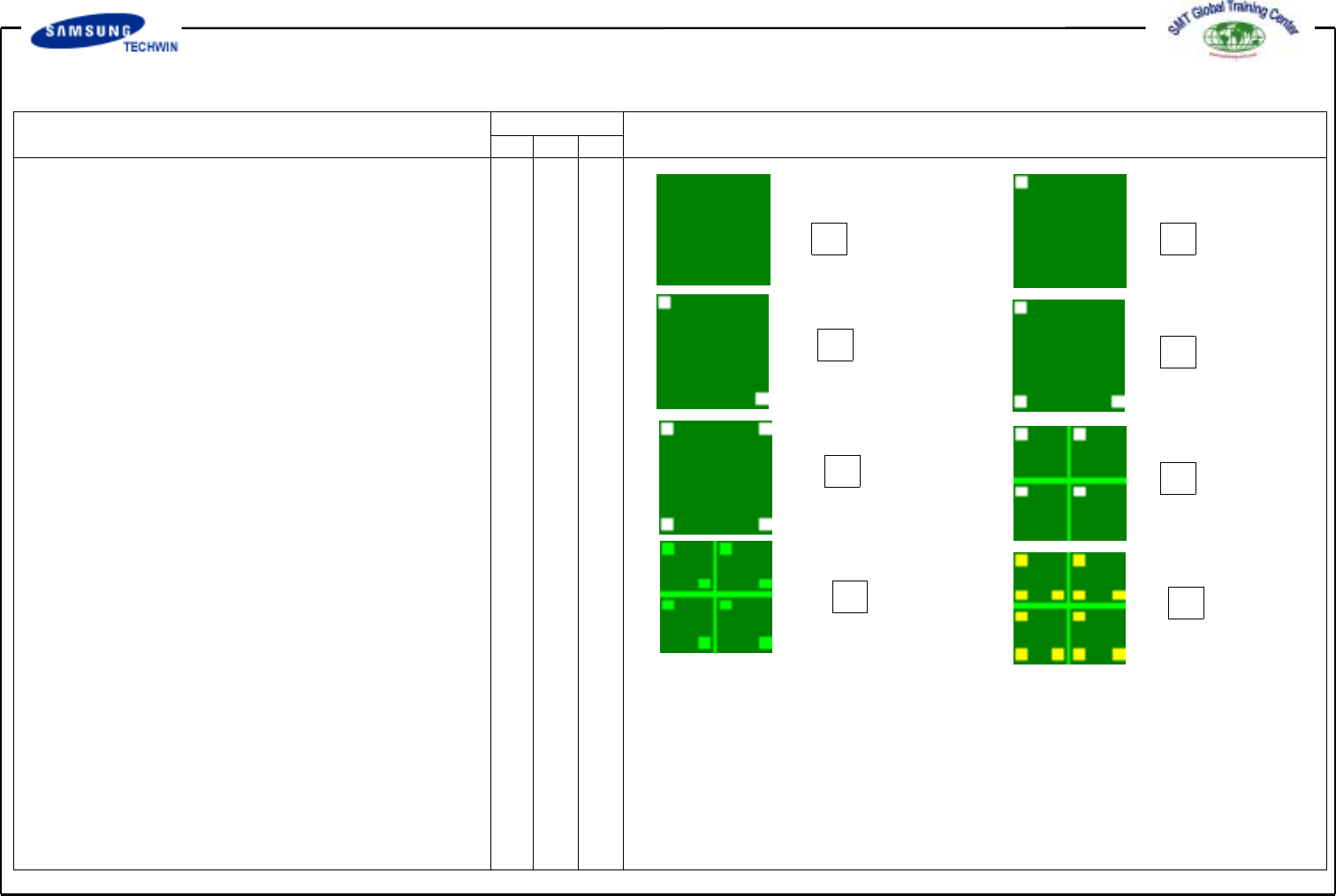
<1. Position Type> Combo Box
To select the number of Fiducial
Mark.
The allowable number of Fiducial
Mark is as follows. Select 2 Panel
in here.
a - None: No Fiducial Mark exists.
b - 1 Panel: It means there is one
Fiducial Mark for
compensating PCB Board.
c - 2 Panel: It means there are
two Fiducial Marks for
compensating PCB Board.
d - 3 Panel: It means there are
three Fiducial Marks for
compensating PCB Board.
e - 4 Panel: It means there are
four Fiducial Marks for
compensating PCB Board.
f - 1 Array: It means there is one
Fiducial Mark for
compensating Array PCB
Board on individual Array PCB.
g - 2 Array: It means there are
two Fiducial Mark for
compensating Array PCB
Board on individual Array PCB.
h - 3 Array: It means there are
three Fiducial Mark for
compensating Array PCB
Board on individual Array PCB.
Operating Manual
MODEL
Reference Figure
CP-45/55 Operation Process
V
<2. Mark Position> Area
Data will be created as much as
the number of Fiducial Mark
selected if <Position Type> is
not in "None".
For example, if you select "2
Panel", the number will be created
as shown in a figure above.
Define the center of Mark.
^<No> Column : This means
the serial number for Fiducial
Mark position.
^<X> Column : This means
X value of Fiducial Mark position.
^<Y> Column : This means
Y value of Fiducial Mark position.
^<Mark> Column : This means
Mark ID value of Fiducial Mark.
This value is to be set with
values among serial numbers in
<5.MarkList>.
V
<3. Inspection Device> Combo
Box
Vision: Acknowledge with Move
Camera in Head Block.