CP45-英文版培训教材.pdf - 第27页
Operating Manual MODEL Reference Figure CP-45/55 Operation Process Fig. 02 a b If you select <New> command, a dialogue box as sho wn in the right fig. will be shown. - Fig . 02. "Create a new PCB File" Di…
Operating Manual
MODEL
Reference Figure
CP-45/55 Operation Process
Fig. 01
^ Test Pickup -> Step
(Place Program Setting)
v
Step (Place Program Setting)
^ Reference (Reference Setting)
^ X, Y, Z, R Teaching
(Individual Place Coordinate
Teaching)
^ Part / Feeder/NZ/HD/ Cycle
Constitution
^Cycle Check
^ Save (Program Save)
^ Step Check, To Production
1.2-3)Production
v
Finish / PCB Data Down Loading
v
Start -> Start(OP Box)
v
Production
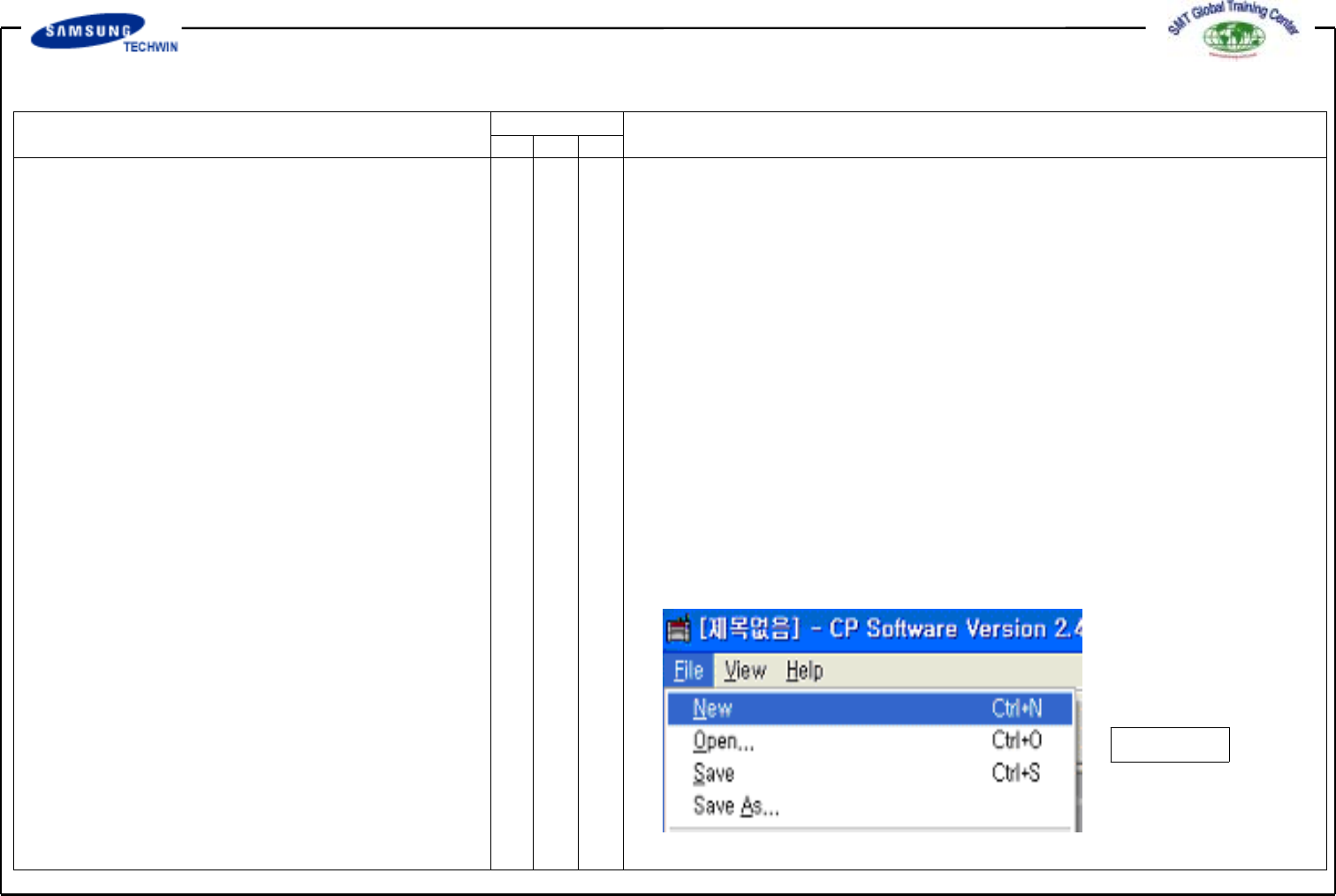
2. File (New File Create)
Select New on File Menu to create
the new file.
- Fig. 01 File Command and
Sub-menu
Operating Manual
MODEL
Reference Figure
CP-45/55 Operation Process
Fig. 02
a
b
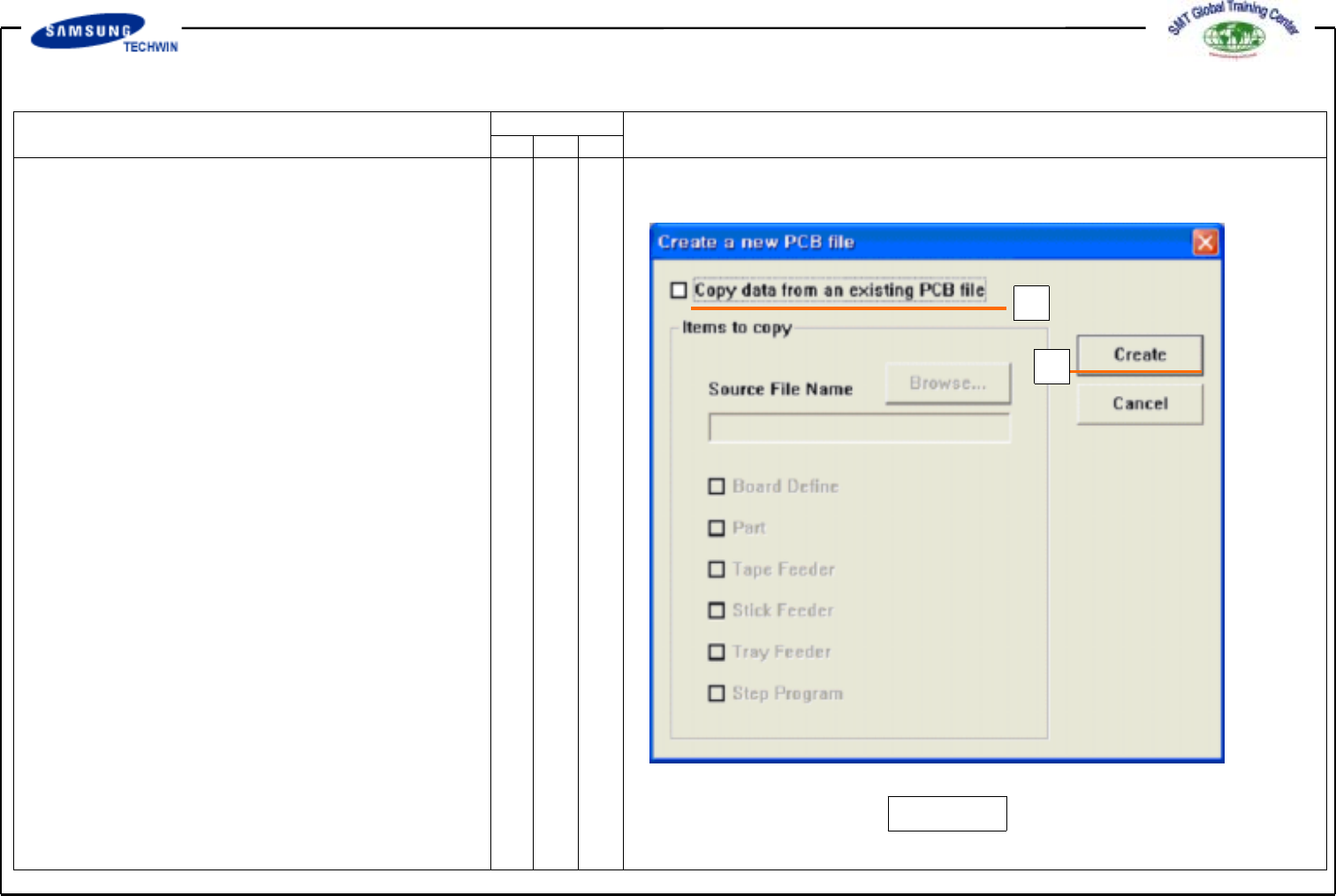
If you select
<New>
command, a dialogue box
as shown in the right fig. will be shown.
- Fig. 02.
"Create a new PCB File" Dialogue
Box
*a:
<Copydatafromanexisting
PCB file > Check Box
Check it when creating a new
file by copying certain data from
an existing file. If not check
this check box, a new file will
be created with Default Data.
*b:
< Create > Button
To create a new PCB file.
If not defined source file
to copy, all of data in <Items
to Copy> check box will create
a file of default condition.
Operating Manual
MODEL
Reference Figure
CP-45/55 Operation Process
Fig.03
a
c
b
d
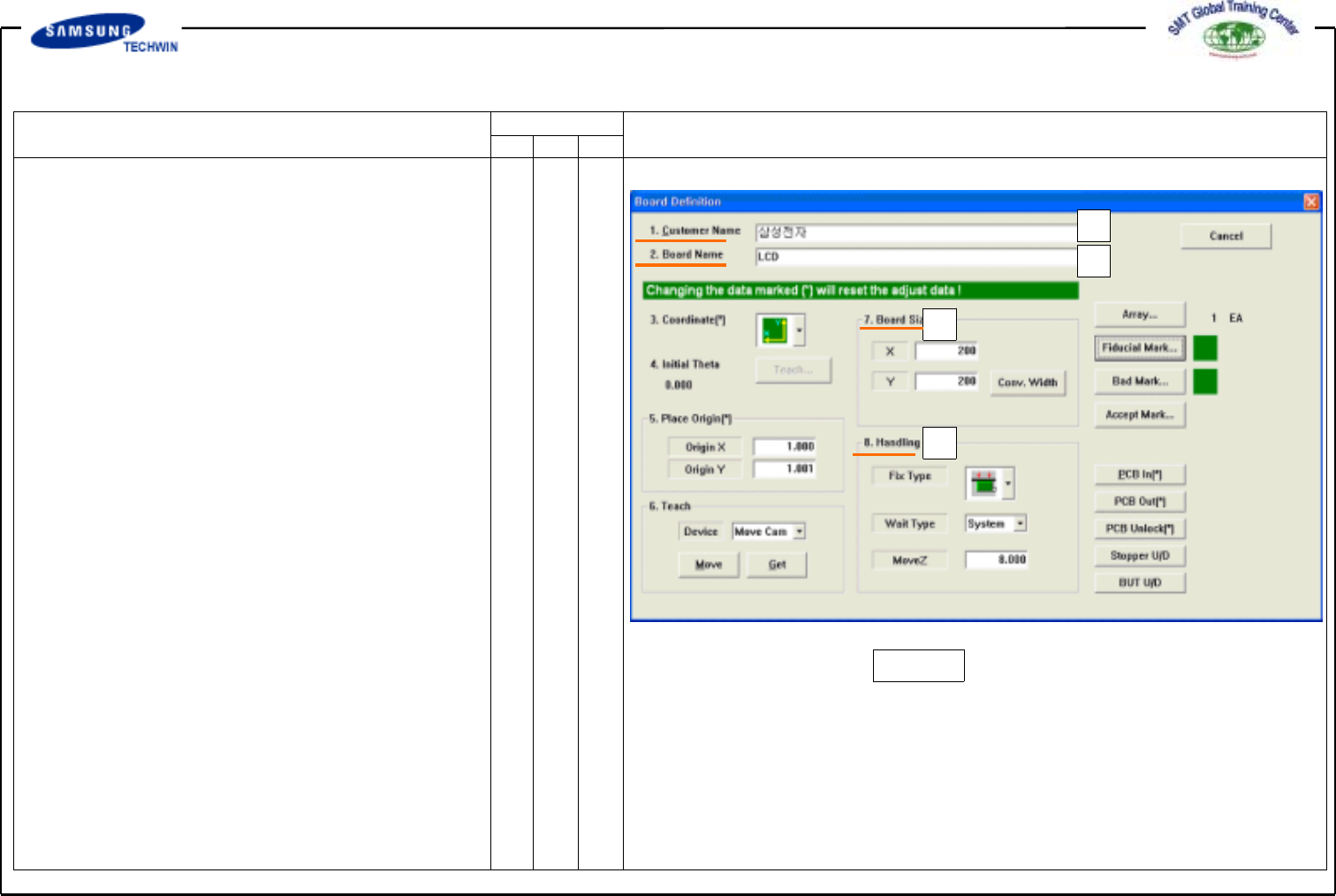
3.PCB Edit (1)
This defines data related to name, size,
origin point, etc. of Board.
3.1) Board
3.1-1) Board Definition
*a:
<1. Customer Name> Edit Box
Input a name of a customer who
requests PCB works. Number of
input letter is limited to the max
64 letters. Input a name of
customer in Korean or English.
*b:
<2. Board Name> Edit Box
Input name of PCB. Number of
input letter is limited to the max
64 letters. Input Board name in
Korean or English. Board Name
will be shown on Production
Monitor when production.
*c:
<7. Board Size> Area
As an area for inputting Board
Size, this is to adjust Work Area
and Conveyor Width.