CP45-英文版培训教材.pdf - 第48页
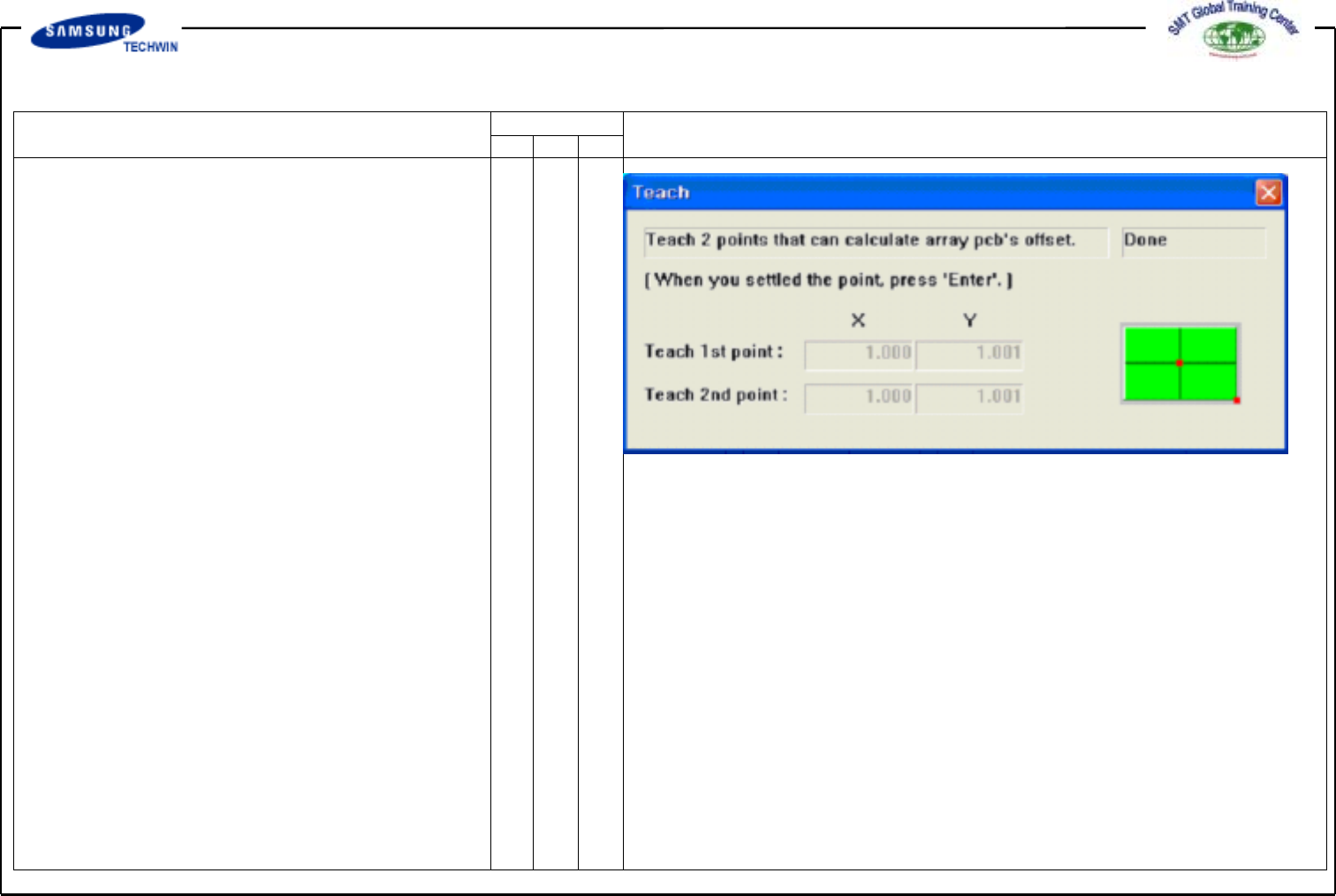
Operating Manual MODEL Reference Figure CP-45/55 Operation Process Fig. 03. Screen of Array PCB Offset Teach Finished -> <Apply> Button To create the Array PCB Data automatically with the values set in this area…
Operating Manual
MODEL
Reference Figure
CP-45/55 Operation Process
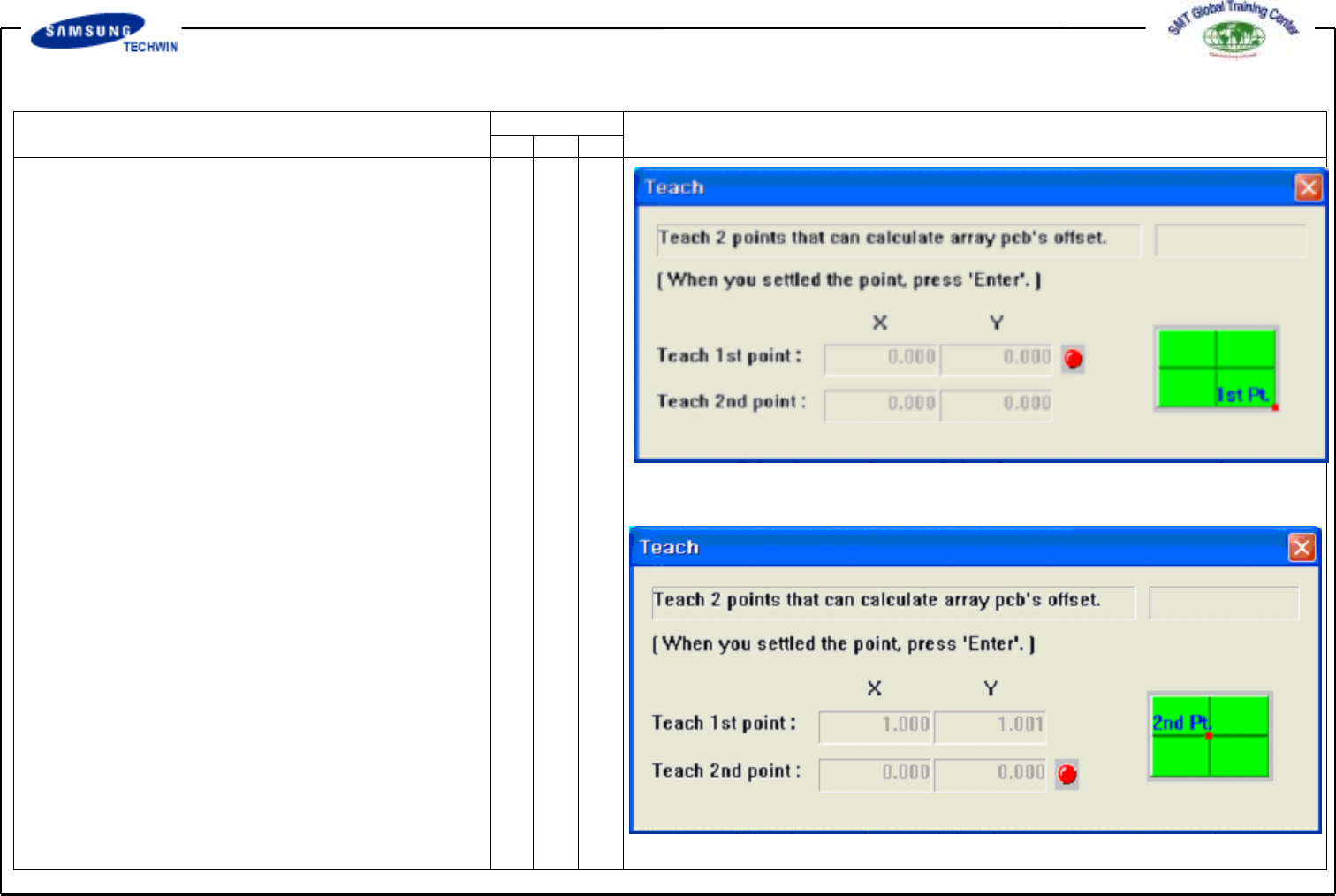
Fig. 01. Screen of Array PCB Offset 1st Point Teach
Fig. 02. Screen of Array PCB Offset 2nd Point Teach
-> <Teach> Button
This button is to teach the Array
PCB offset value with the teaching
method identical to that of PCB size.
If you click this button, the
following screens will be displayed
in sequence.
Teach the 1st origin point of Array
PCB. If you press the "Enter" Key
after teaching, a screen as shown
in Fig. 2 will be displayed. Teach
the origin point on position allowing
to determine the offset.
After teaching, if you press the
"Enter" key, the following screen
(Fig. 3) will be displayed.
If you press the “Enter” key,
teaching work of Array PCB Offset
Value will be finished.
Operating Manual
MODEL
Reference Figure
CP-45/55 Operation Process
Fig. 03. Screen of Array PCB Offset Teach Finished
-> <Apply> Button
To create the Array PCB Data
automatically with the values set in
this area.
<1.Array>
Move the setup position with the
Move Camera to check for its
correct position.
Operating Manual
MODEL
Reference Figure
CP-45/55 Operation Process
1
2
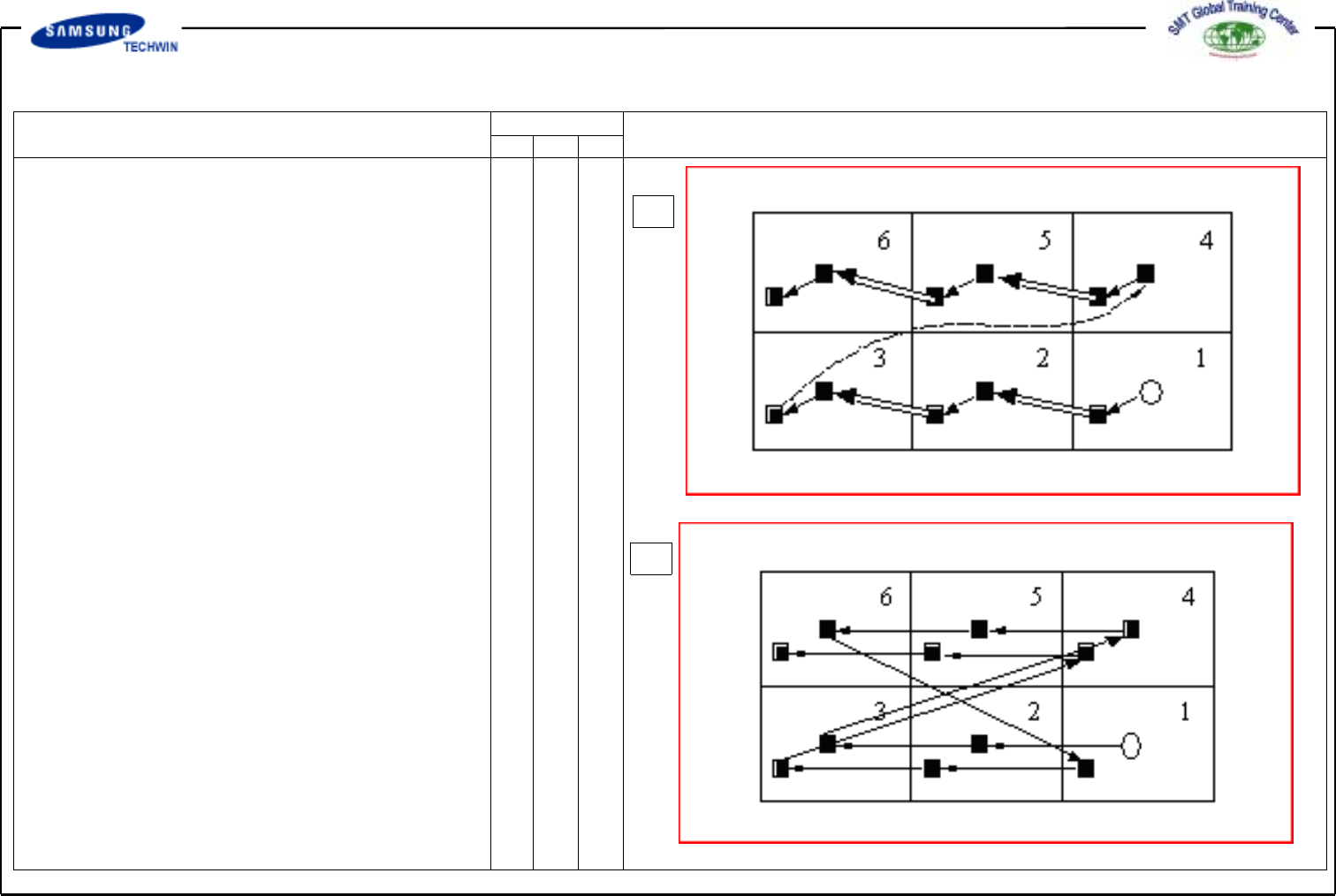
^ <3. Sequence> Area
To select the Array PCB edit
type.
-> 1. <By PCB> Option Button
This type is to execute the
following Array PCB work after
finishing one Array PCB work.
-> 2. <By Point> Option Button
This type is to execute the
following Cycle work after
finishing one Cycle work on all
of Array PCBs.
^ <5. Add Value> Area
To set X, Y and R values to
add in grid-row of <1. Array>
Area. If you click "Add" button
after setting the value to add,
the set value will be add in
grid-row in question.