CP45-英文版培训教材.pdf - 第29页
Operating Manual MODEL Reference Figure CP-45/55 Operation Process * Con v.Width Button: To be used when adju sting Con vey W i d t ht oB o a r d .C l i c kt h i sb u t t o nt o adjust the width. Board X, Y Input size by…
Operating Manual
MODEL
Reference Figure
CP-45/55 Operation Process
Fig.03
a
c
b
d
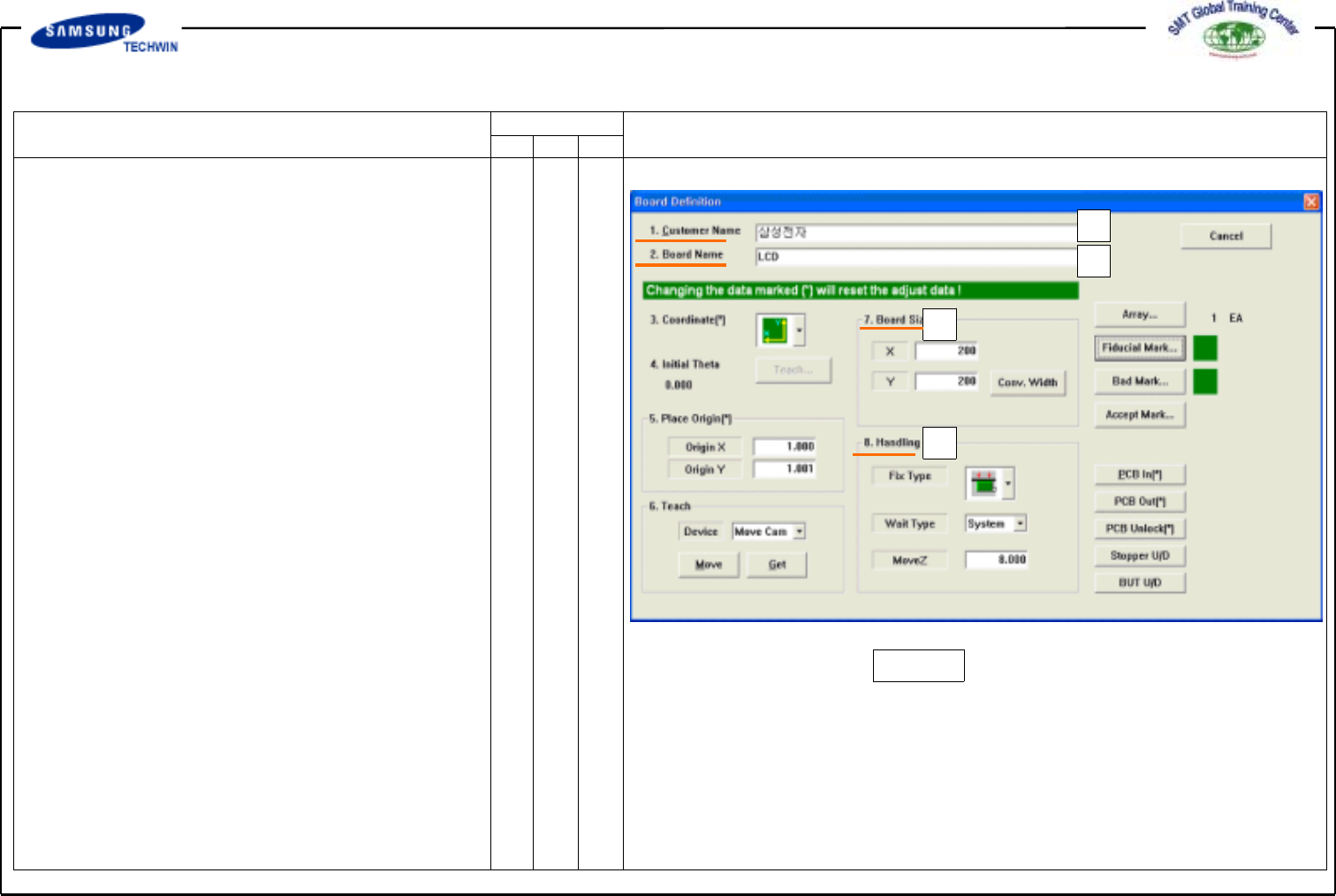
3.PCB Edit (1)
This defines data related to name, size,
origin point, etc. of Board.
3.1) Board
3.1-1) Board Definition
*a:
<1. Customer Name> Edit Box
Input a name of a customer who
requests PCB works. Number of
input letter is limited to the max
64 letters. Input a name of
customer in Korean or English.
*b:
<2. Board Name> Edit Box
Input name of PCB. Number of
input letter is limited to the max
64 letters. Input Board name in
Korean or English. Board Name
will be shown on Production
Monitor when production.
*c:
<7. Board Size> Area
As an area for inputting Board
Size, this is to adjust Work Area
and Conveyor Width.
Operating Manual
MODEL
Reference Figure
CP-45/55 Operation Process
* Conv.Width Button:
To be used when adjusting Convey
WidthtoBoard.Clickthisbuttonto
adjust the width.
Board X, Y
Input size by measuring it in mm.
v
<X> Edit Box
To select X value of Board size.
v
<Y> Edit Box
To select Y value of Board size.
v
<Z> Edit Box
To select Z value(Thickness) of
Board size.
*d:
<8. Handling> Area
To select data required for
PCB works.
v
<Fix Type> Combo Box
To select the method for fixing
Board to work area. Select
Edge Fixer in here.
Operating Manual
MODEL
Reference Figure
CP-45/55 Operation Process
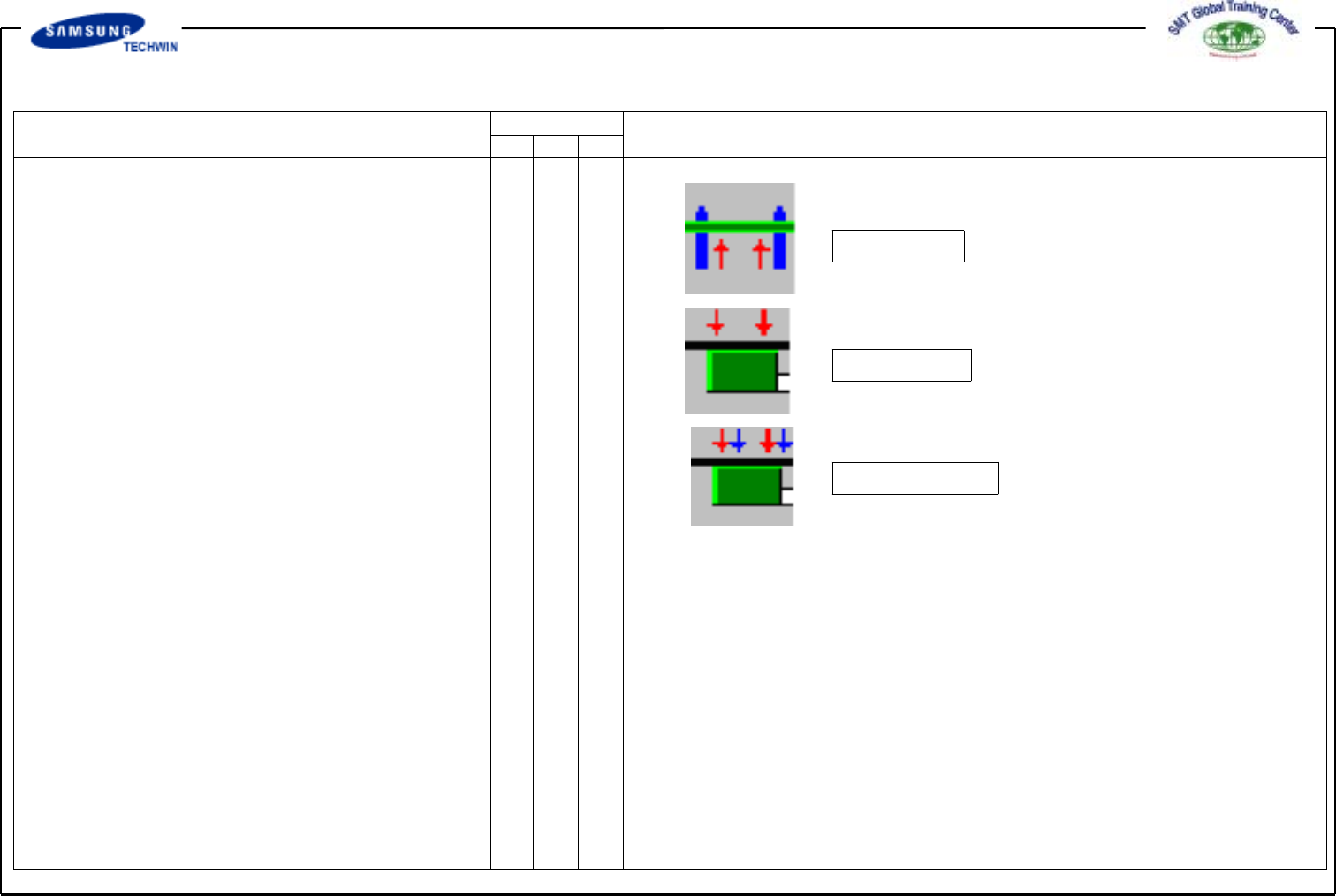
Hole Fixer
Edge Fixer
Edge Fixer2
^Holefixer
: To insert and fix Pin into a hole
of Board. Use this method when
there is no Board Fiducial Mark.
^EdgeFixer
:TopushandfixaBoardfromthe
side with a device equipped on
Conveyor. Use this method for
general Board with Fiducial Mark.
^ Edge Fixer2
: Same method as “Edge Fixer” but
push of two times.
v
<Wait Type> Combo Box
To select a wait position of Head
Block when Board Loading. Select
System in here.
-> Auto:Toselectwaitposition
to FD Mark1Position
automatically.
-> System:Towaitinpositiondefined
in System.
(System Setup / Head)
v <Move Z>
To select the min. clearance
between the top of PCB board
and the end of Head(Bottom of