CP45-英文版培训教材.pdf - 第76页
Operating Manual MODEL Reference Figure CP-45/55 Operation Process Enter the Common Data by pressing the <Common Data> button. Select FW-20S on <Feeder> Combo Box. Select TN40 and TN75 on <Nozzle 1> and…
Operating Manual
MODEL
Reference Figure
CP-45/55 Operation Process
V
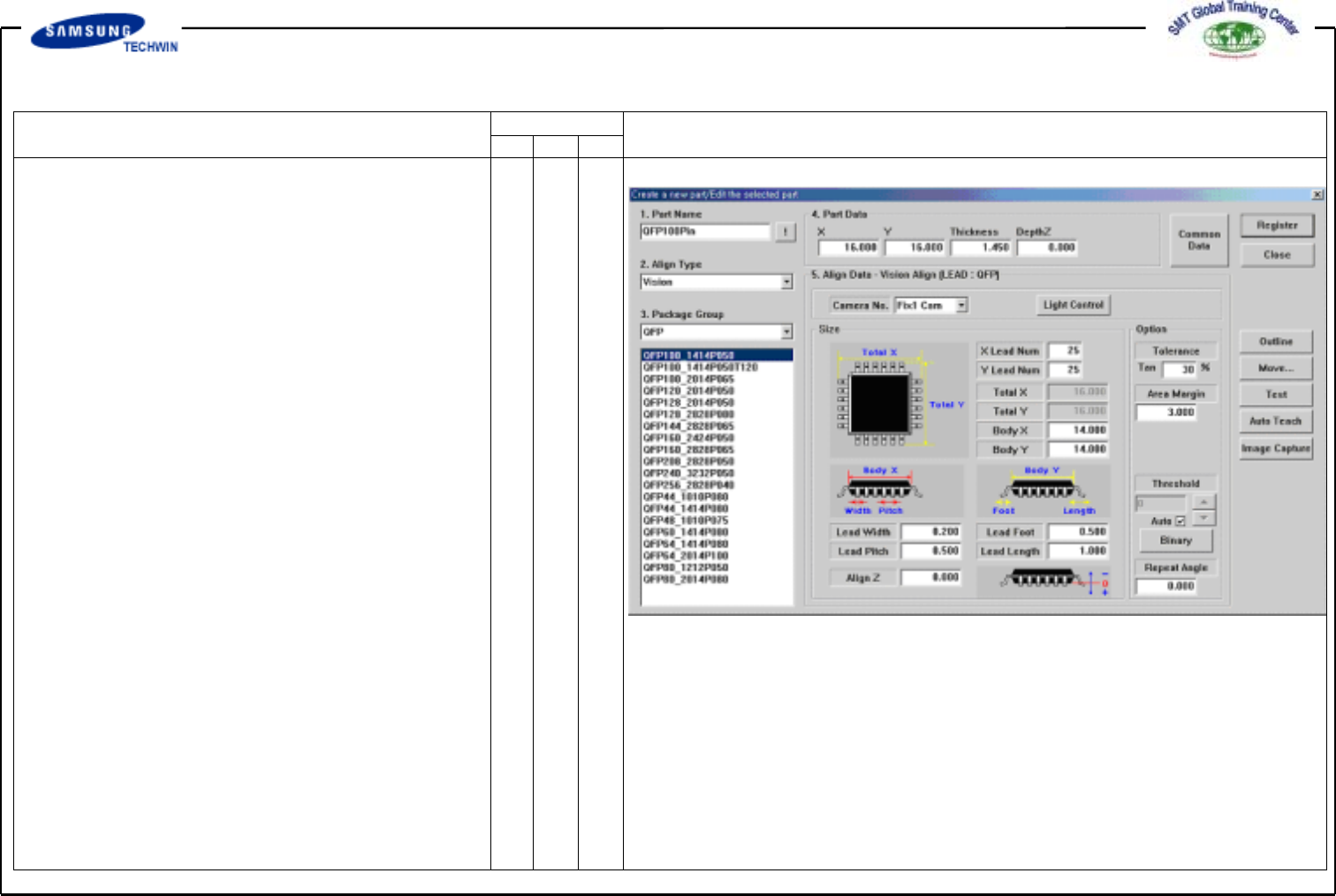
QFP (PLCC) 100Pin Register
Click the <New Part…> button
on the left of the bottom of a
screen.
Create the Part Name.
(QFP100Pin)
Select the Group to QFP.
Register the part by using the
Auto Teaching. (Identical to SOP)
Operating Manual
MODEL
Reference Figure
CP-45/55 Operation Process
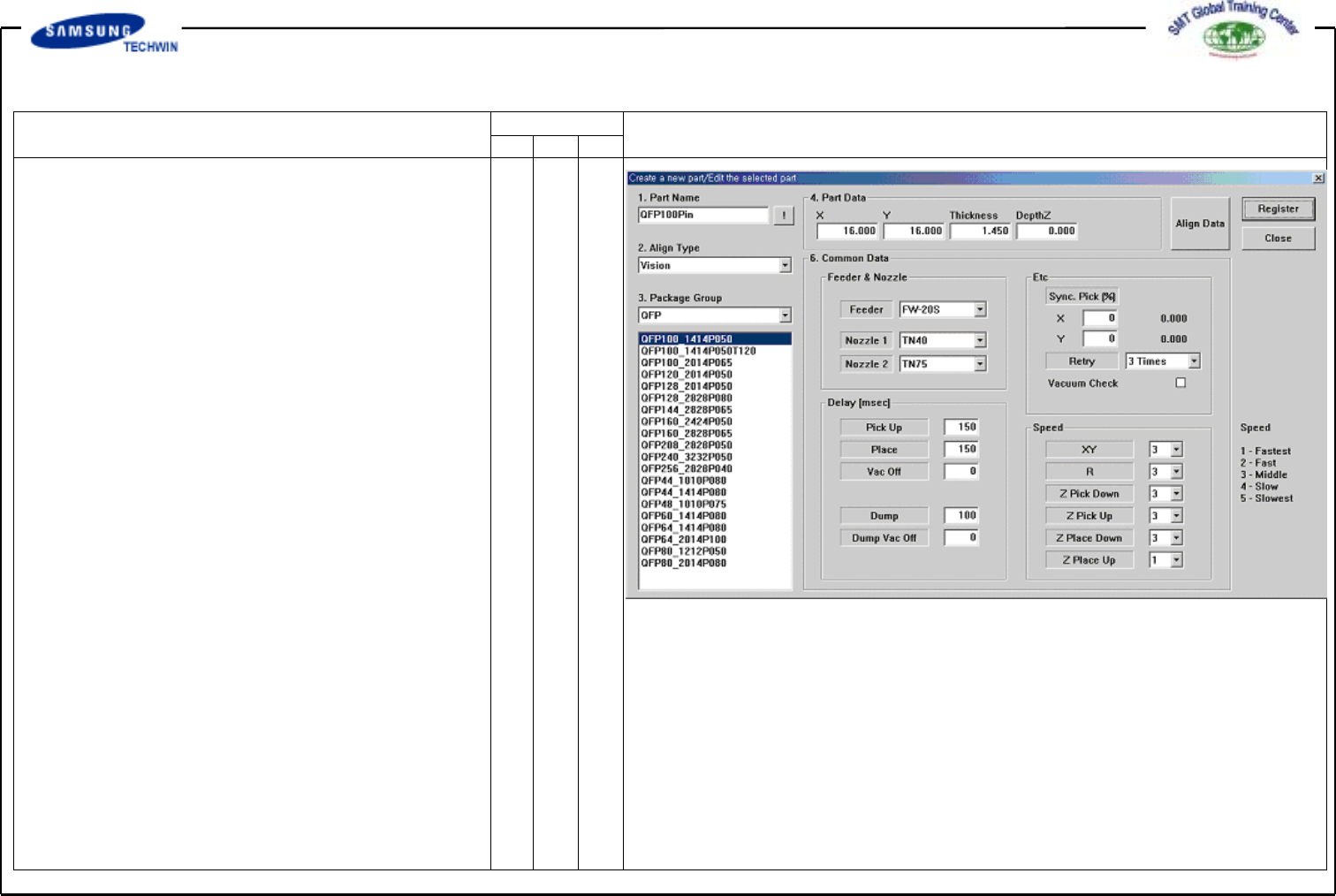
Enter the Common Data by
pressing the <Common Data>
button.
Select FW-20S on <Feeder>
Combo Box.
Select TN40 and TN75 on
<Nozzle 1> and <Nozzle 2>
Combo Box separately.
Register the part by clicking
the <Register> button.
Operating Manual
MODEL
Reference Figure
CP-45/55 Operation Process
V
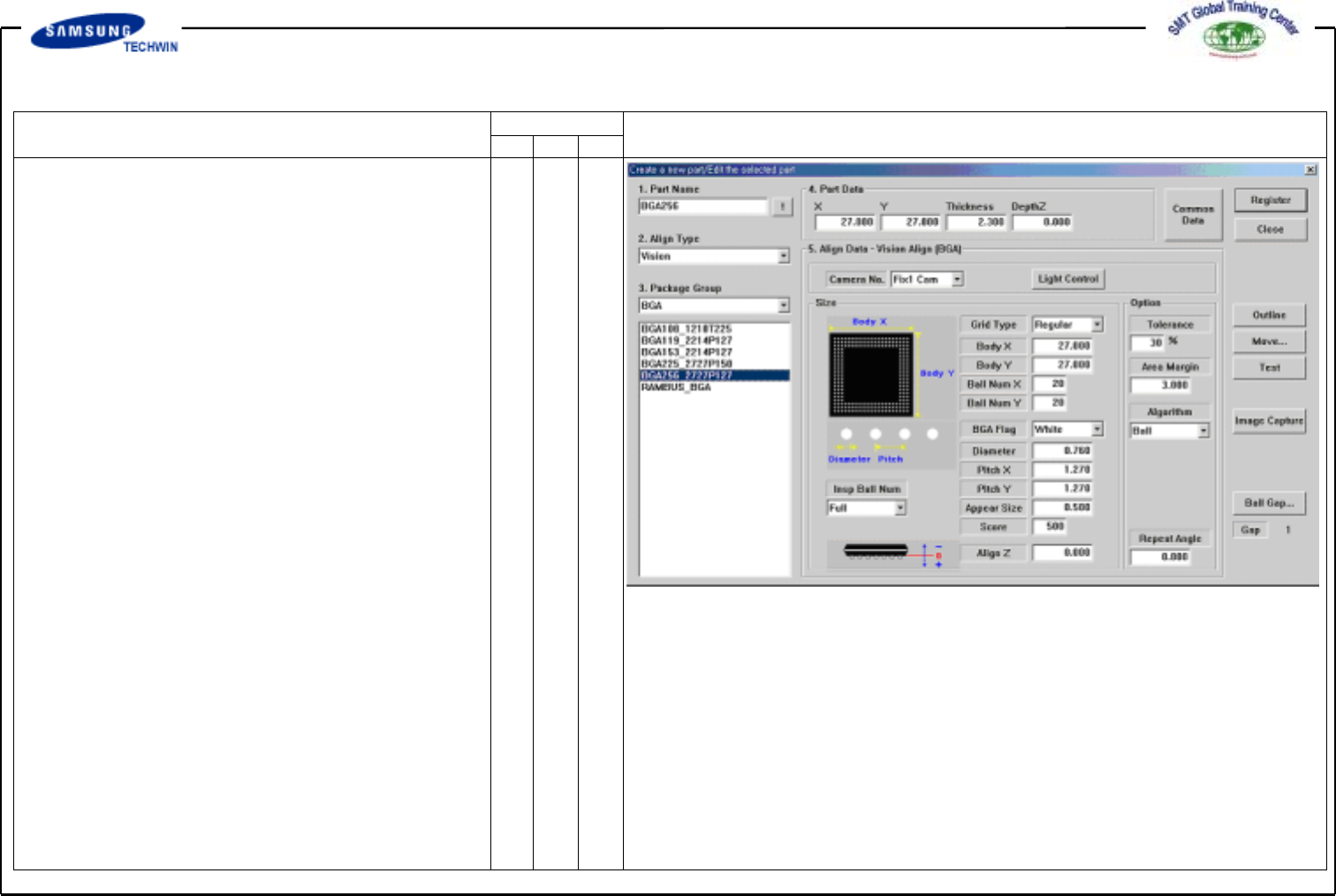
BGA Register
Click the <New Part…> button on
the left of the bottom of a
screen.
Create the Part Name.(BGA256)
Select the Group to BGA.
Enter the Part Size.
# Grid Type:
Selection among <Regular, Check,
Rev.check>
# Body Size:
Enter the Body Size.
(BodyX,Y,Thickness)
# Ball Quantity: Enter the Ball
quantity of X and Y columns.
# BGA Flag: Select a color of Ball.
(Commonly select White.)
#Diameter:
Enter the diameter of Ball.
#Pitch:
Enter the distance between Balls.