CP45-英文版培训教材.pdf - 第44页
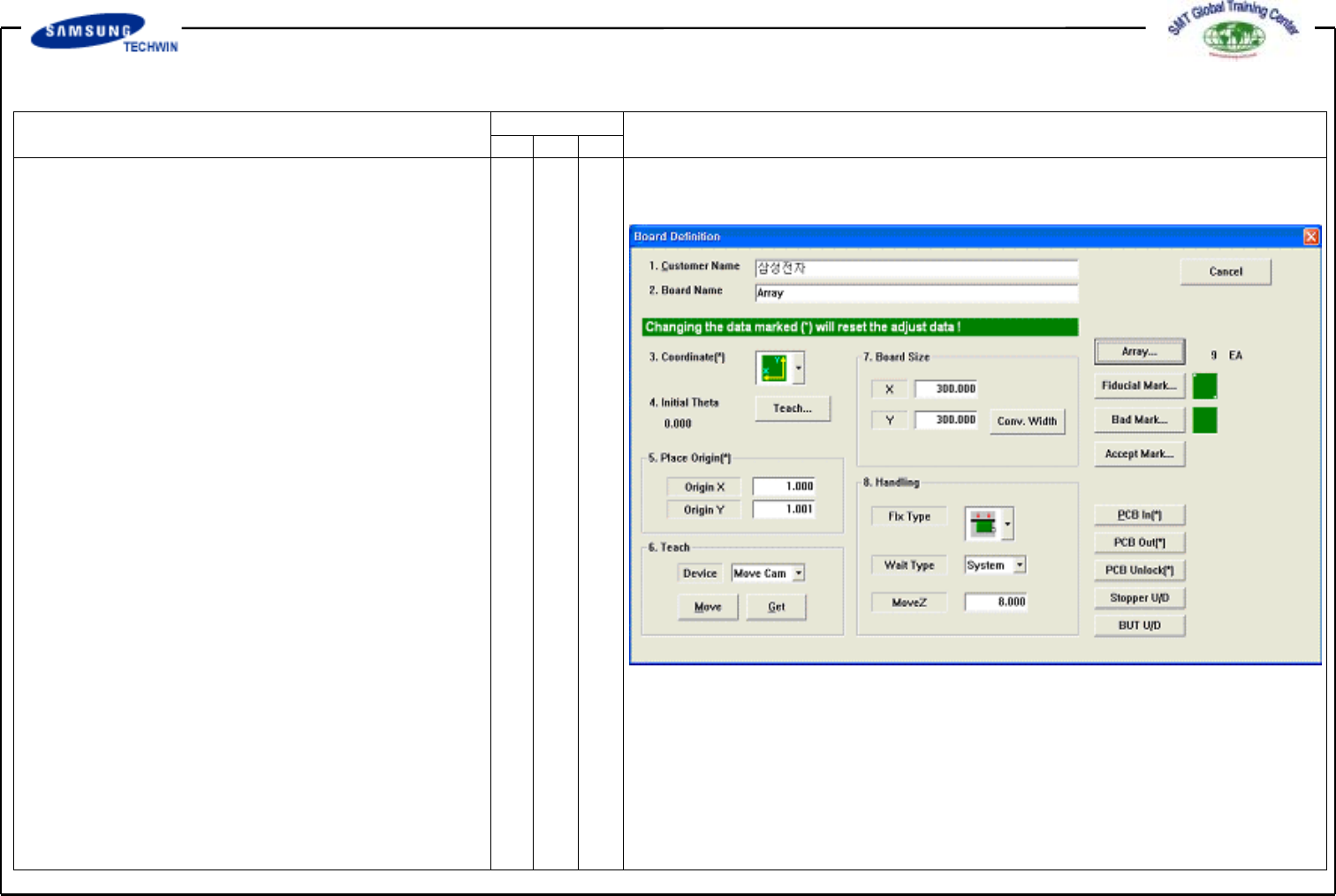
Operating Manual MODEL Reference Figure CP-45/55 Operation Process 2. PCB Edit (1) This defines Data rel ated t o name and s ize of a Board , place origin and Array Boa rd. 2.1) Board 2.1-1) Board Definit ion Customer Na…
Operating Manual
MODEL
Reference Figure
CP-45/55 Operation Process
V
Step (Place Program Setting)
^Reference
^X,Y,Z,RTeaching
^Part/Feeder/Nozzle/Head
/Cycle Finish
^Cycle Check
^Save (Program Save)
-> To Production
1.2-3)
Production
V
Finish
V
PCB Data Down Loading
V
Start
V
Production
Operating Manual
MODEL
Reference Figure
CP-45/55 Operation Process
2. PCB Edit (1)
This defines Data related to name
and size of a Board, place origin and
Array Board.
2.1)
Board
2.1-1)
Board Definition
Customer Name / Board Name /
Coordinate/ Board Size. Apply same
method as PCB Edit (1).
<5. Place Origin> Area
To set the place origin of Board.
This origin refers to offset from
PCB Origin of System to place origin
of PCB Board. This is to set
the reference point of Board to work
in accordance with coordinates
selected. In general a pattern close
to Stopper will be set.
Define it with position where is
identified easily within Board.
V
<Origin X> Edit Box
To set the Place Origin X value of
PCB Board.
V
<Origin Y> Edit Box
To set the Place Origin Y value of
PCB Board.
To teach the place origin with
the device selected, click <Origin X>
or <Origin Y) and then click "Move"
"Get" button on <8. Teach> Area.
Operating Manual
MODEL
Reference Figure
CP-45/55 Operation Process
V
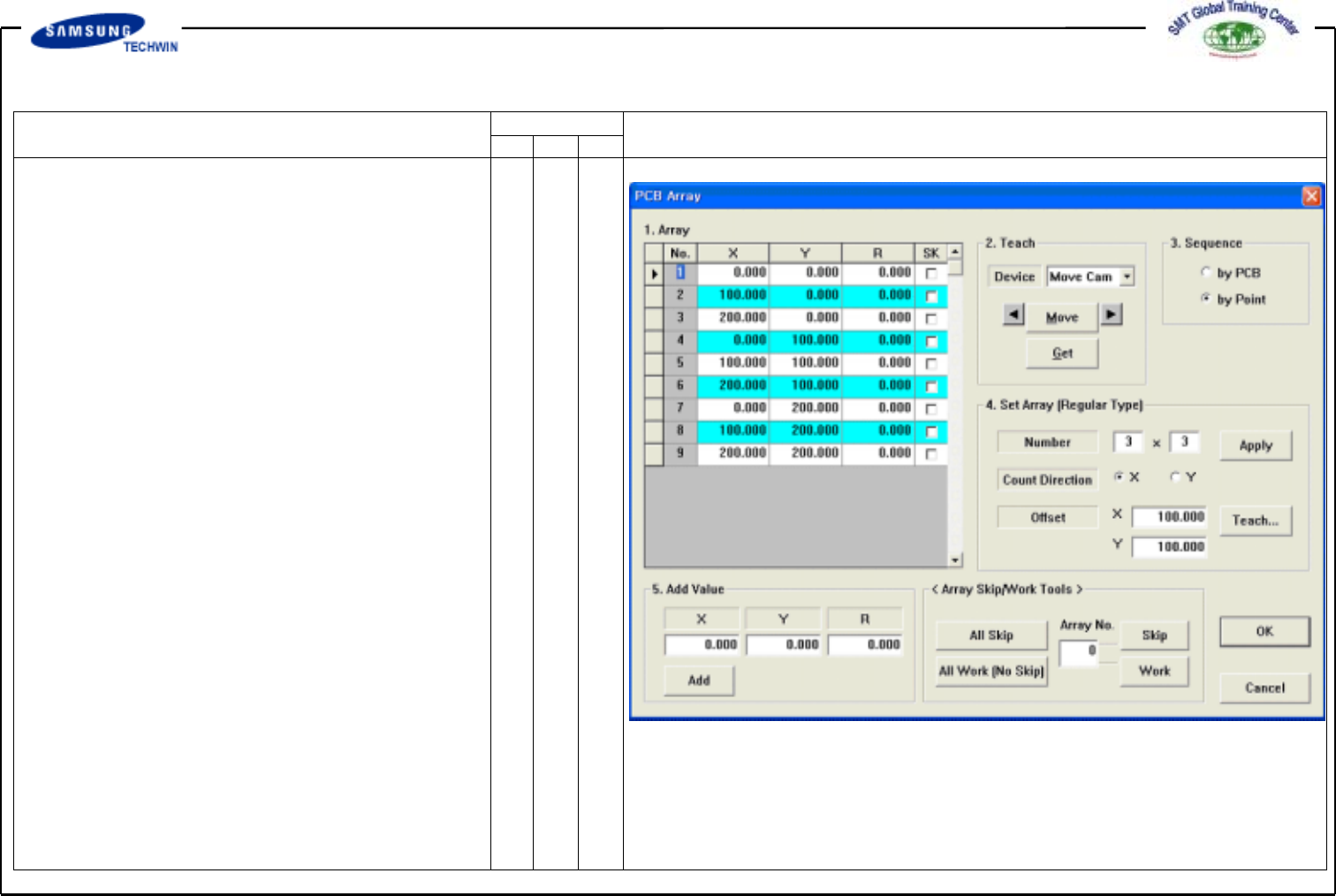
<Array…> Button
Now we will register PCBs more
than one, i.g. boards are arrayed
with total 9 boards of X:3 and Y:3.
If you click this button, Dialogue
Box as shown in the right will be
displayed.
^ <1. Array> Area
^ To set the offset value of Array
PCB Origin for "Place Origin" of
PCB Board. Check that reference
points by each board are identical.
^ <2. Teach> Area
To move Device XY, R drive shaft
to the defined position or to obtain
the current position of XY, R drive
shaft.
^ <4. Set Array (Regular Type)>Area
To setup the Array PCB.
Offset value of individual Array
PCB will be set automatically by
this function when the place
condition of Array PCB is regular.