CP45-英文版培训教材.pdf - 第81页
Operating Manual MODEL Reference Figure CP-45/55 Operation Process 2.3) Feeder (Feeder Register) V Tape Feeder: Register by Optimizer. V Stick Feeder: Multi Stick (SOP) V Tray Feeder: FW-20S (QFP, BGA) 2.3-1) Stick Feede…
Operating Manual
MODEL
Reference Figure
CP-45/55 Operation Process
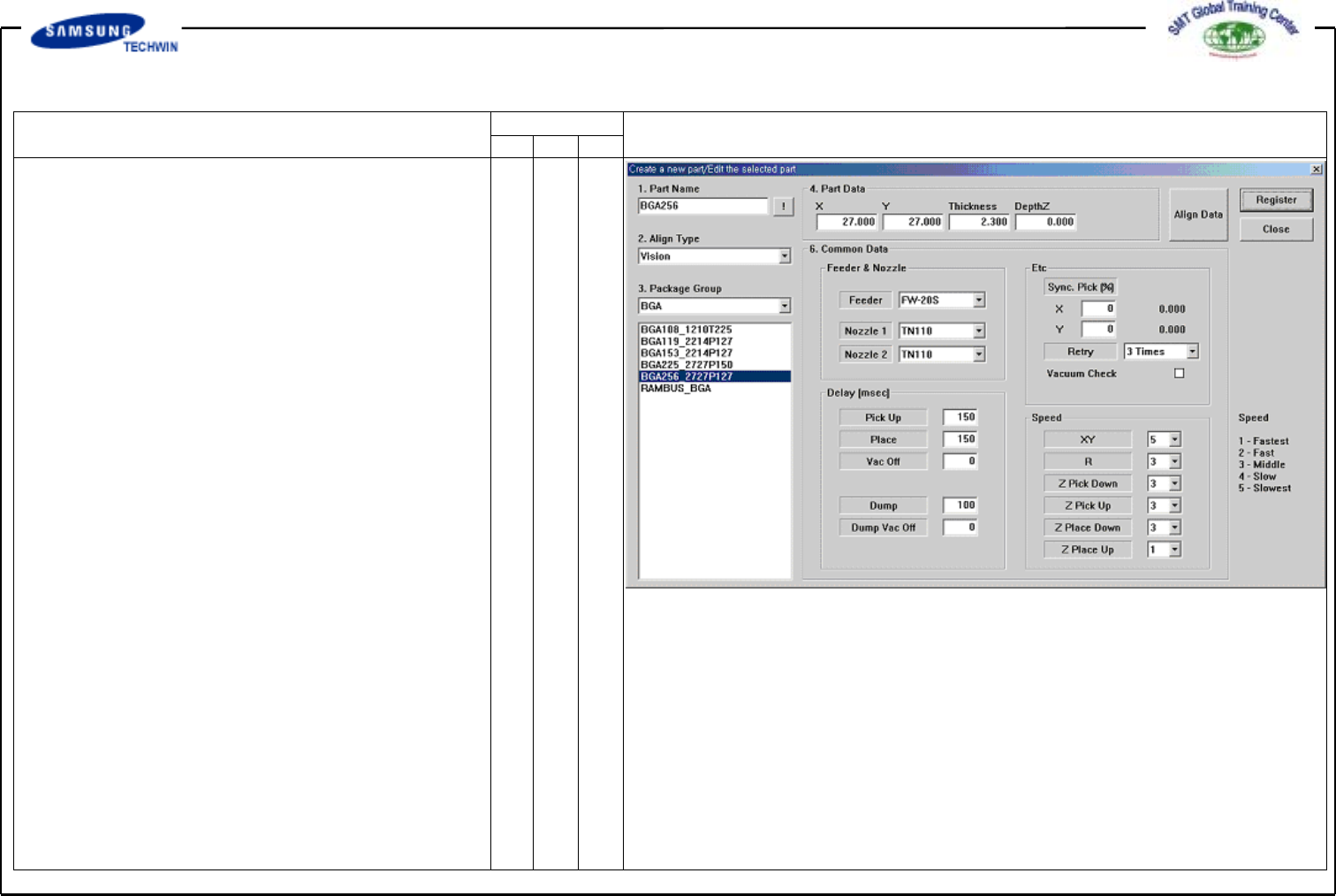
Enter the Common Data by
pressing the <Common Data>
button.
Select FW-20S on <Feeder>
Combo Box.
Select TN110 and TN110 on
<Nozzle 1> and <Nozzle 2>
Combo Box separately.
Register the Part by clicking
the <Register> button.
Operating Manual
MODEL
Reference Figure
CP-45/55 Operation Process
2.3)
Feeder (Feeder Register)
V
Tape Feeder:
Register by Optimizer.
V
Stick Feeder: Multi Stick (SOP)
V
Tray Feeder: FW-20S
(QFP, BGA)
2.3-1)
Stick Feeder
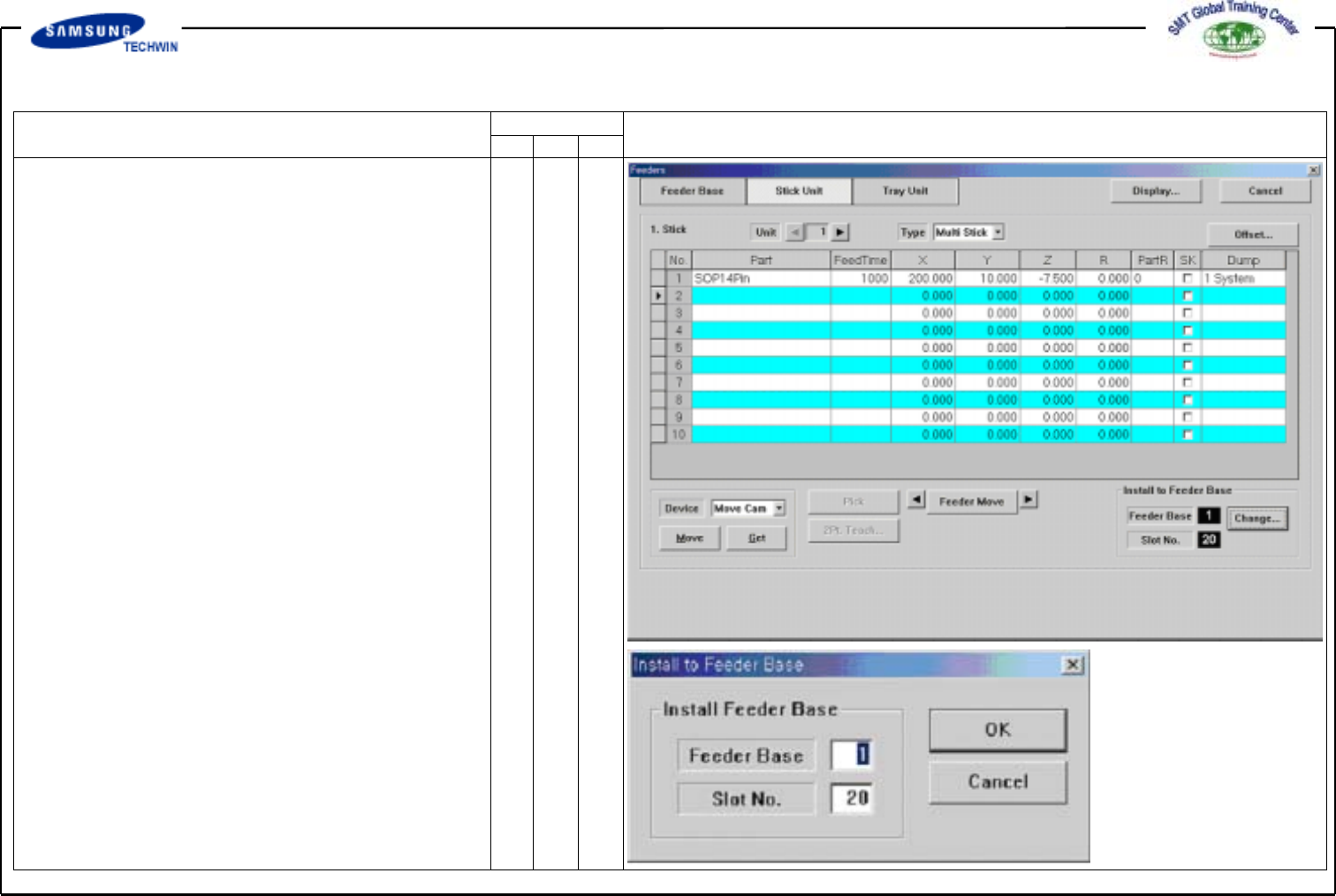
Select the Stick Unit menu in
Feeders Dialogue Box.
V
Select the type.
(Multi Stick)
V
Select the part. (SOP14Pin)
V
Pickup Position
Definition(Device):
X, Y (Move), Z (Head)
V
Feeder Base Definition
: Change Button Click / Base, Slot
Definition
V
Refer to 1.2 Feeder in Operations
Manual for more information.
Operating Manual
MODEL
Reference Figure
CP-45/55 Operation Process
2.3-2)
Tray Feeder
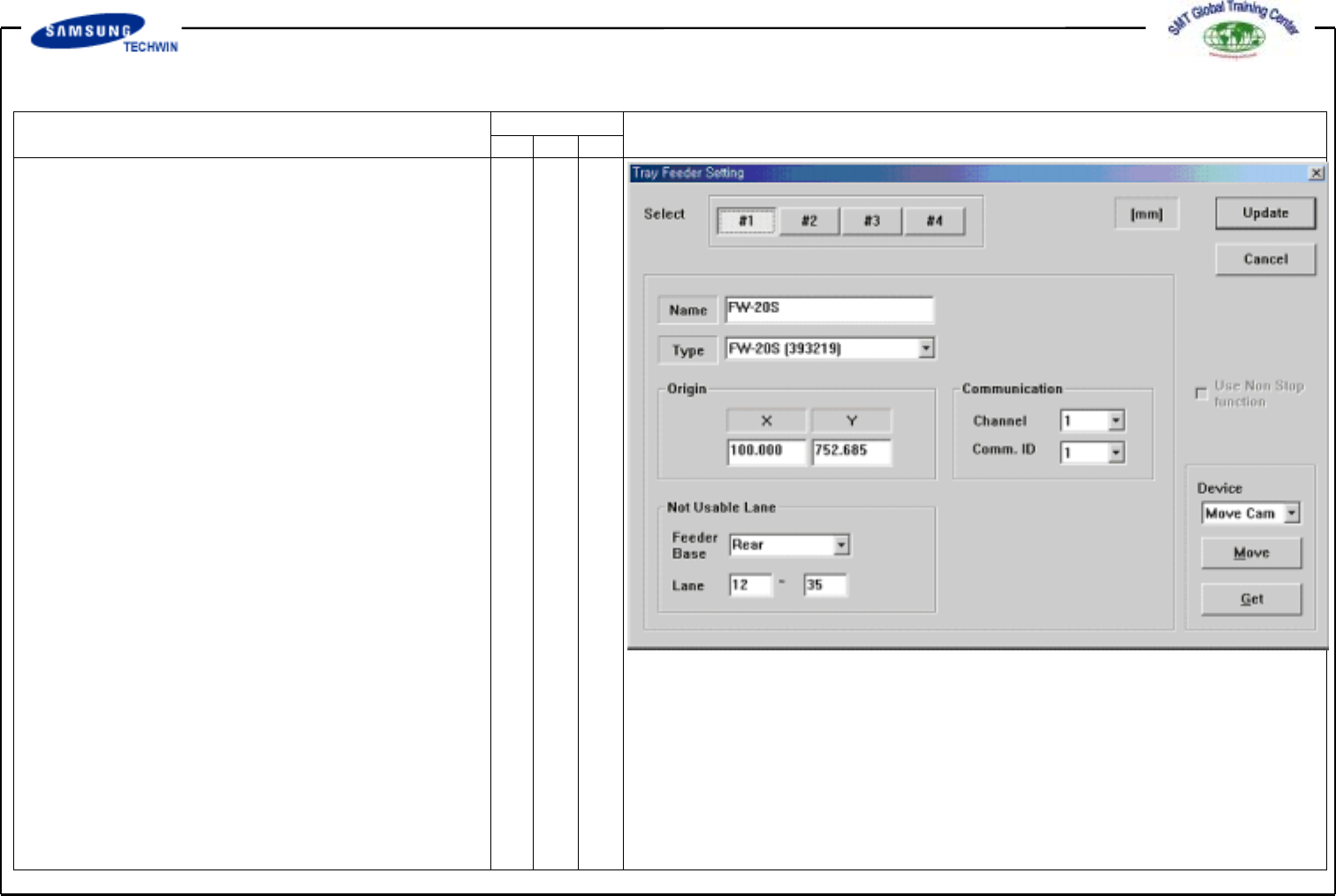
Tray Feeder Setup
<Select> Area: Max. 4 places
allowable.
Name/Type:Registerwith
FW-20S / FW-20S(393219).
Origin: Defines the reference
point within Tray.
Communication: Selects
Communication Channel.
(Apply the selection identical to
actual connections.)
Not Usable Lane: Selects the
area occupied to Feeder Base.
(Rear / 12~35)
Update: Completes the Setup and
applies the selection.
Refer to 1.2 Feeder in Operations
Manual for more information.