CP45-英文版培训教材.pdf - 第72页
Operating Manual MODEL Reference Figure CP-45/55 Operation Process # Set the light by clicking the <Light Control> button. # <Auto Teach> Button This calculates automatically the Align Data of part. I f Auto …
Operating Manual
MODEL
Reference Figure
CP-45/55 Operation Process
a
b
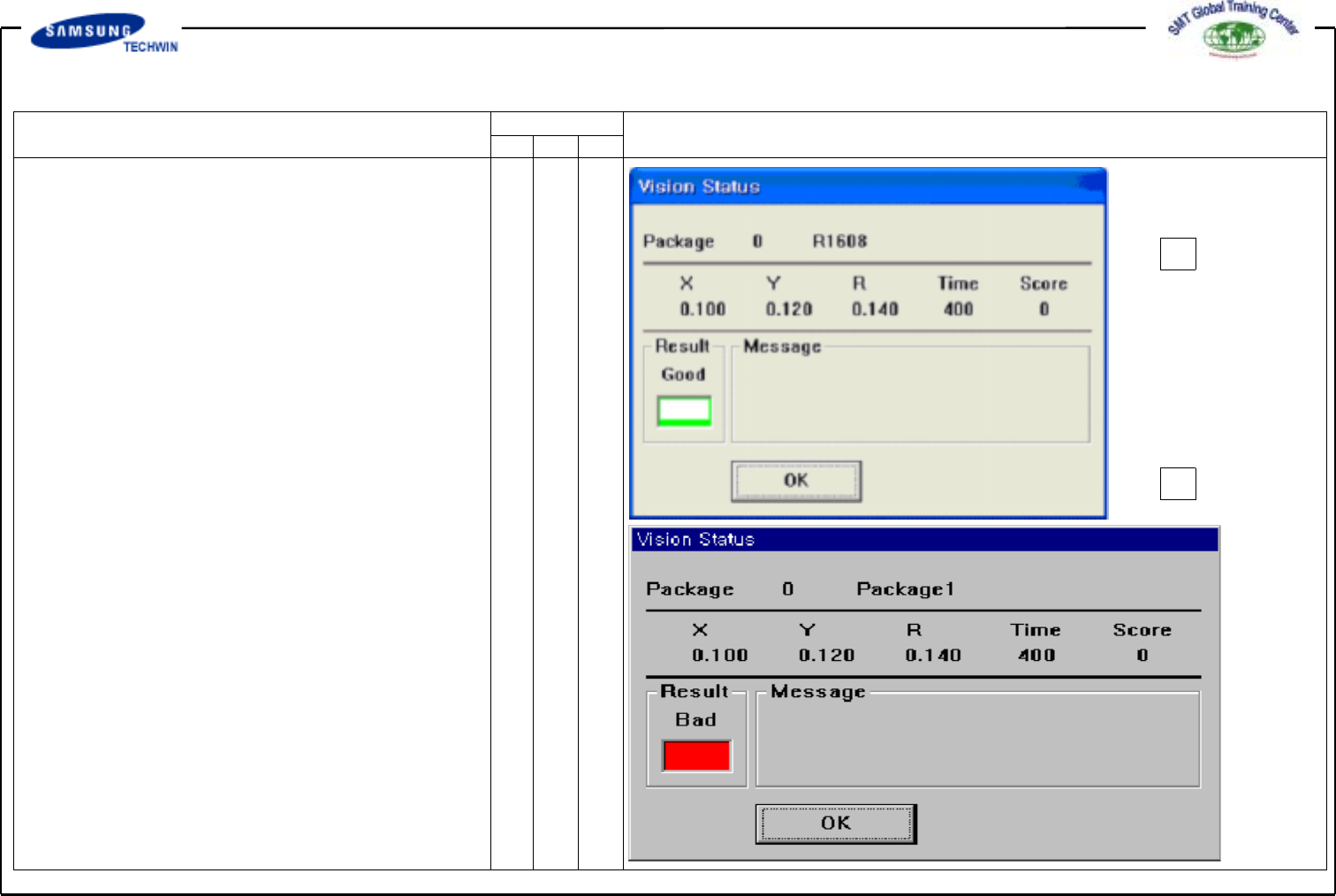
# <Test> Button
Execute the Align Test.
Test a part acknowledgement with
the set Align Data. If the Test
is completed successfully, the
Message Box as like a be shown,
and if the test is failed, the
Message Box as like b will be
shown.
Operating Manual
MODEL
Reference Figure
CP-45/55 Operation Process
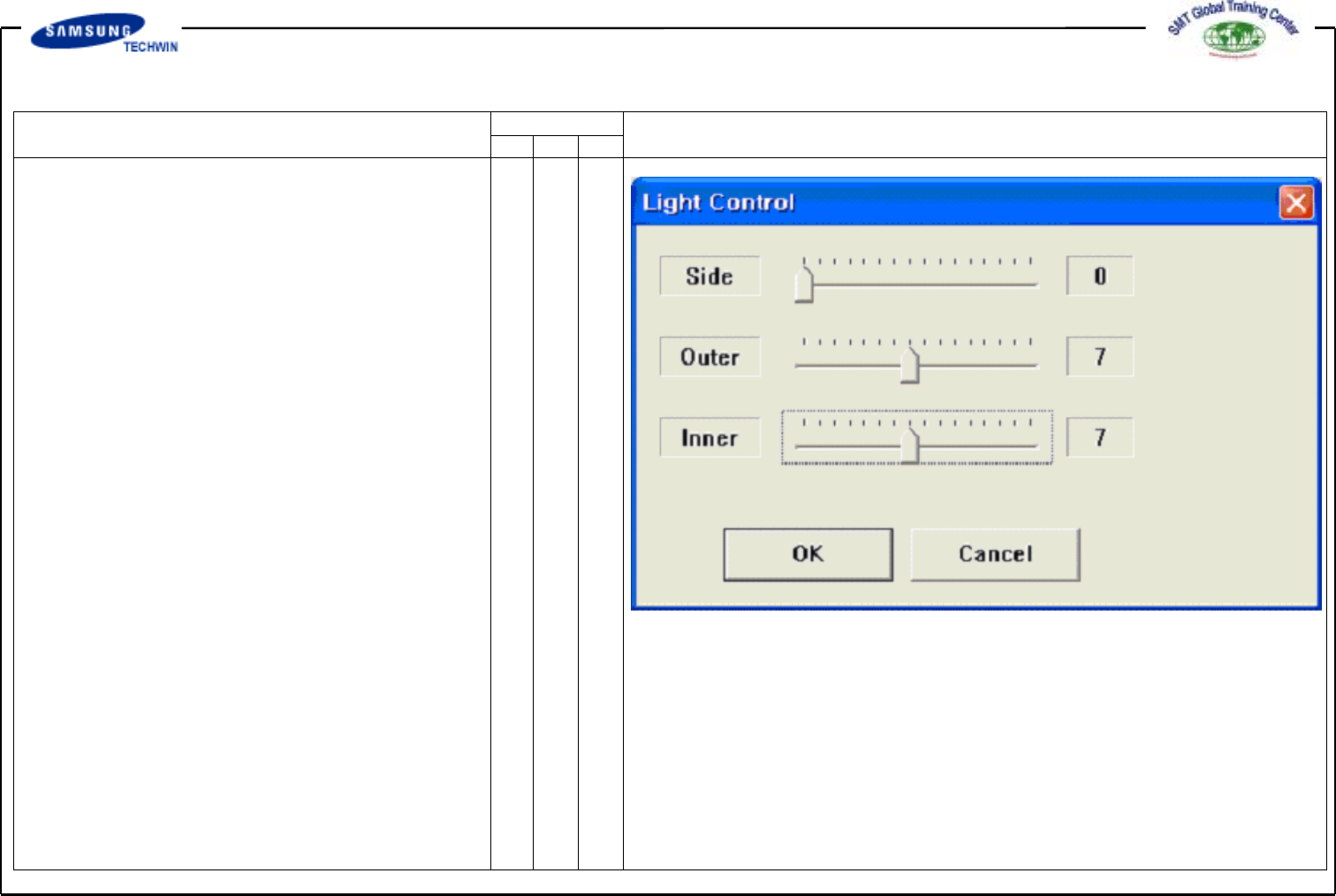
# Set the light by clicking
the <Light Control> button.
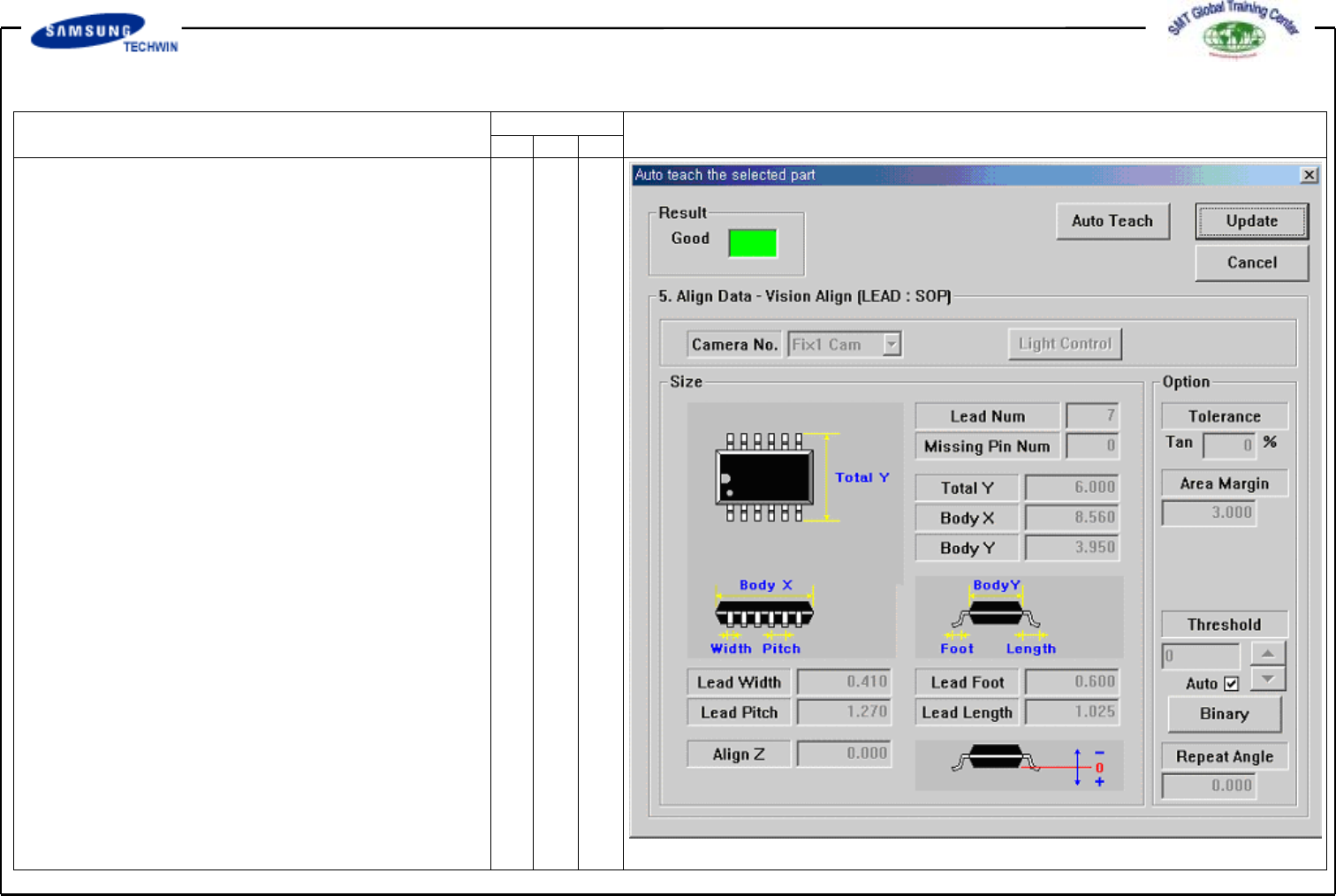
# <Auto Teach> Button
This calculates automatically the
Align Data of part. If Auto Teach
completed successfully, "Good"
will be displayed on <Result>
area. Auto Teach is supported
only for SOP, QFP and PLCC.
Save the Align Data calculated
by Auto Teach by clicking the
<Update> Button and close the
Message Box.
Operating Manual
MODEL
Reference Figure
CP-45/55 Operation Process
# Select the Camera to apply
actually and adjust the light.
Execute the Test again.