CP45-英文版培训教材.pdf - 第87页
PART REGISTER CP-45/55 Operation Process
Operating Manual
MODEL
Reference Figure
CP-45/55 Operation Process
3. Production
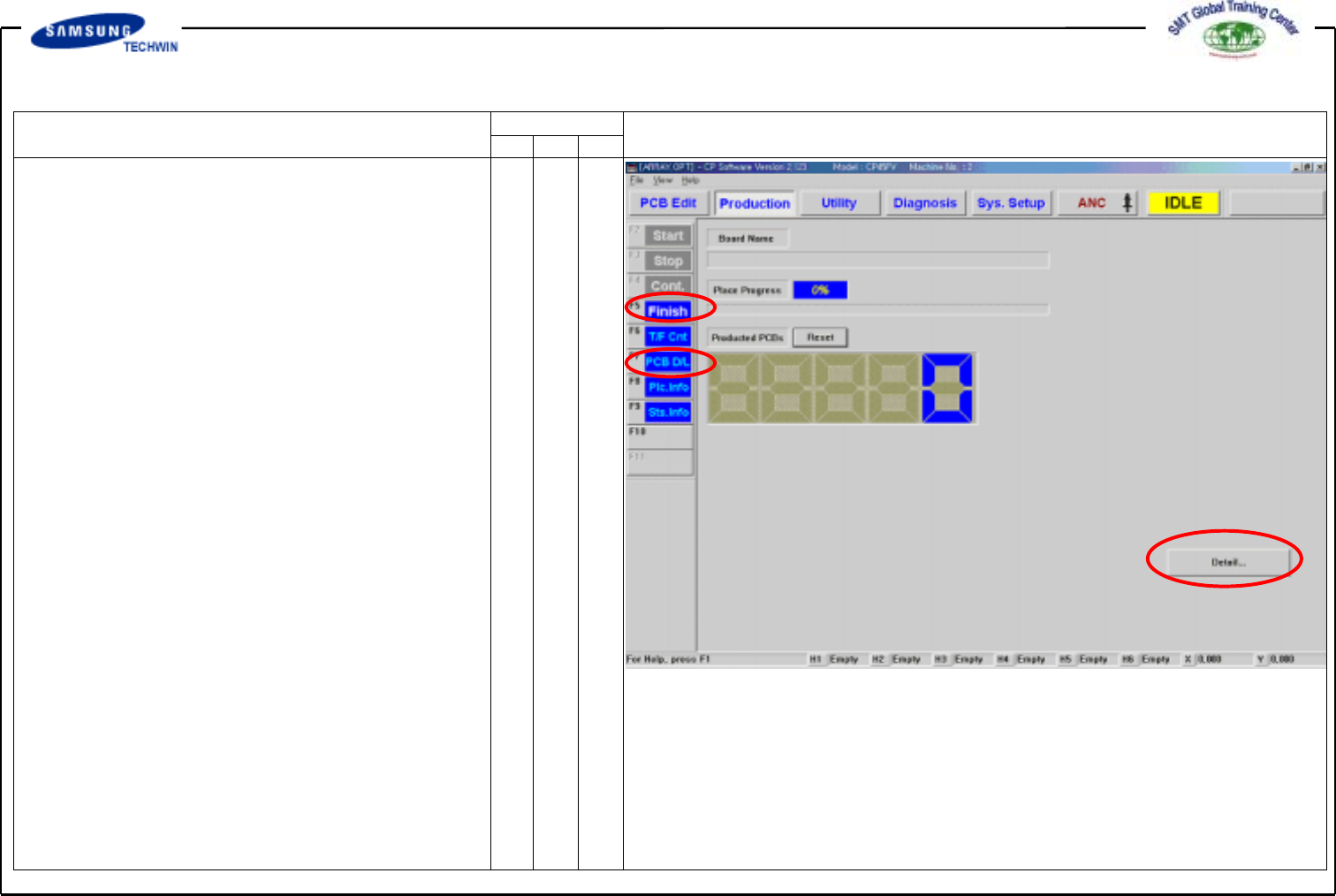
Now we will download the PCB file
created previously for production.
Click <Production> button on the top of
screen.
v PCB Edit Finish
Finish the PCB Edit by clicking
<Finish> button.
v PCB File Down Loading
Download the PCB File which has
been finished on the device by
clicking <PCB D/L> button.
"Download ALL O.K" will be shown
on the bottom of a screen if no
problems occur to PCB File Data.
Click <Detail…> button on
<Production> dialogue box for more
information.
v Start
If no problems occur to
downloading and other PCB Data,
finish preparations of materials and
other works, and start production
by clicking <Start> button.
PART REGISTER
CP-45/55 Operation Process
Part
CP-45/55 Operation Process