CP45-英文版培训教材.pdf - 第79页
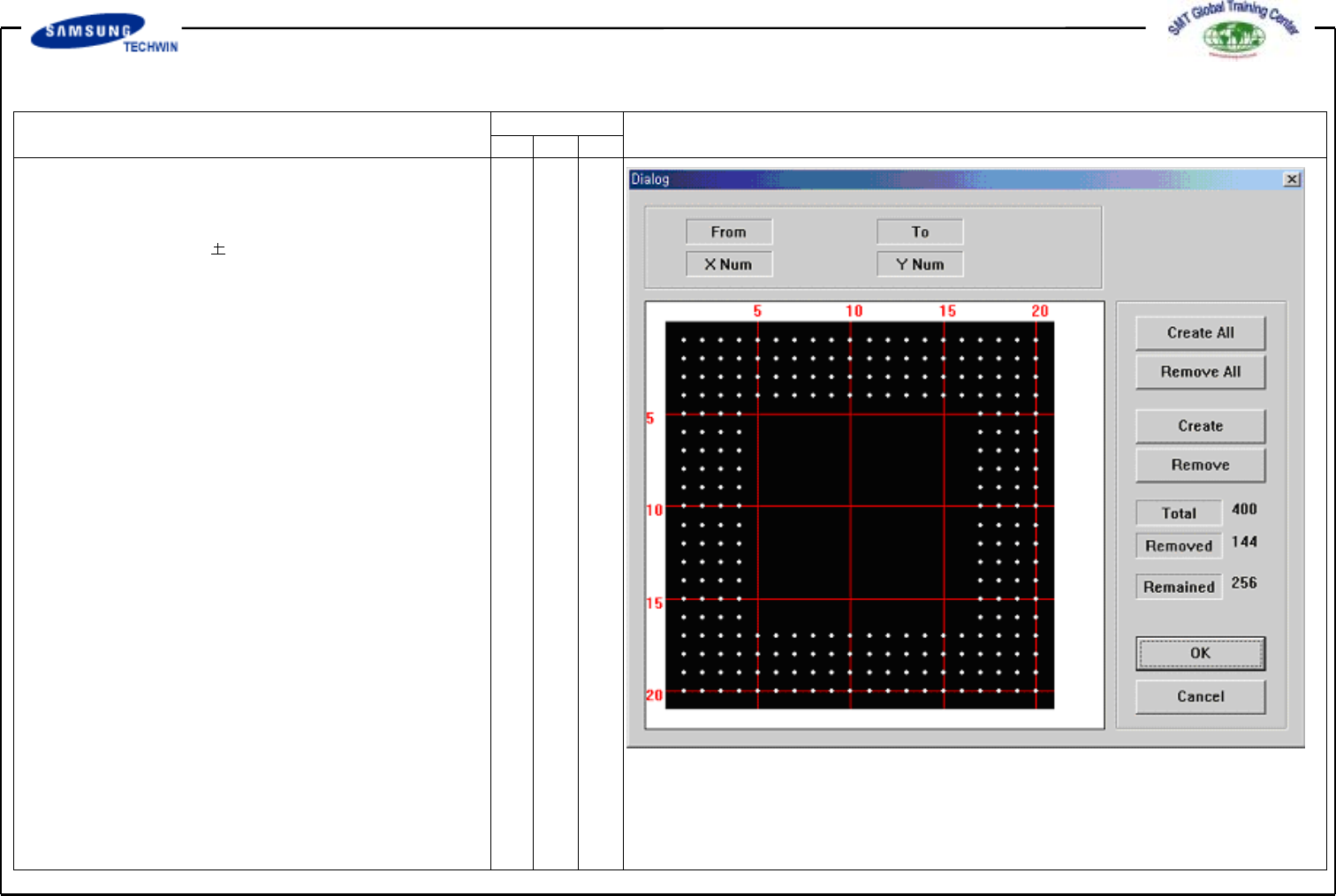
Operating Manual MODEL Reference Figure CP-45/55 Operation Process Screen displayed w hen removing the Ball on the range selected in the right figure will be shown as follows.
Operating Manual
MODEL
Reference Figure
CP-45/55 Operation Process
"Ball Gap of BGA Part-Initial Status” Dialogue Box
# Appear Size:
Enter the allowable range of Ball
Size.
Ball Size appear size= Actual
Size
# Score: Acceptance score of Ball,
i.g. shape reflection degree of
Ball.
# Ball Gap: If there is empty Ball
in Ball Array, select the empty
Ball.
This is activated only when
<Grid Type> is “Regular”.
If clicking this button, a Message
Box as shown in the right will be
shown.
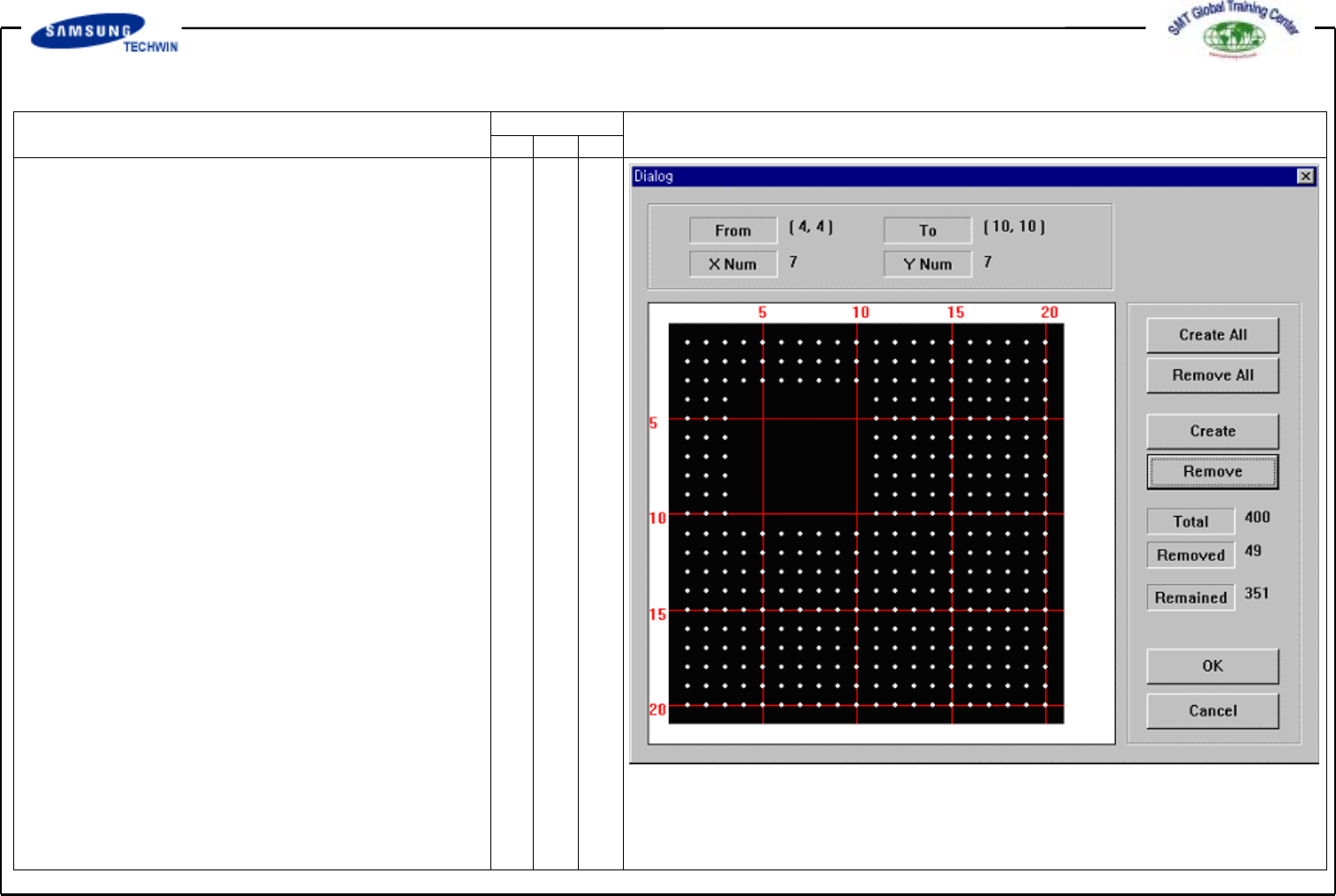
The grid represents the current
status of the Ball. White color
represents the Ball. If you want
to remove the Ball on a certain
range, firstly define the area to
select. To select the range, press
the left button of a mouse, drag
the range and release the mouse
button. Color of the Ball selected
will be changed. Next, display a
screen selected Ball of total 25
ranging5toXdirectionand5to
Y direction from (4, 4) Ball to
(10, 10) Ball.
Operating Manual
MODEL
Reference Figure
CP-45/55 Operation Process
Screen displayed when removing
the Ball on the range selected
in the right figure will be shown
as follows.
Operating Manual
MODEL
Reference Figure
CP-45/55 Operation Process
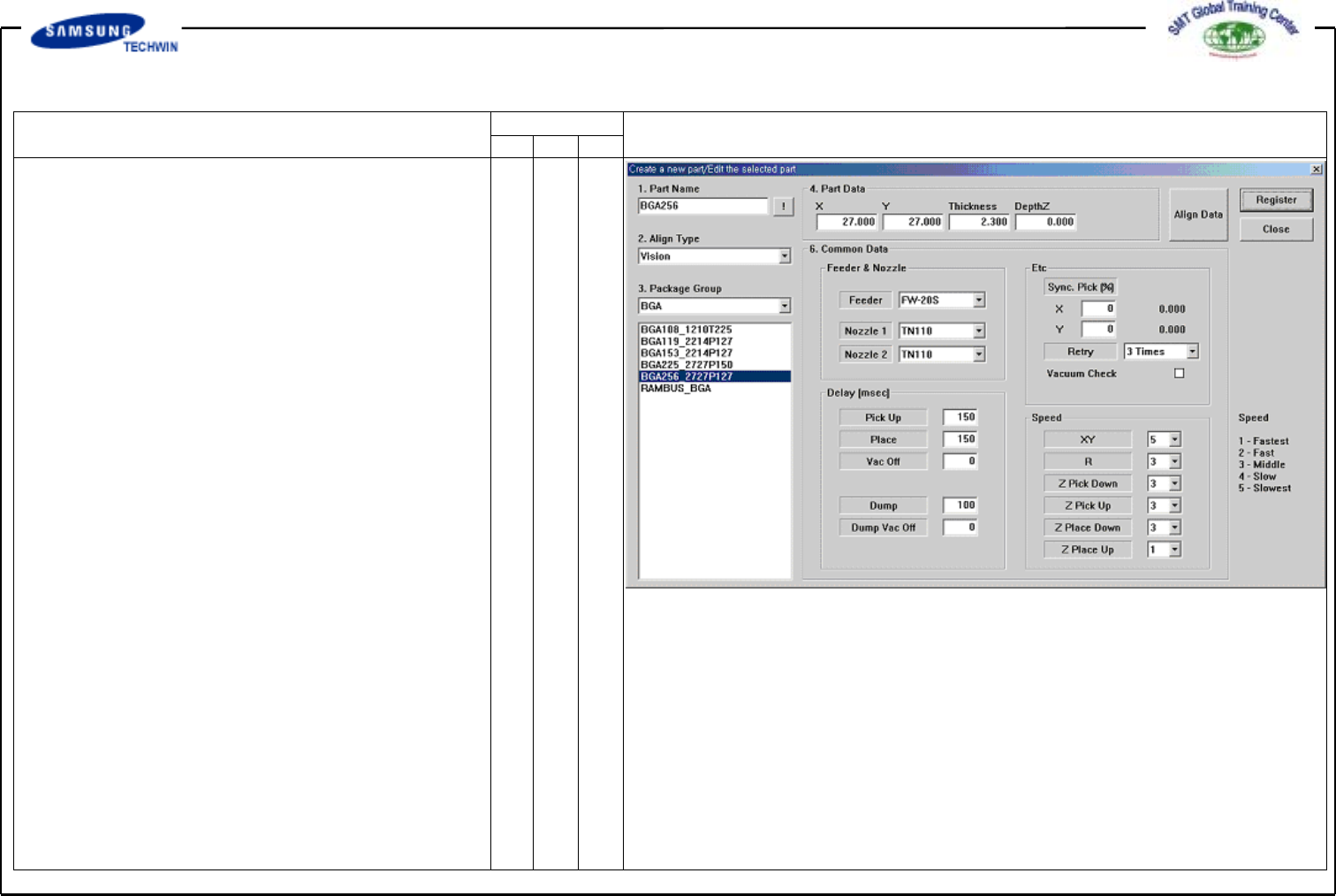
Enter the Common Data by
pressing the <Common Data>
button.
Select FW-20S on <Feeder>
Combo Box.
Select TN110 and TN110 on
<Nozzle 1> and <Nozzle 2>
Combo Box separately.
Register the Part by clicking
the <Register> button.