CP45-英文版培训教材.pdf - 第164页
Operating Manual Reference Figure CP-45/55 Operation Process 1.2.1.4 Nozzle *Check Points* Occasionally check that b oth ends of nozzle are deformed or worn caused b y shock. Also, check that the inner part of a nozzle i…
Operating Manual Reference Figure
CP-45/55 Operation Process
Caution
Failing to disconnect the air pressure when replacing
the coil tube may have an effect on the improper
function of a head. Be sure to replace the coil tube
after disconnecting the air pressure.
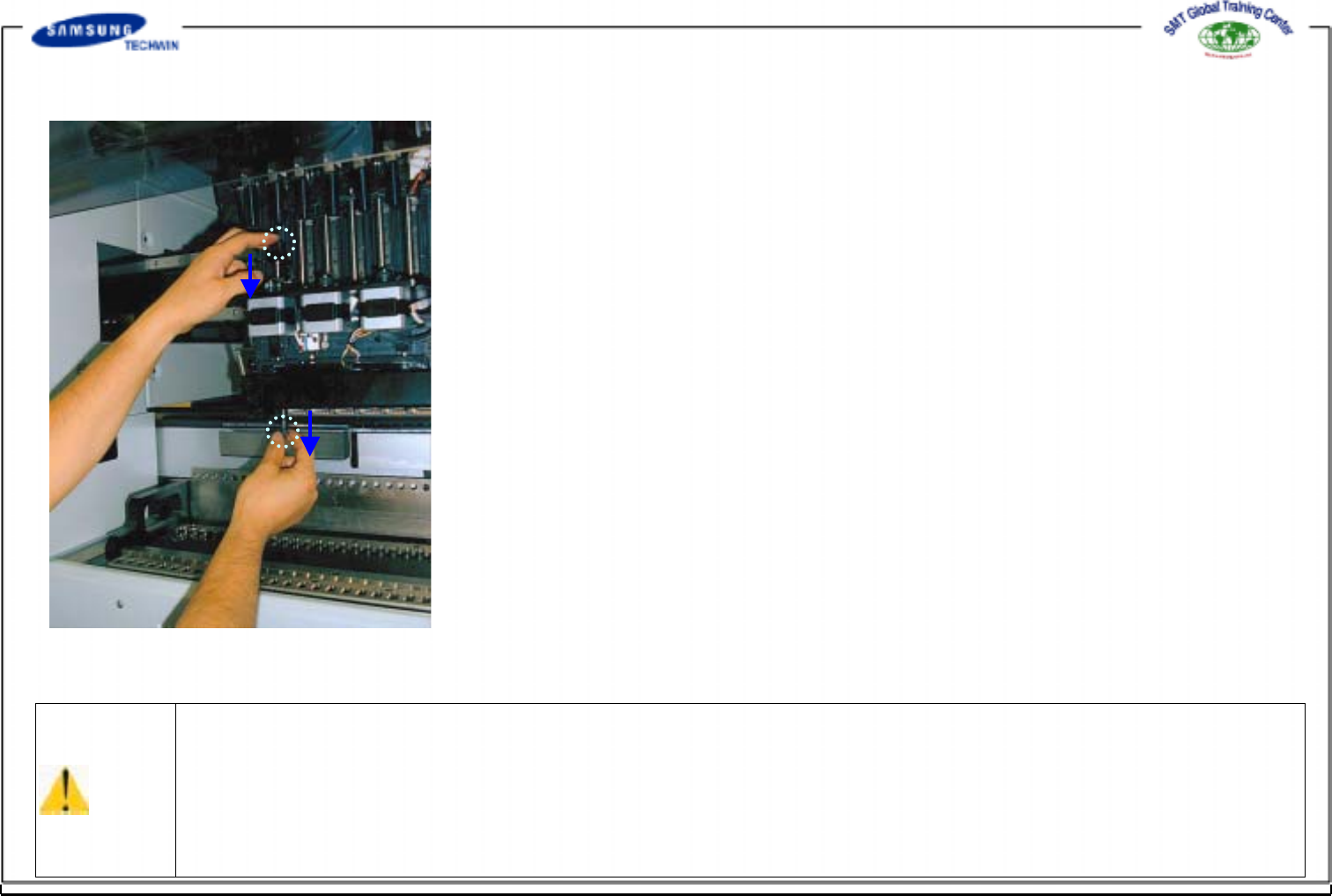
1.2.1.3 Coil Tube
*Check Points*
Check the coil tube for flexibility on
occasion since the clamping error can be
occurred when replacing the
nozzle caused by the poor flexibility in
operating the system for a long time. Also
care is to be taken for ensuring that the
coil tube can not be damaged. The coil
tubecanbebrokenbythat.
*Actions to be taken*
If the Silicon Tube is damaged, replace it
with new part.
Operating Manual Reference Figure
CP-45/55 Operation Process
1.2.1.4 Nozzle
*Check Points*
Occasionally check that both ends of nozzle are deformed or worn caused by shock.
Also, check that the inner part of a nozzle is clogged by foreign materials(solder
paste, etc.).
*Clean out the inner part of nozzle with detergents, and replace the worn part with
the new one if necessary.
@Removing foreign materials in nozzle @Removing foreign materials in nozzle ID
: Insert a pin through the nozzle inner diameter. Spray the recommended detergent
to the nozzle hole with a spray straw. Blow off it with air pressure from ends of
nozzle as 1 min passed by after spray. Blow off it clearly with air pressure so
that the detergents can not be remained in the nozzle hole. Contact our C/S if
foreign materials remain in the hole.
@Removing foreign materials on nozzle blade and ends
Scrub and remove the foreign materials adhered on the nozzle blade or ends with a
cloth soaked with the recommended detergent. If the foreign materials can not be
removed with the method above, apply the detergent to the relevant area, repeat the
above method once again as 1 min. passed by. Clean out the detergent with clean
cloth so that the detergent can not be remained in a nozzle. Contact our C/S if the
foreign materials remain in the nozzle.
@Recommended Detergent
Name of Detergent : CHEMTECH Sticker Remover Spray
Purchasing Place : This Company (SAMSUNG TECHWIN C/S)
Caution
*Precautions in operation such as followings are given on a container. Be sure to observe these precautions when
operating the container.
@Do not spray facing the flame. @Keep away from fire hazards. @Store in a cool, dry and well ventilated area of
40 degrees or less.
@Ventilate when each use in airtight room. @Do not throw away in a fire and discard the container by punching it
@Do not breathe the steam and avoid contacting to skin, eyes, clothes, etc.
@ Hold the container upside down and spray the remaining liquid in a nozzle after each use.@Keep the container out of reach
of children.
@Avoidhavingit.@Do not use this container except for cleaning out the nozzle hole, nozzle blade and nozzle
ends. Refer to Material Safety Data Sheets(MSDS) for more information.
Operating Manual Reference Figure
CP-45/55 Operation Process
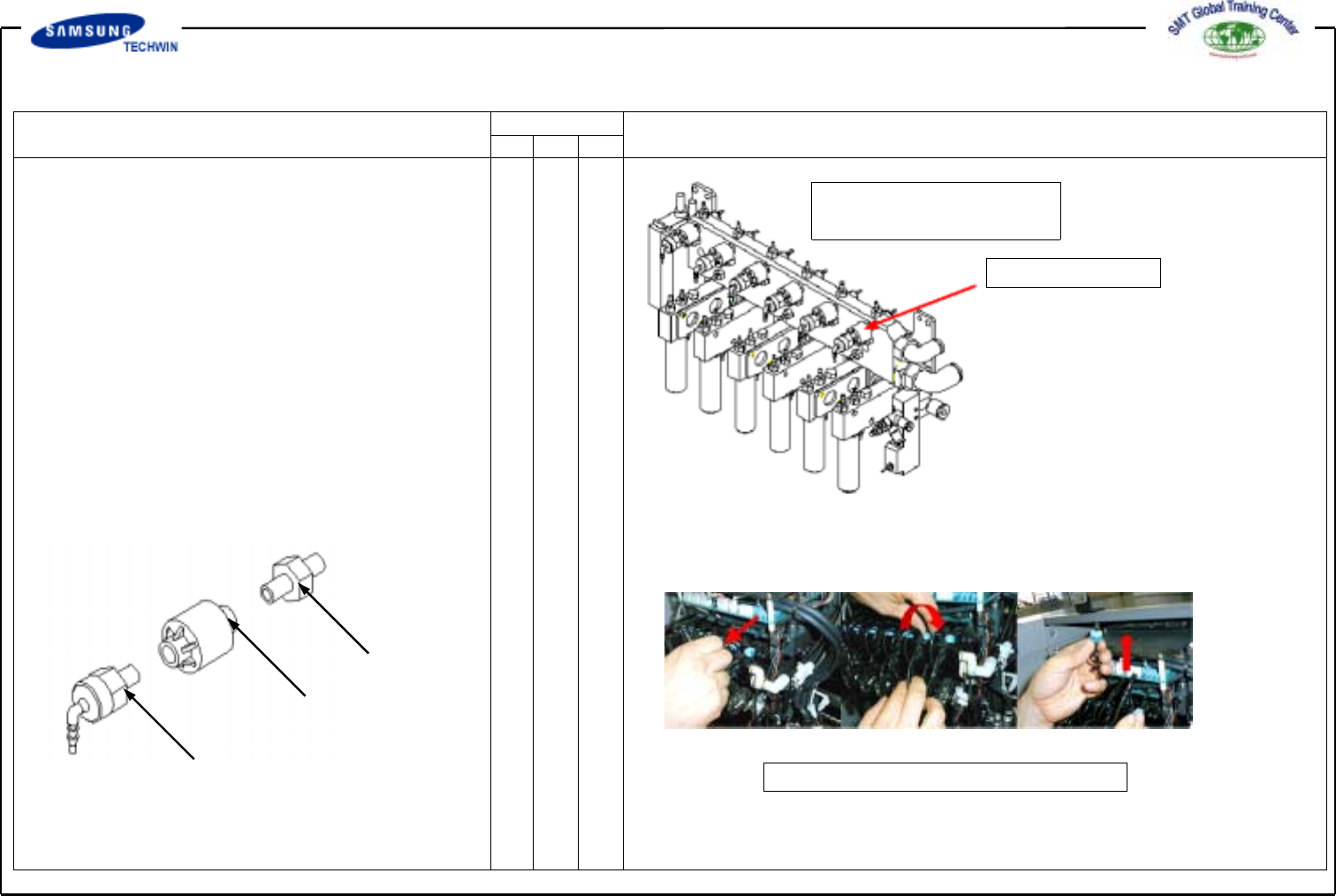
1.2.1.5 Vacuum Filter
*Check Points*
If a filter is contaminated by dust particles
in air or solder paste, etc., vacuum can not
be generated properly. Thus, check the filter
occasionally and replace it with new part if
necessary.
*Actions to be taken*
When a filter is contaminated, remove the
filter as shown in the following figure,
replace it with new part and also clean out
the foreign materials in the inner part of
spindle.
Vacuum Filter
Fig.1-3
Vacuum Filter Check
Fitting
Filter
Nipple
Fig. 1-4. Replacing a Filter