CP45-英文版培训教材.pdf - 第26页
Operating Manual MODEL Reference Figure CP-45/55 Operation Process Fig. 01 ^ Test Pickup - > Step (Place Program Setting) v Step (Place Program Setting) ^ Reference (Reference Setting) ^ X, Y, Z, R Teaching (Individua…
Operating Manual
MODEL
Reference Figure
CP-45/55 Operation Process
1.2) PCB Edit Procedure
1.2-1)File
v
New Create
(New Board Program Create)
1.2-2) PCB Edit (1)
Board / Part / Feeder / Step
/ Optimizer
v
Board
^ Customer Name / Board Name
^ Coordinate (Coordinates Setting)
^ Board Size / Conveyor Width
^ Handling / PCB In Part
To (Work Part Register)
v
Part (Work Part Register)
^ Use with Library
Register to Part List
Align Data & Common Data Check
To Feeder (Feeder Setting)
v
Feeder (Feeder Register)
^ 1 Slot by each part
Operating Manual
MODEL
Reference Figure
CP-45/55 Operation Process
Fig. 01
^ Test Pickup -> Step
(Place Program Setting)
v
Step (Place Program Setting)
^ Reference (Reference Setting)
^ X, Y, Z, R Teaching
(Individual Place Coordinate
Teaching)
^ Part / Feeder/NZ/HD/ Cycle
Constitution
^Cycle Check
^ Save (Program Save)
^ Step Check, To Production
1.2-3)Production
v
Finish / PCB Data Down Loading
v
Start -> Start(OP Box)
v
Production
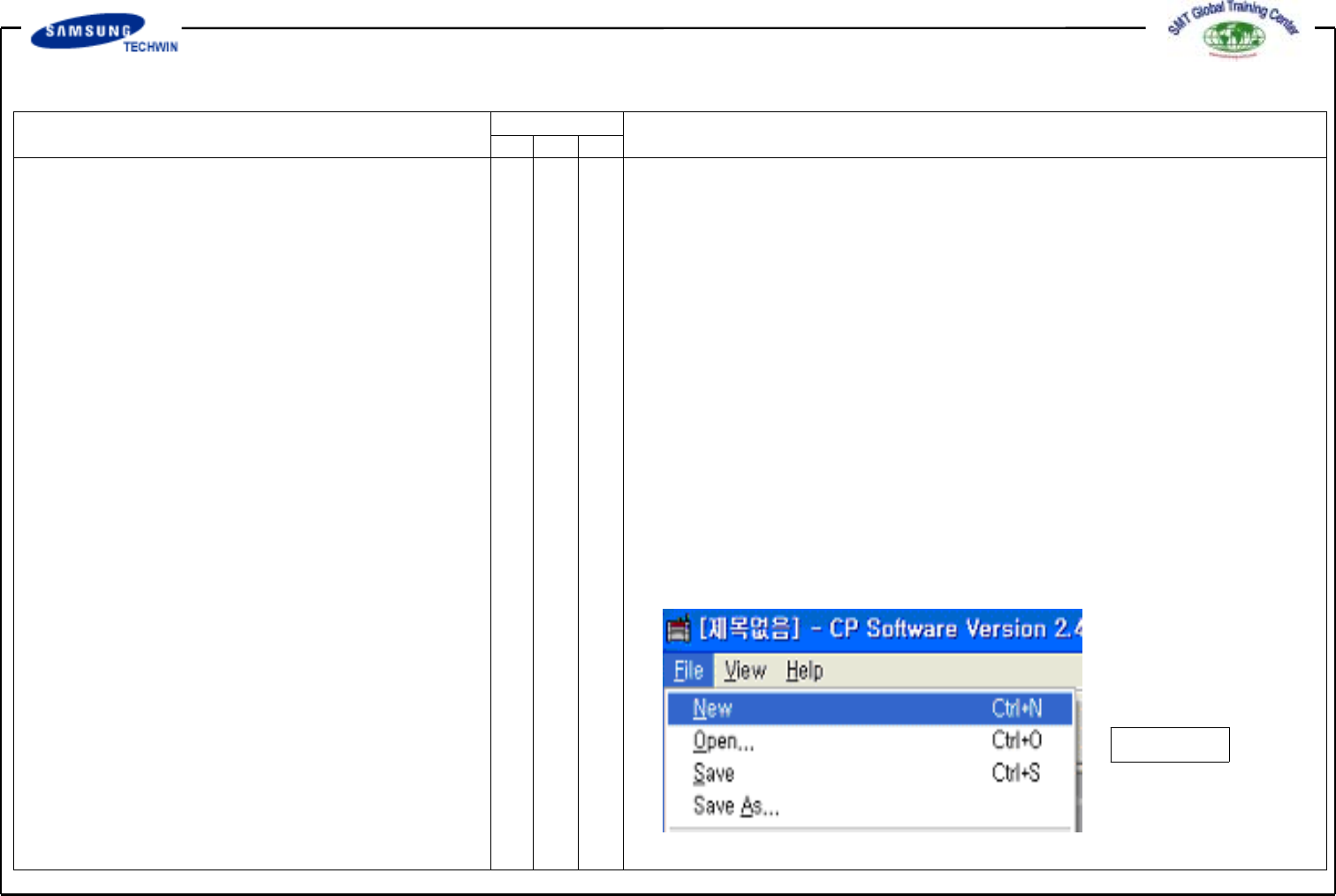
2. File (New File Create)
Select New on File Menu to create
the new file.
- Fig. 01 File Command and
Sub-menu
Operating Manual
MODEL
Reference Figure
CP-45/55 Operation Process
Fig. 02
a
b
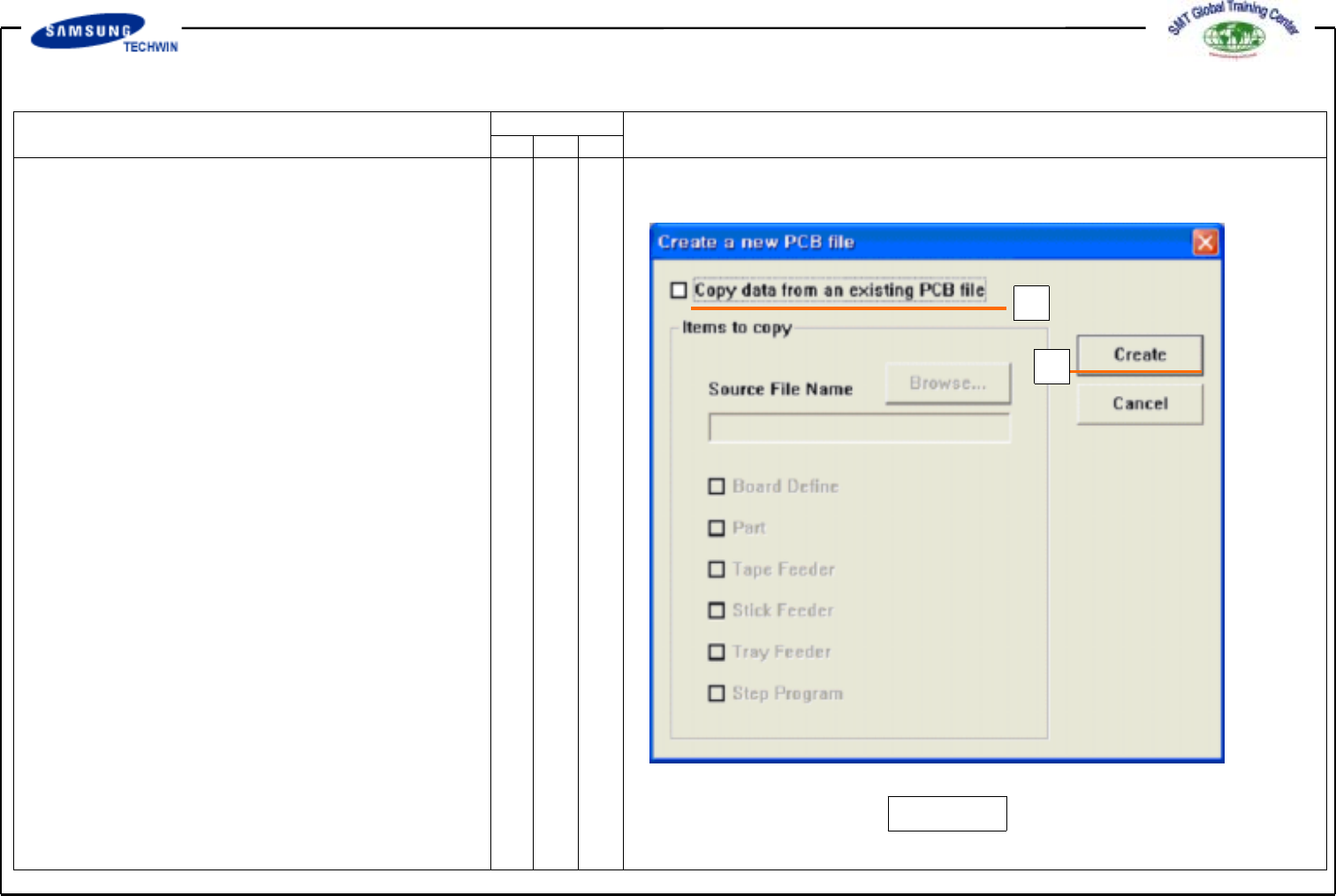
If you select
<New>
command, a dialogue box
as shown in the right fig. will be shown.
- Fig. 02.
"Create a new PCB File" Dialogue
Box
*a:
<Copydatafromanexisting
PCB file > Check Box
Check it when creating a new
file by copying certain data from
an existing file. If not check
this check box, a new file will
be created with Default Data.
*b:
< Create > Button
To create a new PCB file.
If not defined source file
to copy, all of data in <Items
to Copy> check box will create
a file of default condition.