SiplaceX4_en.pdf - 第498页
1 - 30 S tudent Guide SIPLACE X 10 Modular conveyor Edition 09/2005 30 ➠ Select the cannel which you use on the Kvaser card (Cann el 1 or 2) Fig. 10.2 - 20 Connections of the Kvaser Ca rd ➠ Confirm this settings with &qu…
1 - 29
Student Guide SIPLACE X
Edition 09/2005 10 Modular conveyor
29
10.2.11.2 Adjust the velocity of the lifting tables
Please Note:
This is at the moment a Service job for a Siemens Technican.
Use the same Hardware components as if you use the CanTerminal Software.(Kvaser Card).
For these settings you need the Transport SW (Order No. 00322132-01).
➠ Connect the service computer to the CAN Bus Interface of the conveyor control board.
➠ Open the program LP_TSPMenu.exe.
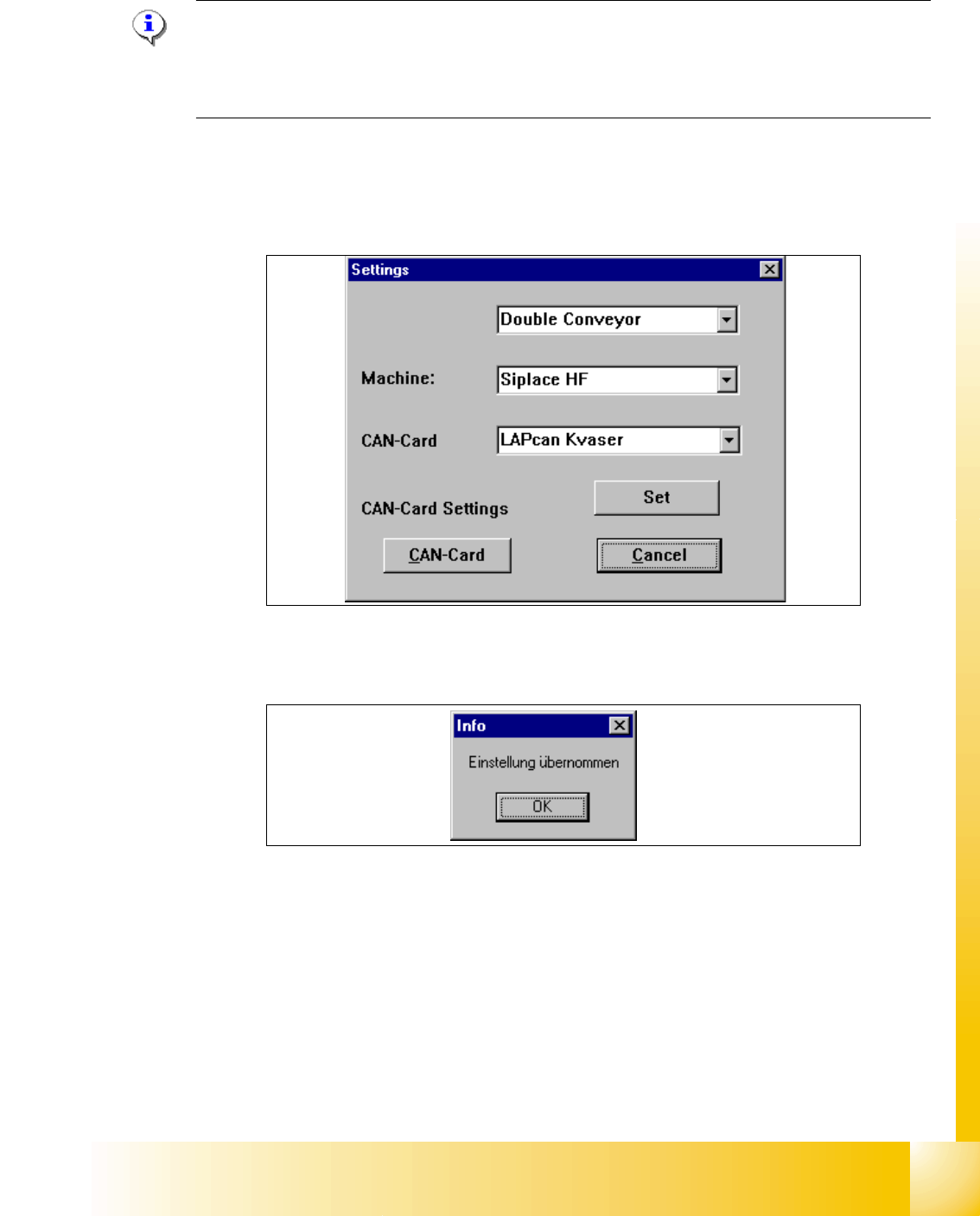
➠ Define the conveyor type, machine type (HS 60,S27 HM, HF, X) under "Settings".
➠ Confirm this settings with "Set".
➠ Following Message appears "Settings undertaken" .
➠ Click "OK".
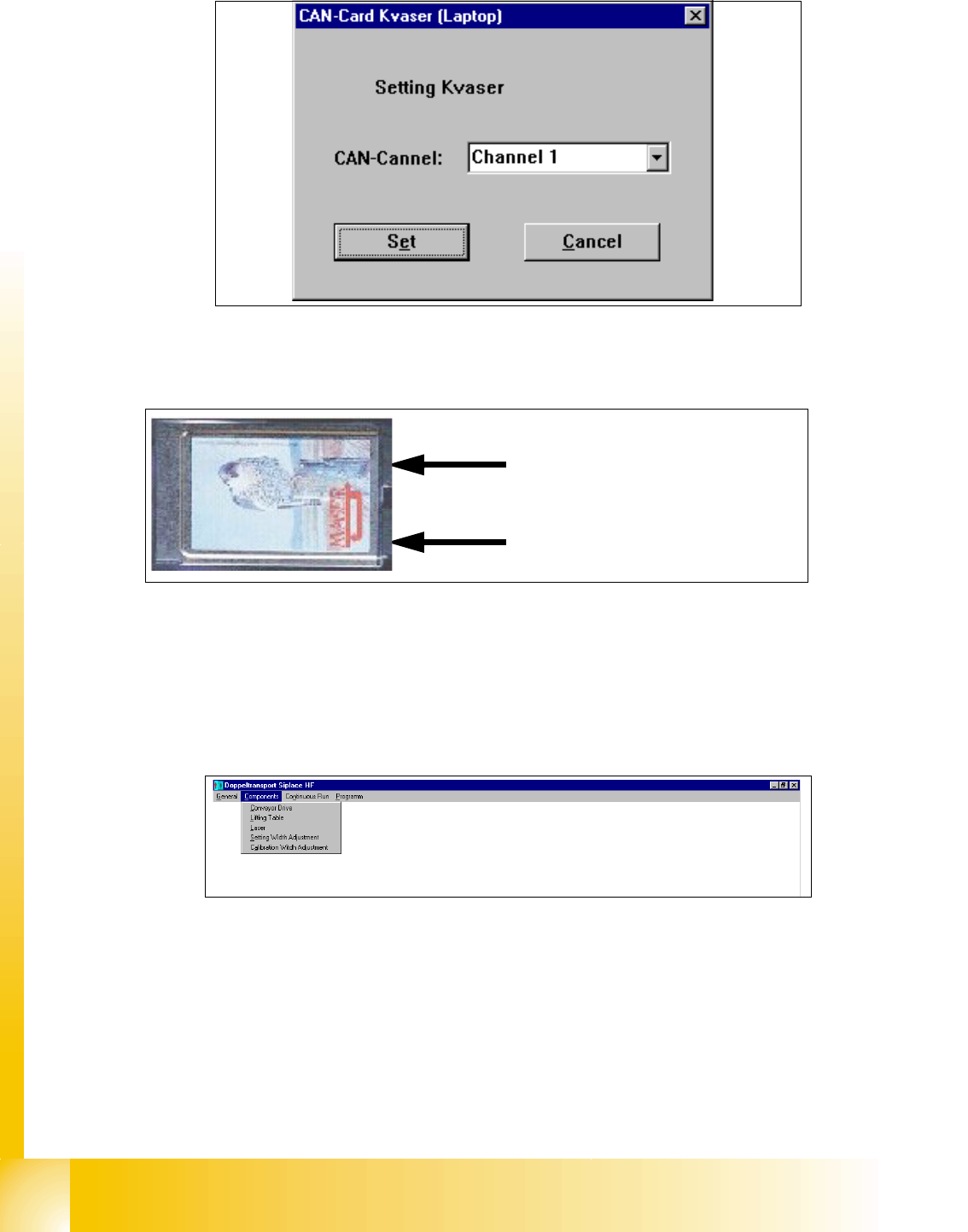
➠ Click the button "Can Card settings"
➠ Following windows appears.
1 - 30
Student Guide SIPLACE X
10 Modular conveyor Edition 09/2005
30
➠ Select the cannel which you use on the Kvaser card (Cannel 1 or 2)
Fig. 10.2 - 20 Connections of the Kvaser Card
➠ Confirm this settings with "Set".
➠ Following Message appears "Settings undertaken" .
➠ Click "OK".
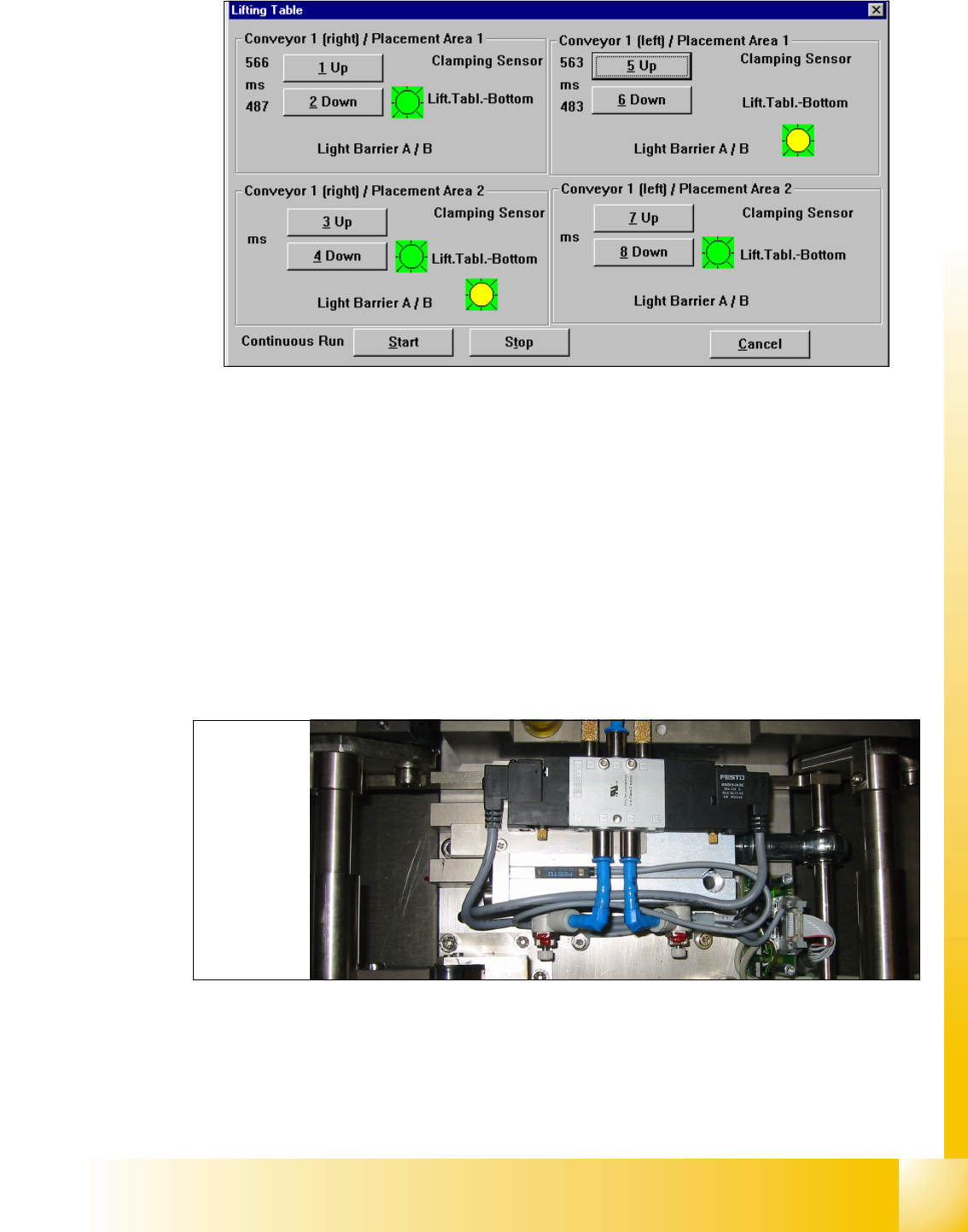
➠ Select in the upper menue "Components" the lifting table
➠ Following Windows appears
Precondition: 10
– Machine is switch on
– Cover closed
–Control ON
Cannel 2
Cannel 1
1 - 31
Student Guide SIPLACE X
Edition 09/2005 10 Modular conveyor
31
➠ Choose the lifting table which you would check and press the button UP and DOWN.
1. The time for up and down appears in front of the button.
2. If the lifting table move up appears a red light for a short time.
3. Sign (LED on the pneumatic cylinder)for move down the lifting table
4. Sign for move up the lifting table. (Incremental encoder--> Number of the steps were counted
correct)
➠ Adjust the valve on the lifting table cylinder, so that you get the following values:
– Lifting table up: 500 +/- 20ms (
~450 +/-20ms DT / ~360 +/-20 ms ST without lifting table plate)
– Lifting table down: 480 +/- 20ms (
~360 +/-20ms DT / ~ 600 +/-20ms ST without lifting table plate)
➠ Set the lowering speed according the processing needs of your placed PCB.
(1)Cylinder drive rod (2) 3/5 solenoid
(3) adjust valve downwards (4) adjust valve upwards
Setting valve anticlockwise: Decrease the lifting table moving time
Setting valve clockwise: Increases the lifting table moving time
1
2
3
4
(2)
(4)
(3)
(1)