SiplaceX4_en.pdf - 第552页
1 - 9 S tudent Guide SIPLACE X Edition 09/2005 12 Siplac e X - Head Modularity 9 Fig. 12.1 - 6 Menu "Head exchange" --> "Functions (1) Head refe rence run to chec k the function and for calibra tion ref…
1 - 8
Student Guide SIPLACE X
12 Siplace X - Head Modularity Edition 09/2005
8
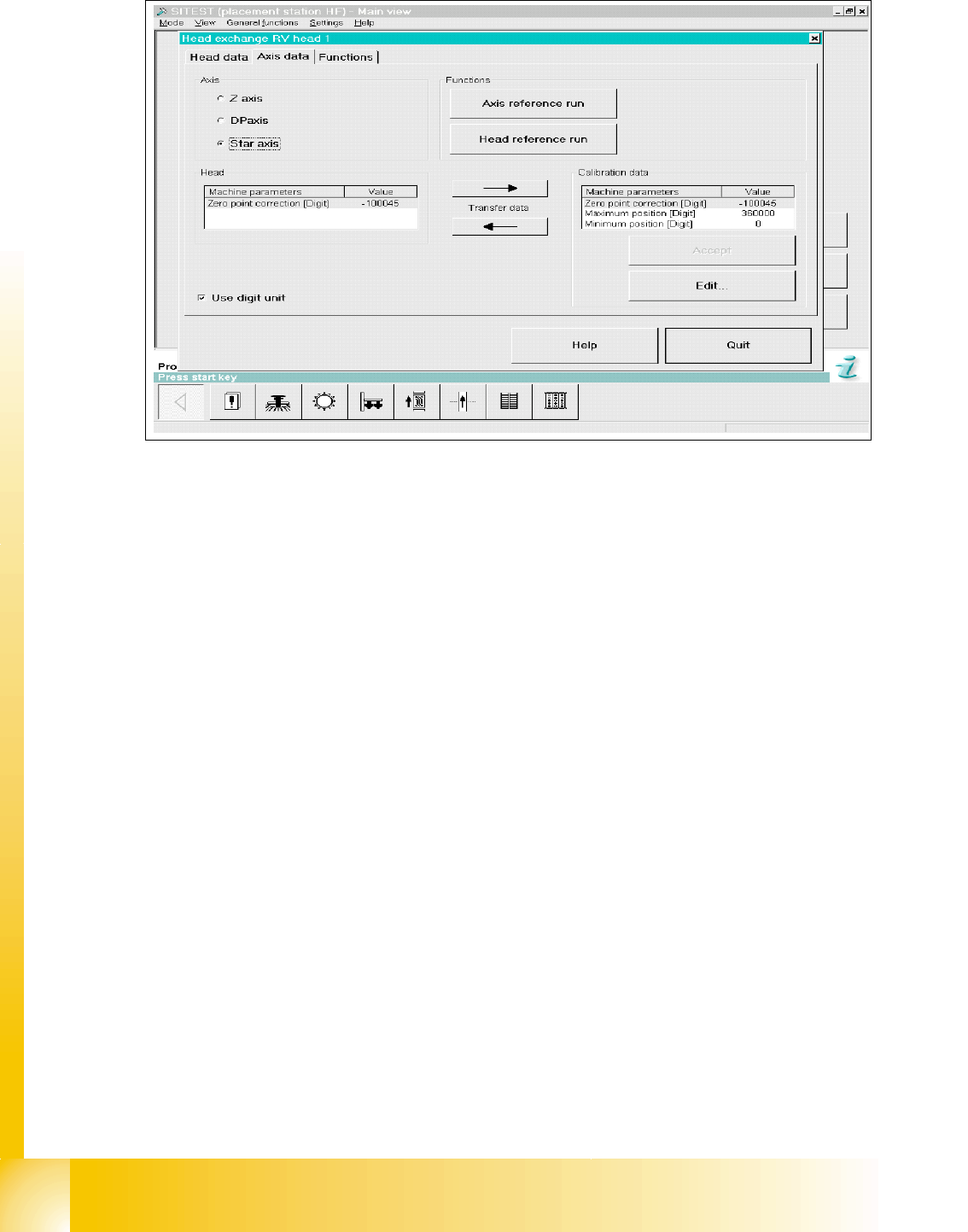
Fig. 12.1 - 5 Menu "Head exchange" --> "Axis data
(1) Read data from “head memory” write to Achsver.ma.
(2) Read data from Achsver.ma (MA data file) and write to “head memory”.
(3) Data from selected axis which are currently in the EEPROM
(4) Data from selected which are currently in the Achsver.ma file (edit).
(5) Choose head axis
(6) Link to this menu in placement head, axis reference run and head reference run.
1
6
5
4
3
2
1 - 9
Student Guide SIPLACE X
Edition 09/2005 12 Siplace X - Head Modularity
9
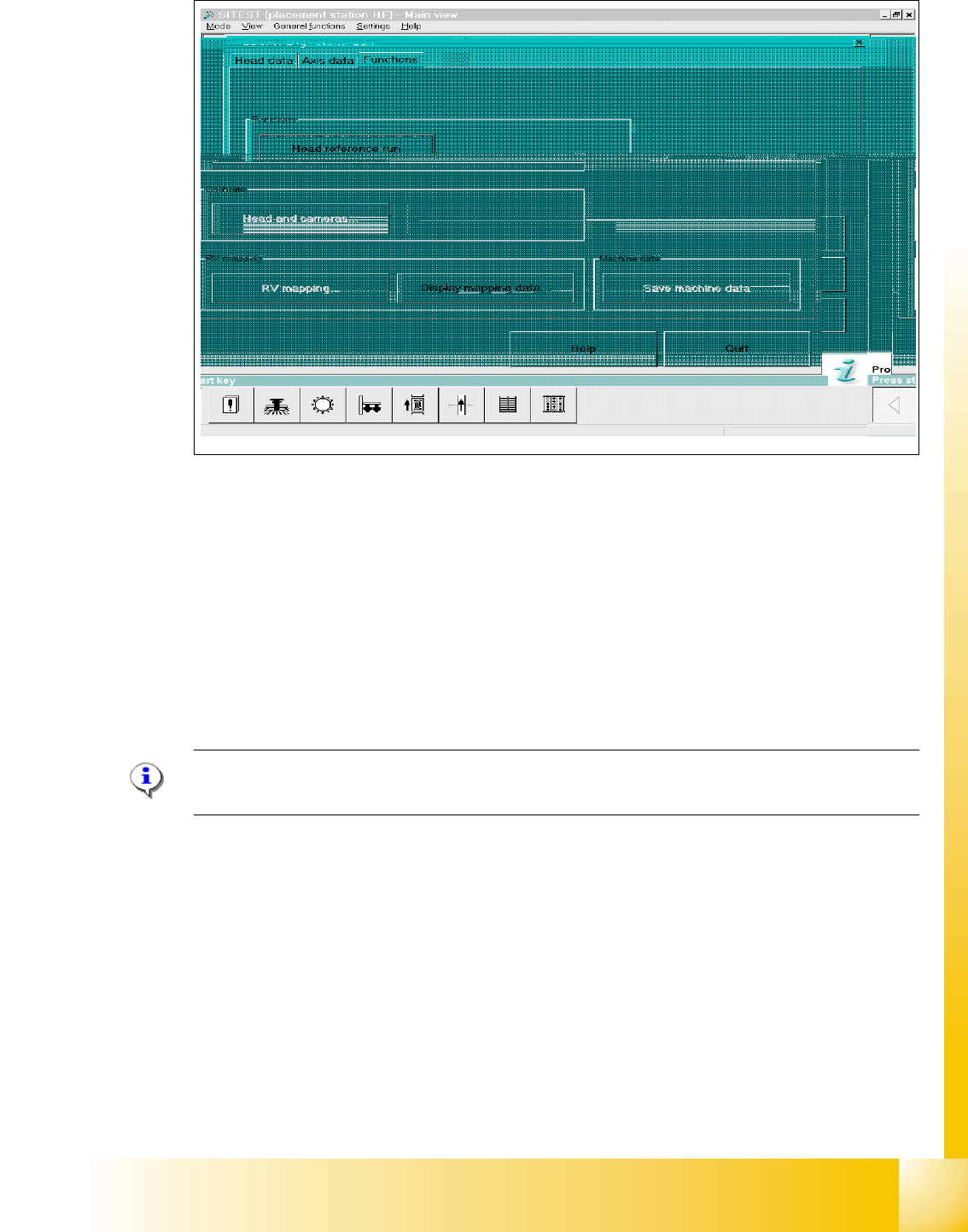
Fig. 12.1 - 6 Menu "Head exchange" --> "Functions
(1) Head reference run to check the function and for calibration reference run the whole machine.
(2) Link to calibrate head and cameras.
(3) Mapping menu
(4) Display mapping data
(5) Link to machine data
12.1.4 Calibration
Please Note:
See Chapter Sitest "Calibration".
Siplace X C&P head 12
➠ Calibrate MA zero point.
➠ Calibrate PCB camera
➠ Calibrate C&P head
➠ Component camera
➠ Segment offset 2
➠ Segment offset 1
➠ Calibrate nozzlechanger (inclusive automatic pick up height)
4
1
2
3
5
1 - 10
Student Guide SIPLACE X
12 Siplace X - Head Modularity Edition 09/2005
10
12.2 Head modularity C&P Head to Twin Head
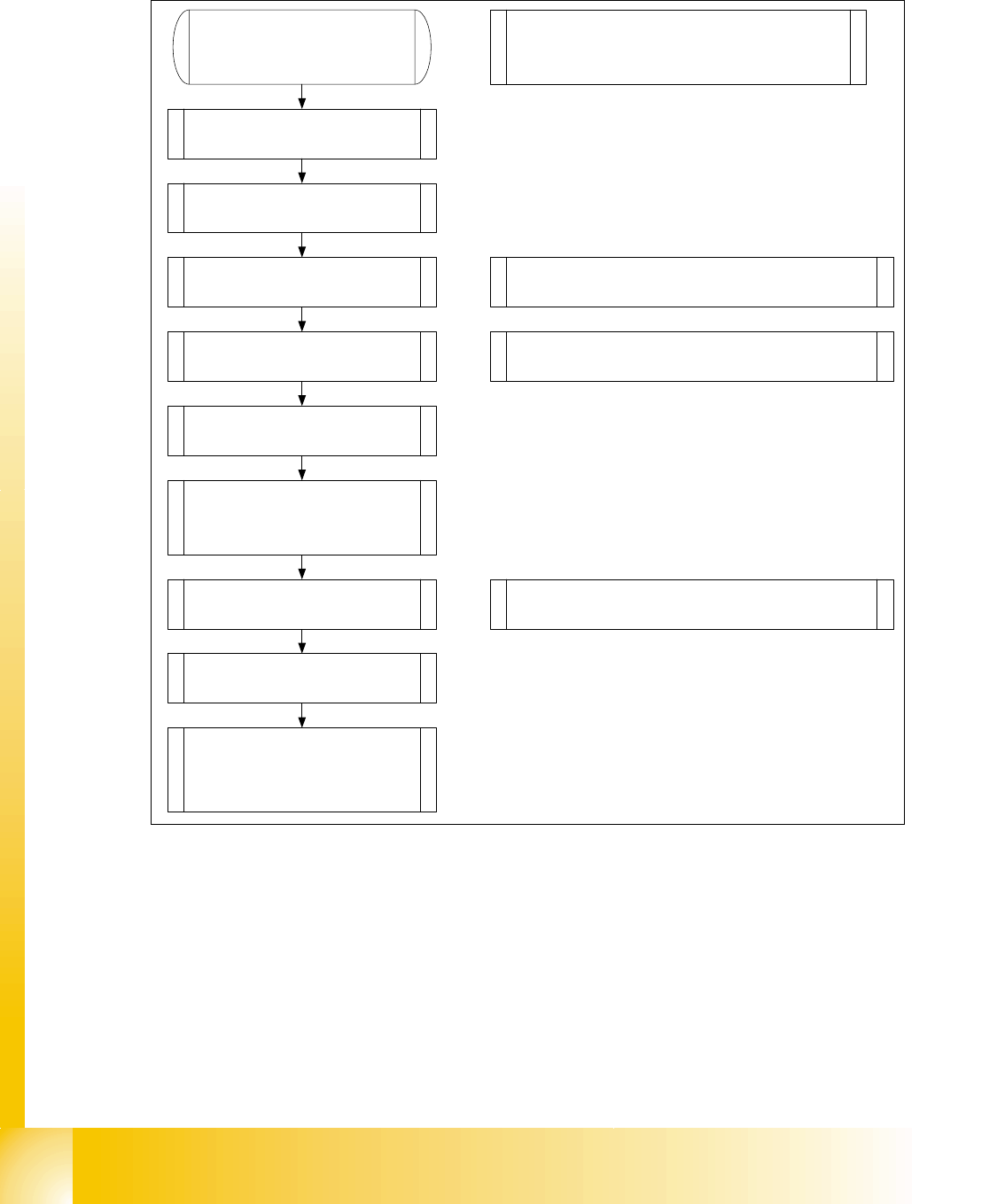
Fig. 12.2 - 1 Flowchart Head excange C&P to Twin Head
1. Data backup
Machine configuration
2. Remove C&P head with head
adapter.
3. Remove nozzle changer for
C&P head.
4. Mount stationary IC and/or FC-
camera.
Note: Twin head not possible in placement areas with
two gantries.
Exchange the docking unit to mount the stat. cameras
5. Mount Twin head with head
adapter.
6. Mount nozzle changer Twin
head.
Note: Check the DIP -Switches. Change the grub
screws into the correct position.
9. Calibrate Twin head and
cameras. (Mapping)
10. Change the machine
configuration in Siplace Pro.
8. Check the Twin head
specific data and make a
Firmware download.
Note: Sitest „Head type“ Read data from the head
Eprom and check the machine data.
7. Mounting the servo boards for
the Twin head (Axisunit) and
switch the Hotlink-cable for the
cameras (Computer unit).
Note: SITEST Machine configuration
Confirm the configuration, shutdown and switch
off the machine