SiplaceX4_en.pdf - 第581页
1 - 14 S tudent Guide SIPLACE X 13 MTC 2 Edition 09/2005 14 the relevant safety combination is trigge red. The intermediate-circuit voltag es (500 V) for the in- verters are disconne cted. Both the lif ting and feed axes…
1 - 13
Student Guide SIPLACE X
Edition 09/2005 13 MTC 2
13
13.1.6 Safety features
13.1.6.1 Protective doors
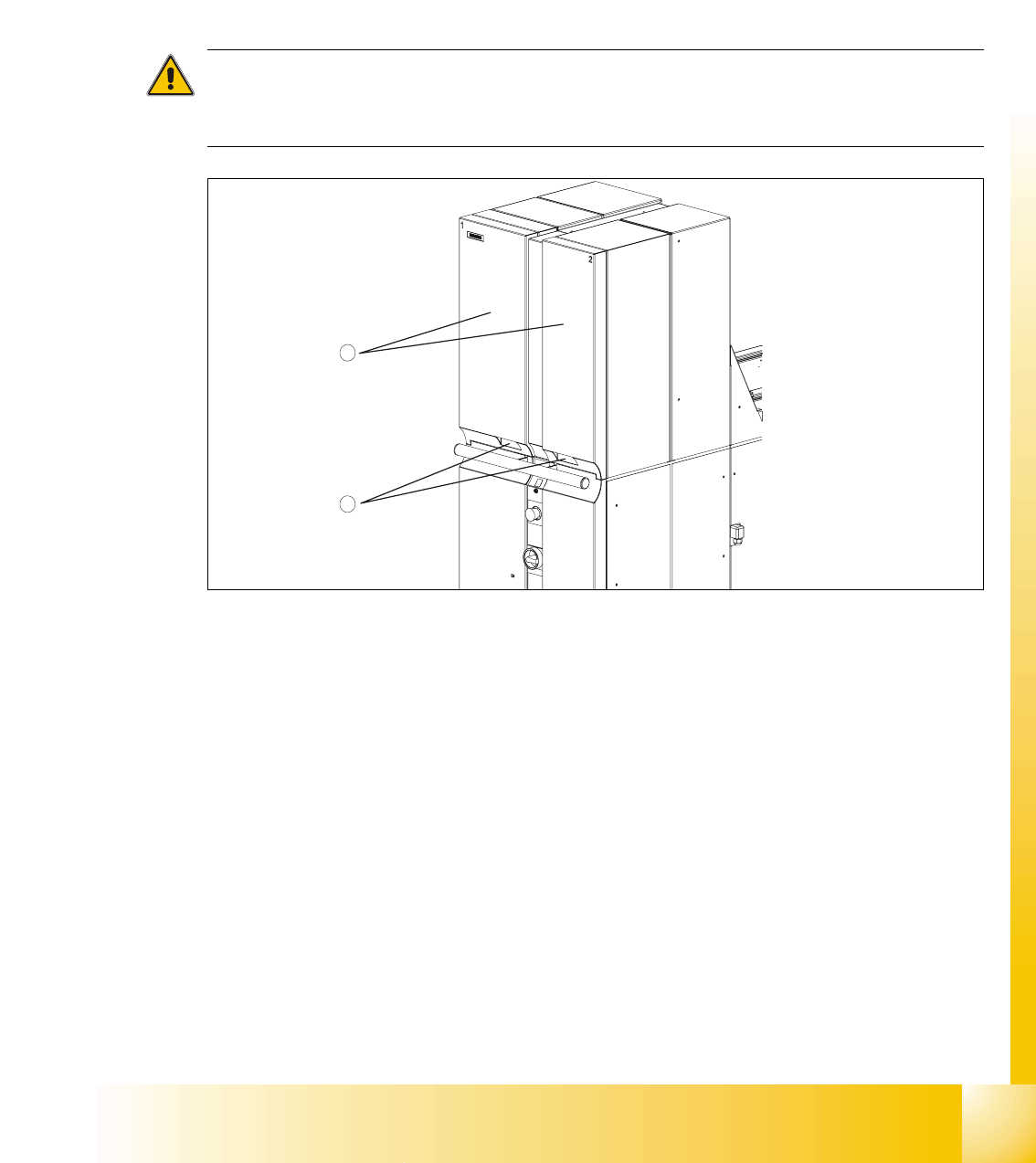
Both towers have a protective door. When you open the protective door, the tower is powered
down. The following error message appears: “Tower x: Protective cover not closed”. The other
tower continues to work until it completes its cycle. Once the protective door is closed, the cycle
must be restarted.
CAUTION
Do not open the protective doors of the MTC 2 unless you are informed to do so on the screen of
the station computer or when the MTC 2 has been switched off.
Fig. 13.1 - 18 Protective doors
Key
1. Protective doors
2. Recessed handles
13.1.6.2 EMERGENCY STOP button
The EMERGENCY STOP button is a self-latching combination and designed with bypass protec-
tion according to EN 418. This red, mushroom-shaped button remains depressed when you press
it.
When you press the EMERGENCY STOP button, the entire line with SIPLACE station and MTC
2 is immediately stopped. Placement is interrupted and, once the machine is in working order
again, can be resumed or canceled. Watch out for any incompletely assembled printed circuit
boards.
Pressing the EMERGENCY STOP button opens the two switching contacts of the safety circuits;
1
2
1 - 14
Student Guide SIPLACE X
13 MTC 2 Edition 09/2005
14
the relevant safety combination is triggered. The intermediate-circuit voltages (500 V) for the in-
verters are disconnected. Both the lifting and feed axes are deactivated while the logic circuitry of
the inverters continues to be supplied with 24 V DC. The message “EMERGENCY STOP actu-
ated” appears.
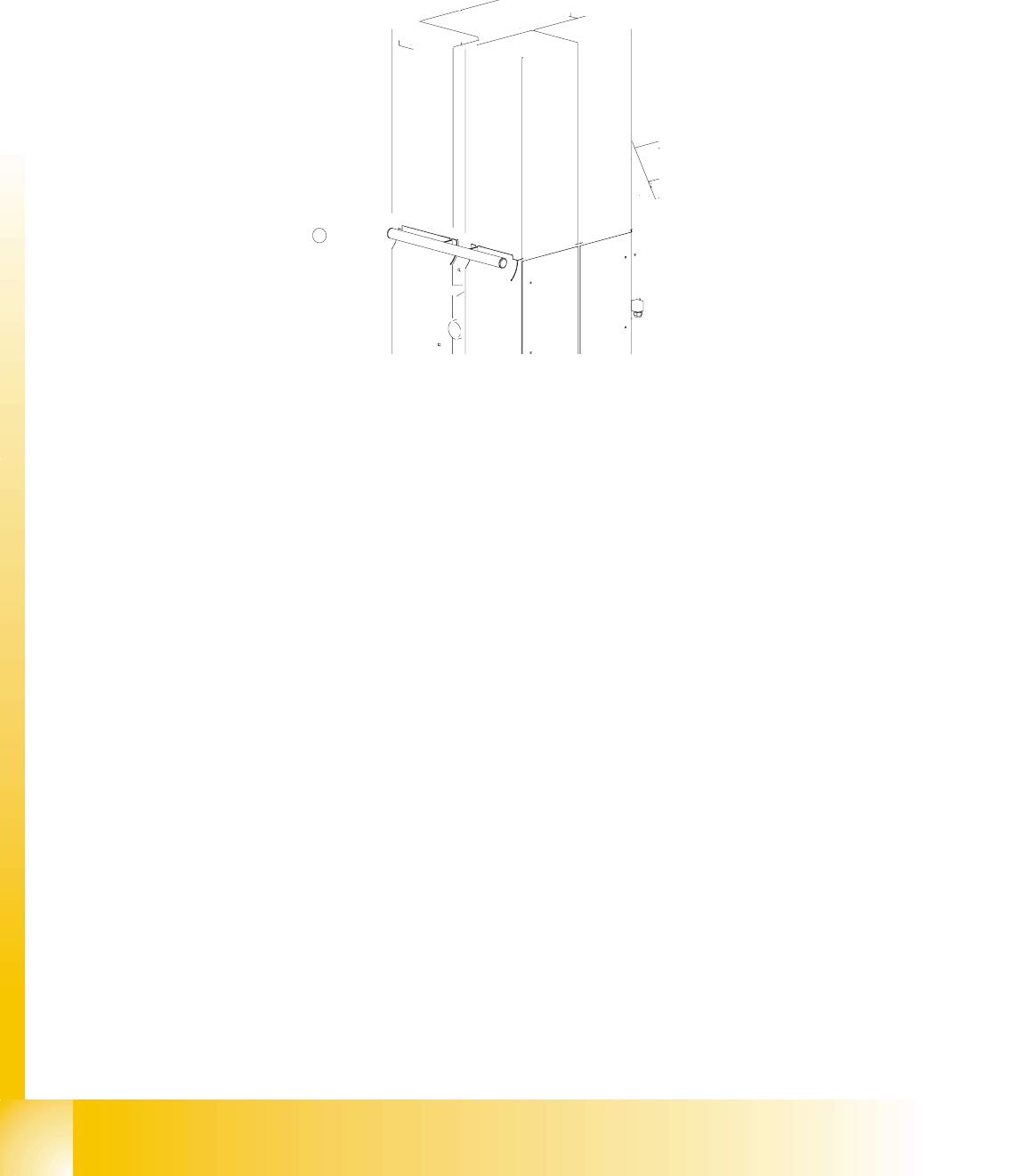
Fig. 13.1 - 19 Location of the EMERGENCY STOP button
Key
1. EMERGENCY STOP button
13.1.6.3 Protective door switches
These switches check whether the two protective doors are closed. If the doors are closed, the
safety contact and the signaling contact are closed. When one of the doors is opened, the safety
circuit and the signaling circuit are opened. The corresponding safety combination is triggered and
the tower is powered down. The following error message appears: “Tower x: Protective cover not
closed”.
Fig. 13.1 - 20 Position of the protective door switches
Key
1. Protective door switches
1
1 - 15
Student Guide SIPLACE X
Edition 09/2005 13 MTC 2
15
13.1.6.4 Combination circuit breakers
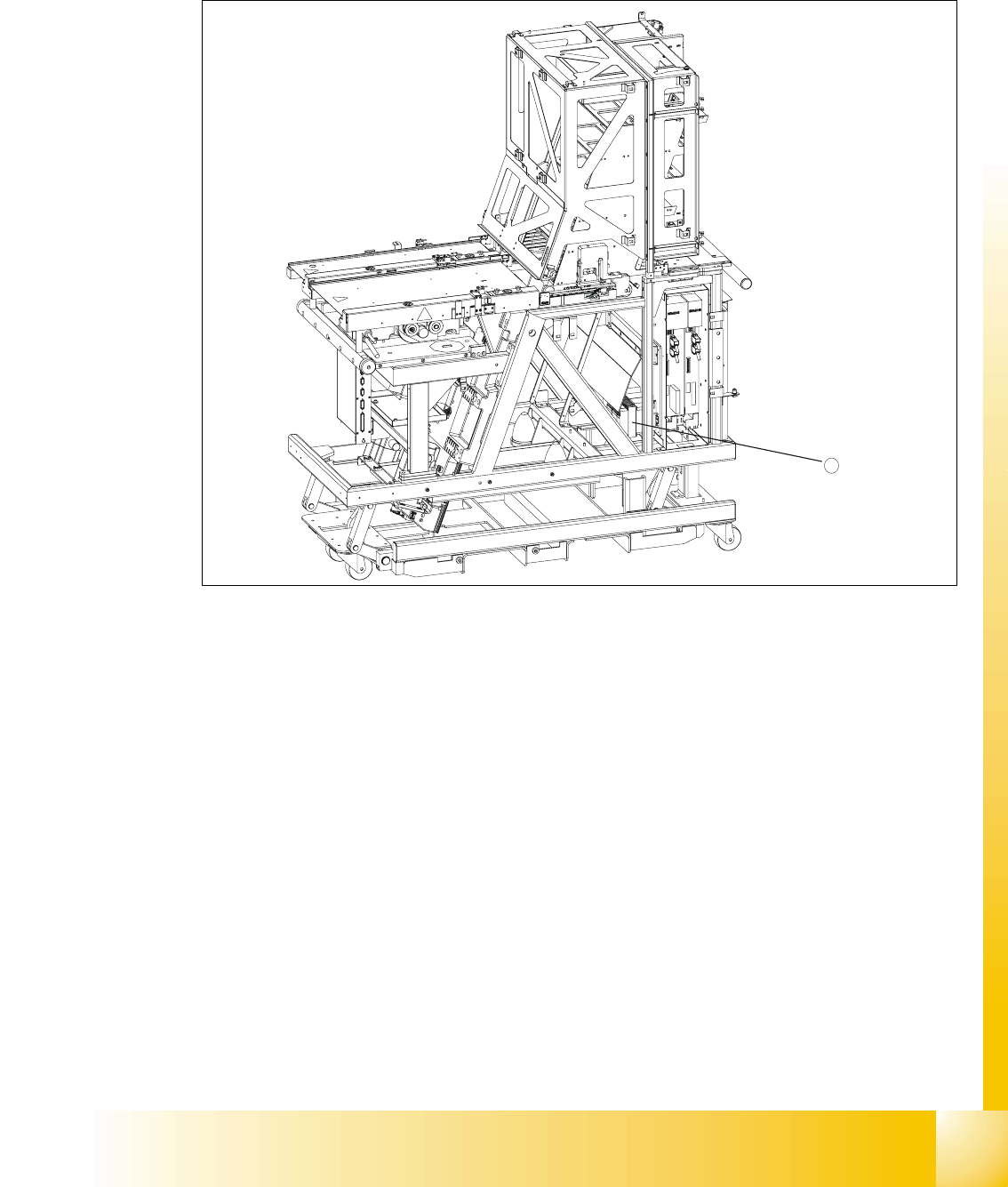
The combination circuit breakers are fitted on the rear of the masterdrive housing. In the event of
malfunctions that are relevant to safety, they are triggered.
Fig. 13.1 - 21 Position of the combination circuit breakers
1. Combination circuit breakers
13.1.6.5 Safety and signaling circuits
The safety circuit consists of three safety combinations, which work completely independently of
each other. They are used to monitor the following actions:
– Actuation of the EMERGENCY STOP button
– Opening the protective door of tower 1
– Opening the protective door of tower 2
The two protective doors are each equipped with a protective door switch. These are looped
into the starting circuit of the respective monitoring device.
13
If the EMERGENCY STOP button is pressed during operation or one of the two protective doors
opens, the relevant safety combination is tripped and the drives are locked via contactors on the
electronics board.
The signaling circuit for the protective door monitoring system is transmitted to the MTC 2 control-
ler by the relevant safety combinations by means of normally open contacts.
1