FUJI NXT Programming Manual QD004-18.pdf - 第108页
4. Part Data Settings QD004-18 98 NXT Programming Manual 4.4 Package Data The following list is the part data setti ngs used by the NXT for package data. 4.4.1 Package Information tab The settings for item s with an O in…

QD004-18 4. Part Data Settings
NXT Programming Manual 97
Process - Coplanarity
Do Coplanarity
Specify whether a coplanarity check is made with the optional coplanarity unit. Refer to the
coplanarity manual for information on the settings in this section.
Coplanarity Editor
Click to start the Coplanarity Editor for making coplanarity data for the optional coplanarity
unit. Refer to the coplanarity manual for more information.
Process - Flux
Do Flux
Specify whether or not flux is to be applied.
Dwell Time
Specify the length of time (sec) for the Z-axis to stay at the bottom of its travel to keep a part
dipped in flux.
Slow Dipping Height
Specify the height at which the Z-axis starts decelerating on its descent to the flux and ends
accelerating on its ascent from the flux.
Slow Dipping Down Speed
Specify the speed (%) after deceleration of the Z-axis during flux application. However, if
the machine has a [Slow Dipping Speed] setting specified, then that setting is used.
Slow Dipping Up Speed
Specify the speed (%) before acceleration of the Z-axis rising during flux application.
However, if the machine has a [Slow Dipping Speed] setting specified, then that setting is
used.
Squeegee Height
The film thickness during flux application for each part can be changed by specifying the
squeegee height. Set the squeegee height to the required film thickness amount.
Do Dipping Check
Specify whether or not to inspect for dropped parts when dipping parts in flux.
Process - Solder Paste
Do Check
Specify whether to check the application status of the solder paste. (Currently, only bump
related items are checked.)
High Brightness
Specify the maximum brightness of the bumps.
Low Brightness
Specify the minimum brightness of the bumps
4. Part Data Settings QD004-18
98 NXT Programming Manual
4.4 Package Data
The following list is the part data settings used by the NXT for package data.
4.4.1 Package Information tab
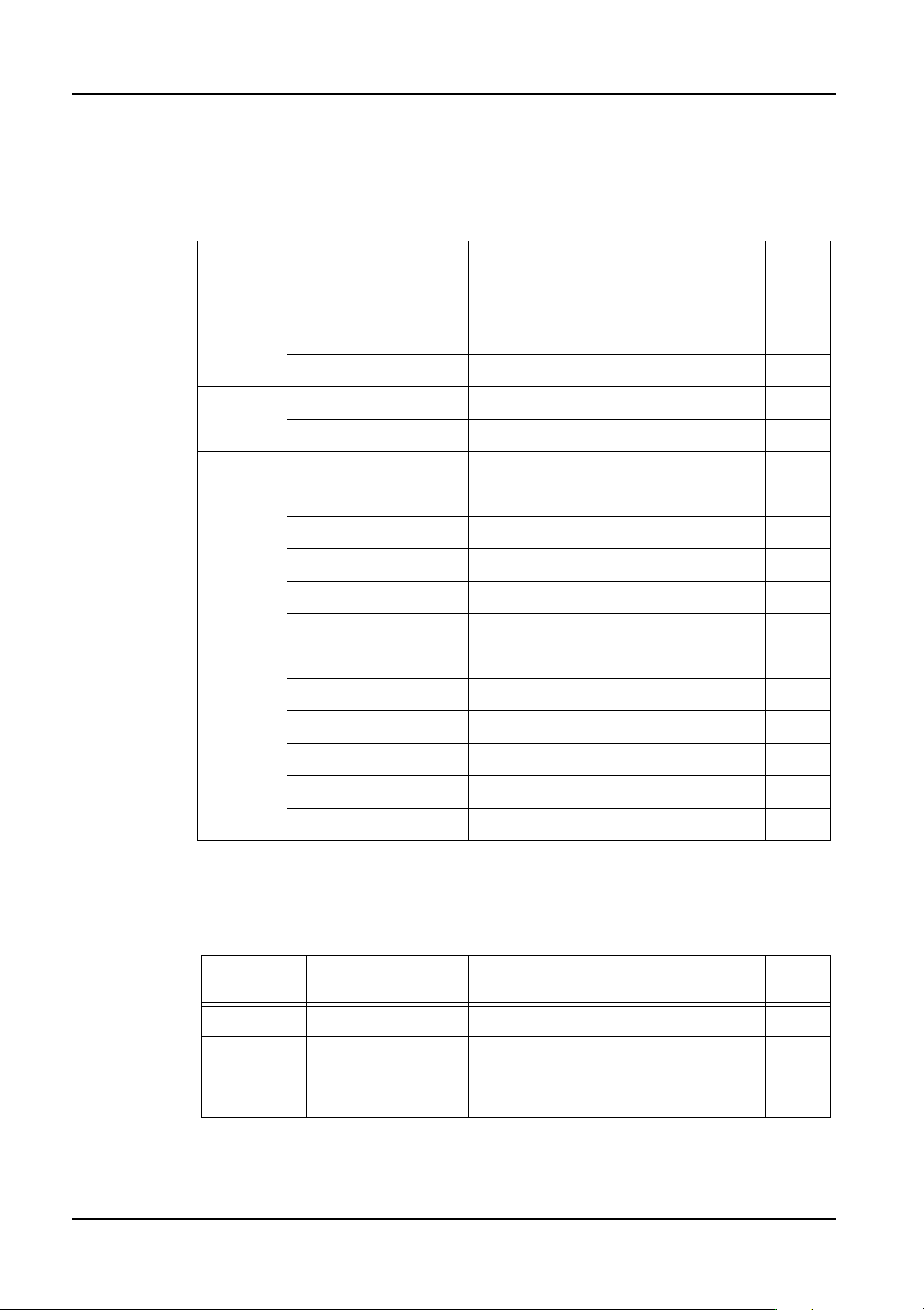
The settings for items with an O in the “Chg” column can be changed in MEdit. The settings
for items with an X in this column cannot be changed in MEdit.
4.4.2 Package Process tab
The settings for items with an O in the “Chg” column can be changed in MEdit. The settings
for items with an X in this column cannot be changed in MEdit.
Package
Type
Name Comments Chg
All Packaging Type This affects all package types X
Tape Tape Width X
Feed Pitch X
Stick Tape Width X
Tape Depth X
Tray Tray Length (X) O
Tray Width (Y) O
Tray Thickness O
First Pick Position X O
First Pick Position Y O
Column Pitch O
Row Pitch O
Column Quantity X
Row Quantity X
Dump Pick Position X Only when a remover is present. O
Dump Pick Position Y Only when a remover is present. O
Dump Pick Position Z Only when a remover is present. O
Package
Type
Name Comments Chg
Tape Reel Diameter This is used by Fuji Flexa only. X
Tray Tray Type Some tray types cannot be used. O
Tray Cavity
Information
This is a machine control setting. O

QD004-18 4. Part Data Settings
NXT Programming Manual 99
4.4.3 Package Information details
Tape
Tape Width
Specify the width of the tape.
Feed Pitch
Specify the distance in millimeters from one cavity center to the next cavity center.
Indexing Speed
Specify the tape indexing speed.
Assign Feeder Indexing Settings
Set whether to specify the tape pitch and indexing speed in the job (On/Off).
Stick
Tape Width
Specify the width of the stick feeder. Select “16mm” for the 1S and 1L type stick feeders
(used for 18 mm wide or less sticks). Select “32mm” for the 2S and 2L type stick feeders
(used for 36 mm wide or less sticks).
Tape Depth
Set this to “0”. This value is fixed.
Tray
Tray Length (X)
Specify the tray size in the X-dimension.
Tray Width (Y)
Specify the tray size in the Y-dimension.
Tray Thickness
Specify the tray thickness.
First Pickup Position X
Specify the X-position at which the machine should pick up the first part from the lower right
corner of the tray.
First Pickup Position Y
Specify the Y-position at which the machine should pick up the first part from the lower right
corner of the tray.
Column Pitch
Specify the pitch between the columns for the tray.
Row Pitch
Specify the pitch between the rows for the tray.
Column Quantity
Specify the number of columns for the tray.