FUJI NXT Programming Manual QD004-18.pdf - 第54页
3. Job Builder QD004-18 44 NXT Programming Manual Panel conveyance 1. Click the [Process Options] tab at the bottom of the Machine Configuration pane. 2. In the [Panel Conveyance (M6S and Single S Conveyor )] section, sp…
QD004-18 3. Job Builder
NXT Programming Manual 43
3.4.4 Using the M6S and single conveyor S (from NXT V4.30)
Make the following settings in the job before using a single conveyor S at an M6S module.
Fuji Flexa V3.4.0 or later is required.
Settings
Display the [Machine Configuration] pane of the job in Fuji Flexa (See 3.3.3 "Configuring an
NXT machine" for more details.)
Module configuration
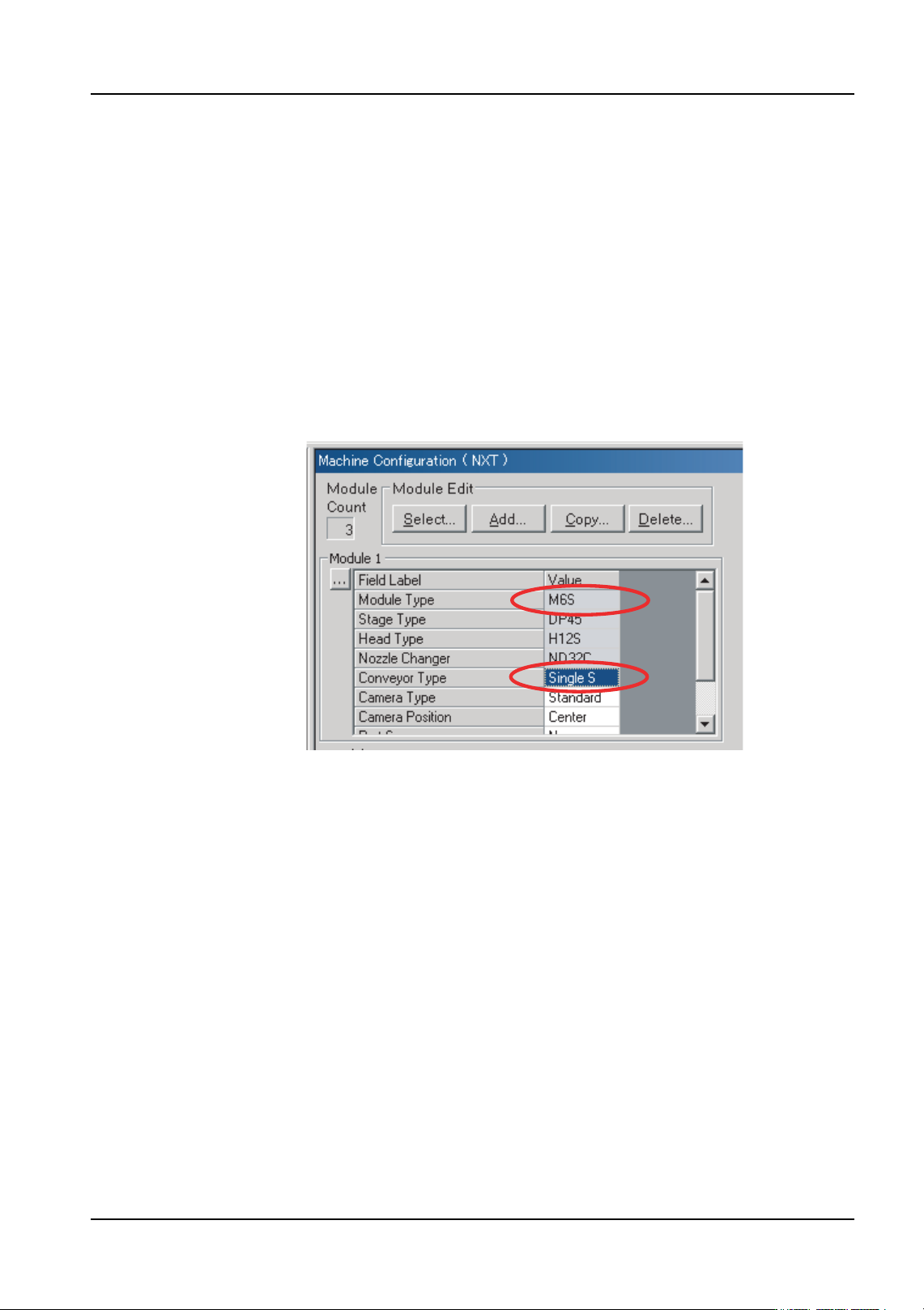
1. Click the [Modules] tab at the bottom of the Machine Configuration pane.
2. Select “M6S” for [Module Type].
3. Select “Single S” for [Conveyor Type].
01PRG-0050E
3. Job Builder QD004-18
44 NXT Programming Manual
Panel conveyance
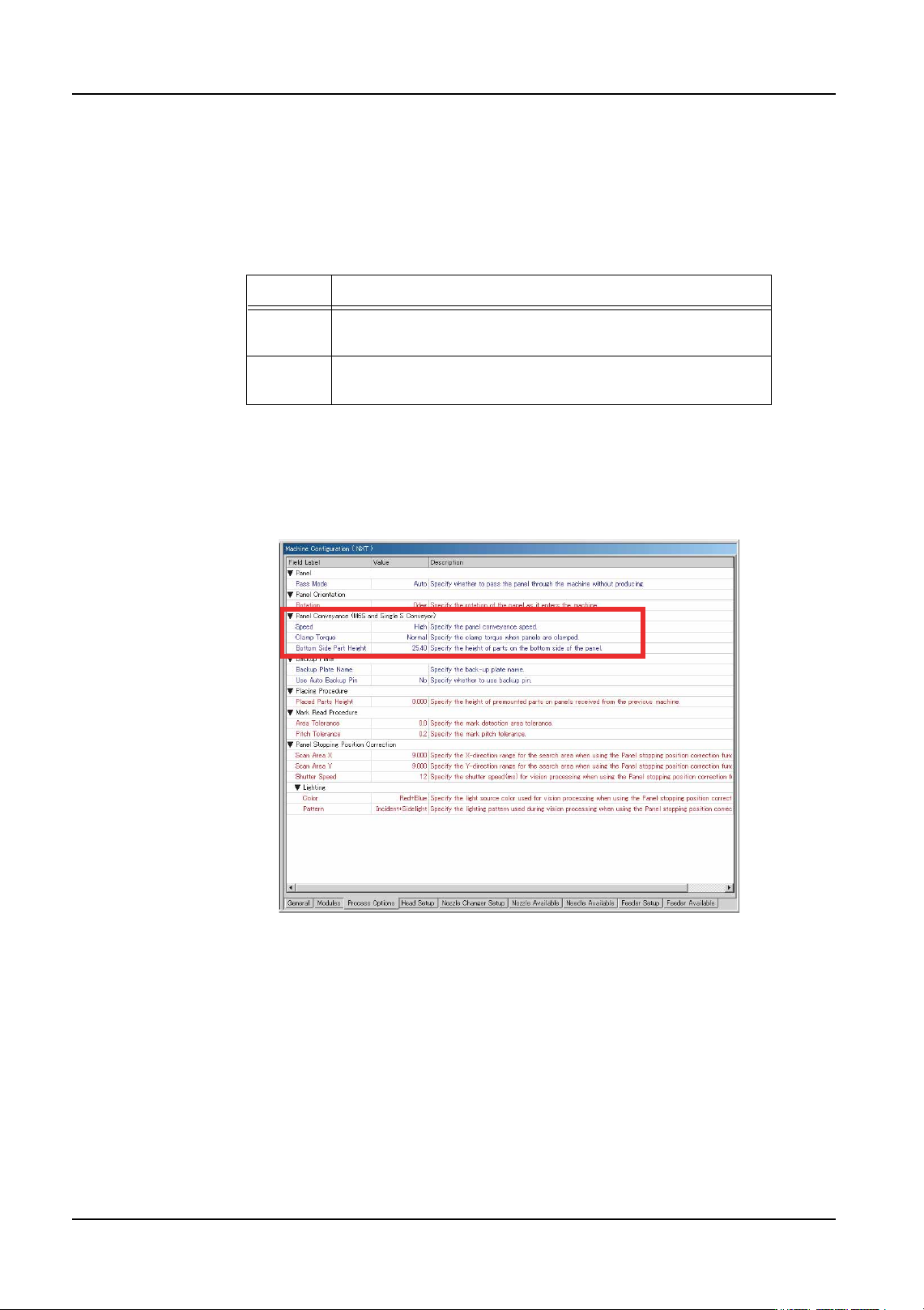
1. Click the [Process Options] tab at the bottom of the Machine Configuration pane.
2. In the [Panel Conveyance (M6S and Single S Conveyor)] section, specify the following
two settings. (The [Speed] setting is not currently used.)
a. [Clamp Torque]
b. [Bottom Side Part Height]
• Enter a value from 0 to 25.4 mm.
Note: If the part height setting is incorrect, back up pins may contact parts on the bottom side of
the panel and damage the panel.
Value Details
Normal This is the default clamp torque setting. Use this setting
when using the insertion pressure control function.
Soft Use this setting when clamping fragile panels, such as
ceramic panels.
01PRG-0051E
QD004-18 3. Job Builder
NXT Programming Manual 45
3.4.5 Using the parts presence check function (from NXT V4.42)
Make the following settings in the job before using a head with part presence check sensor
and you want to use this function. Some heads that have the part presence sensor are the
H12SQ, H08Q, H04Q, F04*, G04*, H02, and H01 (for heads with the *, the machine
configuration setting automatically changes when they are selected).
• Fuji Flexa V3.4.0 or later is required.
• Do not use nozzles with a rubber pad when using the part presence check
function with H12SQ, H08Q, H04Q heads.
• For H12SQ, H08Q heads, the parts must be 0.12 mm or taller.
• For the H01 and H02 heads, there should be no vacuum leaks when the part is
picked up.
• For the H01 and H02 heads, mechanical chucks and MELF nozzles are not
supported.
• For the F04 and G04 (light sensor type) heads, the parts must be 0.5 mm or
taller.
• The job must be optimized.
Machine configuration
Specify module settings at the [Machine Configuration] section of Fuji Flexa.
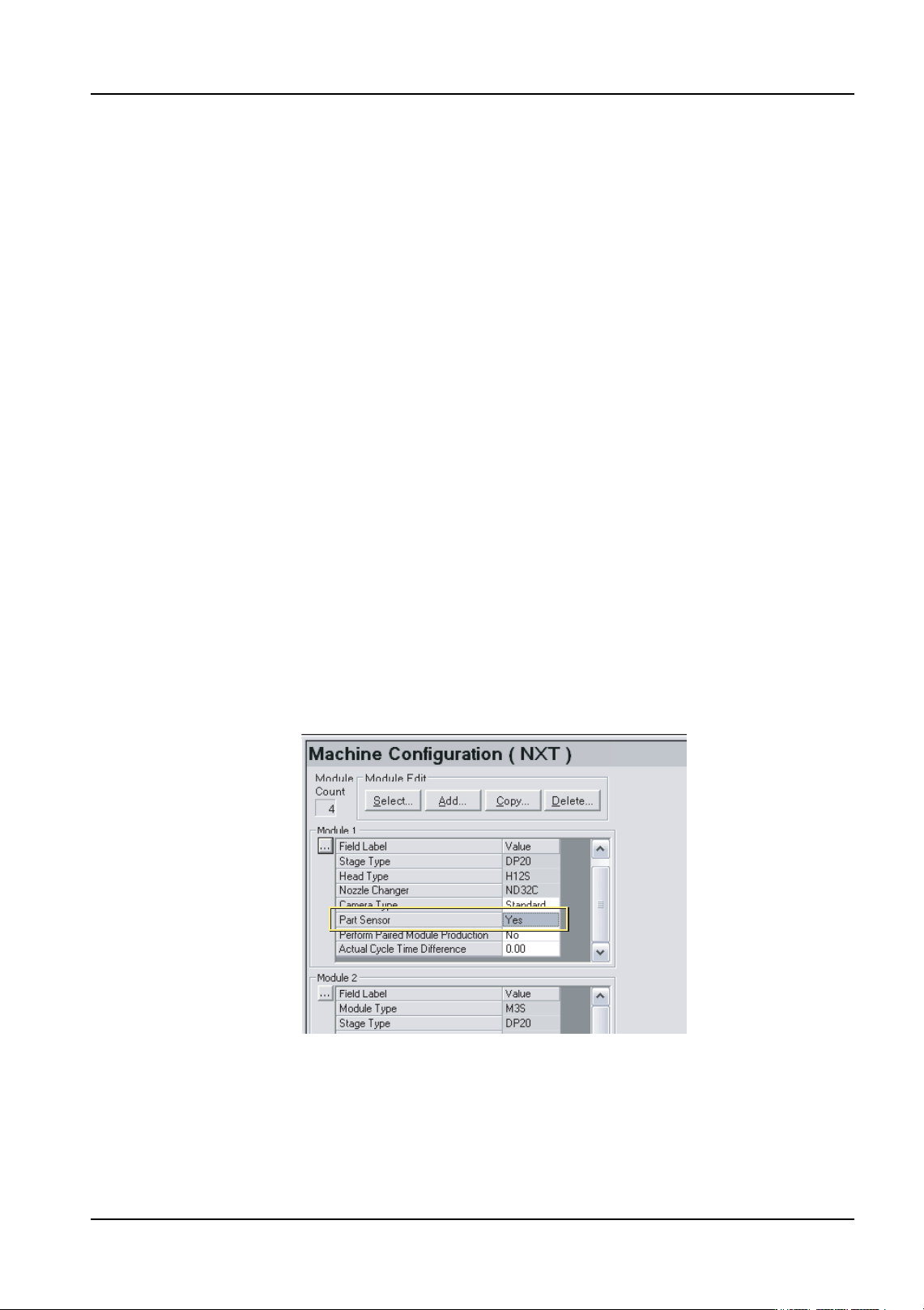
1. Click the [Module] tab at the bottom of the Machine Configuration pane.
2. Locate the module that has the head with the part sensor from the list of modules.
3. Select [Yes] for the [Part Sensor] setting for the module.
4. Specify this setting for any other modules that have a head with a parts sensor.
01NST-0209E