FUJI NXT Programming Manual QD004-18.pdf - 第37页
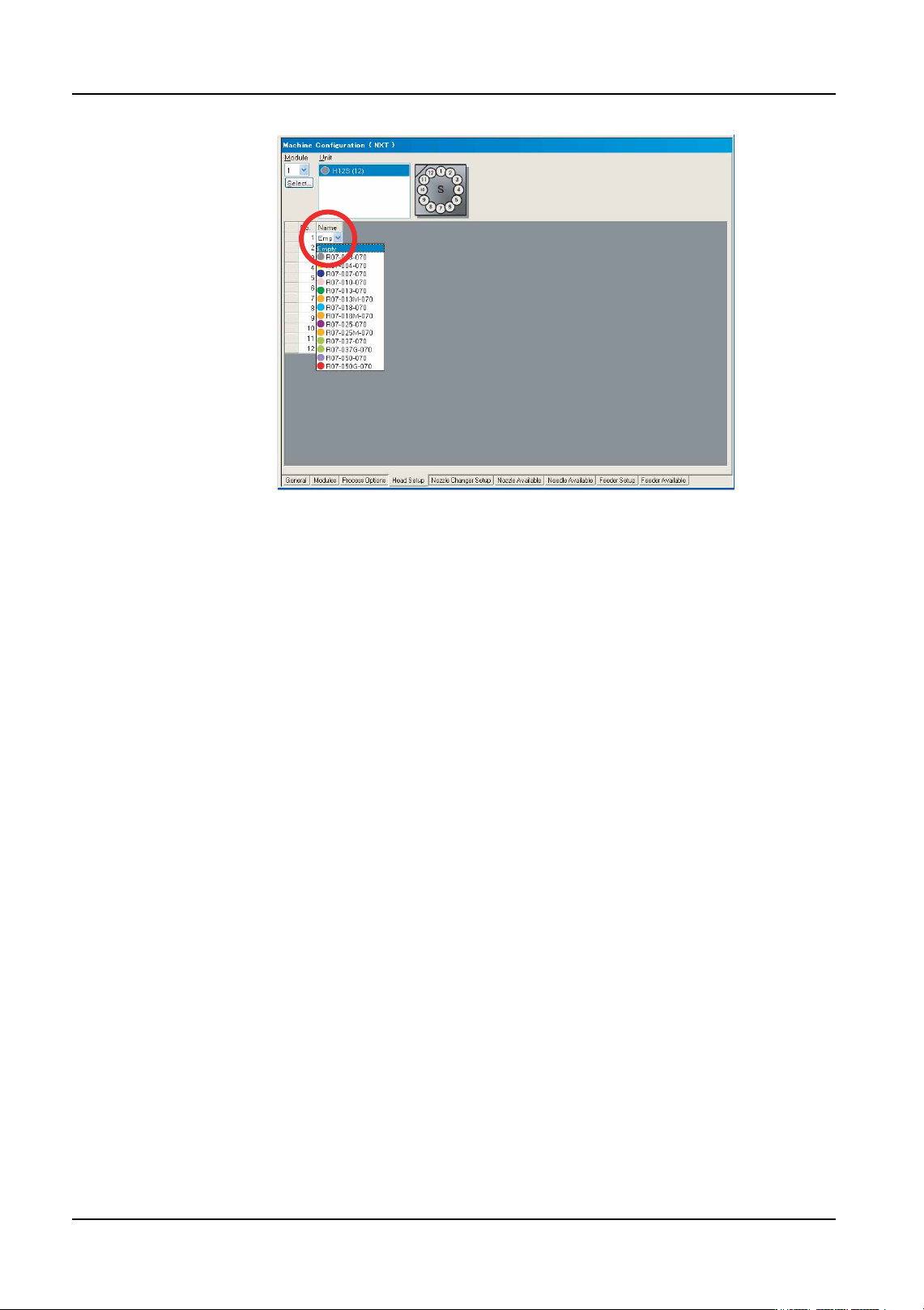
QD004-18 3. Job Builder NXT Programming Manual 27 Specifying the nozzle ch anger setup for an NXT Making settings in the [Nozzle Changer Setup ] tab is necessary if the nozzles in the machine do not match the nozzles cur…
3. Job Builder QD004-18
26 NXT Programming Manual
4. Repeat the previous steps until all of the desired nozzles for the positions have been set.
01PRG-0056E
QD004-18 3. Job Builder
NXT Programming Manual 27
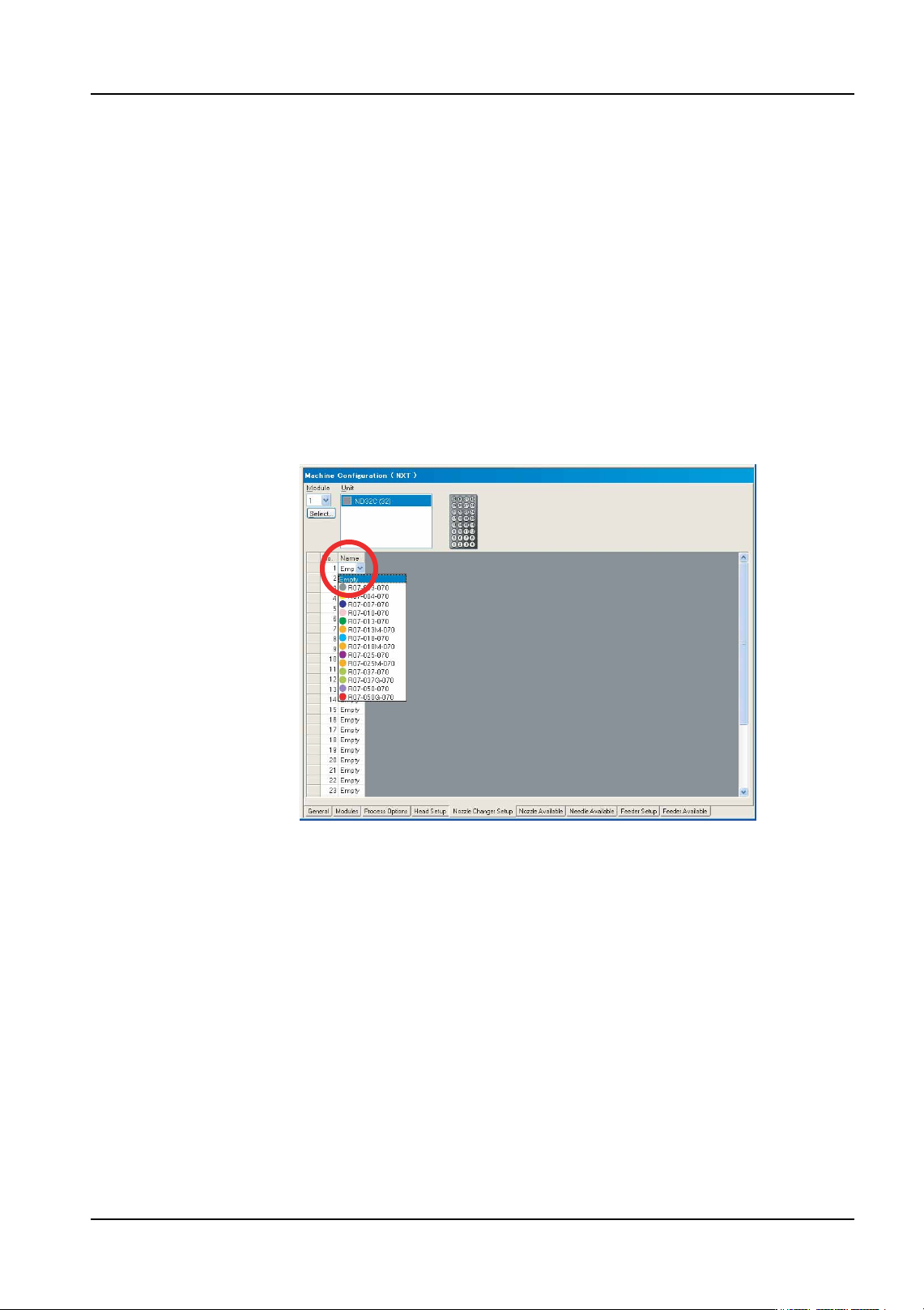
Specifying the nozzle changer setup for an NXT
Making settings in the [Nozzle Changer Setup] tab is necessary if the nozzles in the
machine do not match the nozzles currently in this tab or if different nozzles are to be used
during production.
1. There are several tabs at the bottom of the [Machine Configuration] pane. Select the
[Nozzle Changer Setup] tab.
2. Use the [Module] drop-down list to select the desired module for which to set the
nozzles.
3. Click the [Name] field in the nozzle table and then the arrow to display a drop-down list
of the available nozzles. Click to select the desired nozzle for that position.
Note: It is possible to specify nozzles for multiple positions at a time. Select the multiple nozzle
positions for the changer and then right-click in the window. Select [Select Nozzles] and
then select the desired nozzle for the selected positions from the drop-down list and click
[OK].
4. Repeat the previous step until all of the desired nozzles for the positions on the nozzle
changer have been set.
01PRG-0057E
3. Job Builder QD004-18
28 NXT Programming Manual
Specifying the available nozzles for a machine
By setting which nozzles are available for the NXT machine, only the nozzles specified as
being available display when a user is selecting a nozzle for a position. This ensures that
a nozzle is not accidentally selected that is not available and reduces the amount of choices
in the nozzles drop-down list, thus allowing easier selection. It is also possible to specify
the quantity of nozzles.
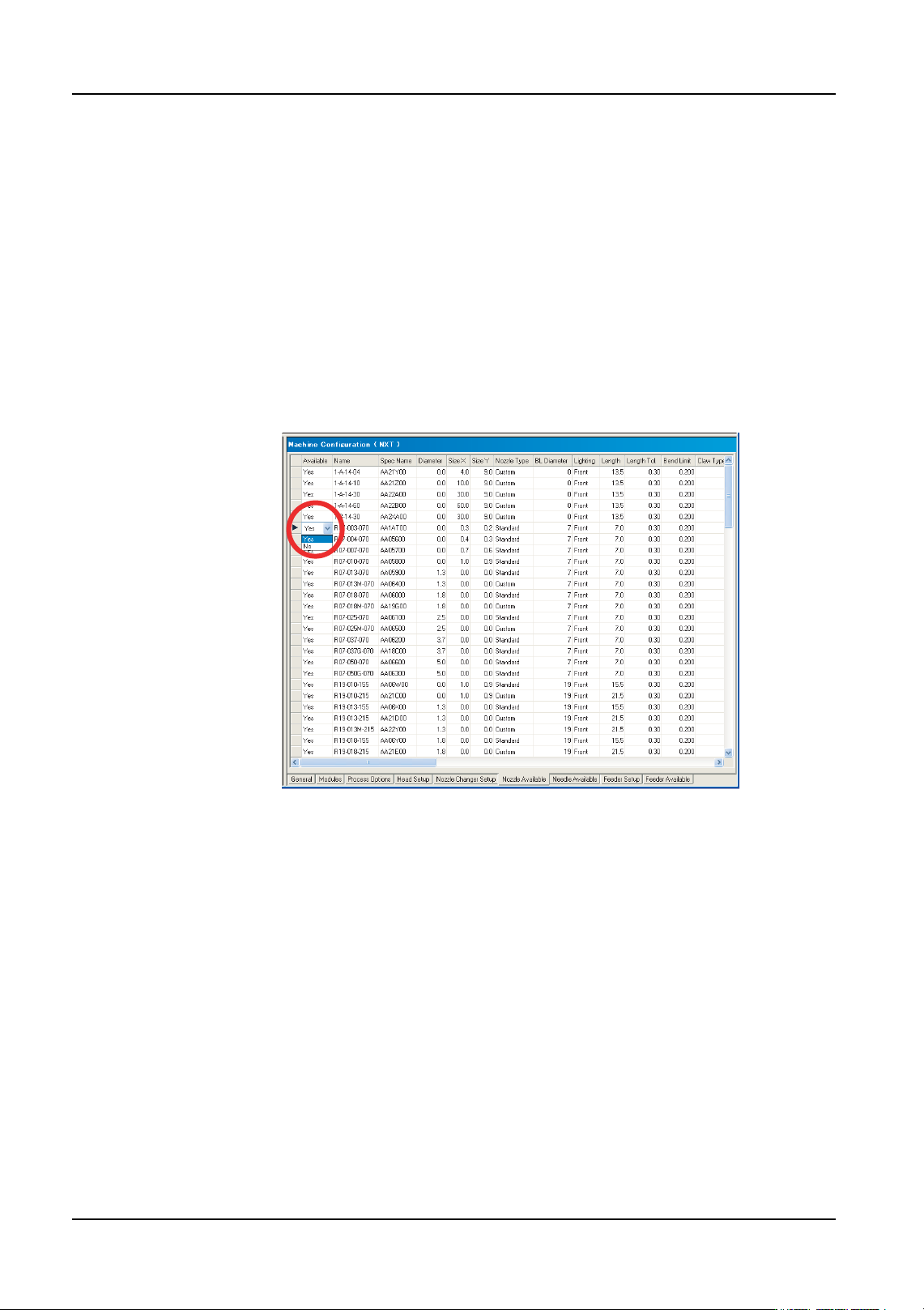
1. There are several tabs at the bottom of the [Machine Configuration] pane. Select the
[Nozzle Available] tab and the available nozzles for the machine display.
2. Double-click in the data cell under [Available] that is on the row for the desired nozzle
and a drop-down list box displays. Select “Yes” if that nozzle is available for that
machine, or “No” if the nozzle is not available for that machine. Repeat until all of the
available and unavailable nozzles have been specified.
3. If you want to specify the quantity of nozzles present, then scroll the window to the right
and then specify the quantity of nozzles available in the [Qty] column. If left at 0 and the
nozzle available setting is “Yes”, then it is considered that there is no limit on the nozzle
quantity.
01PRG-0058E